A team poster template is a pre-structured layout that schools can apply season after season — updating athlete names, photos, and stats without rebuilding the design from scratch. Unlike one-off poster projects, a reusable template carries consistent school branding, established photo zones, and a predictable workflow that works across sports, grade levels, and occasions from fall roster reveals through spring senior nights.
For schools managing multiple sports programs and overlapping recognition calendars, a well-designed set of team poster templates reduces per-poster production time from hours to minutes. When an athletic director needs a basketball roster poster on Monday and a senior recognition display by Thursday, the template does the heavy lifting — no designer required, no brand drift, no last-minute scramble.
What a Team Poster Template Actually Needs to Do
Before choosing dimensions or colors, it helps to think about what a team poster template is being asked to accomplish. At the simplest level, it presents a group of people as a unit — a roster, a class, a team. At the functional level, it needs to work reliably across multiple uses without requiring a designer each time.
The four performance requirements of any reusable school team poster template:
Updatable structure. The layout must isolate what changes (names, numbers, photos, year, season) from what stays constant (school logo, color palette, mascot, framing elements). If the design has to be restructured to add a new player or swap a photo, it is not a template — it is a custom project.
Scalable photo zones. School teams range from 5 players to 45. Photo layout grids need to work at both ends of that range without leaving awkward blank spaces or requiring grid rearrangement each season.
Legibility at display size. A hallway poster is read from eight to twelve feet away. A gym banner is read from forty feet. Player names, numbers, and titles need to be sized for their primary viewing context, not for how they look on screen.
Brand consistency. Every poster produced using the template should look like it came from the same institution — same typeface hierarchy, same color values, same logo treatment. Inconsistency in how school branding is applied across teams and seasons erodes the cumulative impact of a recognition program.
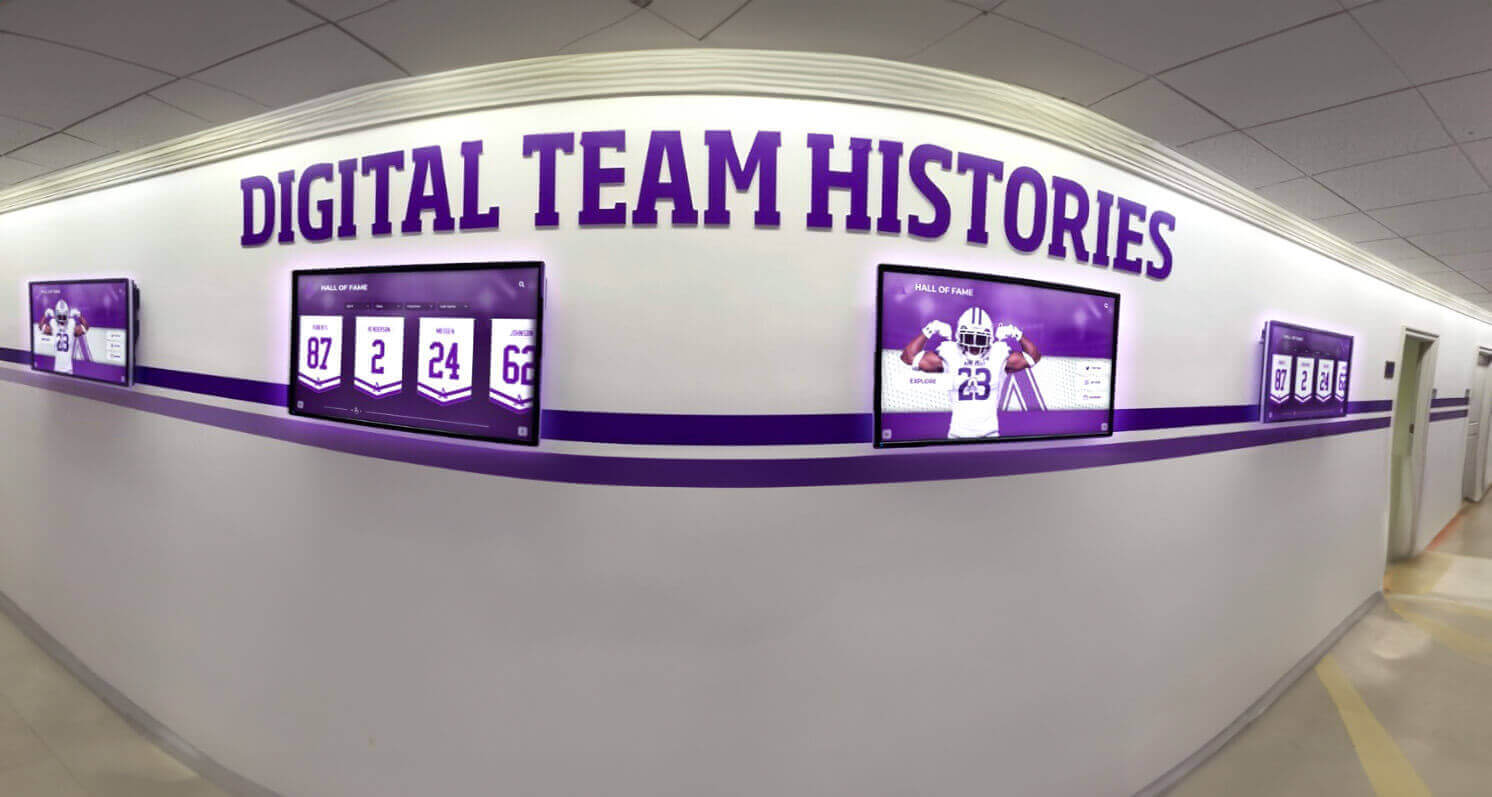
Digital hallway displays running team history content apply the same template logic as print posters — consistent branding across every use case and season
Core Team Poster Template Layouts for Schools
Most school athletic and recognition programs need four foundational template types. Each layout serves a different occasion, but all four should share the same brand system.
Layout 1: Full Roster Team Poster
The full roster template is the workhorse of school athletic communications. Published at the start of each season or distributed at the first home game, it introduces the complete team with individual photos, names, and jersey numbers in a unified composition.
Structural requirements for a full roster layout:
- Photo grid organized by player position, jersey number, or alphabetical order
- Name and number fields directly beneath each photo
- Team title, season year, and school logo in the header
- Coach name(s) in a supporting role (name only — not a photo — to preserve visual hierarchy)
- Sponsor or booster club credit in the footer if applicable
Photo grid options by roster size:
- 6–9 players: 3×2 or 3×3 grid with generous photo size
- 10–15 players: 4×3 or 5×3 grid, moderately reduced photo size
- 16–25 players: 5×4 or 5×5 grid with headshots as the primary photo format
- 26+ players: Multi-row headshot strip with names beneath each, similar to a class composite layout
For sports with large rosters — football, marching band, choir — a multi-page template set often works better than forcing the entire group onto one poster. A 36"×48" varsity poster combined with a separate JV poster is cleaner than cramming 45 photos into a single layout.
Teams recognized with structured visual systems on campus connect naturally to the way schools build academic recognition programs — the same layered approach that works for honor rolls and academic excellence applies directly to athletic team recognition displays.
Layout 2: Senior Recognition Poster
The senior recognition poster shifts focus from the team to the individual. Used for senior nights, senior days, banquet programs, and hallway recognition boards, this layout treats a departing athlete as the primary subject rather than one cell in a roster grid.
Senior recognition template structure:
- Large hero photo zone (headshot or action photo occupying 40–60% of layout space)
- Student name in prominent display type (the largest typographic element on the page)
- Class year and years of participation
- Sport(s), positions, and career highlights
- Personal quote (optional — leave the field blank if the student declines to submit)
- School logo in the header; booster or athletic program credit in the footer
Senior recognition posters work at multiple scales: as individual 18"×24" or 24"×36" prints mounted in hallways during senior week, as a consolidated class display with smaller individual panels on one large board, or as template-generated digital versions running on lobby screens during the recognition event.
A strong senior recognition program depends on having the underlying records to populate the template. School archives and records policies that systematically preserve athlete records make the career stats, photo archives, and season highlights that populate senior recognition posters far easier to assemble each year.
Layout 3: Championship and Achievement Poster
Championship and milestone posters document a specific achievement — a title, a record, a tournament run, an academic honor for a team. These are the posters that go on hallway walls and stay there for years.
Required elements for a championship template layout:
- Achievement title as the dominant typographic element (“2026 State Champions,” “District Title,” “Undefeated Season”)
- Team photo (action shot from the event, celebration photo, or posed championship group)
- Final record or score
- Date and season designation
- Participating roster (names only is often cleaner than attempting individual photos at this size)
- School logo and athletic program mark
Championship posters bridge seasonal communications and permanent recognition. The template that produces a “Regional Champions” poster on the Tuesday after the win also feeds the hallway recognition system athletes and students walk past for the next decade.
Forensics team recognition and robotics team recognition programs demonstrate how schools extend team poster recognition beyond traditional athletics — the same template logic applies to STEM competition teams, academic bowl squads, and performing arts ensembles that earn championship-caliber achievements in non-athletic contexts.
Layout 4: Hallway Display Panel
The hallway display panel is a modular team poster format designed for permanent or semi-permanent corridor installation. Rather than a single large poster, this layout produces individual athlete cards or small team panels that can be arranged in a grid on the wall and added to each year.
Panel template specifications:
- Standard panel size: 8"×10" or 11"×14" per athlete, or 18"×24" per team unit
- Individual photo, name, sport, and graduation year per panel
- Consistent header bar with school color and sport icon
- Designed for sequential display — panels from multiple years should visually belong to the same series
Modular panel templates are particularly effective for programs that want to build out a recognition corridor over time rather than commission a full hall-of-fame installation immediately. Each season adds a new row of panels; over five to ten years the corridor becomes a visual history of the program.
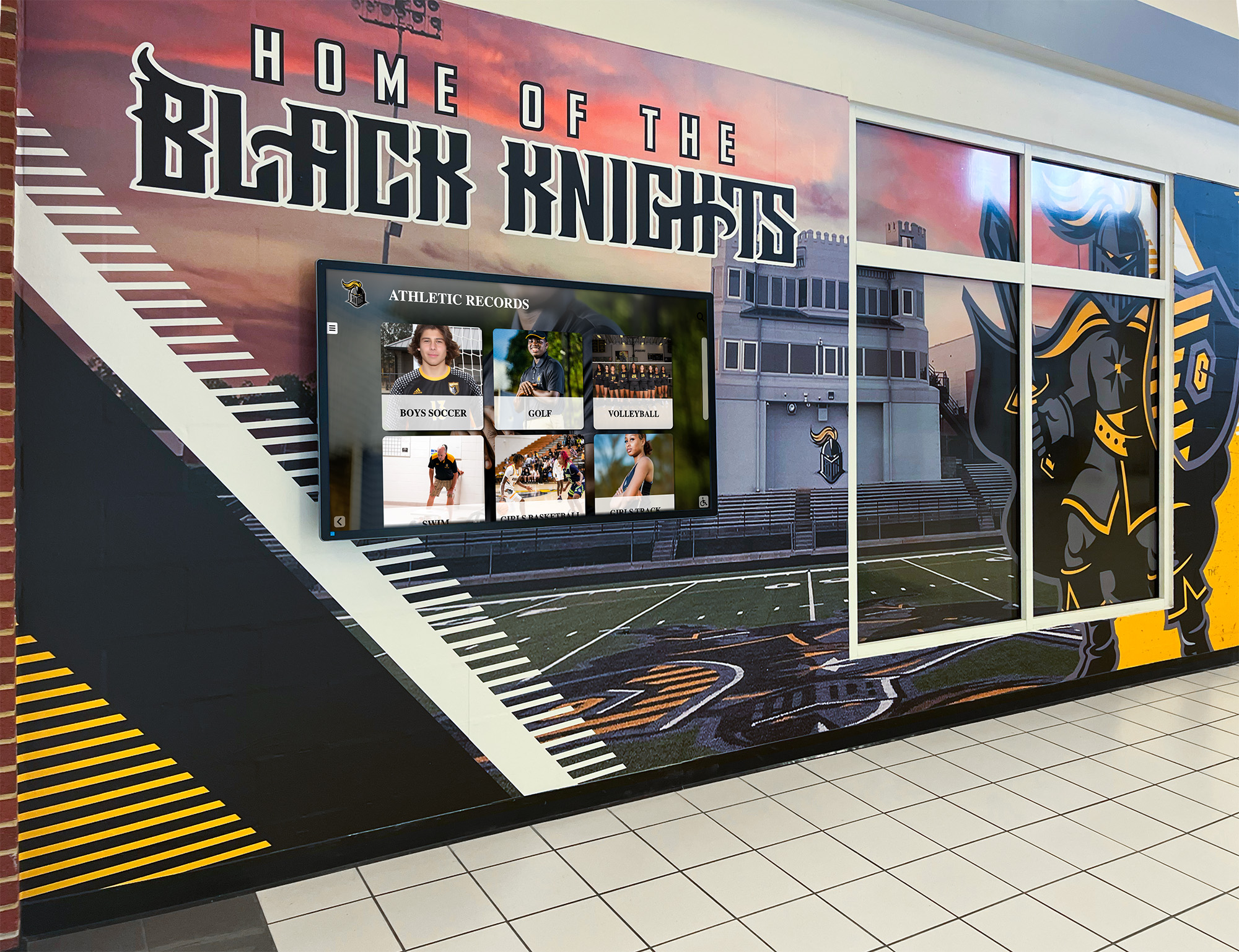
Hallway murals combined with digital records displays create layered recognition environments where seasonal team poster panels accumulate into a growing athletic history
Design Principles for Reusable Team Poster Templates
A template is only as useful as it is adaptable. The design decisions that make a team poster template truly reusable across seasons, sports, and occasions come down to a few core principles.
Lock the Brand, Unlock the Content
Every element in the template falls into one of two categories: locked (school logo, color palette, typeface, mascot graphic, background treatment) or variable (player photos, names, numbers, season year, team title).
Locked elements are the school’s visual identity — they should never change from poster to poster. Variable elements are filled in fresh each time the template is used. Templates that blur this distinction create inconsistency: a poster where the background shifted slightly from last year’s version, or the logo was dropped when a different staff member used the file, erodes the cumulative visual impact of a recognition program.
Use Placeholder Logic
The strongest reusable templates use placeholder logic for variable content — clearly labeled zones that make it obvious what goes where. Photo placeholders labeled “PLAYER PHOTO.” Text fields labeled “PLAYER NAME” and “JERSEY NUMBER.” A season field that reads “20XX–20XX” until updated.
Placeholder logic works in both traditional design software (Adobe Illustrator, Photoshop, InDesign) and in AI-powered school graphics platforms that generate poster layouts from roster data automatically. AI-powered school graphics tools have made it significantly easier to maintain template consistency at scale — applying the same locked brand elements across every new poster without manual effort.
Build for the Widest Range
A team poster template built only for a 12-player basketball roster will fail when the football team tries to use it with 45 players. Design the grid logic to accommodate the largest reasonable roster size for your school — then test it at smaller roster sizes to confirm the layout doesn’t look sparse.
For sports with extreme roster variability (cross-country, swimming, track and field), consider a strip-style layout that adds rows as needed rather than a fixed grid that struggles at both ends of the range.
Match Dimensions to Final Output
Templates should be built at the correct final dimensions from the start:
| Output | Dimensions | Resolution |
|---|---|---|
| Hallway print poster | 24"×36" | 300 DPI |
| Gym banner | 4’×8’ or 3’×6' | 150 DPI minimum |
| Digital portrait screen | 1080×1920px | 72–96 DPI |
| Digital landscape screen | 1920×1080px | 72–96 DPI |
| Social media roster post | 1080×1080px | 72 DPI |
| Program insert | 8.5"×11" | 300 DPI |
Building print templates at screen resolution (72 DPI) and then scaling up for print production is a common source of blurry output. Always start at the correct resolution for the intended medium.
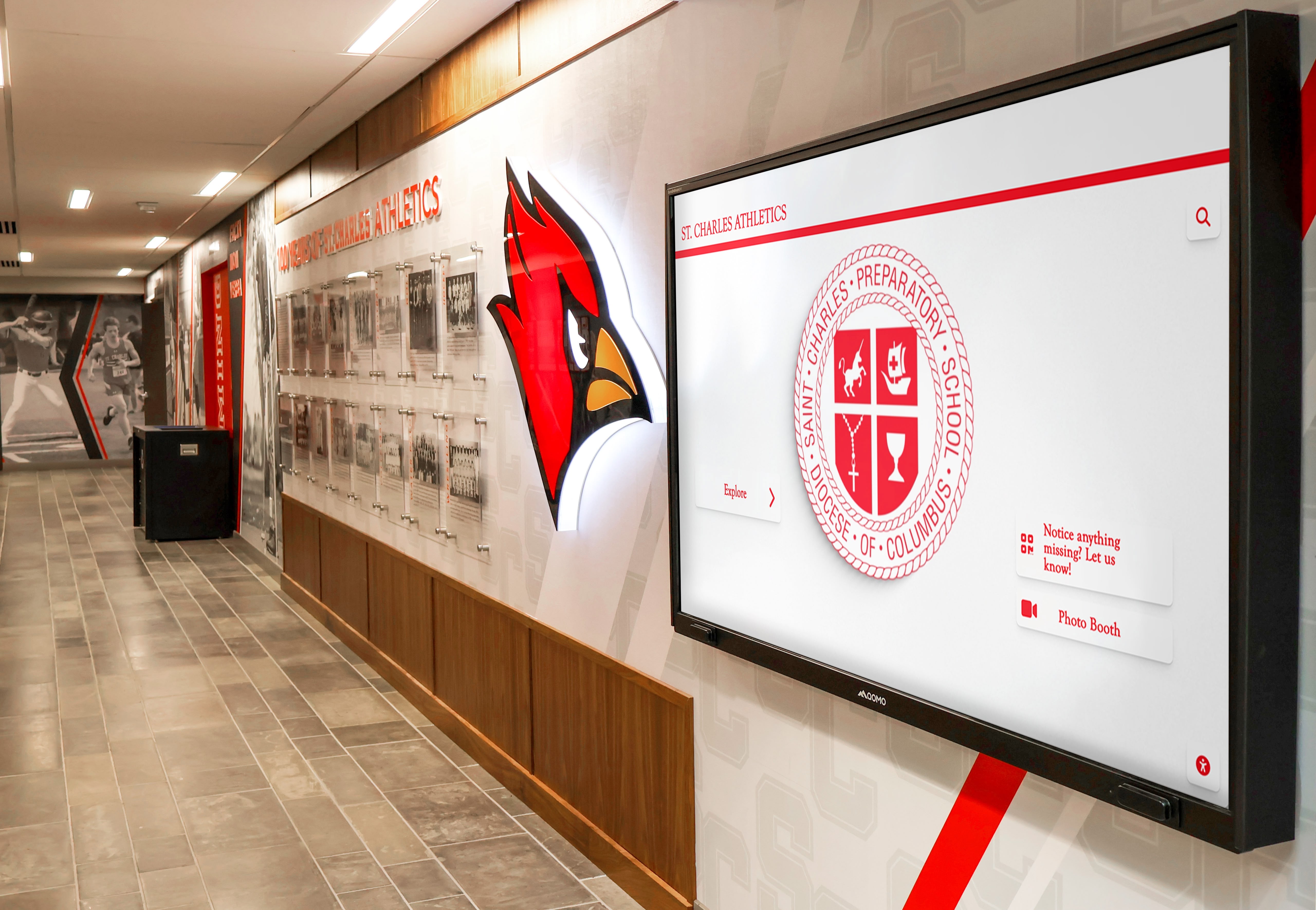
A hallway digital display runs the same visual system as a printed team poster — consistent school colors, mascot treatment, and typography applied at digital canvas dimensions
Team Poster Templates Across Sports and Programs
The design logic for team poster templates applies consistently across athletic and non-athletic programs — but different contexts call for layout adjustments.
Traditional Athletic Sports
For basketball, baseball, softball, volleyball, and soccer — sports with defined rosters of 10–20 players — a 3×4 or 4×4 photo grid works well at most display sizes. Action photography is preferred for senior recognition layouts; posed team photos work for season-opening roster posters.
Dance team recognition displays follow similar template logic but with additional considerations for performance-based recognition — including competition results, choreography credits, and squad hierarchy that differ from traditional sports roster structures.
Performing Arts and Academic Teams
Choir, orchestra, theater, debate, and academic bowl teams often have less-developed poster traditions than athletic programs — but they benefit from the same template systems. A choir roster poster using the same visual language as the basketball roster poster signals that the school treats all program types as worthy of equivalent recognition investment.
Schools building recognition display systems for academic and performing arts programs can reference how schools approach school newspaper and publication recognition — where visual templates that work in print also translate to touchscreen display environments.
For orchestra and music ensembles, concert recognition programs show how the team poster format extends into performance-based recognition — celebrating musicians with the same visual investment schools provide to athletes.
Senior Class Recognition Programs
Some schools produce an annual senior class recognition poster or display that functions as a visual counterpart to the yearbook senior section — showing graduating seniors’ photos, names, and activities in a format visible to the full school community rather than only yearbook purchasers.
Senior class recognition displays connect naturally to both individual senior recognition posters and the broader tradition of honoring athletic group achievements — a poster system that serves both individual seniors and the team units they belonged to creates a coherent year-end recognition narrative. For a deeper look at senior-specific layouts, the senior ad templates guide covers design structures that translate directly into senior recognition poster formats.
Digital Team Poster Templates: Screens, Slideshows, and Displays
Print templates and digital display templates share the same design logic but require different output specifications. Schools running digital displays in hallways, lobbies, and gymnasiums can apply team poster templates directly to these environments.
Scaling Print Layouts to Digital
For hallway portrait screens (9:16 aspect ratio), a vertical team poster template scales directly from a standard 24"×36" print layout re-proportioned at 1080×1920px. The same design file, sized correctly, can produce both a print-ready PDF and a display-ready PNG.
Lobby landscape screens (16:9) require a different layout orientation — horizontal grid arrangements with the team title on the left and photo grid on the right, or a panoramic team photo occupying the left two-thirds with roster information on the right.
National signing day and college commitment recognition displays show how schools apply digital display templates to recognition moments beyond regular-season rosters — the same template system that produces weekly roster posters can generate special-occasion commitment graphics on signing day.
Slideshow and Rotating Content
Team poster content designed for digital display rotation needs slightly different treatment than print:
- Higher contrast between text and background to read at screen brightness
- Simpler layouts with fewer elements per slide, since viewers are moving and content rotates automatically
- Readable at a glance — assume 3–5 seconds of viewing time per slide in a rotating playlist
Athletic banquet recognition displays provide practical context for applying team poster templates in event environments — where the same digital assets that run on hallway screens become banquet slideshow content, printed centerpiece boards, and recognition award backdrops.
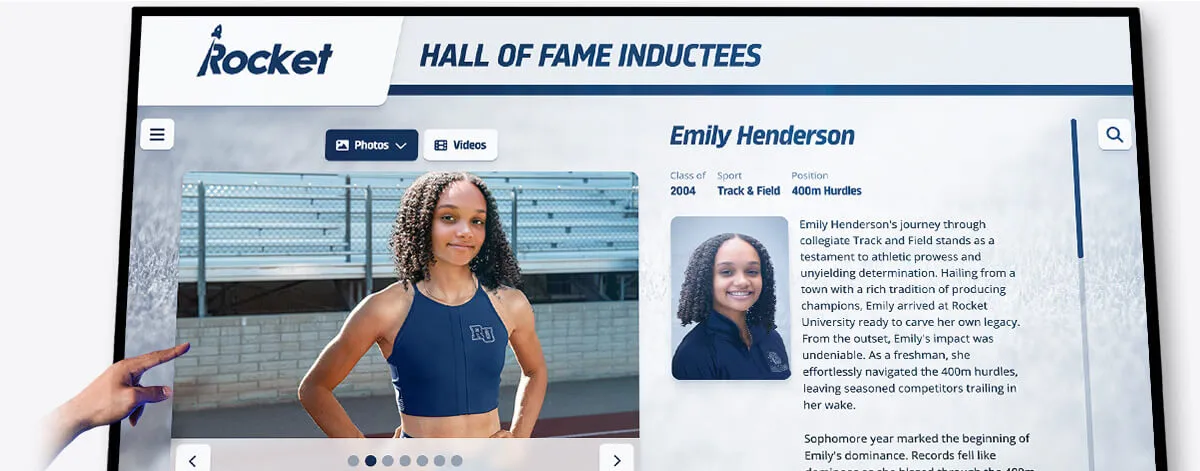
Interactive touchscreen recognition displays extend the senior recognition poster format into a permanent, searchable archive — team poster content becomes the source material for long-term institutional recognition systems
Building a Complete Team Poster Template System
A complete template system for a school athletic program covers every recognition occasion across the calendar year:
| Template Type | Occasion | Typical Print Size | Digital Format |
|---|---|---|---|
| Full Roster Poster | Season opening | 24"×36" | 1080×1920px |
| Senior Recognition Poster | Senior night | 18"×24" | 1080×1920px |
| Championship Poster | Post-season | 24"×36" or 36"×48" | 1920×1080px |
| Hallway Panel | Year-round archive | 8"×10" to 11"×14" | N/A (print only) |
| Social Media Roster Post | Season launch | N/A | 1080×1080px |
| Banquet Recognition Card | End-of-season | 5"×7" or 8.5"×11" | 1080×1920px |
Building templates as a system rather than creating each poster as a standalone project compounds efficiency. In year one, the setup investment is significant; by year three, a staff member with no design background can produce a complete season’s poster set in under a day.
This mirrors the game day graphic template workflow used by athletic communications staff — where pre-built templates for each communication moment reduce per-event production from hours to minutes.
From Team Posters to Permanent Recognition
Team posters built on consistent templates accumulate into something larger than seasonal communication. A hallway that has been receiving new team panels for ten years holds institutional memory that no single poster communicates alone — it shows students, alumni, and visitors the sweep of the program’s history.
According to the National Federation of State High School Associations (NFHS), schools with strong visible recognition traditions consistently report higher student participation in extracurricular programs. Permanent corridor recognition — fed by the same template system that produces seasonal posters — is one of the most cost-effective tools for building that culture.
Rocket Alumni Solutions’ touchscreen digital recognition displays take this logic further by making team poster content interactive and searchable. Athletes whose photos appeared in season roster posters become browsable profiles in a digital archive. Championship posters become filterable records. Senior recognition displays become a searchable class history that visitors and alumni can explore for years after graduation.
The transition from seasonal poster production to permanent recognition infrastructure is a natural evolution of the template system — the same visual language that makes a team poster immediately recognizable is what makes a hall-of-fame display feel authentically connected to the program’s history.
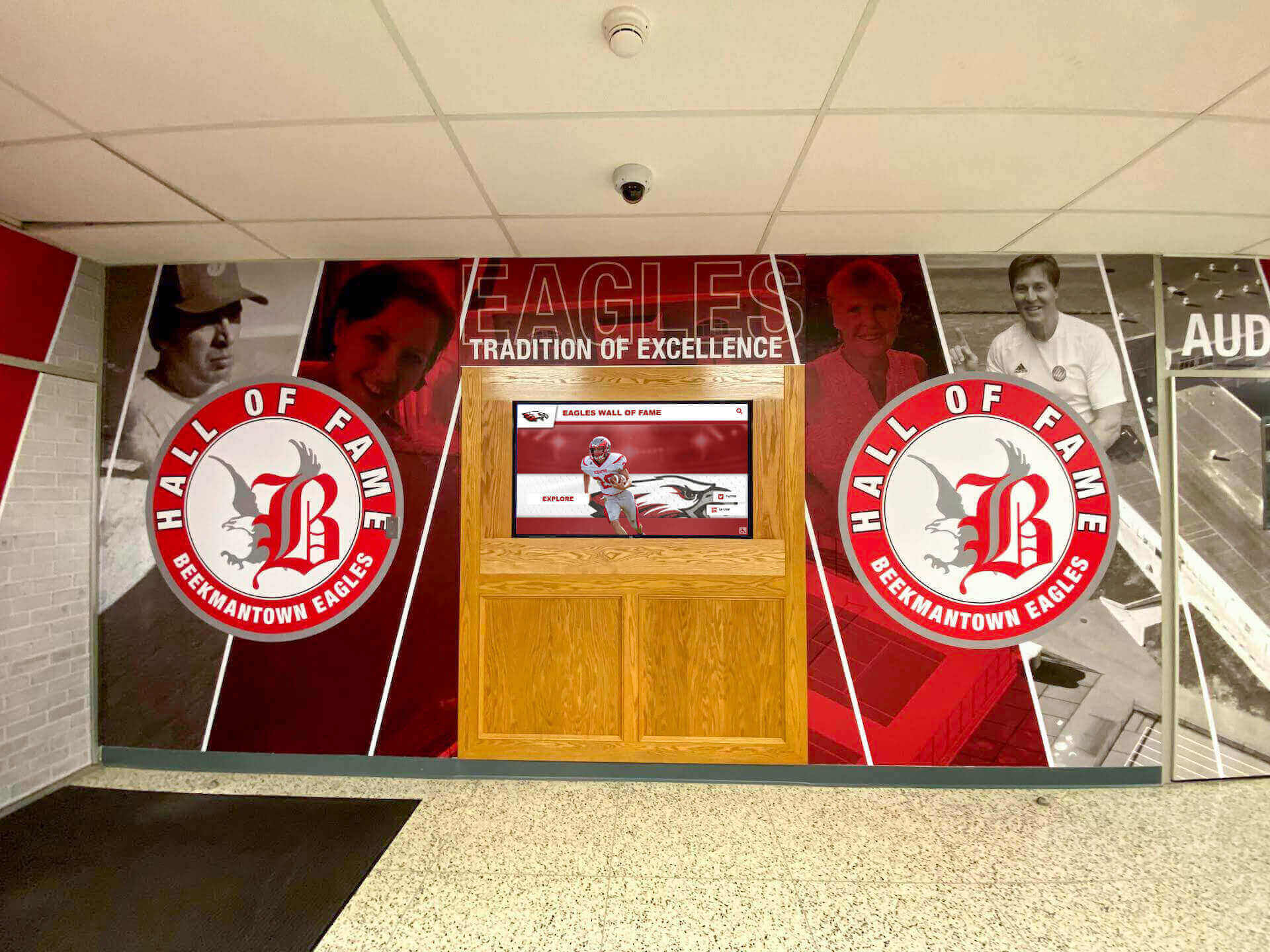
A lobby hall of fame mural represents years of accumulated team recognition — every seasonal poster and athlete panel building toward a display that tells the program's full history to everyone who walks through the door
Frequently Asked Questions About Team Poster Templates
What is a team poster template?
A team poster template is a pre-structured design layout that schools apply repeatedly across seasons, sports, and occasions — updating player photos, names, numbers, and seasonal information without rebuilding the visual design from scratch. Templates ensure brand consistency across every poster the school produces while reducing per-poster production time significantly.
What size should a school team poster be?
For hallway display, 24"×36" is the most common team poster size — large enough for player photos to be recognizable but printable on standard large-format printers. Gym banners range from 3’×6’ to 4’×8’. For individual athlete recognition panels designed to hang in a corridor over multiple years, 11"×14" or 18"×24" is practical. Digital display templates should be built at 1080×1920px for portrait screens or 1920×1080px for landscape screens.
How do you create a reusable team poster template for multiple sports?
Build the template with a locked brand layer (school colors, logo, mascot, typography) and a variable content layer (team title, sport, photo grid, names, season year). Use a photo grid system that scales from 6 to 25 players without requiring the grid to be restructured each season. Test the template across at least three different roster sizes and two different sports before finalizing — this reveals scaling issues that only appear at practical use.
What is the difference between a roster poster and a senior recognition poster?
A roster poster displays the full team as a group — all players at equal visual weight, organized by number or position. A senior recognition poster treats one individual as the primary subject — larger hero photo, prominent name treatment, career context, and personal details. Roster posters are used at season launch; senior recognition posters are used at senior nights, banquets, and graduation-adjacent events.
How can team poster templates be used on digital hallway displays?
Design templates in both print dimensions (300 DPI at final size) and digital display dimensions (1080×1920px for portrait screens, 1920×1080px for landscape) from the start. The same content — player photos, names, school branding — works in both formats; only the canvas dimensions and resolution differ. Schools running digital display systems can schedule team poster content to rotate automatically on hallway and lobby screens throughout the season.
Build Team Poster Templates That Connect to Lasting Recognition
Rocket Alumni Solutions helps school athletic departments create reusable team poster systems — and connect seasonal poster production to touchscreen halls of fame, digital record boards, and permanent recognition displays that keep athletic achievement visible for years after the season ends.
Get notified when Rocket Graphics opens