A sports poster maker built for schools does more than produce a printable game-day image. At its best, it acts as the front end of a recognition workflow — capturing athlete data, game results, and sponsor information in a format that can be reused across social media posts, hallway displays, digital record boards, and year-end award materials without starting from scratch each time.
This guide walks through how school athletic departments, communications staff, and advancement teams can build a poster-to-recognition pipeline: choosing the right tool, establishing reuse conventions, and turning game-day output into lasting institutional records.
What a Sports Poster Maker Actually Needs to Do for Schools
The term “sports poster maker” covers a wide range of tools — from desktop design software to mobile apps to AI-powered school graphics platforms. For K-12 athletic departments, the requirements are specific.
A school-appropriate sports poster maker must:
- Apply school branding automatically. Every poster should reflect the school’s official colors, logo, and mascot without manual re-entry each time. Tools that require uploading a logo and selecting colors every session create friction that leads to inconsistent output.
- Handle multiple sports simultaneously. An athletic department running fall, winter, and spring sports needs poster templates for a dozen sports — not a generic layout that requires heavy customization per sport.
- Produce multiple format outputs from one design. A game-day poster becomes a social media graphic, a lobby screen slide, and a printed hallway flyer. The tool should support export or sizing across these contexts, not require rebuilding the design at each size.
- Support staff with no design background. Athletic directors, coaches, and administrative assistants are the primary users. A tool that requires design experience or a steep learning curve will be abandoned after the first week of the season.
- Archive output in an organized way. Game-day posters that are created and discarded after posting represent missed documentation opportunities. Tools that save output with metadata (sport, opponent, date, player name) create archives that serve hall-of-fame research, year-end awards, and alumni communications.
According to the National Federation of State High School Associations (NFHS), more than 7.8 million students participate in high school athletics annually. The communication volume that number represents — across thousands of schools, each running multiple sports — makes the case for template-based, reusable poster workflows rather than one-off design work.
Sports graphics for school game day visuals require a systems approach, not just a design tool. The poster is the output; the recognition workflow is the goal.
Choosing a Sports Poster Maker: Options for School Athletics
Schools evaluating sports poster makers have several categories of tools to consider, each with different trade-offs for a school athletics context.
General-Purpose Graphic Design Tools (Canva, Adobe Express)
Tools like Canva and Adobe Express offer sports-themed templates and are widely used in school settings. Their advantages are familiar interfaces and broad template libraries.
Trade-offs for schools:
- Brand consistency requires manual setup on each new design; school colors and logos aren’t automatically applied
- Sports templates are primarily consumer-oriented, not built around school athletics workflows
- No archive system — files exist in a personal or organizational account without metadata linking them to specific games, players, or seasons
- Limited direct integration with recognition display systems
A detailed comparison of Canva vs. Gipper for K-12 schools covers how general-purpose tools measure up against sports-specific alternatives for school athletics programs.
Sports-Specific Social Media Tools (Gipper, Scorebook Live)
Tools designed specifically for school sports social media content offer pre-built sports templates and in-app publishing workflows.
Trade-offs for schools:
- Better template organization by sport than general-purpose tools
- Typically subscription-based — cost is a barrier for programs with tight budgets
- Output is optimized for social media dimensions, not for lobby screens, printed posters, or digital record boards
- Archive and reuse functionality varies by platform
AI-Powered School Graphics Platforms (Rocket Graphics)
AI-native platforms built for K-12 schools — like Rocket Graphics — generate branded school graphics from text prompts, automatically applying school colors, logos, and sport-specific layouts.
How the workflow differs:
- Staff describes what they need (“varsity boys basketball game-day poster, tonight vs. Lincoln, 7pm”) and the AI generates the poster
- School brand elements are applied automatically from an organizational profile
- Output is sized for multiple contexts: social media, lobby screens, printed formats
- Generated graphics are saved with metadata that supports archive and reuse
Rocket Graphics is free for schools — a meaningful distinction for programs that cannot budget for per-seat design tool subscriptions. Free social media graphics for schools discusses how AI-powered tools have changed the cost structure for school athletics communications.
Rocket Graphics is opening to schools soon, and it connects to the broader athletic recognition ecosystem Rocket Alumni Solutions builds. Get notified when it opens.
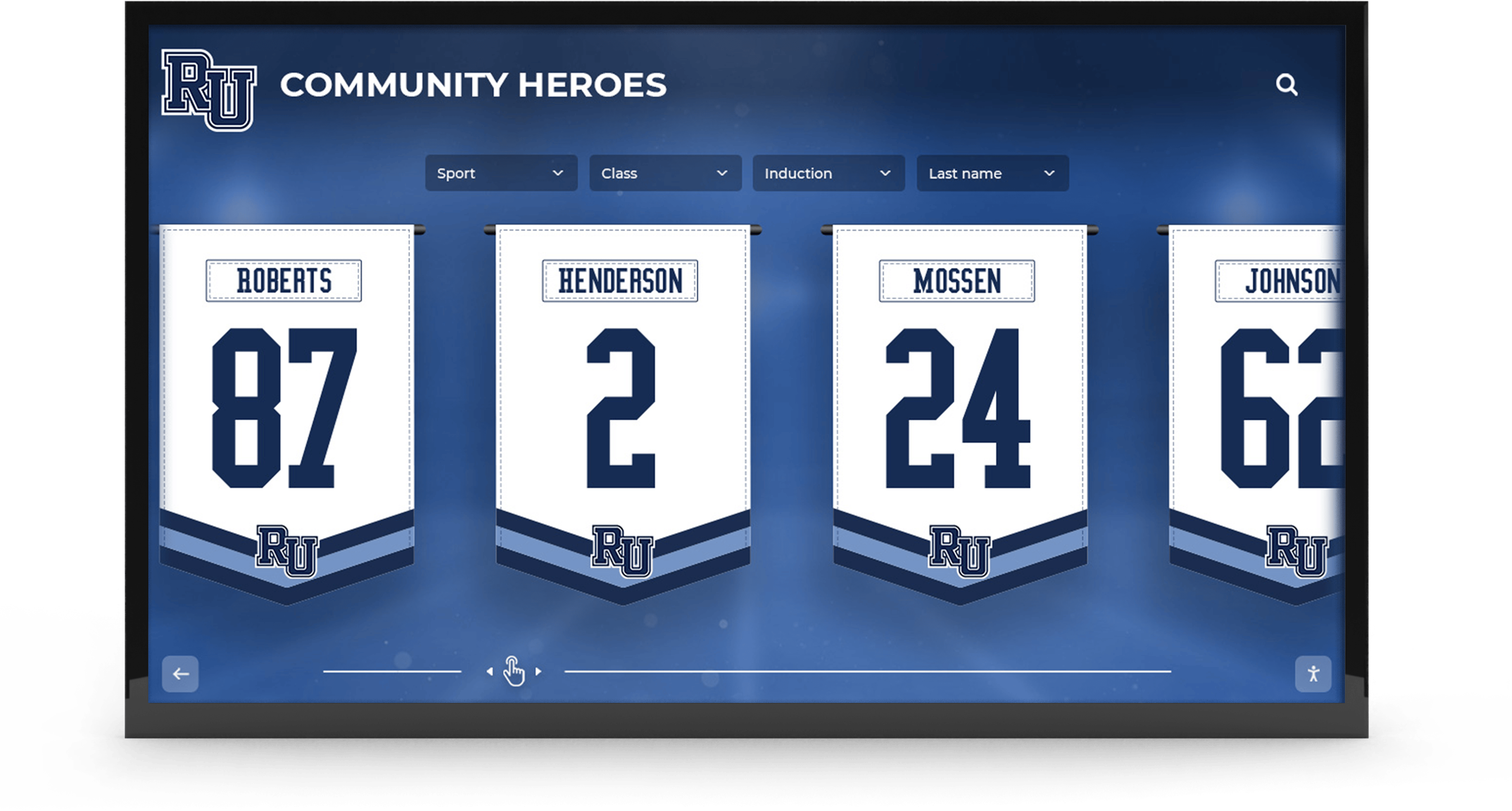
Branded graphics produced with a sports poster maker for game day carry into permanent corridor display formats — when the visual system is consistent, game-day output becomes recognition infrastructure
The Game-Day Poster Workflow: From Creation to Archive
The most common failure mode for school athletics graphic workflows is treating each game-day poster as a one-time output — created, posted, and never referenced again. Schools that treat game-day poster output as the first step in a recognition workflow get significantly more value from the same production effort.
Step 1: Create from a Template, Not from Scratch
Every game-day poster type should have a pre-built template: starting lineup announcement, live score update, final result, player of the game, and senior night or milestone game variant. Creating from a template means:
- Brand elements are already in place
- Variable fields (opponent name, score, player name, stat line) are clearly labeled
- Platform-specific dimensions are pre-set
- Production time per graphic is under three minutes
Game-day graphic template workflows cover the full poster sequence — from pre-game announcement through post-game player recognition.
Step 2: Collect Variable Data Before Game Time
The slowest part of game-day poster production is usually waiting for information — the confirmed starting lineup, the opponent’s full school name spelled correctly, the tip-off time. Collecting this data before the game window opens eliminates production delays.
A pre-game data sheet for each sport should include:
- Full opponent school name and mascot
- Game time, date, and venue
- Confirmed starting lineup or roster
- Jersey numbers for each athlete
- Coach-approved stat targets or player spotlights (for halftime and post-game graphics)
Step 3: Publish on Schedule
Game-day posters follow a publishing timeline:
- Starting lineup / game announcement: 90 minutes before tip-off or first pitch
- Halftime spotlight: within 5 minutes of halftime
- Final score graphic: within 10 minutes of the final whistle
- Player of the game / post-game recognition: within 30 minutes, after stats are confirmed
Athletic department newsletter ideas that include game updates show how game-day poster output feeds into broader communications workflows beyond social media.
Step 4: Archive with Metadata
Every game-day poster should be saved after publishing, in a folder organized by sport, season, and game. The file name or folder structure should capture:
- Sport and team level (e.g.,
varsity-girls-soccer) - Opponent and date (e.g.,
vs-lincoln-2026-09-15) - Graphic type (e.g.,
final-score,player-of-game)
This metadata layer is what makes an archive usable for hall-of-fame research, year-end awards, alumni outreach, and digital display content. Without it, the archive is an undifferentiated image folder that no one can search.
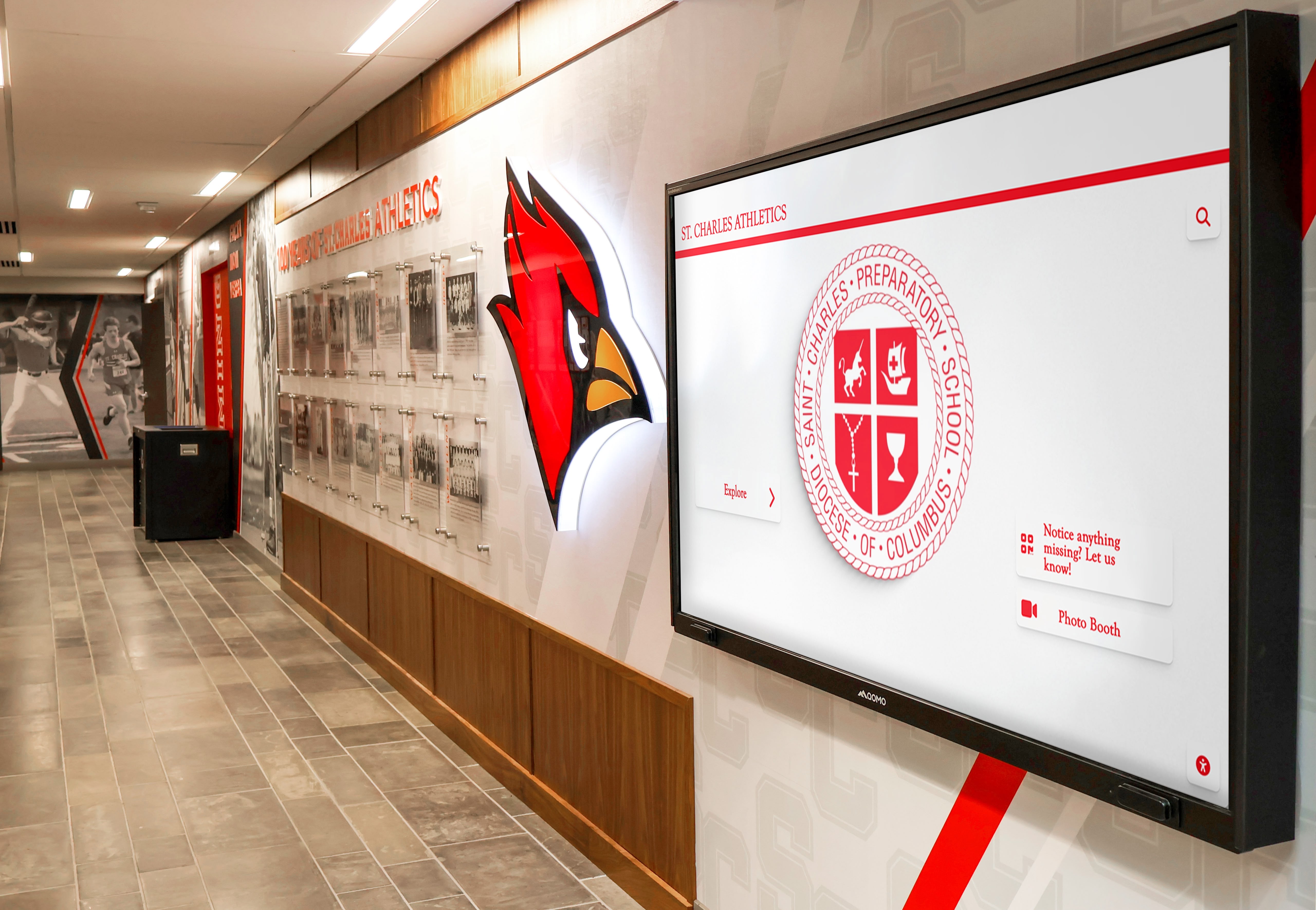
When school brand elements are built into the poster-making workflow from day one, the same visual language applies consistently from social media to hallway recognition screens
Athlete Spotlight Posters: From Game Day to Hall-of-Fame Profile
Athlete spotlight posters — featuring a player’s photo, name, position, and stat line — are among the most reusable graphics in a school athletics content library. A halftime spotlight graphic from September becomes source material for:
- The player of the year nomination in March
- The hall-of-fame induction profile five years later
- The yearbook athlete feature in June
- The alumni newsletter article a decade out
The key is capturing the right information in the spotlight poster template, in a format that can be referenced and exported later. For each athlete spotlight, the poster should include:
| Field | Why It Matters Long-Term |
|---|---|
| Full name (first and last) | Prevents name confusion in alumni and hall-of-fame records |
| Sport and team level | Enables filtering by sport in archive and display systems |
| Class year / graduation year | Links to alumni records and cohort tracking |
| Stat line (specific, dated) | Documents performance context — “12 points vs. Jefferson, Sept. 15, 2026” |
| Photo | Feeds recognition display, yearbook, and hall-of-fame profile systems |
| Jersey number | Cross-references uniform records and senior banner data |
Schools that build this level of data discipline into their sports poster maker workflow find that the game-day communication function and the long-term recognition infrastructure function converge — each game-day poster becomes a structured record entry, not just a social media image.
Sports picture day workflows that feed yearbooks and recognition displays cover how photo collection connects to the poster-making pipeline.
Sponsor and Donor Recognition Posters: The Often-Overlooked Category
Athletic program sponsors provide material support for equipment, travel, and facilities — and many schools underutilize the poster-making workflow as a recognition channel for those sponsors.
Sponsor recognition posters in an athletic context serve two purposes:
- Acknowledging the sponsor’s contribution publicly, which fulfills the recognition commitment and encourages renewal
- Documenting sponsor relationships in a format that advancement staff can reference for stewardship reports and annual fund communications
A sponsor recognition poster typically includes:
- Sponsor company name and logo
- “Thank You” or “Proud Sponsor of [Sport/Program]” language
- School logo and colors
- Season or event the sponsorship supports
These posters can be displayed on lobby screens, posted to social media, and printed for sponsor appreciation events. When built within the same sports poster maker workflow as game-day graphics, they maintain visual consistency with the athletic program’s overall brand — the sponsor recognition poster looks like it belongs to the same program as the championship graphic.
Student section themes and spirit week materials demonstrate how game-day graphic systems extend to event-specific recognition contexts, including sponsor and community acknowledgment.
Turning the Poster Archive Into a Recognition Display
The most direct path from a game-day poster workflow to lasting recognition is connecting the poster archive to a digital display system. Schools using touchscreen hall-of-fame installations or corridor digital displays have a ready audience for athlete spotlight and program milestone content — but only if the content exists in a usable format.
What Makes an Archive Display-Ready
Not every game-day poster translates directly to a hall-of-fame or corridor display. Display-ready content typically meets these criteria:
- Consistent dimensions. Lobby screens and touchscreen kiosk displays use specific aspect ratios (typically 16:9 landscape or 9:16 portrait). Posters built for Instagram square format (1:1) need reformatting.
- Legibility at distance. A game-day score update graphic designed for mobile scrolling may not be legible on a 65-inch corridor screen at ten feet. Font sizes, contrast ratios, and information density need adjustment for display contexts.
- Context completeness. A display audience may not know the game context the way a social media follower does. Display versions of athlete spotlights and game-day milestone graphics should include the date, opponent, and sport — information that followers infer from the feed context but display viewers cannot.
- Evergreen framing. Social media posters often use language like “TONIGHT” or “RIGHT NOW.” Display versions should use specific dates so the content remains accurate when displayed weeks or months after the game.
Free social media graphics from Rocket Graphics can be adapted for corridor and lobby display contexts using the platform’s multi-format export capabilities.
Connecting Poster Output to Touchscreen Recognition Systems
Rocket Alumni Solutions’ touchscreen hall-of-fame and digital recognition display systems can incorporate archived game-day content into interactive athlete profiles and program history timelines. When a school has maintained a disciplined sports poster archive with consistent metadata, that archive becomes the source material for:
- Individual athlete profiles that display career stat lines and highlight game performances
- Season-by-season program history timelines
- Championship milestone displays that pull from multiple seasons of archived game-day data
- Donor and sponsor recognition panels that reference years of consistent acknowledgment graphics
The connection between game-day poster production and long-term recognition infrastructure is not automatic — it requires intentional archive structure and consistent data conventions from the beginning of the workflow. But schools that establish those conventions in their first season of disciplined poster production create a compound recognition asset that grows more valuable each year.
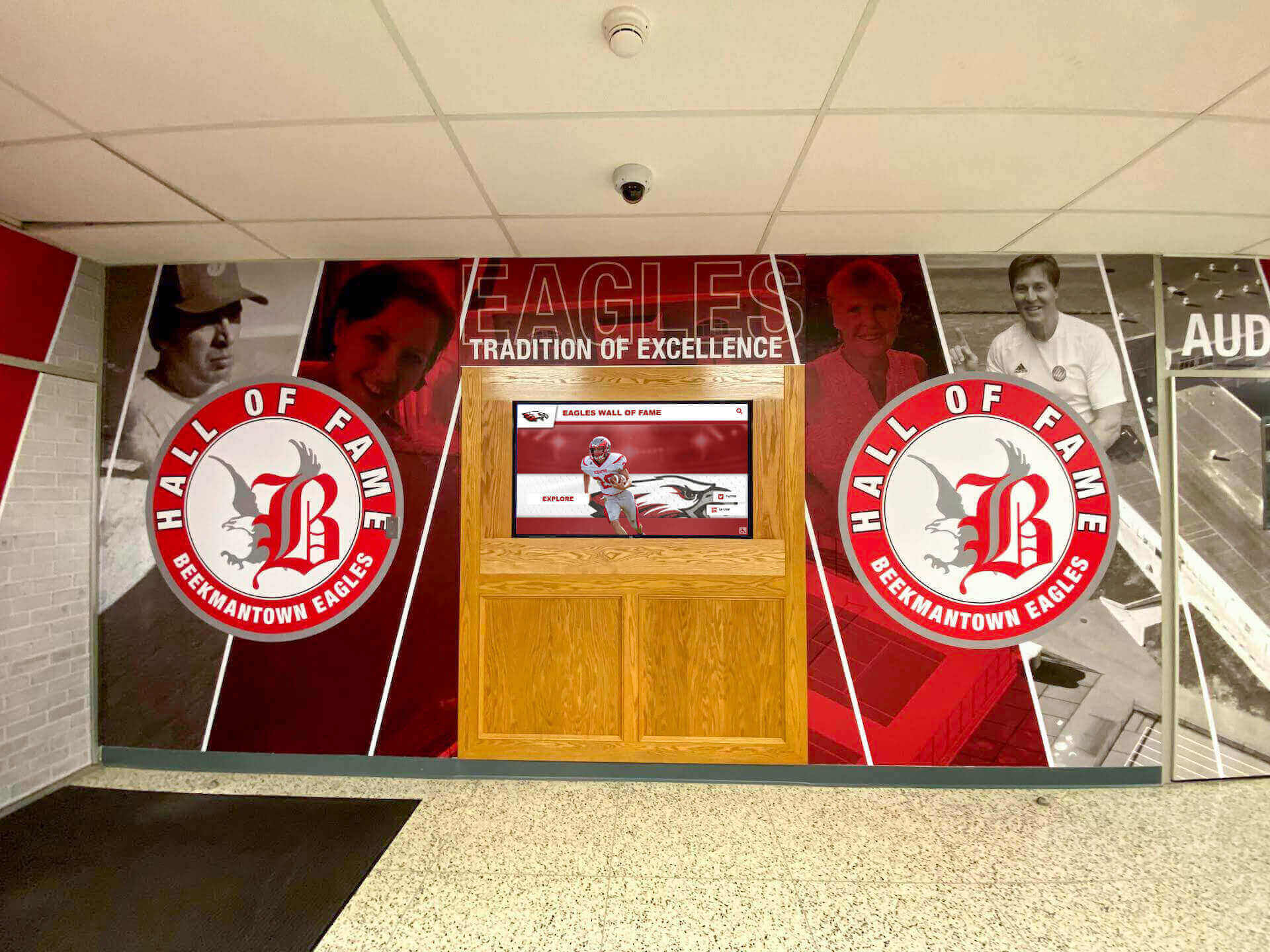
When game-day poster branding and hall-of-fame recognition displays share the same visual language, the transition from current communications to permanent recognition feels intentional rather than retrofitted
Sports Poster Maker Reuse Checklist
Use this checklist to evaluate whether your current sports poster maker workflow is capturing full value from game-day graphic production.
Template Setup (Do Once Per Season)
- School logo in vector or high-resolution PNG — confirmed with marketing or principal’s office
- Official color hex codes documented and entered into poster tool
- Mascot graphic file available in display-ready resolution
- Templates created for all six core game-day poster types
- Templates tested at each target output format: 1080×1080 (social), 1080×1920 (Stories), 1920×1080 (lobby screen)
- Season roster file with full names, jersey numbers, positions, and class years
Game-Day Production (Per Game)
- Pre-game data sheet completed before the game window
- Starting lineup poster scheduled 90 minutes before game time
- All game-day posters published on schedule and saved to archive folder
- Archive folder organized by sport, opponent, and date
- File names include graphic type (final-score, player-of-game, halftime-spotlight)
Athlete Spotlight Posters (Per Post)
- Full name, sport, class year, and jersey number included in poster data
- Stat line includes date and opponent for long-term reference value
- Photo saved to athlete’s individual archive subfolder
- Poster version saved in display-ready format (1920×1080) in addition to social format
Sponsor Recognition Posters (Per Sponsor)
- Sponsor logo obtained in vector or high-resolution format
- Poster language reflects specific sponsorship (sport, season, event type)
- Sponsor recognition graphics archived by sponsor name and season
- Copies shared with advancement staff for stewardship documentation
End of Season (Annual)
- Full season archive reviewed for hall-of-fame candidate documentation
- Top athlete spotlight posters submitted to yearbook staff
- Season graphics submitted to digital record board and recognition display system for update
- Sponsor recognition archive shared with advancement for annual fund reporting
- Template set reviewed and updated before next season begins
Club and high school sports program differences affect how poster workflows are structured — high school athletic departments typically maintain more institutional archives than club programs, making the long-term reuse workflow especially valuable.
Frequently Asked Questions About Sports Poster Makers for Schools
What is the best sports poster maker for schools?
The best sports poster maker for schools automatically applies school branding (colors, logo, mascot), supports multiple sports templates, exports at social media and lobby screen dimensions, and saves output in an organized archive. AI-powered platforms like Rocket Graphics are free for schools and generate branded graphics from text prompts, eliminating the need for design experience. General-purpose tools like Canva work but require manual brand setup for each design session.
How can school athletic departments reuse game-day posters for recognition?
Schools reuse game-day posters for recognition by archiving each graphic with metadata — sport, opponent, date, player name, and stat line — and maintaining that archive in a folder structure searchable by season or athlete. Athlete spotlight and player-of-game posters feed directly into hall-of-fame research, end-of-season award nominations, yearbook content, and digital recognition display systems. The key is treating each game-day graphic as a structured record entry, not just a social media post.
What information should a school athlete spotlight poster include?
A school athlete spotlight poster for long-term recognition value should include: the athlete’s full name, sport and team level, graduation year or class year, a specific stat line with date and opponent, jersey number, and a photo. These fields ensure the poster remains useful for hall-of-fame research, alumni outreach, and recognition displays years after the original game. Vague stat lines have no archival value; specific dated stats with opponent and date do.
Can game-day sports posters be used on lobby screens and hallway digital displays?
Game-day sports posters can be adapted for lobby screens and hallway digital displays, but typically require reformatting. Social media posters are usually 1:1 (square) or 9:16 (portrait); lobby screens use 16:9 landscape format. Display versions need higher legibility at distance — larger fonts, higher contrast — and should replace time-sensitive language like “TONIGHT” with specific dates for evergreen display use.
Is Rocket Graphics free for schools?
Yes — Rocket Graphics is free for K-12 schools. The platform generates branded school graphics from text prompts, automatically applying school colors, logos, and sport-specific layouts. Core features including social media graphic generation, multi-sport templates, and brand profile setup are available at no cost. Schools needing enterprise features, district-wide coordination, or integration with touchscreen recognition display systems can explore those options through Rocket Alumni Solutions.
Connect Your Game-Day Posters to Lasting Athletic Recognition
Rocket Alumni Solutions helps school athletic departments build recognition infrastructure that starts with today's game-day poster and extends to touchscreen halls of fame, digital record boards, and corridor recognition displays that document program history for decades. See how the full workflow fits together.
Get notified when Rocket Graphics opensSpirit week activity planning and game-day recognition offers additional context for how game-day poster workflows connect to broader school identity and recognition programming.