A sports certificate template is a pre-designed layout for creating printed or digital certificates that recognize athletic achievement — structured with placeholder zones for athlete names, award titles, dates, signatures, and school branding so coaches, athletic directors, and event coordinators can produce professional-quality awards without starting from a blank page. Templates range from single-page MVP certificates to multi-column banquet award sheets, and can be customized to match school colors, mascot graphics, and sport-specific imagery.
For schools that run end-of-season banquets, annual awards ceremonies, or hall-of-fame induction events, a strong set of sports certificate templates is one of the most cost-effective recognition tools available. A well-designed certificate communicates the seriousness of the award, photographs well for yearbooks and social media, and — when archived or displayed — becomes part of the permanent record of a program’s history.
What Makes a Sports Certificate Template Effective
The best sports award certificate designs share four characteristics that make them work across printing, framing, digital display, and yearbook archiving.
Legible hierarchy. The athlete’s name is the primary element — it should be the largest typographic element on the certificate, set in a weight and size that reads immediately from across a banquet table. The award title comes second. All supporting text (school name, date, season, coach signatures) occupies a clearly subordinate tier.
Sport-appropriate visual language. A wrestling certificate benefits from bold, high-contrast geometry and impact-weight typography. A swimming certificate can use flowing horizontal elements that suggest water and motion. Using a generic certificate template that doesn’t reflect the sport’s visual identity misses an opportunity to make the award feel specific and earned.
School branding integration. Every certificate should include the school logo or mascot, primary and secondary school colors, and the athletic department name. This ties individual achievement to institutional context — the award belongs to the school’s history, not just to the moment of presentation.
Archival quality. Certificates that will be framed, stored in an athletic archive, or scanned for a digital recognition display need to be designed at print resolution (300 DPI minimum) with adequate margins for framing and color profiles suited for accurate print reproduction.
According to the National Federation of State High School Associations (NFHS), approximately 7.8 million students participate in high school athletics annually in the United States. With participation at that scale, athletic programs need recognition systems — including certificates — that are efficient to produce and meaningful to receive.
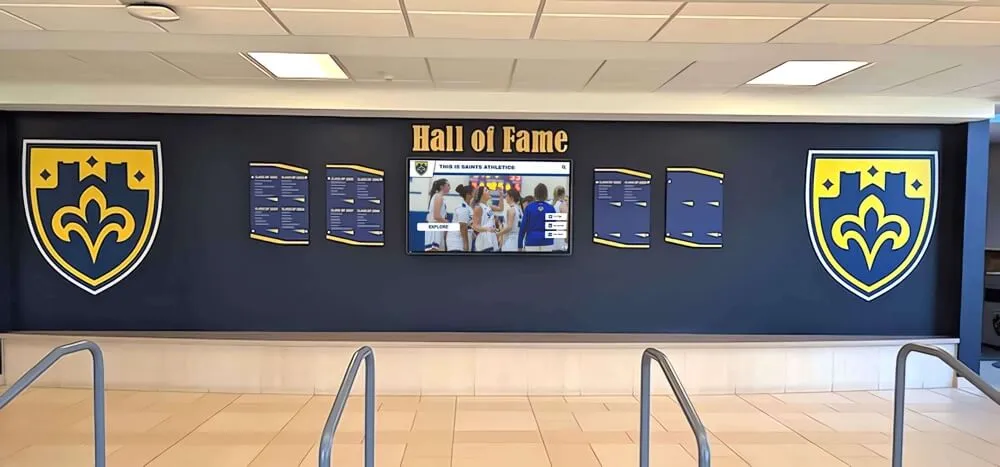
A school athletic hall of fame with shield-style recognition panels — the permanent environment where framed certificates, athlete records, and award histories connect current recognition to program legacy
Core Certificate Types for Athletic Programs
MVP and Most Valuable Player Certificates
The MVP certificate is the most recognized award in team sports recognition. Its design should reflect the prestige of the designation — typically through gold foil accents, a prominent seal or emblem, and larger-than-average text treatment for the athlete’s name.
Essential design elements for MVP certificates:
- Athlete name set at 36–48pt or larger in a bold or display typeface
- “Most Valuable Player” as the award title, with the sport and season below it
- School name, athletic department name, and season year
- Coach signature line (one or two, depending on program structure)
- School logo or mascot graphic as a central or background element
- Gold or metallic accent elements (borders, seals, dividers)
Example wording:
This certificate is presented to [Athlete Name] in recognition of outstanding performance, leadership, and contribution to the [School Name] [Sport] program during the [Year] season. Awarded this [Date] by the coaching staff of [School Name] Athletics.
Scholar-Athlete Certificates
The scholar-athlete certificate bridges athletic and academic recognition — honoring students who meet both athletic participation requirements and academic GPA thresholds. These are among the most meaningful awards a student-athlete can receive, because they validate the dual commitment that makes high school athletics educationally significant.
Schools following AP Scholar award recognition practices understand that academic-athletic recognition requires design that reflects both achievement domains — not just a sports-graphic certificate with a GPA line added.
Design guidance for scholar-athlete certificates:
- Include both a GPA reference (e.g., “Maintaining a 3.75 GPA while competing at the varsity level”) and sport-specific achievement language
- Use a dual-element visual treatment: academic symbolism (book, torch, laurel) alongside athletic imagery
- List both the sport and the academic distinction (honor roll, academic letter, state academic team)
- Ensure the certificate meets the same archival and display quality standards as athletic awards
Participation Certificates
Participation certificates serve a different function from achievement awards — they confirm membership in a program and acknowledge the commitment of every athlete who completed a season, regardless of playing time or statistical output. These are especially important at the JV and freshman levels, and for individual-sport programs where many athletes compete without placing.
Well-designed participation certificates are not consolation prizes — they are program documents. They verify that an individual was part of a team during a specific season, which matters for school records, athletic archives, and yearbook documentation.
Participation certificate checklist:
- Sport and season year prominently displayed
- Athlete name as primary typographic element
- “This certifies that [Name] was a member of the [School] [Sport] team” as the core language
- Coach name and signature line
- School logo and athletic department identification
- Date of award (typically end-of-season banquet date)
Captain’s Award Certificates
The captain designation in team sports carries specific leadership responsibility — a certificate recognizing team captains should reflect the distinction between earning athletic achievement awards and earning the trust of a coaching staff and a team.
Design the captain’s certificate with leadership-specific visual language: strong vertical lines, authoritative typography, and wording that focuses on service to the program rather than individual statistical achievement.
Captain’s certificate wording example:
In recognition of demonstrated leadership, dedication, and service to the [School Name] [Sport] program. [Athlete Name] served as Team Captain during the [Year] season, guiding teammates with integrity and setting the standard for athletic and personal excellence.
Record-Breaker Certificates
When an athlete sets a school, conference, or regional record, a record-breaker certificate documents the achievement in a format that can be framed, archived, and referenced for years. These certificates require specific data fields that standard templates don’t always accommodate.
All-state record boards and recognition systems demonstrate how record-specific data — event name, performance mark, date, meet or venue — needs to be structured legibly within the certificate layout without looking cluttered.
Required data fields for a record-breaker certificate:
| Field | Example |
|---|---|
| Athlete name | Sarah Chen |
| Sport and event | Girls Track & Field — 400m Hurdles |
| Record type | School Record / Conference Record |
| Performance mark | 59.4 seconds |
| Previous record | 60.1 seconds (set 2019) |
| Date and venue | May 15, 2026 — Regional Championship |
| Coach signature | — |
Banquet Award Certificates
Athletic banquet certificates cover the full range of program awards presented at an end-of-season ceremony — from sport-specific achievements to program-level honors like Coaches Award, Most Improved, or Unsung Hero. The design challenge for banquet award packages is consistency: all certificates in the set should share a visual system while remaining legible as individual documents.
Guidance from athletic banquet planning resources consistently identifies certificate design as an area where programs underinvest — producing awards that look mismatched across sports or that don’t photograph well in the low-light conditions typical of gymnasium banquets.
Banquet certificate design system principles:
- Establish a shared template structure with fixed zones for school logo, award title, athlete name, and signatures
- Use sport-specific color accents within the shared structure — the basketball set uses one color palette, the soccer set another, but the layout proportions remain consistent
- Size all certificates identically so the same frame sizes work across every award
- Print at 300 DPI minimum to ensure clarity in yearbook scans and digital archive photography

An athletics hall of fame wall display — the kind of permanent recognition environment where banquet award records, certificate-documented achievements, and inducted athlete profiles form a unified historical archive
Certificate Wording Examples by Award Type
Certificate wording should be specific, present tense or past tense based on the award type, and free of generic filler language that dilutes the recognition value. The following examples are designed to be adapted directly.
MVP / Most Valuable Player
This certificate recognizes [Athlete Name] as the Most Valuable Player of the [Year] [School Name] [Sport] season — for exceptional performance, competitive spirit, and contributions that elevated the entire program. Presented at the [Year] Athletic Banquet.
Scholar-Athlete
[Athlete Name] is hereby recognized as a Scholar-Athlete of [School Name] for the [Year] academic year — demonstrating outstanding commitment to both athletic excellence in [Sport] and academic achievement at the [Honors/GPA designation] level. This dual commitment exemplifies the mission of [School Name] Athletics.
Coaches Award
The Coaches Award is presented to [Athlete Name] in recognition of qualities that statistics do not capture: leadership, coachability, team-first attitude, and a standard of daily effort that made every practice and every game better. From the coaching staff of [School Name] [Sport], [Year].
Most Improved
This certificate recognizes [Athlete Name] for the most significant measurable and observable improvement demonstrated over the course of the [Year] [School Name] [Sport] season — a reflection of dedicated off-season work, commitment to coaching, and the willingness to be challenged and grow.
Unsung Hero
Awarded to [Athlete Name] in recognition of contributions to the [School Name] [Sport] program that rarely appear in the box score — the work that makes teammates better, the effort that makes the team function, and the character that defines program culture. Presented at the [Year] Athletic Banquet.
Design Elements: Layout, Branding, and Visual Guidance
Layout and Proportions
Standard sports certificate templates use one of three aspect ratios:
- 8.5" × 11" portrait — the most common; fits standard frames and letter-size printing
- 11" × 8.5" landscape — preferred for certificates that include multiple data columns (record-breaker, multi-sport awards) or wide visual elements like panoramic team photos
- 8" × 10" portrait — a common frame-ready size that avoids the institutional feel of a full letter-size document
For banquet award sets, portrait orientation is almost always preferable — landscape formats are harder to display uniformly when athletes hold them for photographs.
School Branding Integration
Every sports award certificate should integrate school branding through at minimum:
- Primary logo placed in the upper center, upper left, or as a watermark behind the body text
- School colors used in borders, dividers, accent lines, and background elements
- Mascot graphic as a secondary design element — full illustration works well in corners or as a background watermark at 10–15% opacity
- Typography in a typeface that reflects the school’s athletic identity (bold condensed sans-serifs for programs with a strong athletic identity; classic serif combinations for programs with a more academic orientation)
Athletic awards plaques and certificates that share a consistent visual language create a unified recognition environment — an athlete who receives a certificate at the banquet and sees a matching plaque in the trophy case understands that both belong to the same program identity.
Photo Integration
Including a team or individual athlete photograph within the certificate design significantly increases the personal value of the award. Photo-enabled certificate templates require:
- A designated photo zone with clearly defined dimensions (typically 2" × 2.5" or 2" × 3" for individual photos)
- A light background in the photo zone so team photos with varied uniform colors read clearly
- Sufficient margin between the photo and the certificate body text to avoid visual clutter
- Consistent photo treatment across the set (same crop dimensions, same border treatment)
Digital and Display-Ready Versions
Certificates produced for end-of-season banquets often need a second life — framed in an athlete’s home, scanned for yearbook archives, photographed for social media, or integrated into a school’s digital recognition display. Designing for all of these downstream uses requires:
- Print version: 300 DPI, CMYK color profile, 0.125" bleed on all edges
- Digital display version: RGB color profile, 1920 × 1080px at 72 DPI for standard screen display
- Yearbook scan version: High-contrast text treatment (avoid light text on mid-value backgrounds), no fine-line borders that disappear at reduced resolution
- Social media version: Square or portrait crop at 1080 × 1080px or 1080 × 1350px, with athlete name and award title large enough to read on mobile without zooming
All-state plaque digital displays demonstrate how award documentation — originally created for physical display — can transition into persistent digital recognition when designed with the downstream format in mind from the start.
Integrating Certificates with School Recognition Programs
Athletic Banquet Archives
End-of-season banquet certificates don’t need to disappear into an athlete’s backpack after the ceremony. Athletic programs that maintain an awards archive — whether a physical binder in the athletic office or a digital folder in a recognition system — create a historical record that serves multiple purposes over time.
An athletic archive with complete banquet records from every sport, every season, supports:
- Hall-of-fame research when programs induct new members
- Yearbook staff pulling historical achievement data
- Alumni relations and “where are they now” storytelling
- Donor and parent engagement through program history displays
Alumni spotlight programs consistently rely on archived award records as primary sources — the certificate or banquet program from fifteen years ago is often the most specific documentation of what an athlete was recognized for and when.
Hall-of-Fame Integration
When an athlete is inducted into a school’s hall of fame, the certificate documentation from their playing career becomes part of the induction record. Programs that kept good banquet archives can pull MVP certificates, record-breaker documentation, and scholar-athlete awards directly into the induction profile.
Academic signing day programs demonstrate a parallel approach: creating ceremony-grade certificates that function as both event recognition and permanent archive documents — documents worth keeping because they mark a real transition moment in an athlete’s career.
Digital Recognition Displays
Physical certificates archive the moment of recognition. Digital recognition systems extend that recognition into an ongoing, visible display that current students and visitors encounter daily.
Rocket Alumni Solutions’ touchscreen hall-of-fame systems allow athletic programs to incorporate scanned certificate data, athlete photos, and award records into interactive displays where a visitor can browse every MVP award the basketball program has given since 1990, or see every record-breaker certificate from the track program sorted by event.
Touchscreen display systems for sports recognition show how sport-specific award data — precisely the kind of structured information captured on a well-designed certificate — translates directly into navigable digital interfaces that keep historical achievement visible and accessible.
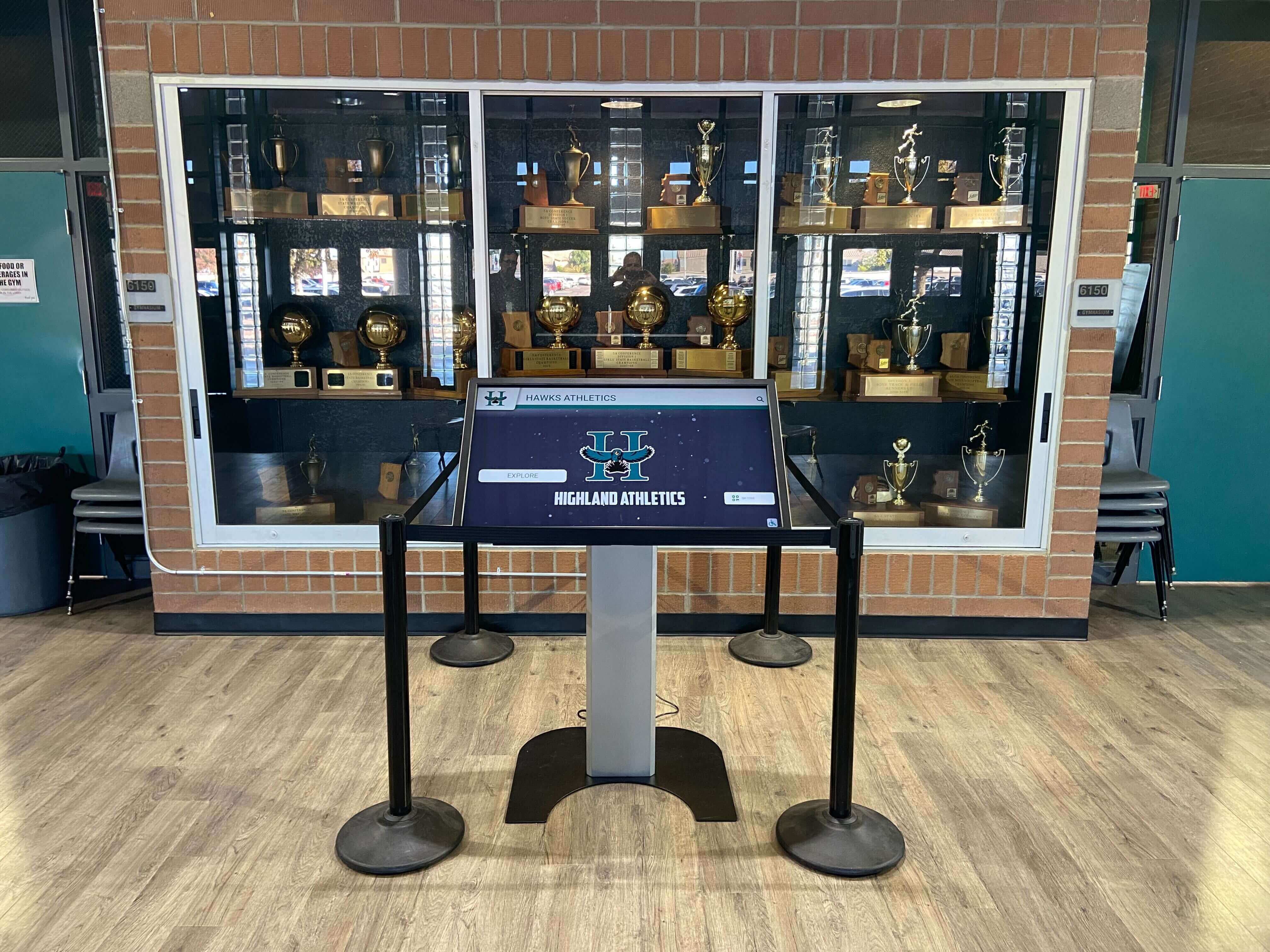
A touchscreen kiosk in a school trophy case — the digital recognition layer where award certificate data, athlete photos, and achievement records combine into an interactive historical archive of program achievement
Yearbook and School Memorabilia Display
Certificates that appear in yearbooks, memorabilia cases, or school display installations need to be designed with visual impact at reduced size. A certificate that looks impressive at full 8.5" × 11" scale may lose critical detail when reproduced at 2" × 3" in a yearbook spread.
Design choices that ensure legibility at reduced reproduction scale:
- Minimum 12pt body text (most body text on certificates is set too small for yearbook reproduction)
- High-contrast color pairings — dark text on light background, or light text on dark background with minimum 7:1 contrast ratio
- Avoid fine-line decorative borders (under 1pt stroke weight) that disappear in print reproduction
- Keep the core certificate information (name, award title, school, date) in a zone that remains readable even if decorative margins are cropped
Building a Team Certificate Program: Checklist
For athletic directors or coaches planning a full certificate program for an end-of-season banquet:
Planning (6–8 weeks before banquet):
- Inventory all awards to be presented across every sport
- Identify which awards need individual athlete names (personalized) vs. general award titles (pre-printed)
- Confirm school logo files are available in vector format (EPS or AI) for print quality
- Set consistent certificate dimensions for all sports in the program
Design (4–6 weeks before banquet):
- Select or create a base template with sport-specific color variants
- Integrate school branding: logo, colors, mascot graphic
- Draft wording for each award type; have athletic director or principal review
- Prepare photo-enabled versions for MVP and captain awards if photos will be included
Production (2–3 weeks before banquet):
- Finalize athlete names and verify spelling against official rosters
- Print proof set and review for color accuracy and legibility
- Order final print run with sufficient time for delivery and quality check
- Prepare digital versions for school website, yearbook, and recognition display
Post-banquet:
- Photograph all awarded certificates for program archive
- File award records by sport and season in athletic archive system
- Upload digital versions to school recognition display or hall-of-fame system
- Scan physical certificates at 600 DPI for long-term digital archiving
Frequently Asked Questions About Sports Certificate Templates
What should be included on a sports certificate template?
A sports certificate template should include the athlete’s name as the primary typographic element, the specific award title, the school name and athletic department, the sport and season year, a coach or administrator signature line, and the school logo or mascot graphic. Record-specific certificates should also include performance data fields: event name, performance mark, previous record, and date and venue.
What size should a sports award certificate be?
The most common size for sports award certificates is 8.5" × 11" portrait orientation, which fits standard frames and letter-size printing. An 8" × 10" format is also widely used because it fits readily available frames without the institutional feel of full letter-size. Landscape orientation (11" × 8.5") works well for record-breaker certificates that include multiple data columns.
How do you make a sports certificate look professional?
Professional sports certificates use a clear typographic hierarchy (athlete name largest, award title second, supporting details smallest), school branding elements (logo, colors, mascot), print-quality resolution (300 DPI minimum), and high-contrast color combinations. Consistent use of school colors, a single well-chosen typeface family, and adequate whitespace distinguish professional certificates from generic templates.
Can sports certificates be used in digital hall-of-fame displays?
Yes — certificates designed with digital display in mind (RGB color profile, high-contrast text, clean layout) can be incorporated into touchscreen hall-of-fame systems and digital recognition displays. The structured data on a well-designed certificate — athlete name, award type, sport, season, performance mark — translates directly into searchable, navigable digital recognition interfaces.
What’s the difference between a participation certificate and an achievement certificate?
A participation certificate confirms that an athlete was a member of a team during a specific season — it documents program membership. An achievement certificate recognizes a specific accomplishment (MVP, record-breaker, scholar-athlete) and carries different weight as a recognition document. Both serve important functions: participation certificates complete the program record for every athlete, while achievement certificates mark distinctions earned through specific performance or contribution.
Turn Certificate Records into a Permanent Recognition Environment
Rocket Alumni Solutions builds digital walls of fame, touchscreen halls of fame, and athletic record boards that bring your award history to life — transforming banquet certificate data, athlete records, and program achievements into interactive displays that current students and visitors experience every day.
Get notified when Rocket Graphics opens