Senior season is short — roughly twelve weeks from the time cap-and-gown orders go out to diploma day. During that window, schools have a real opportunity to use the screens already mounted in lobbies, hallways, and gymnasiums to do something that goes far beyond announcements and lunch menus: celebrate the people leaving. Senior shoutout slideshow templates make that possible without starting from scratch every spring, turning digital displays that already exist into running tributes visible to the entire school community for weeks at a time.
This is a different animal than a graduation ceremony slideshow. The ceremony slideshow plays once in a darkened venue for families who are already primed for emotion. A senior shoutout display runs on a lobby screen at 7:45 a.m. on a Tuesday — competing with backpacks and conversations and the general chaos of a school hallway. It has to be designed differently, collected differently, and managed differently. This guide covers how to do all three.
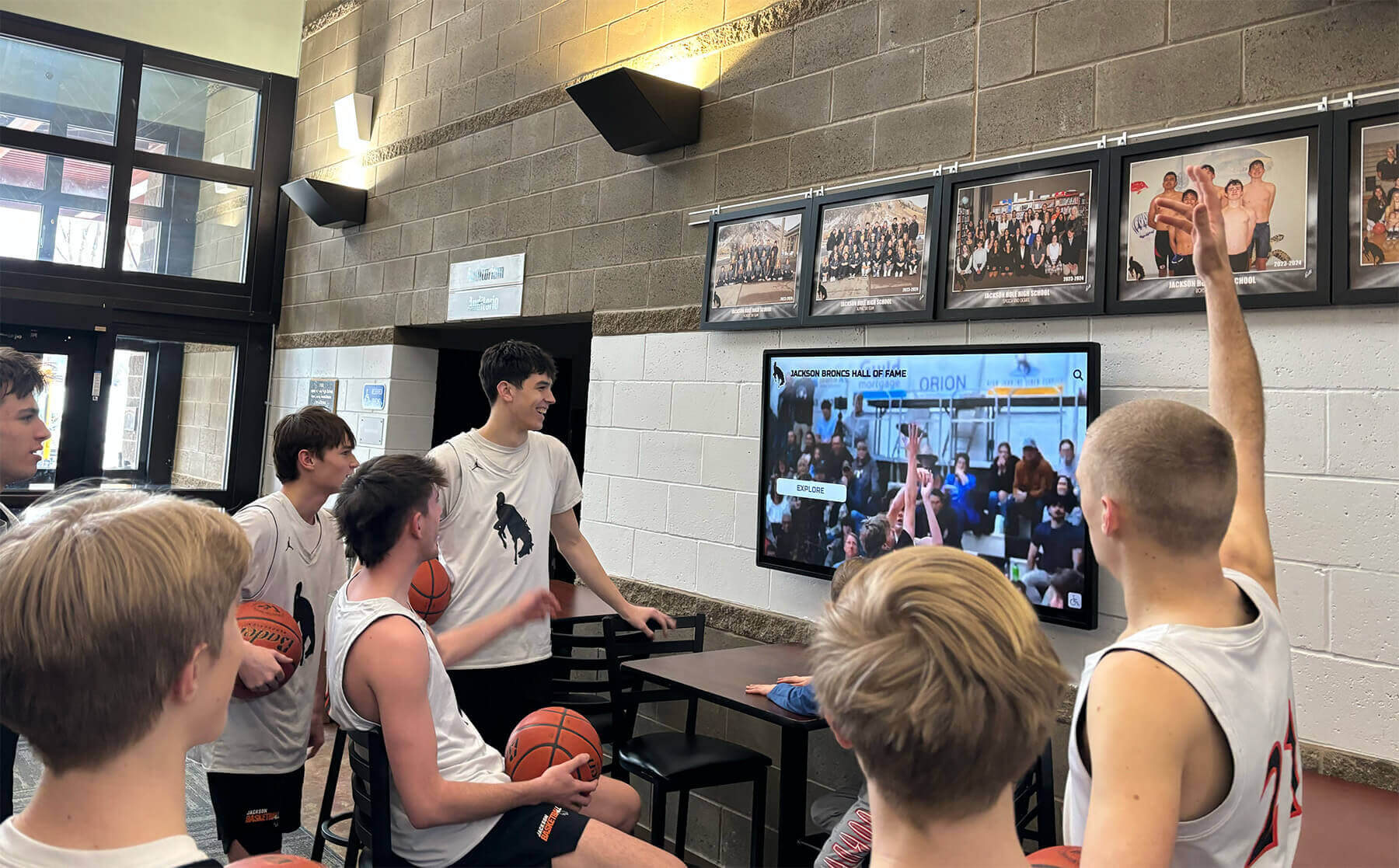
Digital lobby screens transform senior shoutout slideshows into a shared daily experience visible to every student, staff member, and visitor in the building
What Senior Shoutout Slideshow Templates Actually Are
A senior shoutout slideshow is a looping digital presentation — typically 30 seconds to 3 minutes per cycle — displayed on school screens during the weeks surrounding graduation. Each “shoutout” is a dedicated slide or short sequence spotlighting one senior: their photo, name, a quote or message, activities, college destination, or achievement highlights. The template is the reusable design framework that makes it possible to produce 200+ consistently formatted slides without rebuilding every layout from scratch.
Unlike a sports banquet slideshow, which plays once to a seated audience already familiar with the subjects, a senior shoutout display loops throughout the school day in high-traffic spaces. That context shapes everything about how these templates should be designed: high contrast for bright ambient lighting, large readable text for passing viewers, and enough visual interest to stop someone mid-hallway.
The most effective templates share three qualities:
- Instant legibility — a viewer three seconds into the slide knows who is being celebrated
- Visual consistency — all slides look like they belong to the same family, reinforcing school identity
- Effortless customization — staff can slot in a new senior’s photo, name, and details without rebuilding the layout
7 Senior Shoutout Slideshow Template Types
1. Classic Portrait Spotlight
The most straightforward format: one senior per slide, centered portrait photo, name in large type, and a brief details block (graduation year, college/career destination, one or two activities). This template works in almost every display environment because its simplicity scales from a 32-inch hallway monitor to a 75-inch lobby screen.
Design decisions that make this template work:
- Portrait photos cropped consistently (head-and-shoulders or three-quarter body, same framing for every senior)
- Student name at 72pt or larger — readable from 15 feet
- School color accent bar anchoring the design
- Constrained text block (no more than 3 data points) preventing clutter
Best display contexts: Main entrance lobbies, main office waiting areas, cafeteria screens.
2. Multi-Senior Grid
Four to six senior portraits arranged in a card grid, each with a name and one detail line beneath. This format is efficient — it covers more class members per rotation cycle — and works especially well during early spring when the full class deserves visibility before individual spotlights begin.
Grid templates require tighter photo standards since images are displayed smaller. Schools using this format should specify minimum resolution (1920×1080 source files) and consistent portrait cropping in their photo collection guidelines.
Best display contexts: High-traffic hallways where students glance rather than stop, large-format displays in gyms or cafeterias.
3. Senior Quote Card
Quote-first design: the senior’s chosen quote or personal message fills the top two-thirds of the slide in large display type, with a smaller portrait inset and name treatment in the bottom third. This template gives voice to students beyond the standard “name, sport, college” formula and consistently generates the most hallway stops.
The challenge is text length. Quote templates only work when submissions are genuinely brief — two to three lines maximum at display size. Build a 150-character limit into your collection form to prevent overflow.
Best display contexts: Library, academic wing hallways, main office lobbies where visitors wait.
4. Achievement Showcase
Split-screen format pairing a portrait photo on one side with a structured achievement list on the other: honor society, varsity letters earned, AP courses completed, community service hours, awards. This template resonates in academically oriented schools and serves as a bridge between the personal celebration of a shoutout and the institutional recognition of an awards program.
Student spotlight programs that already collect achievement data can feed directly into this template type — repurposing information gathered for other recognition programs rather than asking seniors to submit it twice.
Best display contexts: Academic wings, college counseling office areas, main lobby during spring open house events.
5. Senior of the Week Feature
Rather than cycling through the entire class simultaneously, “Senior of the Week” templates spotlight 3–5 seniors in a featured rotation that updates each Monday. Each featured senior gets expanded treatment — multiple photos, longer quote, full activity list — that a class-wide slideshow can’t accommodate.
This format builds anticipation and creates a weekly talking point. Students know their turn is coming; underclassmen watch to see how it works before their own senior year. The template framework stays constant; only the content changes week to week.
Best display contexts: Main entrance lobbies, athletics hallways, school social media integration.
6. Class-Wide Timeline
Monthly or milestone-based sequence showing the graduating class’s collective senior year journey: first day of school, homecoming, winter sports championships, college acceptance week, prom, graduation countdown. Individual senior shoutout slides anchor the timeline segments, grounding the collective narrative in personal moments.
Timeline templates are more complex to produce but create a sense of class story that individual portrait slides can’t deliver. They work best when a staff member commits to updating the display monthly rather than producing the full sequence at once.
Best display contexts: Athletic facilities, school spirit hubs, main lobby year-round.
7. Senior Stat Card
Modeled after trading card or athlete profile formats: large portrait on one side, “career stats” on the other — not athletic records necessarily, but four-year data points that capture the senior’s journey. Years in the school, clubs joined, miles run in PE, plays performed, books read for class, community service hours. This template invites creative interpretation of what “stats” means and generates genuine engagement from students who stop to read each other’s cards.
The stat card format pairs naturally with design conventions that schools already use in digital display award recognitions — adapting a proven visual language to a new recognition context.
Best display contexts: Athletic hallways, senior lounge areas, cafeteria screens.
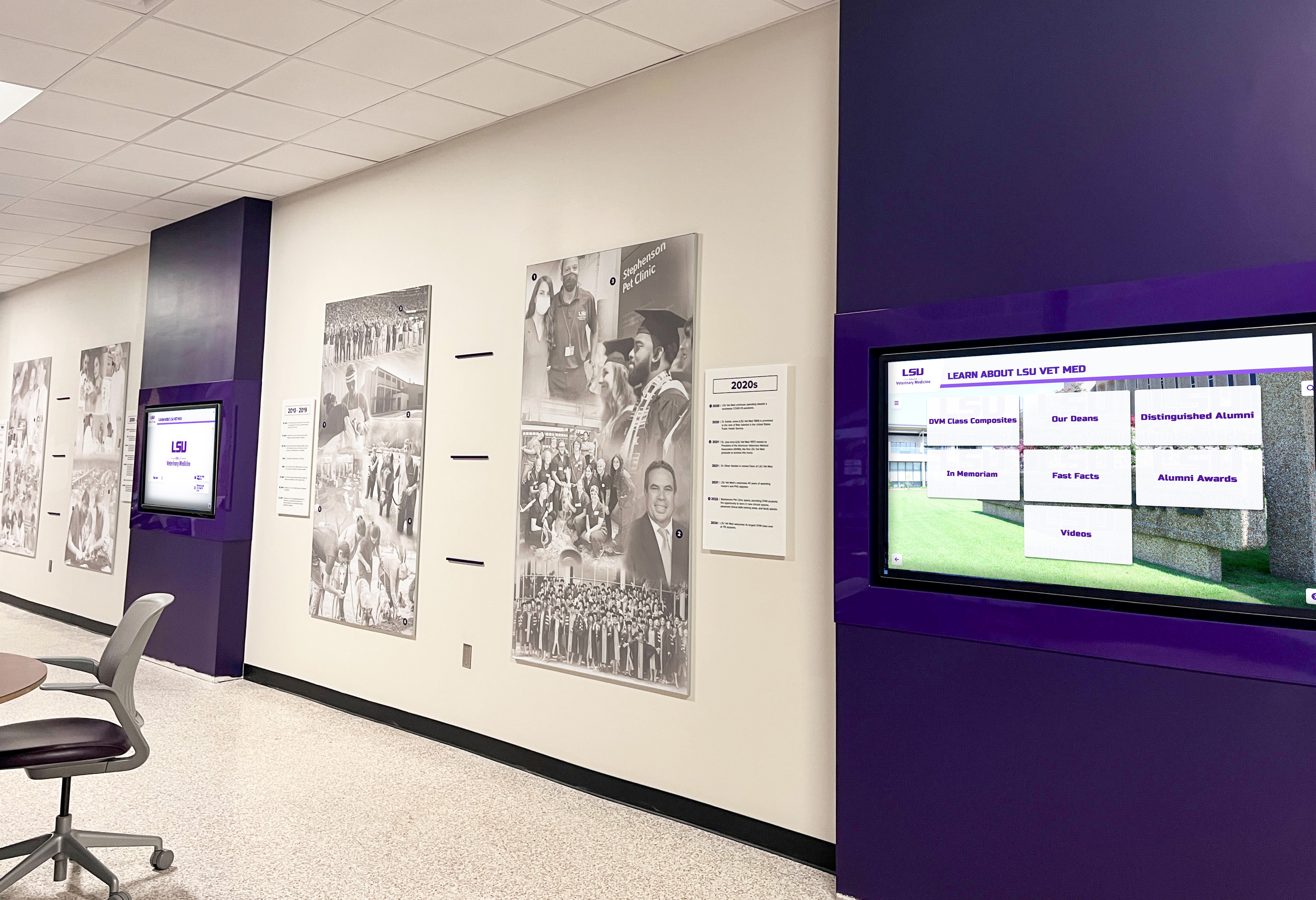
Multi-screen hallway installations let schools run different senior shoutout template types simultaneously — portrait spotlights near one entrance, achievement showcases near another
Design Principles for Screens (Not Print)
Senior shoutout slideshows are screen-native content. The principles that produce a beautiful yearbook senior ad — fine serif type, subtle background gradients, small photo insets — often fail on a school display screen. Screen-specific design requires different decisions.
Contrast and Legibility
Lobby and hallway screens frequently operate in bright ambient light. Text that reads well on a calibrated monitor at a desk disappears on a screen lit by afternoon sun through windows. Design for the worst-case lighting condition:
- Minimum text size: 36pt for secondary text, 72pt or larger for student names
- High contrast ratios: White text on dark backgrounds or dark text on white/light backgrounds — never light text on a medium-toned photo without a text shadow or overlay
- Avoid fine detail: Hairline borders, thin typefaces, and small supporting text degrade at screen viewing distance
Screen-Safe Color Treatment
School colors are the natural choice for senior shoutout templates — and they create visual consistency that reinforces institutional identity across the display cycle. The consistency principles that make yearbook theme design cohesive apply equally on screens: a shared color vocabulary across all slides tells viewers that every slide belongs to the same program.
One practical note: saturated school colors (electric blue, neon green, bright red) can bloom and vibrate on consumer-grade displays. Test your color values on the actual school screens before committing to a template system — what looks clean in design software may need slight desaturation for display environments.
Animation and Transition Speed
Transitions that feel dynamic in a dark ceremony venue feel distracting in a busy hallway. For looping display slideshows:
- Slide duration: 8–15 seconds per slide is the target range — long enough to read comfortably, short enough to keep the loop moving
- Transitions: Simple crossfade or push transitions; avoid complex kinetic effects that interrupt legibility
- Text animation: Subtle entrance animations (fade-in, not spin or bounce) can draw the eye to key text elements without becoming distracting
- Auto-loop: Set presentations to loop automatically without requiring any interaction or button press
Photo Quality Requirements
Screen display is more forgiving than print at 300 DPI, but low-quality phone photos still disappoint at 55+ inch display sizes. Minimum recommendations for senior shoutout templates:
- 1920×1080 pixels (1080p) as a minimum source resolution
- Good lighting: Outdoor natural light or well-lit indoor environment; avoid harsh flash, heavy shadow, or low-light grain
- Consistent framing: Head-and-shoulders or three-quarter portrait works in almost every template type
- Background consideration: Cluttered backgrounds compete with design elements — a plain wall, school building exterior, or sport-specific context backgrounds work best
Where to Display Senior Shoutout Slideshows
A slideshow no one sees doesn’t accomplish anything. Strategic placement multiplies the recognition impact of the same template system.
Primary Display Locations
Main lobby / front entrance: The highest-traffic, highest-visibility location in most schools. Families, visitors, administrators, and the full student body pass through daily. Senior shoutout content here reaches the broadest audience and creates a welcoming, celebratory atmosphere during graduation season.
Main hallways and corridor intersections: Display screens in high-traffic hallways reach students multiple times per day. Varied routes through the building mean different students encounter different screens — an argument for running different template types in different hallway locations.
Cafeteria: Students spend 25–30 minutes here daily and have a natural reason to look up. Cafeteria displays work especially well for multi-senior grid formats that don’t require prolonged attention.
Athletic facility hallways and lobbies: Senior sports recognition in athletic spaces carries particular meaning. Coaches, teammates, and underclassmen who train in these spaces regularly see the recognition of departing seniors as a model for their own future.
Gymnasium lobby or staging area: The natural location for senior shoutout displays during spring sporting events, banquets, and ceremonies where families and community members gather.
Secondary Display Locations
College counseling office and adjacent hallways: Achievement Showcase and Quote Card templates resonate particularly well in academic contexts. Seniors visiting college counseling offices see their own future milestone displayed alongside peers who’ve already committed.
Library and academic common areas: Quieter environments where students are more likely to stop and read a longer quote or scan an achievement list.
Near the senior lounge or senior parking area: If your school has senior-designated spaces, a display screen there functions as a community board specific to the graduating class.
Administrative suites: Principals, counselors, and administrative staff who see senior shoutout displays in their work areas develop stronger individual familiarity with the graduating class — a small but real recognition benefit.
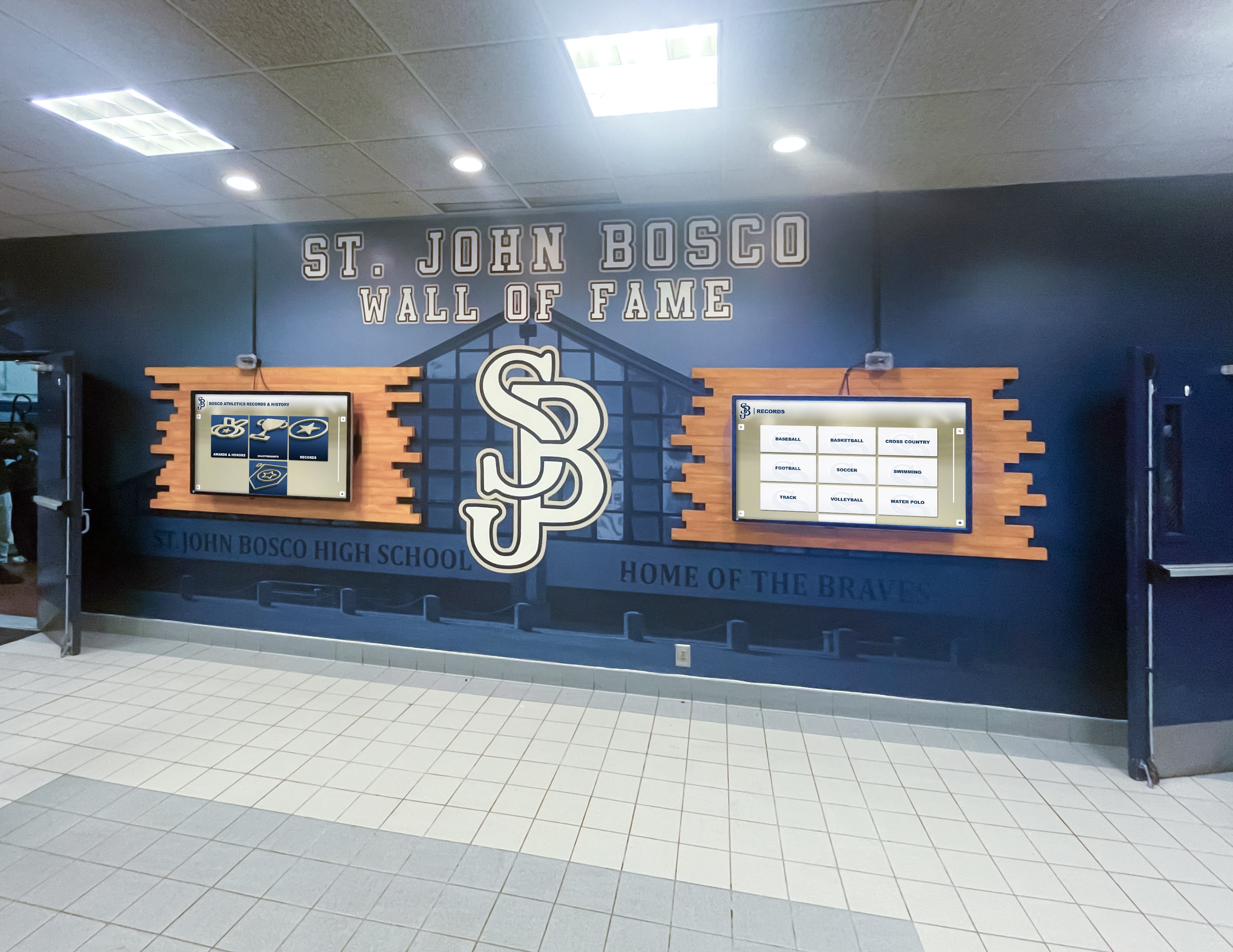
Dual-screen hallway installations maximize recognition coverage — one screen running senior shoutout portraits, the other rotating class-wide achievement highlights
Tools and Platforms for Building Senior Shoutout Templates
Google Slides and PowerPoint
The lowest-barrier entry point. Both platforms support the core design functions needed for basic senior shoutout templates — layout grids, photo insertion, text formatting, custom color application — and export to formats compatible with most digital signage systems.
Practical workflow:
- Build one master slide per template type with school colors, logo placement, and text formatting established
- Duplicate the master for each senior and replace photo + text content
- Export the complete deck as a PDF or video file for signage system upload
- Keep a master “template blank” file for future edits and re-use
Limitations: Manual production — adding 200+ senior slides requires time even with a clean template. No dynamic content updating; changes require re-export and re-upload.
Canva for Education
Canva’s free Education tier provides access to a broader template library and more sophisticated design tools than default PowerPoint/Google Slides templates. The drag-and-drop interface is accessible to student committee members with no design background.
School-specific branding can be saved as a Brand Kit (available on Education Pro tier), ensuring consistent color values, fonts, and logo usage across all slides regardless of who creates them. Understanding how Canva integrates with school platforms is useful context for schools considering it as a primary design tool.
Export considerations: Canva exports to PDF, MP4 (for video-format slideshows), PNG (individual slides), and directly to some digital signage platforms. Check compatibility with your school’s display system before committing to a Canva-based workflow.
Digital Signage Platforms
Schools already running digital signage infrastructure — Rise Vision, ScreenCloud, Yodeck, or similar — can build senior shoutout templates directly within those platforms. The advantage is seamless integration: content updates live on the display without requiring manual file exports and uploads.
For schools evaluating signage options, free digital signage alternatives for schools that handle this type of recurring content are worth reviewing as part of a broader display infrastructure decision.
Template approach within signage platforms:
- Create a “Senior Shoutout” zone in your signage layout
- Build a template slide in the platform’s native editor
- Duplicate and populate per senior, or use platform’s data integration features if available
- Schedule the playlist to run automatically during school hours
AI-Powered Design Tools for Schools
AI-powered graphics platforms built for school use — like Rocket Graphics — offer template libraries designed with school branding contexts in mind. These tools handle photo sizing, text formatting, and layout balancing automatically, reducing the design burden on staff who may not have design backgrounds.
For senior shoutout applications, the key features to look for include: template consistency controls that enforce uniform layout across all senior slides, batch photo import that speeds production for large classes, and export formats compatible with your school’s display hardware.
Collecting Senior Content for Your Slideshow
Template quality only matters if the content flowing into it is accurate, organized, and collected on schedule. Content collection is where senior shoutout programs succeed or fail.
What to Collect
Required for every template type:
- Headshot photo (see photo quality requirements above)
- Full legal name and preferred name/nickname
- Graduation year
For Achievement Showcase and Stat Card templates:
- Clubs and activities (with years of participation)
- Sports and teams
- Academic honors (NHS, valedictorian/salutatorian status, AP Scholar, etc.)
- Post-graduation plans (college, military, career, gap year)
For Quote Card and Senior of the Week templates:
- Personal quote or message (with 150-character limit)
- Optional parent/family message (brief, for extended-feature formats)
Collection Tools and Timing
Google Form with file upload: The most accessible collection method. Creates a spreadsheet automatically as responses come in, making batch production straightforward. Set up the form by early spring — for most schools, 8–10 weeks before graduation is ideal.
Deadline management: Build in two reminder waves. First reminder when form opens, second 2 weeks before close. Establish a clear policy for late submissions so production isn’t held open indefinitely.
Photo review step: Assign one person to review submitted photos for quality and appropriateness before they enter production. A brief 15-minute daily review during the submission window prevents problems discovered at the end.
Handling missing submissions: Not every senior will submit. Build a fallback approach — yearbook portrait as default photo, abbreviated slide using available school-record data — so late or non-submitting seniors are still represented.
Coordinating with Existing Senior Programs
The senior breakfast and senior recognition calendar that many schools already run provides a natural anchor for launching the senior shoutout slideshow. Announce the display program at senior breakfast; use the excitement of the event to drive photo and content submissions in the weeks that follow.
If your school already collects senior data for other purposes — cap-and-gown orders, yearbook senior portraits, college announcement displays — build your senior shoutout collection form to pull double duty rather than asking seniors to submit the same information in three separate places.
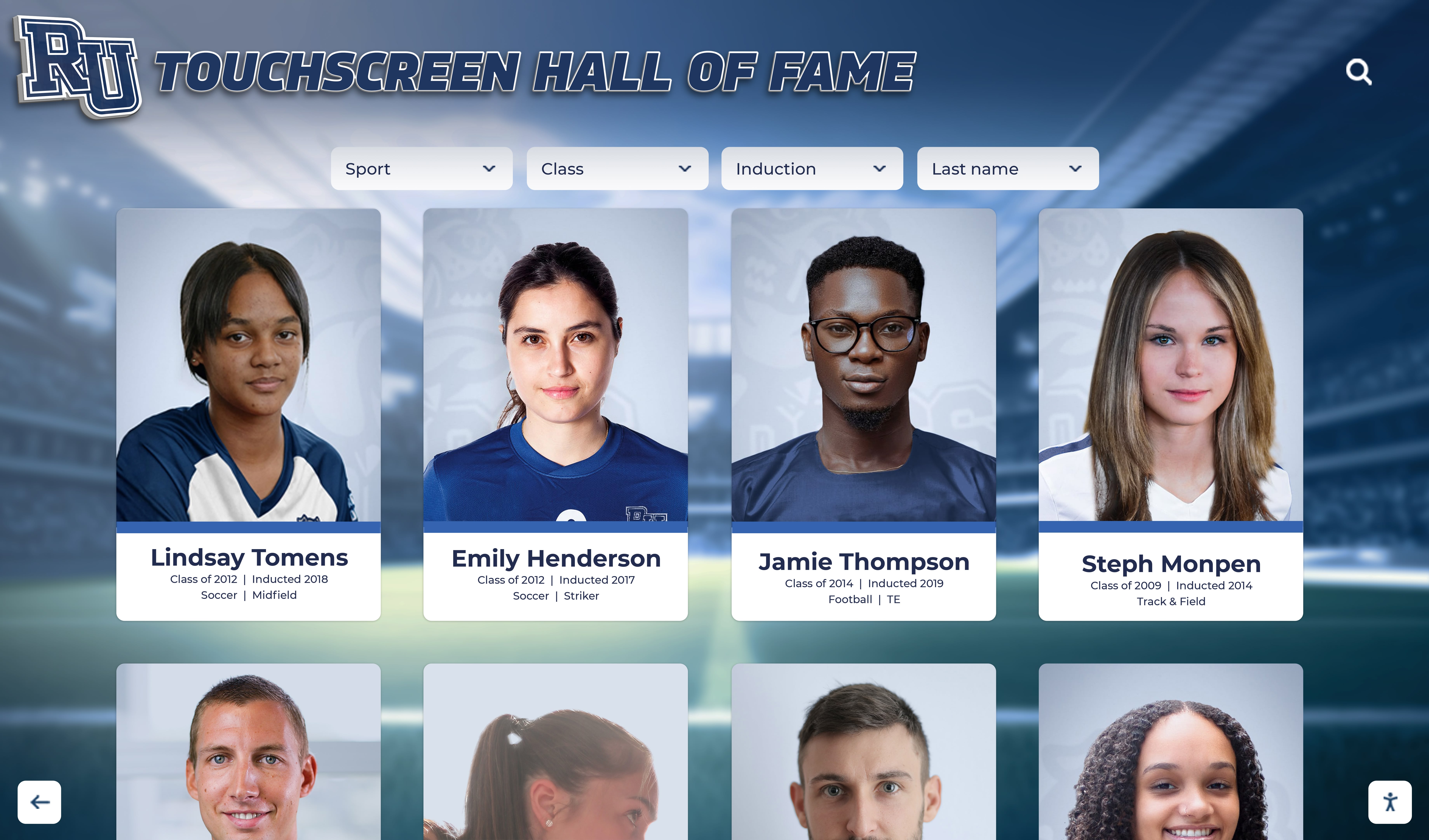
Portrait card systems — whether static slideshow slides or interactive touchscreen displays — create the consistent visual framework that makes senior recognition feel curated rather than ad hoc
Managing Display Schedules and Rotation
A senior shoutout slideshow that plays the same 200 slides in the same order every cycle will be tuned out within a week. Managing the display schedule actively keeps the content feeling fresh throughout the recognition season.
Rotation Strategies
Alphabetical rotation by week: Divide the class into weekly cohorts (A–E in week 1, F–K in week 2, etc.). Students look forward to their week and pay attention to peers whose weeks precede and follow theirs.
Random shuffle with re-seed: Many digital signage platforms allow randomized playlist ordering that re-shuffles on a set interval. This creates natural variety without requiring manual reordering.
Graduated depth: Run the Multi-Senior Grid format in March and April (broad coverage, brief treatment per student), then shift to the Classic Portrait Spotlight or Senior of the Week format in May (deeper, more personal treatment as graduation approaches). This creates a natural intensification in recognition depth through the season.
Event-triggered spotlights: Supplement the base rotation with timely featured content. Senior athletes’ last home games, spring musical cast shoutouts, and award winners can be inserted as priority slides during the relevant week.
Display Hours and Scheduling
School hours only: Schedule the slideshow to display only during active school hours. Content running on empty hallway screens overnight provides no recognition benefit and reduces lamp life.
Event synchronization: Coordinate with the school calendar so senior shoutout content is visible during high-attendance events: parent-teacher conferences, spring athletic events, open houses. These events bring audience segments — parents, prospective families, community members — who don’t regularly see the daily hallway displays.
Graduation week intensity: In the final two weeks before graduation, increase slide frequency, prioritize comprehensive class coverage, and consider adding a graduation countdown graphic interspersed with senior shoutouts.
Extending Recognition Beyond the Slideshow
Senior shoutout slideshows are a strong recognition tool, but they’re temporary by nature — content that cycles off screens once graduation season ends. Schools that layer additional recognition formats on top of the slideshow create a more lasting celebration.
Permanent Digital Recognition Systems
Digital alumni hall of fame experiences take the senior profiles created for slideshow templates and preserve them in a browsable, searchable format that persists long after graduation day. A graduating class that received a spring shoutout slideshow becomes a permanent class archive that future students, alumni visitors, and community members can explore.
Rocket Alumni Solutions offers schools this kind of persistent recognition infrastructure — touchscreen displays where senior profiles, photos, and achievement records remain accessible and browsable year-round. The content collected for your senior shoutout slideshow (photos, achievement data, quotes) can feed directly into a permanent digital display system rather than simply cycling off a screen and disappearing into a shared drive folder.
End-of-Year Recognition Events
Senior shoutout slideshows transition naturally into recognition event contexts. End-of-year student awards programs can incorporate slideshow content as a visual backdrop, display individual senior award slides during presentation moments, or repurpose class-wide content as lobby displays during the event itself.
The design investment in building senior shoutout templates pays a second dividend when those templates are adapted for awards events, banquets, and senior-specific ceremonies — each adaptation is faster and more consistent than starting from scratch.
Social Media Extension
Senior shoutout slides designed at screen resolution (1920×1080) adapt directly to social media post formats — especially Instagram grid posts, stories, and Facebook graduation season content. A school that already built 200 senior slides has a semester’s worth of social media content ready to schedule. Individual senior shoutout posts generate high engagement from families, peers, and community members and extend the school’s recognition reach to audiences who never enter the building.
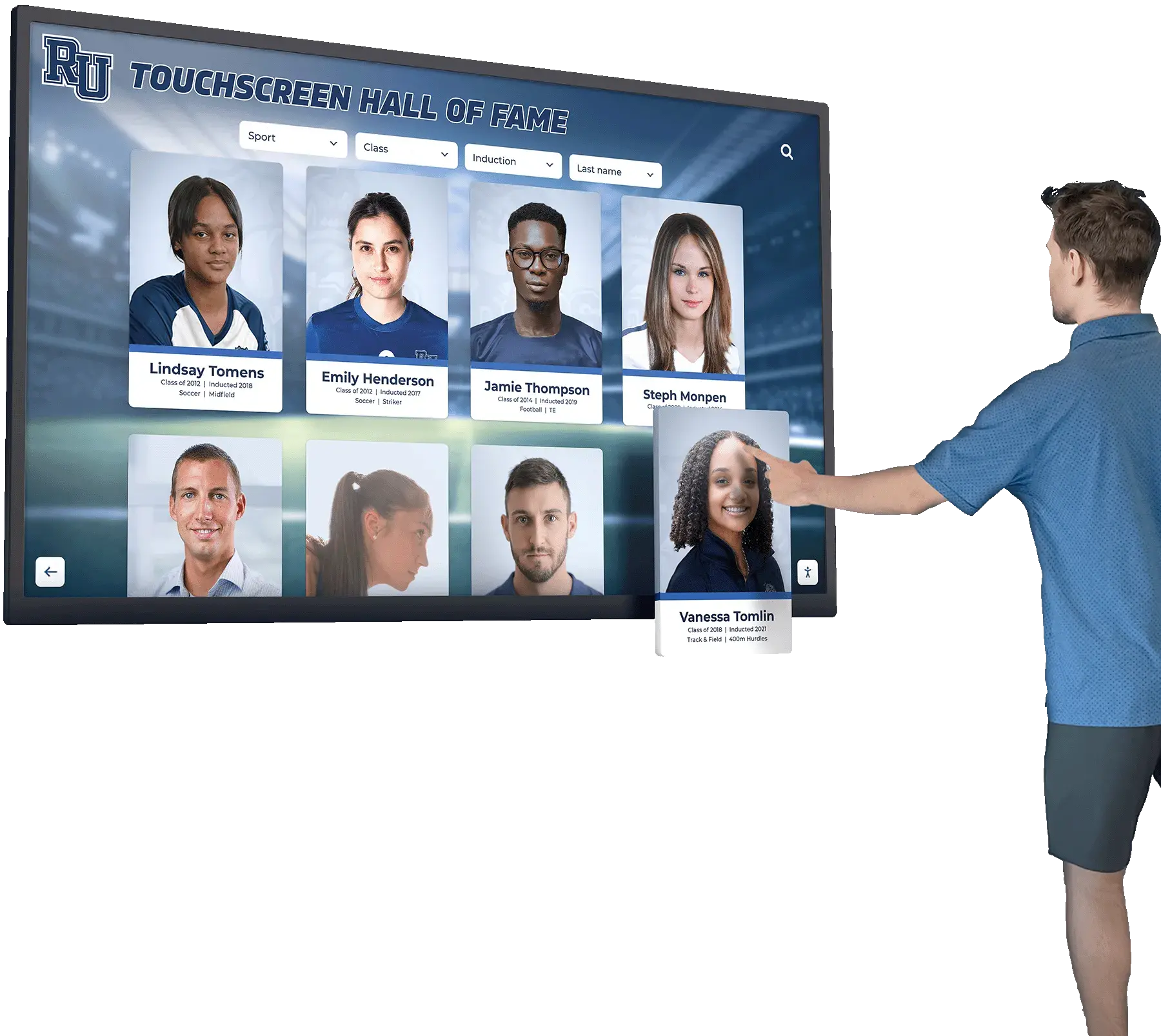
Interactive touchscreen recognition systems extend senior profiles beyond the slideshow cycle — creating a permanent archive that alumni and visitors can explore long after graduation season ends
Common Questions About Senior Shoutout Slideshow Templates
How far in advance should we start collecting senior content?
Eight to ten weeks before graduation is the target for opening your content collection form. This gives you a four-to-six week collection window before a production deadline of two to three weeks before the display launch date. Starting earlier creates a longer follow-up burden without meaningful benefit; starting later compresses production and limits your ability to chase missing submissions.
How many slides per senior is appropriate?
For class-wide portrait spotlight formats, one to two slides per senior is standard. For Senior of the Week or featured formats, four to eight slides per featured senior allows richer storytelling. Matching slide count to template type matters more than picking a universal number — the grid format gives each senior one slot on a shared slide; the portrait spotlight gives each senior their own full slide.
What display resolution should our templates be built at?
Design at 1920×1080 (16:9 widescreen) as your standard. This matches the native resolution of nearly every commercial display in school environments and exports cleanly to virtually every digital signage platform. If your school has 4K (3840×2160) displays, design at that resolution — but 1080p is the right default.
Should students design their own slides, or should staff control production?
Staff-controlled production with student input produces the best results. Students submit content (photos, quotes, achievement data); a staff member or student committee with design oversight produces the actual slides using the established template. Fully student-designed slides produce inconsistent quality that undermines the cohesive, polished feeling good templates create. Fully staff-designed slides without student voice produce impersonal content. The division of labor is: students own the content, staff own the design.
Can we use these templates for other recognition programs throughout the year?
Absolutely — and this is one of the strongest arguments for investing in well-designed templates. The framework built for senior shoutouts can be adapted for student-of-the-month programs, athlete of the week spotlights, academic honor displays, and staff recognition sequences. The design system carries the recognition vocabulary; the content changes.
How do we handle seniors who don’t submit photos or information?
Never exclude a senior entirely. Build a fallback template that uses the official school directory portrait or yearbook headshot alongside whatever data is already on record. The fallback version signals that the student is part of the recognized class even if their submission was incomplete. Make the fallback visually consistent with submitted slides — a different look for “missing data” seniors creates an obvious hierarchy that undermines the equity of recognition.
Building a Senior Recognition System That Lasts
Senior shoutout slideshow templates solve an immediate problem — celebrating the graduating class on the screens schools already have — but the schools that get the most value from this work are the ones that connect it to a larger recognition infrastructure. The photos collected, the quotes gathered, the achievement data compiled don’t have to disappear when graduation season ends.
Schools that invest in digital recognition systems like those offered by Rocket Alumni Solutions create a direct bridge between the seasonal slideshow and a permanent archive. The Class of 2026 senior shoutout slides become the Class of 2026 archive that the Class of 2036 can browse on a lobby touchscreen. The achievement data submitted for a spring display becomes a searchable profile a graduate can show their own children. That’s the difference between a program and a tradition.
The templates in this guide are tools for building both.
Turn Senior Shoutouts Into a Permanent Recognition Archive
Rocket Alumni Solutions helps schools move beyond seasonal slideshows to year-round digital recognition platforms — touchscreen displays and interactive archives that preserve senior profiles, class histories, and achievement records long after graduation day. See how schools are building lasting recognition programs that start with senior shoutout season and grow into institutional memory.
Get notified when Rocket Graphics opens