A player of the game template is a reusable graphic layout that recognizes a standout individual performance after a school athletic contest — published on social media, displayed on lobby screens, and archived for long-term recognition programs. Intent: recognize individual athletic achievement quickly and consistently across every game, every sport, every season.
This guide covers the complete player-of-the-game workflow: the required data fields, sponsor-safe display rules, photo standards, dimension requirements for every platform and screen type, and the archive connection that transforms a post-game social graphic into a permanent recognition record.
What a Player of the Game Template Is — and What It Isn’t
A player of the game template is not a general sports poster or a season-end award certificate. It is a game-specific recognition graphic that documents one performance at one moment in time. The distinction matters because it changes what the template needs to accomplish.
A general sports poster promotes an upcoming event. A season award certificate commemorates a full body of work. A player of the game graphic does something different: it closes the game-day story with a named individual spotlight, published within minutes of the final whistle while the performance is still resonant.
That timing creates specific design requirements. The graphic needs to be updated and published quickly — which means a template with locked branding and variable fields, not a blank canvas. It also needs to document the performance precisely enough to serve as archival evidence when that athlete is nominated for an end-of-season award, a digital hall of fame, or a sports certificate recognition years later.
The player of the game template occupies a specific slot in the school athletic communication calendar. The game day graphic template covers the full arc from pre-game lineup to final score. The player of the game template is the capstone: the definitive individual recognition that ends that arc and begins the archive.
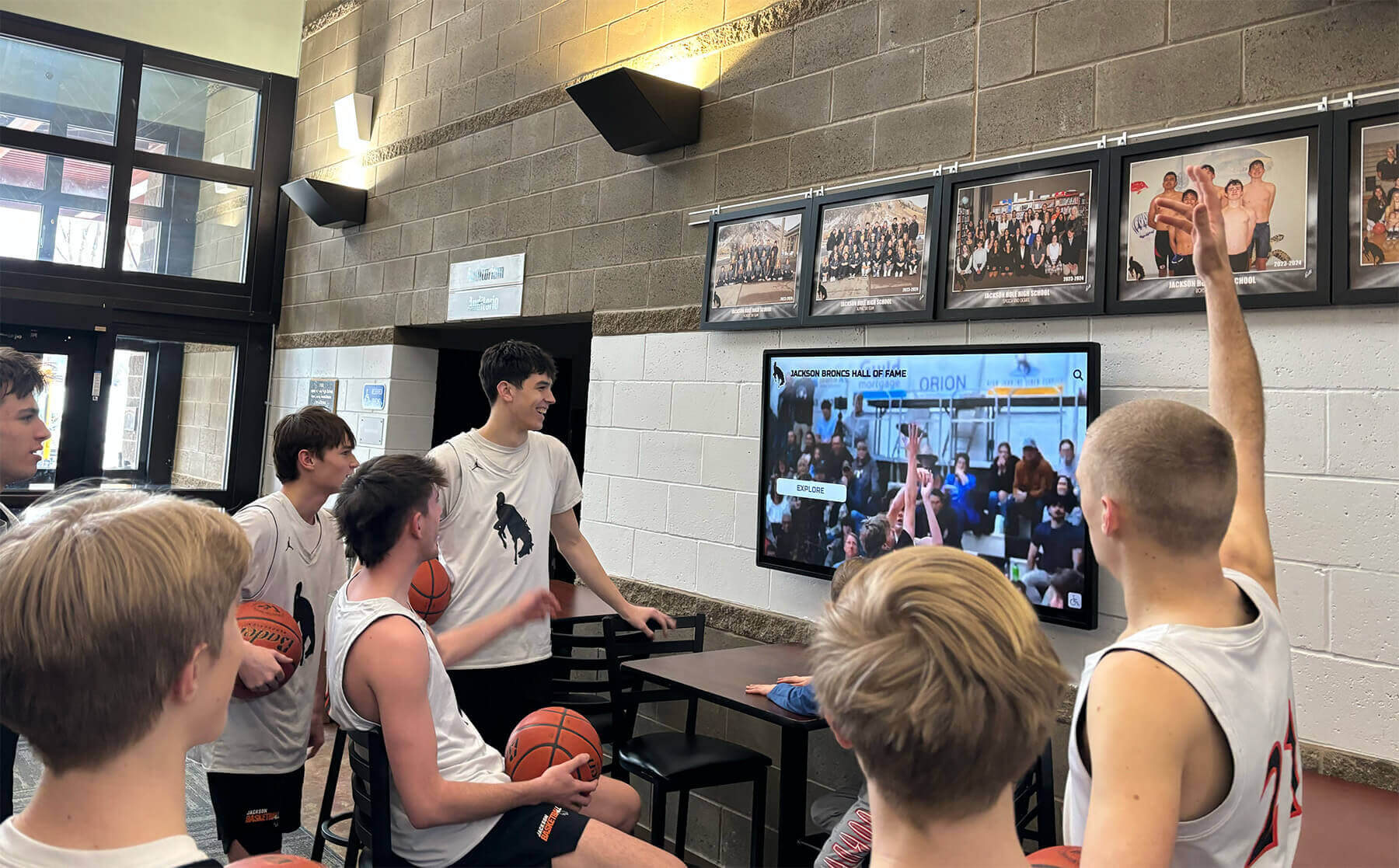
A player of the game graphic published on social media the same night can cycle through lobby screens and recognition displays for days — a reusable template makes this multi-surface workflow achievable without extra production work
Required Fields in Every Player of the Game Template
The most common failure in player of the game templates is under-documentation. On game night, the player’s name, sport, and performance feel obvious — but a graphic archived for five years and referenced in a hall-of-fame nomination needs to stand alone with zero external context.
Every player of the game template — regardless of sport or display surface — needs these fields:
| Field | Example | Why It Matters |
|---|---|---|
| School name or logo | Westview Eagles | Required for out-of-context viewing on social feeds and shared posts |
| Athlete’s full name | Jordan Martinez | Archive identification — not just a first name or jersey number |
| Sport and team level | Varsity Boys Basketball | Records are tier-specific; JV and varsity are separate recognition categories |
| Game date | March 14, 2026 | Required for historical sequencing in any archive system |
| Opponent | vs. Riverside High School | Provides context for the performance and confirms the game |
| Stat line | 24 pts / 9 reb / 4 ast | The core data that justifies the recognition |
| Season identifier | 2025–26 Season | Needed when the same athlete appears multiple times across seasons |
| Photo zone | Headshot or action photo | The visual anchor that drives social media engagement |
Optional High-Value Fields
- Coach attribution (“Selected by Coach [Name]”) — adds authority and human context
- Record notation if the performance set or approached a school record
- Class year (Sr., Jr., So., Fr.) — useful for yearbook staff and program histories
- Jersey number — supports jersey-number-based archive searches and display integrations
- Game result notation — the performance context (a 34-point game in a loss reads differently than the same game in a blowout win)
These fields cost nothing at the template-building stage but dramatically increase the graphic’s usefulness when it resurfaces in recognition contexts years later.
Sponsor-Safe Display Formats for School Athletics
Sponsor integration in school athletics graphics is one of the most common sources of compliance problems for athletic departments. Most state high school athletic associations — governed by NFHS member policies — restrict how commercial branding can appear in conjunction with student athlete recognition. A player of the game template that embeds a sponsor’s logo directly over a student athlete’s photo, or uses product branding as the primary visual element, can create rule violations or district policy conflicts.
Sponsor-safe means structuring the template so that sponsor recognition is present, visible, and commercially useful — but clearly separated from the athlete recognition and compliant with school and association guidelines.
What Makes a Template Sponsor-Safe
Designated sponsor zone with clear visual separation. The sponsor acknowledgment — a logo, business name, or “Presented by” line — occupies a fixed zone at the bottom or top of the template, visually distinct from the athlete photo and stat fields. It does not overlap athlete imagery or the primary recognition area.
“Presented by” language instead of product branding. “Presented by Acme Hardware” acknowledges the sponsor without implying product endorsement by a student athlete, which is the language most state associations and school districts permit without restriction.
Sponsor zone as a lockable layer. When a game has no active sponsor, the sponsor zone is empty or replaced by a school logo variant — the template never looks broken, and the branding is consistent regardless of whether a sponsor is in place.
No athlete name + product combination. The template layout should make it physically impossible to read as “[Athlete Name] endorses [Product].” Name and sponsor text should appear in separate visual regions, never in a single sentence or adjacent callout.
School identity dominates. School colors, logo, and mascot occupy more visual space than any sponsor element. The graphic reads as a school recognition first; the sponsor acknowledgment is a secondary element, not a co-equal brand.
Schools that build structured academic and athletic recognition programs find that sponsor-safe template design is an asset, not a constraint — it gives sponsors a predictable, policy-compliant presence that can be sold as a program benefit rather than negotiated individually per graphic.

Player of the game templates designed with structured, sponsor-safe fields populate naturally into touchscreen recognition environments — the same data that drives a post-game social graphic can power a permanent interactive player profile
Photo Requirements and Standards
The photo zone is the element that most separates a compelling player of the game graphic from a flat text announcement. Athlete photos drive social engagement on every platform — they give fans a visual anchor and make the post shareable by the athlete, their family, and teammates.
Photo Types and Their Trade-offs
Action photos from the game itself are the highest-engagement option when available. A game-action shot — a basketball player mid-jump, a soccer goalkeeper diving, a volleyball player in a spike — captures the specific performance and makes the graphic feel immediate and authentic. The limitation: most school programs don’t have consistent access to high-quality action photography at every game.
Headshots from the season photo day are the standard fallback and are almost always preferable to a missing photo. A clean, consistent headshot against the school colors maintains the visual quality of the template when in-game photography isn’t available.
Silhouette placeholders are appropriate when neither option is available — a sport-specific silhouette (a jumping basketball player, a running back, a swimmer) preserves the template layout without exposing a blank photo zone. Silhouettes should match the sport of the recognition, not be generic athlete shapes.
Photo Zone Design
The photo zone in a player of the game template should be:
- Consistent across recognitions. Every player recognized this season appears in the same position, at the same scale, with the same treatment. Inconsistency across a season’s worth of graphics makes the recognition program look ad hoc rather than institutional.
- Cropped to a consistent aspect ratio. Portrait-orientation crops (approximately 3:4) work best for most athlete headshots and allow action shots to be cropped to the same zone without losing the primary subject.
- Contrasted against the background. A photo that blends into a same-tone background loses the visual pop that drives engagement. A subtle border, shadow, or shape mask (circle, hexagon, athletic shield) creates a visible boundary between the photo and the background design.
When photos are not yet available at post time, publish the template with a silhouette and update with the actual photo within 24–48 hours using the platform’s post-edit capability. A silhouette published immediately outperforms a delayed post with a photo.
Social Media and Digital Display Dimensions
A player of the game template needs to serve at least two environments simultaneously: the social media feed and the school’s digital display infrastructure. These environments have different dimension requirements, different viewing distances, and different visual hierarchies.
Social Media Dimensions
| Platform / Format | Dimensions | Primary Use |
|---|---|---|
| Instagram Feed (square) | 1080 × 1080px | Standard post-game recognition post |
| Instagram Story / Reel cover | 1080 × 1920px | 24-hour spotlight announcement |
| Facebook Post | 1200 × 630px | Community and alumni sharing |
| Twitter / X Card | 1600 × 900px | Score + player recognition combination |
Design the master template at 1080 × 1080px or 1920 × 1080px, then export scaled and cropped variants for each platform. Never design at a smaller dimension and upscale — upscaled social graphics show quality degradation at high-resolution displays.
Digital Display and Lobby Screen Dimensions
| Display Environment | Dimensions | Notes |
|---|---|---|
| Landscape lobby screen | 1920 × 1080px | Standard corridor and lobby digital signage |
| Portrait hallway screen | 1080 × 1920px | Vertical screen format, common in athletic corridors |
| Scoreboard / video board | Varies by vendor | Check facility spec sheet — often 1920×1080 or custom |
| Digital record board entry | 800 × 600px (or CMS-defined) | Size depends on the board content management system |
The 1920 × 1080px landscape version of the player of the game graphic doubles as a lobby screen display with no additional production. A school using digital athletic recognition systems can upload the same file that was exported for social media directly to the corridor display content queue.
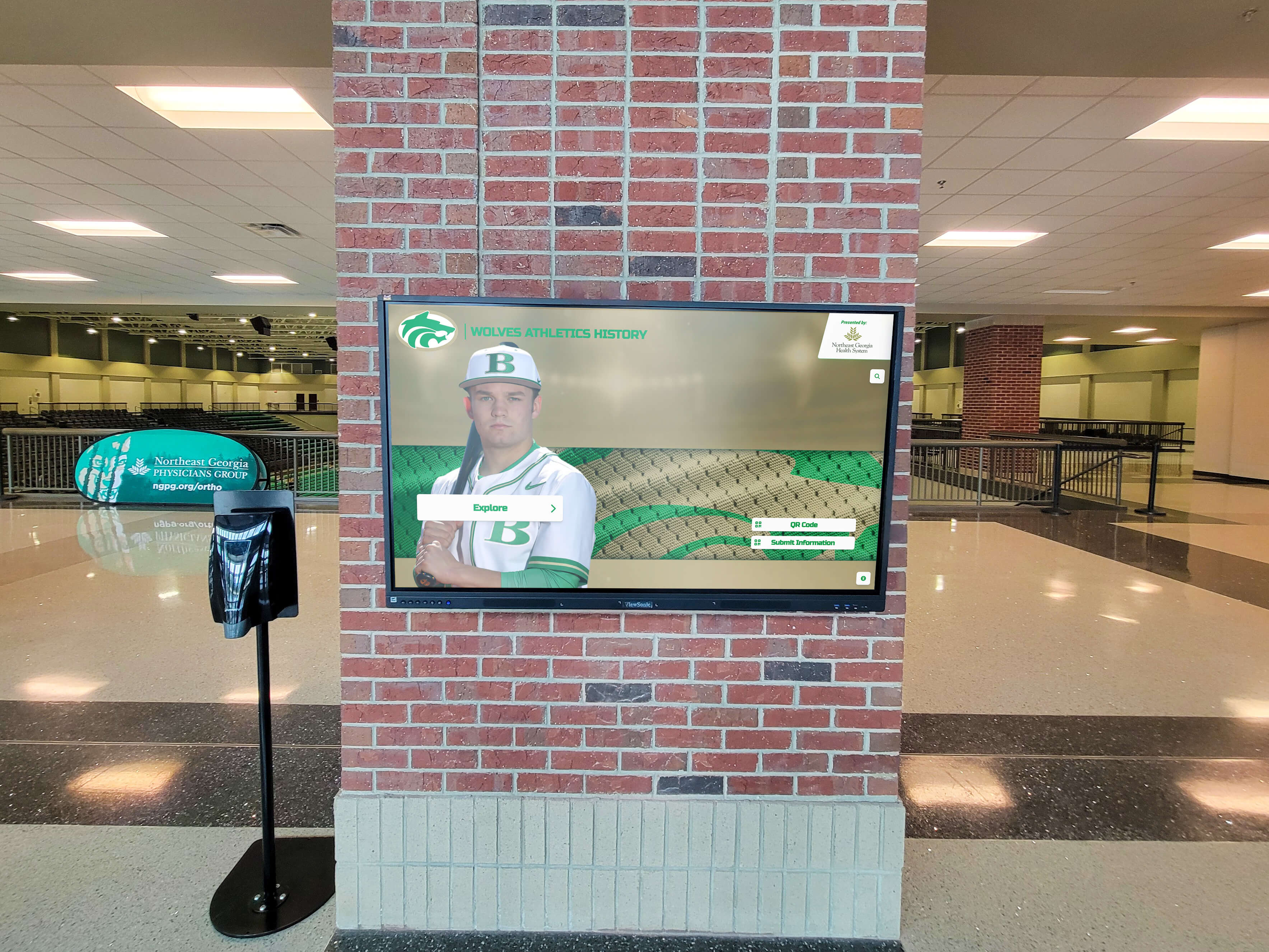
Lobby digital displays using the same graphic format as post-game social recognition — when a player of the game template is designed at corridor-display dimensions, the social post and the lobby screen run the same file
Template Variations by Sport
A single player of the game template cannot accommodate every sport’s data conventions without modification. The stat line — the field that distinguishes the recognition — varies fundamentally across sports and needs sport-specific field labels.
Court Sports (Basketball, Volleyball)
Basketball: Points / Rebounds / Assists / Steals / Blocks — the standard box score line, labeled precisely. “24 PTS / 9 REB / 4 AST” reads clearly in a condensed stat zone. Volleyball: Kills / Digs / Aces / Blocks — list the stat type before the number, not after.
Field Sports (Soccer, Lacrosse, Field Hockey)
Goals and assists are the primary recognition metrics for scoring-focused positions. For goalkeepers, saves and goals-against average. Specify the stat type explicitly — “2 Goals, 1 Assist” rather than “3 points” which reads as a basketball reference in a school athletic context.
Baseball and Softball
Pitching recognitions require a different field set from batting recognitions. A pitching POTG template needs: IP / SO / Hits Allowed / Earned Runs. A batting template needs: AB-H / HR / RBI / extra-base hits. Building separate sub-templates for pitcher and batter within the same baseball template set avoids the awkward “N/A” fields that appear when a single generic template is forced to cover both roles.
Track, Cross Country, and Swimming
Time-based sports: display the time in the correct format (MM:SS.ss for distances requiring minutes; SS.ss for sub-minute events), the event name in full (not an abbreviation), and the meet or course name. For record-setting performances, a POTG template can double as a school record graphic when both formats share the same data architecture.
Football
The dual-platoon nature of football means a single POTG template may need to recognize an offensive or defensive player with completely different stats. Offensive skill positions: Passing (YDS/TD/INT), Rushing (ATT/YDS/TD), Receiving (REC/YDS/TD). Defensive positions: Tackles (solo/assisted), Sacks, Interceptions, Pass Deflections. A football POTG template with labeled stat zones that can be relabeled per selection is more useful than separate offensive and defensive templates.
From Post-Game Spotlight to Long-Term Recognition
The player of the game graphic has a longer lifespan than its social media post. Schools that treat each POTG graphic as a structured data record — not just a social post — build a cumulative recognition archive that serves multiple purposes across a program’s lifetime.
Season Performance Archive
A season’s worth of POTG graphics, systematically archived, documents every outstanding individual performance across the year. When coaches select end-of-season award nominees — MVP, Most Improved, Coaches Award — reviewing the game-by-game recognition record provides documented evidence rather than relying on memory. The graphic file, the stat line, the date, and the opponent are all there.
This kind of structured recognition history is what digital awards display systems rely on to populate athlete profiles and recognition timelines across multiple seasons — the data that makes a ten-year reunion display meaningful starts with consistent game-level documentation.
Hall of Fame and Athletic Archive Contribution
When an athlete who received frequent POTG recognition is eventually nominated for an athletic hall of fame, the recognition graphics from their playing years become primary documentation. A program with five years of consistent POTG archives has everything it needs to build a compelling induction profile — game-by-game highlights, stat lines, opponent context, and dates.
Programs without systematic archives face significant research burden at nomination time: chasing coaches who have moved on, digging through printed programs, attempting to reconstruct performances from game-by-game box scores.
Sports Certificate and Award Integration
Post-game POTG recognition and end-of-season sports certificate templates are different formats serving different moments, but they share the same data. An athlete’s POTG stat lines from across the season are exactly the kind of documented performance evidence that makes a season-end award certificate feel substantive rather than generic. The POTG archive becomes the source documentation for the certificate’s specific performance language.
Printed Programs and Booster Publications
A player of the game graphic designed at print-resolution (300 DPI at final print dimensions) can be dropped directly into a booster club publication, senior night program, or season retrospective booklet. Academic and athletic recognition program guides consistently identify multi-format graphic reuse as a high-leverage efficiency — the school gets more value from each production event when the output serves both digital and print contexts.
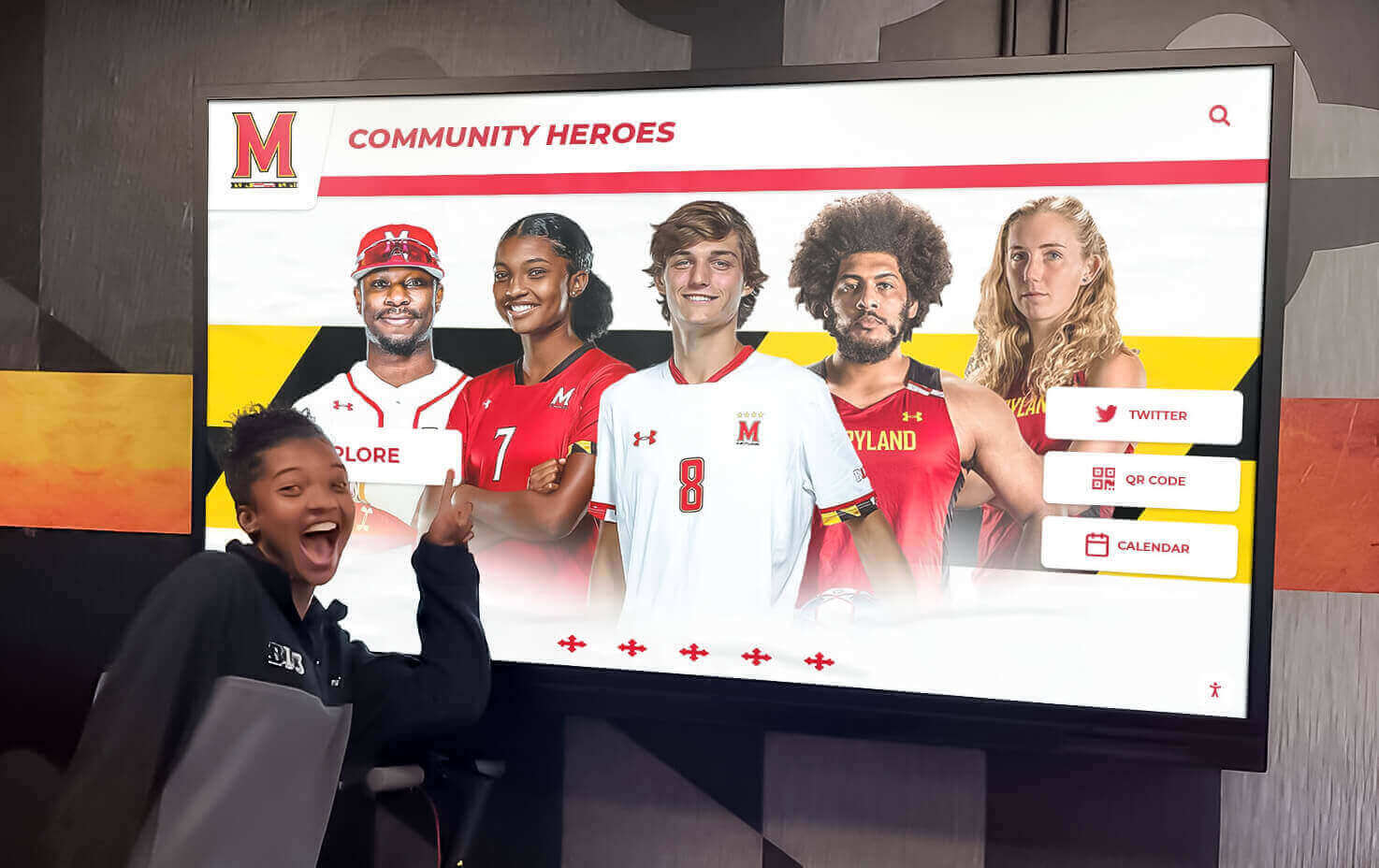
Corridor recognition displays built from consistent player recognition data — each game's POTG graphic, archived with complete fields, contributes to recognition environments like this one when the archive accumulates across seasons
Building a Reusable Player of the Game Template System
A template system — not a single template — is what makes POTG recognition sustainable at volume. Athletic departments running three or more sports simultaneously need templates that can be populated and published in under two minutes per recognition, every game day, by someone with no graphic design experience.
Core Template Set
A complete player of the game template system for a school athletic department needs:
Universal base template — school logo, colors, and layout locked; all variable fields (athlete name, sport, stat line, photo zone, sponsor zone, date) labeled and accessible. This template works for any sport when sport-specific stat labels are applied at publication time.
Sport-specific stat variants — versions of the base template with pre-labeled stat fields for the top four to six sports in the program. Basketball, football, baseball/softball, soccer, volleyball, and track/swimming cover most programs. Each variant labels the stat fields correctly so the publisher fills in numbers, not labels.
Social dimension exports — preset export settings for each platform dimension (1080×1080, 1080×1920, 1200×630). One file, multiple exports, no resizing step.
Display dimension exports — preset export at 1920×1080 for lobby screens and 1080×1920 for portrait corridor screens. Same session, same file.
Workflow Assignment
Assign the POTG graphic role to a consistent person per sport — a student manager, a booster club volunteer, or a junior varsity player with the home game. With pre-built templates, the role requires no design skill: update the athlete name, paste in the stat line confirmed by the coach, drop in the photo, and export. Total time: under five minutes.
The workflow discipline — consistent person, consistent template, consistent archive folder — is what makes the system accumulate into a meaningful recognition record. Ad hoc POTG graphics, produced by whoever happens to think of it, produce a fragmented archive that serves none of the downstream recognition purposes.
Athletic recognition programs that combine consistent graphic workflows with digital display infrastructure demonstrate how game-level recognition feeds permanent recognition environments — the discipline at the individual game level is what makes the broader system credible over time.
Frequently Asked Questions About Player of the Game Templates
What should a player of the game template include?
Every player of the game template needs the school name or logo, the athlete’s full name, sport and team level, game date, opponent, a sport-specific stat line, the season identifier, and a photo zone. Complete data fields make the graphic useful for archiving and long-term recognition programs — not just the immediate social post.
What does “sponsor-safe” mean for a school player of the game graphic?
Sponsor-safe means the template keeps sponsor acknowledgment visually and structurally separate from athlete recognition, using “Presented by” language in a designated zone, never overlapping athlete imagery. School identity — logo, colors, mascot — dominates the design. The sponsor zone is lockable and optional so the template works without an active sponsor.
What dimensions should a player of the game template be?
Design the master at 1920×1080px or 1080×1080px. Export: 1080×1080 for Instagram feed, 1080×1920 for Stories, 1200×630 for Facebook, and 1920×1080 for lobby screens. Always design at the largest required format and scale down — never upscale a social-first file to a display board.
How does a player of the game graphic connect to long-term recognition programs?
POTG graphics archived with complete fields become primary documentation for end-of-season award selection, hall-of-fame nominations, and touchscreen athletic display systems. A consistent game-level archive compounds into a program history that supports every downstream recognition use case.
Do player of the game templates need to differ by sport?
The base layout and branding can be shared, but stat field labels must be sport-specific. Basketball, soccer, football, baseball/softball, volleyball, and track each use different primary metrics. Sport-specific sub-templates with pre-labeled stat fields reduce publication errors when staff are producing graphics across multiple sports on the same game night.
Turn Every Player of the Game Spotlight Into a Lasting Recognition Record
Rocket Alumni Solutions builds touchscreen hall-of-fame displays, digital record boards, and athletic recognition systems that connect your game-night player spotlights to a permanent recognition environment — visible to students, alumni, and recruits for years after the season ends.
Get notified when Rocket Graphics opens