Schools across the country are transforming how they engage students, celebrate achievements, and preserve institutional history through interactive touch screen TV technology. These large-format displays—often ranging from 55 to 86 inches or larger—have evolved far beyond simple digital signage, becoming powerful storytelling platforms that turn passive viewers into active participants.
An interactive touch screen TV combines the visual impact of high-definition video with the engagement of hands-on interaction, creating immersive experiences that resonate with today’s digitally native students. From lobby installations showcasing athletic hall of fame inductees to cafeteria displays highlighting academic achievements, these systems are redefining how educational institutions recognize excellence and communicate their values.
The shift toward interactive technology in schools reflects broader changes in how students consume information. According to research from EDUCAUSE, 71% of students report that interactive technology enhances their engagement with institutional content, while administrators note significant improvements in community connection when recognition displays allow personalized exploration rather than passive viewing.
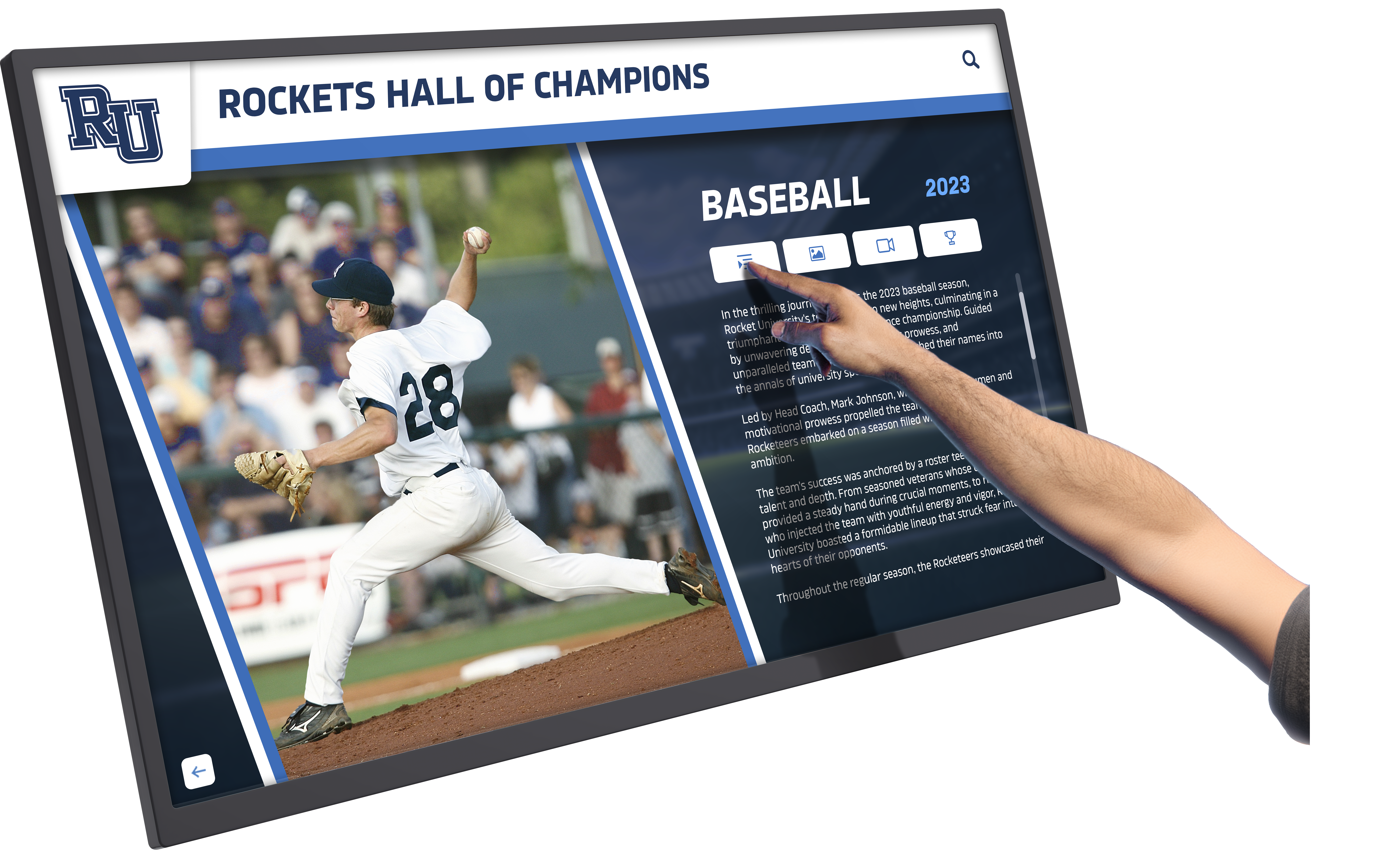
Interactive touchscreens transform recognition from passive viewing to engaging exploration
What Makes Interactive Touch Screen TVs Different from Standard Digital Displays
Interactive touch screen TVs differ fundamentally from traditional digital signage through their ability to respond to user input. These systems feature capacitive or infrared touch technology built directly into large-format displays, enabling multi-touch gestures, navigation, and content exploration without requiring external devices like tablets or smartphones.
The interactive element transforms the user relationship with content. Rather than watching a predetermined slideshow cycle, students can search for specific athletes, browse different graduating classes, filter achievements by sport or academic discipline, and access detailed profiles that would be impossible to display in static format. This self-directed exploration creates deeper engagement and more meaningful connections with the content.
Modern interactive touch screen TVs designed for educational environments typically include:
Core Technical Features
- Commercial-grade panels rated for 16-24 hour daily operation
- Anti-glare coatings minimizing reflections in high-traffic areas with ambient lighting
- Multi-touch capability supporting simultaneous users (particularly important for group exploration)
- High-resolution displays (minimum 4K) ensuring text readability from various distances
- Integrated computing platforms eliminating need for separate media players
- Connectivity options including HDMI, DisplayPort, USB, and network connections
Interactive Capabilities
- Touch response times under 10 milliseconds for fluid, natural interaction
- Gesture recognition supporting swipe, pinch-to-zoom, and tap navigation
- Adjustable touch sensitivity accommodating different user ages and physical abilities
- Screen rotation and tilt options for optimal viewing angles in various installation contexts
The distinction between an interactive touch screen TV and a standard display with touch overlay matters significantly for long-term performance. Purpose-built interactive displays integrate touch technology during manufacturing, resulting in better optical clarity, more reliable touch response, and reduced maintenance compared to aftermarket touch solutions applied to standard screens.
Primary Applications of Interactive Touch Screen TVs in Schools
Schools deploy interactive touch screen TV technology across diverse applications, each serving specific engagement and recognition objectives.
Athletic Recognition and Hall of Fame Displays
Athletic departments have emerged as early adopters of interactive touch screen technology for good reason. Sports achievements create natural storytelling opportunities, and the volume of data—statistics, photos, championship years, individual records—exceeds what traditional static displays can effectively present.
An interactive touch screen TV in a gymnasium lobby might feature:
Navigation Structures
- Browse by sport, allowing users to explore football, basketball, track, and other programs independently
- Timeline views spanning decades of athletic achievement
- Individual athlete profiles with career statistics, photos, and accomplishment summaries
- Championship year highlights with team rosters and season records
- Record holder listings automatically updated when new records are set
The technology excels at managing the tension between breadth and depth. The main screen can showcase current season highlights or rotating featured athletes, while touch interaction allows interested users to dive into comprehensive historical archives that would overwhelm a static display.
Many schools position interactive displays in trophy case areas, creating hybrid recognition systems where physical trophies share space with digital storytelling that provides context and historical perspective.
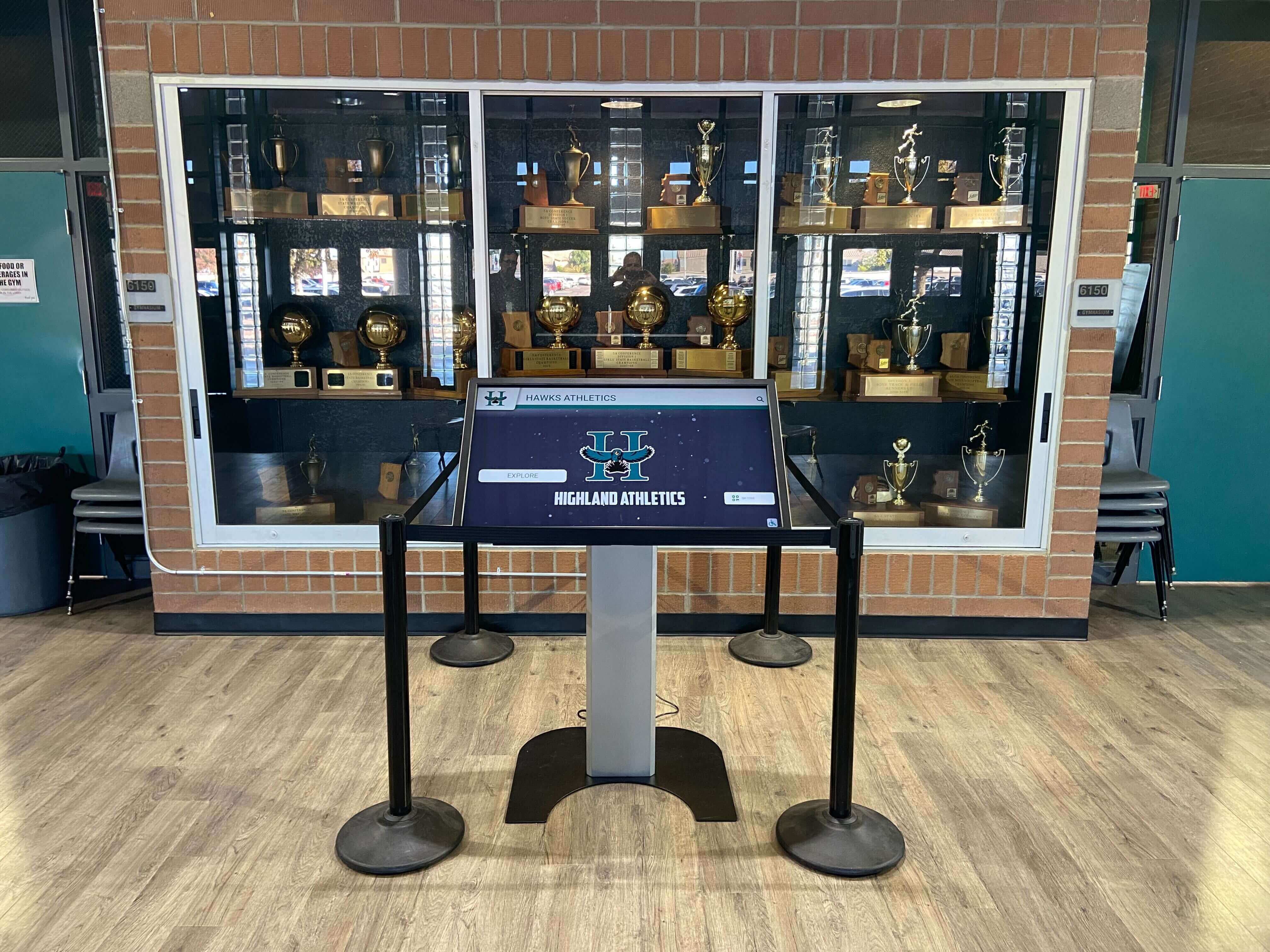
Touchscreen systems complement physical trophy displays with rich digital content
Academic Achievement Recognition
Academic recognition presents different challenges than athletic displays. While sports naturally generate photos and statistics, academic achievement often lacks visual documentation and measurable metrics beyond GPA and test scores.
Interactive touch screen TVs solve this problem by creating engaging presentations of academic excellence that go beyond simple honor roll lists:
Academic Display Components
- Honor roll and distinction lists organized by year and achievement level
- Scholarship recipient recognition with award descriptions and values
- National Merit Scholars and AP Scholar designations
- Academic competition results including debate, robotics, Science Olympiad, and math competitions
- Valedictorian and salutatorian historical records
- National Honor Society inductee listings
The interactive format allows schools to recognize many more students than static displays permit. A touch screen can feature every honor roll student from the past decade, searchable by name, year, or distinction level, whereas a physical plaque might list only current year recipients due to space constraints.
Some schools integrate academic displays with college decision boards, allowing graduating seniors to see where alumni have matriculated, creating aspirational connections between current students and successful graduates.
Historical Archives and Institutional Storytelling
Interactive touch screen TVs excel at preserving and presenting institutional history in accessible, engaging formats. Schools with decades or centuries of history often struggle to make that heritage relevant to current students who lack personal connection to distant events.
These systems transform historical content into explorable narratives:
Historical Content Structures
- Interactive timelines showing key moments in school history
- Decade-by-decade photo galleries documenting campus evolution
- Notable alumni profiles highlighting successful graduates and their paths
- Archived yearbook pages digitized and searchable by year
- Building history and campus development documentation
- Historical newspaper clippings and media coverage
- Oral history video clips from alumni, teachers, and community members
The museum-style interactive approach works particularly well in school contexts because it allows self-paced exploration. Students with family connections to the school can search for relatives in historical records, creating personal discovery moments that static displays cannot facilitate.
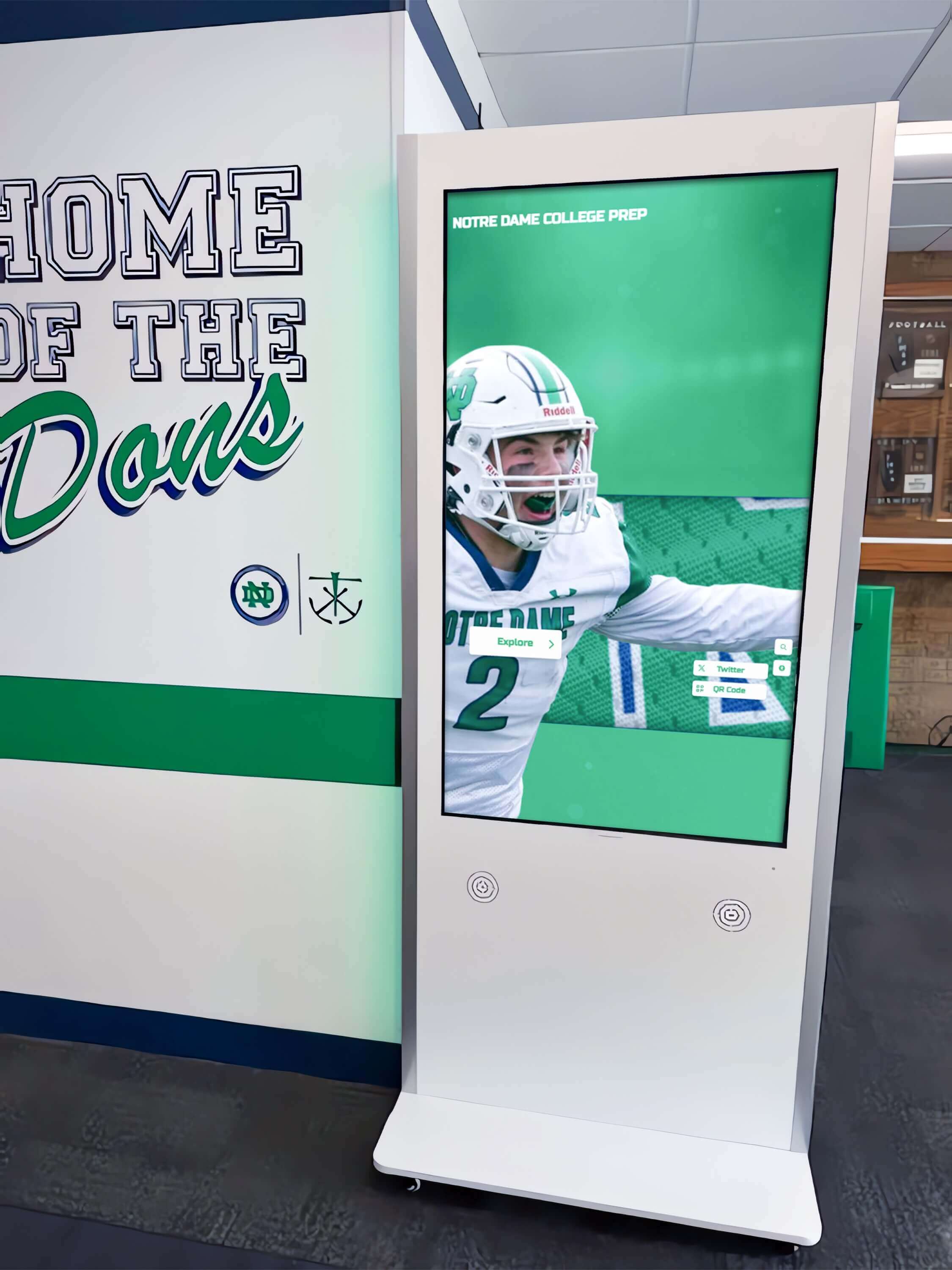
Hallway installations provide 24/7 access to institutional history and achievements
Donor Recognition and Development Displays
Development offices increasingly use interactive touch screen TVs for donor recognition, particularly in capital campaigns and major gift acknowledgment. Digital donor walls offer advantages over traditional engraved plaques:
Donor Recognition Features
- Searchable donor directories allowing visitors to find specific names
- Recognition levels clearly displayed with appropriate visual hierarchy
- Campaign progress visualization showing fundraising momentum
- Project impact documentation demonstrating how contributions are used
- Historical giving records recognizing multi-year supporters
- Memorial recognition for legacy donors and commemorative gifts
Interactive formats solve the practical problem of donor wall updates. Adding names to bronze or marble plaques requires expensive fabrication and installation. Digital systems update through software, allowing recognition to reflect current information without physical modification.
Some institutions implement giving level visualizations where donors can see their contributions in context—total funds raised, percentage toward goal, and comparison to previous campaigns—creating transparency that builds donor confidence and encourages continued support.
Wayfinding and Information Directories
Large schools, particularly high schools with 1,500+ students and sprawling campuses, deploy interactive touch screen TVs as wayfinding and information systems:
Directory Functions
- Interactive campus maps with search capability for specific rooms or departments
- Staff directories with photos, room numbers, and contact information
- Event calendars showing daily schedules and upcoming activities
- Emergency information and safety protocols
- Visitor check-in and registration integration
- Department-specific information (athletics schedules, counseling resources, library hours)
The advantage over smartphone-based wayfinding is contextual placement. A large interactive touch screen TV near the main entrance provides immediate information access for visitors unfamiliar with the school who may not have mobile apps installed. Parents attending events, substitute teachers, and prospective families benefit from these visible, accessible information points.
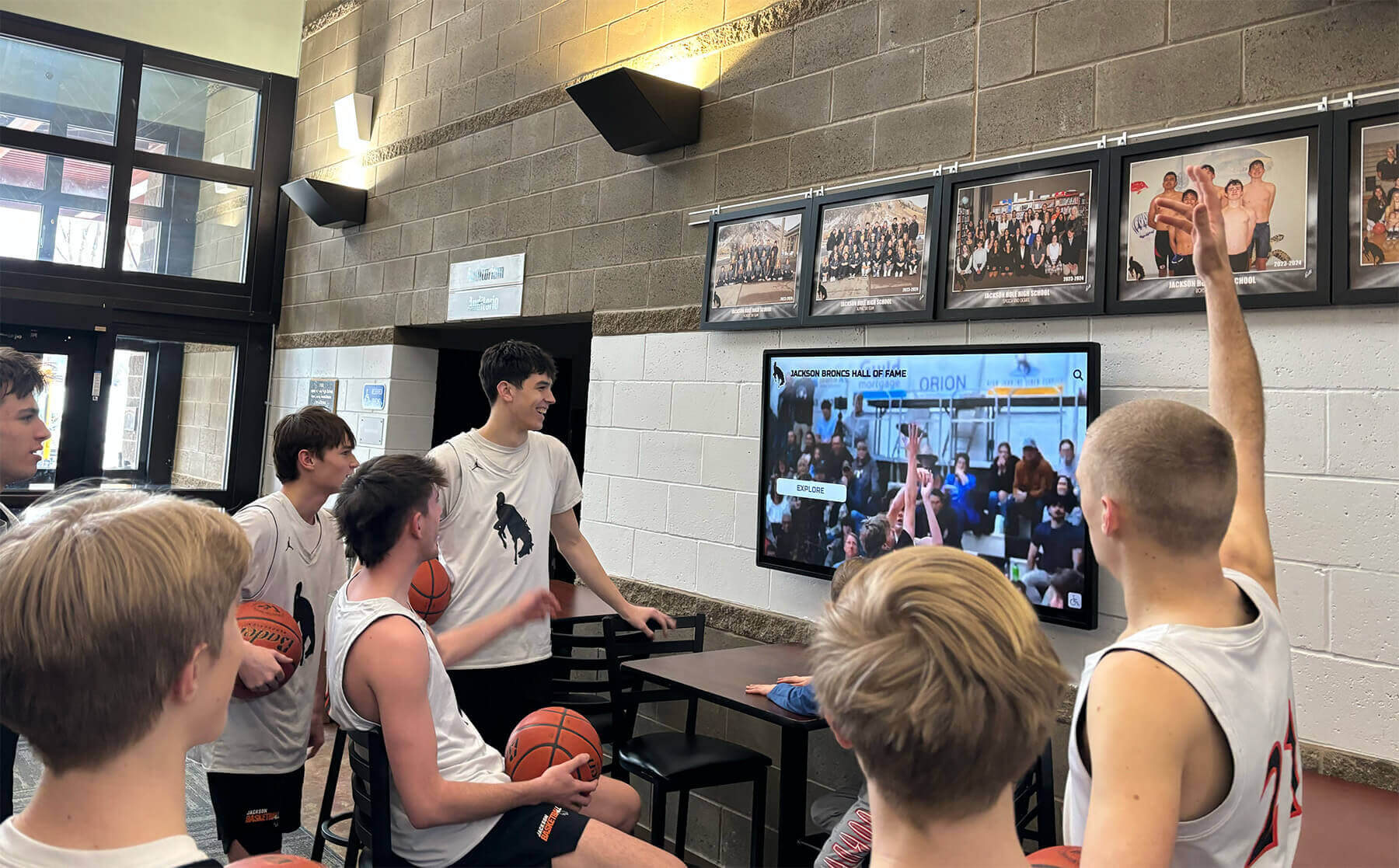
Lobby displays become gathering points where students engage with institutional content
Technical Considerations for School Installations
Successful interactive touch screen TV deployments require attention to several technical factors that differ from residential or basic commercial applications.
Display Size and Viewing Distance Optimization
Selecting appropriate screen size depends on installation location and intended use patterns. The relationship between display size and viewing distance follows specific guidelines for optimal readability and interaction:
Size Selection Framework
- 55-65 inch displays: Ideal for small conference rooms, counseling offices, or intimate viewing environments where users interact within 3-6 feet
- 70-75 inch displays: Suitable for classroom installations or small lobby areas with 6-10 foot typical viewing distances
- 86 inch displays: Optimal for large lobbies, gymnasiums, or high-traffic areas where content must be visible from 15-20 feet
- 98+ inch displays: Reserved for auditoriums, large commons areas, or installations where the display serves as architectural focal point
Interactive functionality requires different spatial planning than passive digital signage. Users must physically reach the screen, necessitating clear floor space in front of the display. Installations should provide minimum 4-foot clearance, with 6-8 feet preferred for group interaction scenarios.
Touch height matters significantly. Mounting displays too high creates accessibility issues for younger students and wheelchair users. Optimal center-screen height ranges from 48-60 inches from finished floor, though specific installations may require adjustment based on primary user demographics.
Durability and Vandal Resistance
School environments present unique durability challenges. Interactive touch screen TVs in high-traffic areas experience significantly more physical interaction than corporate or retail installations, requiring robust construction:
Durability Features to Specify
- Tempered glass front panels resistant to impact and scratching
- Sealed bezels preventing liquid infiltration if drinks are spilled near displays
- Commercial-grade power supplies rated for continuous operation
- Reinforced mounting systems supporting display weight plus user interaction forces
- Protective bezels or frames preventing screen edge damage
- Vandal-resistant hardware and cabling concealment
Some manufacturers offer specialized education-grade interactive displays with impact-resistant glass rated to withstand significant force without cracking. These specifications prove valuable in middle and high school environments where accidental (or occasionally intentional) rough handling occurs.
Content Management and Update Workflows
The value of an interactive touch screen TV depends entirely on content quality and currency. Displays showing outdated information quickly lose credibility and user engagement. Effective content management requires both capable software and clearly defined organizational workflows.
Content Management System Requirements
- Web-based administration allowing updates from any computer without specialized software
- Role-based permissions enabling department-specific content control
- Template-based layouts ensuring visual consistency across diverse content types
- Media asset management organizing photos, videos, and documents
- Scheduling capabilities for seasonal content rotation
- Multi-display management when institutions operate multiple screens
- Mobile-responsive administration for updates from tablets or smartphones
Workflow considerations matter as much as software capabilities. Schools should establish clear ownership for content updates—who uploads new athlete photos after championship games, who maintains the donor recognition lists, who updates academic honor rolls each semester. Without defined processes, even excellent systems fall into disuse as content becomes stale.
Many successful implementations assign content ownership to existing staff roles rather than creating new positions. Athletic directors manage sports content, development directors handle donor recognition, and counseling departments maintain college acceptance information. This distributed model leverages existing expertise and motivates updates since each department controls its own recognition platform.

Intuitive navigation enables users of all ages to explore detailed content independently
Design Best Practices for Educational Interactive Displays
Effective interactive touch screen TV implementations reflect thoughtful design that balances visual impact with usability and accessibility.
Interface Design for Multi-Generational Users
School interactive displays serve diverse users—elementary students, teenagers, parents, grandparents, alumni, and community members—requiring interface design that accommodates varying technology comfort levels and physical abilities.
Universal Design Principles
- Large, clearly labeled navigation buttons (minimum 80px touch targets)
- High color contrast ensuring readability for users with vision impairments
- Simple, shallow navigation hierarchies (3 levels maximum to any content)
- Consistent navigation patterns across all interface screens
- Visual feedback for all touch interactions (button state changes, loading indicators)
- Text size appropriate for distance viewing (minimum 24pt for body text, 48pt+ for headlines)
- Redundant navigation methods (both icon and text labels)
Interfaces should assume no prior training. Users encountering the display for the first time should intuitively understand how to navigate and find information. Clear visual hierarchy, obvious interactive elements, and familiar navigation patterns (similar to smartphone and tablet conventions) reduce barriers to engagement.
Timeout and return-to-home functionality ensures displays reset after periods of inactivity. Set timeout intervals between 45-90 seconds—long enough that users don’t feel rushed but short enough that displays don’t appear stuck on deep-level content when the next user approaches.
Content Organization and Information Architecture
Poor information architecture undermines even the most capable hardware. Content organization should reflect how users think about information rather than how institutions organize departments:
User-Centered Content Structures
- Chronological organization: Timeline views for historical content, allowing users to explore by era or decade
- Categorical browsing: Sport-by-sport, department-by-department, or achievement-type organization
- Alphabetical directories: Essential for finding specific individuals among hundreds of names
- Search functionality: Free-text search critical for large content databases (500+ records)
- Featured content: Curated highlights on home screen leading to deeper exploration
Balance showcase and archive functions. The main screen should feature current, compelling content—this year’s championship team, recent scholarship winners, upcoming events. But interaction should provide paths to comprehensive archives where interested users can explore decades of history.
Metadata strategy matters more than many realize. Tagging content with appropriate categories, dates, sports, departments, and names enables powerful filtering and search that makes large content databases navigable rather than overwhelming.
Accessibility Compliance and Inclusive Design
Educational institutions have legal and ethical obligations to ensure digital content is accessible to users with disabilities. Interactive touch screen TV implementations should meet WCAG 2.1 Level AA standards at minimum:
Accessibility Requirements
- Adjustable display height or tilting mechanisms accommodating wheelchair users
- Alternative text for all images and graphics (enabled through screen reader mode)
- Keyboard navigation alternatives to touch for users with motor impairments
- Closed captions for all video content
- Adjustable text size options
- Audio description availability for visual content
- Color schemes that don’t rely solely on color to convey information
Some advanced implementations include voice control capabilities, allowing users with motor impairments to navigate entirely through spoken commands. While not yet standard, voice interaction represents an emerging accessibility frontier for interactive displays.
Physical placement should consider sightlines and reach ranges. The Americans with Disabilities Act (ADA) specifies maximum heights for operable parts at 48 inches for forward approach and 54 inches for side approach. Interactive displays should position key navigation elements within these zones.
Integration with Existing School Systems and Workflows
Interactive touch screen TVs deliver maximum value when integrated with existing school data systems rather than operating as standalone platforms requiring duplicate data entry.
Student Information System Integration
Many schools maintain comprehensive student data in systems like PowerSchool, Infinite Campus, or Skyward. Integrating recognition displays with these platforms enables automatic updates:
Integration Opportunities
- Honor roll qualification based on GPA thresholds
- Athletic participation data from sports management modules
- Attendance and academic standing for recognition eligibility
- Student photos from registration records
- Graduation year and demographic information
- Award and scholarship data tracked in counseling modules
API-based integrations allow scheduled synchronization—nightly updates that pull qualifying students for honor roll displays, for example, ensuring recognition reflects current academic standing without manual data entry.
Privacy considerations matter significantly. FERPA regulations restrict disclosure of certain student information without consent. Recognition displays should implement appropriate privacy controls, potentially allowing students or families to opt out of public recognition or limiting displayed information to names and achievements without additional identifying details.
Alumni Database Connectivity
Schools with active alumni relations programs often maintain databases of graduate information, career achievements, and giving history. Connecting these systems to interactive displays creates powerful storytelling opportunities:
Alumni Content Applications
- Notable alumni profiles highlighting successful graduates
- “Where are they now” features showing career paths by graduation decade
- Alumni achievement updates submitted through self-service portals
- Class reunion recognition and participation tracking
- Alumni donor acknowledgment integrated with development databases
The connection between current students and alumni success stories can influence student aspirations. Seeing graduates from their school achieving success in desired career fields creates tangible proof that their educational path can lead to similar outcomes.
Athletic Statistics and Records Systems
Sports statistics platforms like MaxPreps, Athletic.net, or league-specific systems contain detailed performance data. Integrating these sources with recognition displays ensures record boards reflect current information:
Sports Data Integration
- Automatic record updates when new performances surpass existing marks
- Season statistics for current teams and athletes
- Championship results and tournament outcomes
- League standings and conference rankings
- Individual achievement milestones (1000-point scorers, career wins, etc.)
Real-time integration creates dynamic content that changes throughout seasons. The display might feature current game scores, updated standings, and athlete-of-the-week recognition that responds to athletic program activities without requiring manual updates.
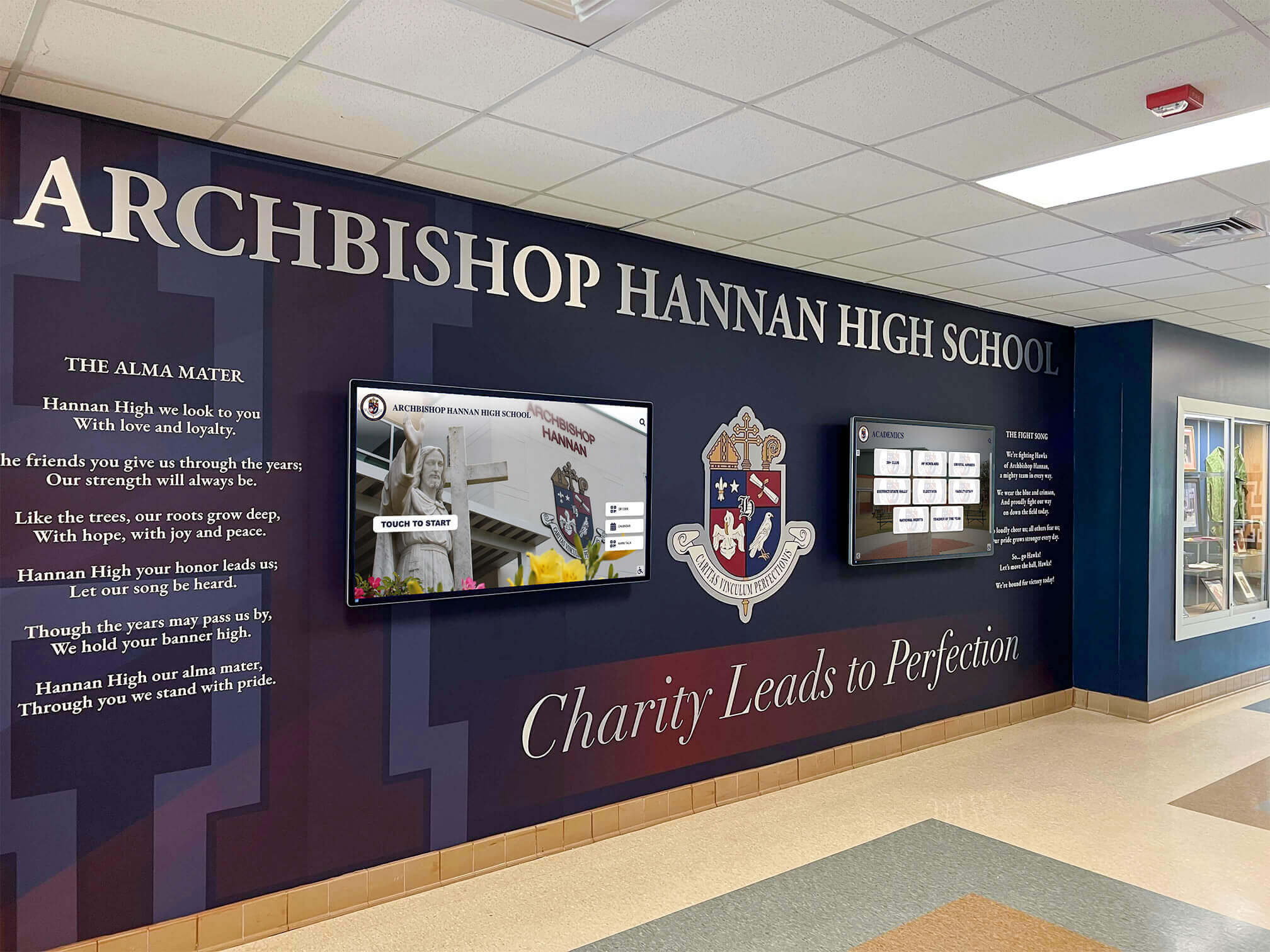
Thoughtful installations integrate technology with existing architecture and institutional branding
Cost Considerations and Budget Planning
Interactive touch screen TV implementations involve several cost components beyond initial hardware purchase. Comprehensive budget planning accounts for total cost of ownership across 5-7 year expected system lifespan.
Hardware Investment
Display hardware represents the most visible cost component:
Typical Hardware Pricing (2026)
- 55-65 inch interactive displays: $2,500-$5,000 per unit
- 70-75 inch interactive displays: $5,000-$8,000 per unit
- 86 inch interactive displays: $8,000-$15,000 per unit
- 98+ inch interactive displays: $15,000-$30,000+ per unit
Education-specific models with enhanced durability, longer warranties, and built-in educational software licenses typically command 15-25% premiums over basic commercial displays but deliver significantly better long-term value in school environments.
Mounting hardware, installation labor, and electrical work add to base display costs. Professional installations typically run $800-$2,500 depending on mounting complexity, electrical requirements, and whether structural reinforcement is needed for large displays.
Software and Content Licensing
Content management platforms range from free open-source solutions to enterprise systems with significant licensing costs:
Software Pricing Models
- One-time licensing: $1,500-$5,000 per display for perpetual software licenses
- Annual subscriptions: $500-$1,500 per display per year for cloud-based platforms
- Included software: Some hardware manufacturers bundle content management systems with display purchase
Consider total software costs across multiple displays and years. A platform with higher annual fees but superior usability and support may deliver better value than cheaper systems requiring extensive technical support or custom development.
Ongoing Maintenance and Support
Long-term ownership costs include technical support, content updates, and eventual hardware replacement:
Annual Operating Costs
- Extended warranties: $300-$800 per display per year beyond manufacturer coverage
- Content management support: $500-$2,000 per year for hosted platforms with included support
- Content creation and updates: Variable based on whether handled internally or outsourced
- Electricity: Approximately $100-$300 per year per display assuming 12-hour daily operation
Schools should budget for content refresh cycles. Even excellent initial content becomes stale without regular updates. Whether through internal staff time or contracted services, plan for ongoing content development as percentage of initial investment (typically 10-15% of total project cost annually).
Measuring Success and Return on Investment
Quantifying the impact of interactive touch screen TV installations helps justify investment and guide future deployments.
Engagement Metrics
Modern interactive display platforms include analytics tracking user behavior:
Measurable Engagement Indicators
- Session count: Total number of user interactions over time periods
- Session duration: Average time users spend interacting with content
- Popular content: Most-viewed profiles, sections, or features
- Navigation paths: How users move through content structures
- Peak usage times: When displays receive most interaction
- Return visitors: Frequency of repeated engagement
Baseline engagement expectations vary by location and content type. Lobby installations in high-traffic areas might generate 50-200 daily interactions, while displays in specialized locations (athletic facilities, development offices) may see 10-30 daily sessions but with longer average durations as users explore specific content in depth.
Comparing engagement across multiple displays reveals which content resonates most strongly. If athletic recognition generates significantly more interaction than academic displays, that information can guide content strategy refinement—perhaps academic content needs more visual elements or interactive features to match sports content engagement.
Community Impact Assessment
Beyond analytics, qualitative measures reveal display impact on school culture and community:
Impact Indicators
- Increased event attendance after recognition announcements
- Growth in athletic facility tours and campus visits
- Enhanced school pride expressions from students and families
- Alumni engagement increases following notable alumni features
- Donor conversation quality improvements when recognition is digitally accessible
- Social media sharing of display content (when schools provide share functionality)
Survey instruments can capture perceived impact. Brief questionnaires asking students, parents, and visitors whether displays enhanced their school connection, helped them discover new information, or influenced their perception of institutional excellence provide valuable qualitative feedback complementing quantitative metrics.
Comparing Digital vs. Traditional Recognition ROI
Interactive displays compete with traditional recognition methods—plaques, trophy cases, printed programs. Comparative analysis helps justify the technology investment:
Value Comparison Factors
- Capacity: Digital displays recognize unlimited individuals vs. physical space constraints
- Currency: Software updates provide current information vs. expensive plaque modifications
- Engagement: Interactive exploration vs. passive viewing
- Accessibility: Digital archives accessible 24/7 vs. limited physical access
- Preservation: Digital backups prevent loss vs. physical deterioration risk
- Flexibility: Seasonal content rotation vs. permanent static installations
Traditional recognition will always have place—physical trophies carry weight and permanence that digital equivalents cannot fully replicate. The most effective approaches combine both, using digital platforms to provide context, accessibility, and depth while physical elements deliver tangible presence and ceremonial significance.
Common Implementation Challenges and Solutions
Schools deploying interactive touch screen TVs encounter predictable challenges. Understanding common pitfalls enables proactive planning.
Challenge: Content Development Bottlenecks
Problem: Displays installed but content development falls behind, leaving systems with incomplete information or placeholder graphics that undermine credibility.
Solutions:
- Phase content development before hardware installation, ensuring launch with comprehensive content
- Start with achievable scope (current year achievements) and expand historically over time
- Establish content ownership and accountability with specific staff members
- Use templates and batch processing for repetitive content (athlete profiles, donor lists)
- Budget for professional content development support during initial deployment
Challenge: Network and Infrastructure Limitations
Problem: School network infrastructure insufficient to support large file transfers, video streaming, or real-time content updates required by interactive displays.
Solutions:
- Conduct network assessment before deployment, identifying bandwidth constraints
- Implement local content caching reducing real-time network dependency
- Schedule large content updates during off-hours when network traffic is minimal
- Consider dedicated network segments for display systems in schools with limited bandwidth
- Optimize media files (image compression, appropriate video resolutions) reducing bandwidth requirements
Challenge: Adoption and Usage Lags
Problem: Displays installed but community awareness lags, resulting in low usage and underwhelming engagement metrics.
Solutions:
- Announce launches through multiple channels (student announcements, parent newsletters, social media)
- Conduct demonstration sessions during high-traffic events (games, open houses, orientations)
- Feature display content in other media (screenshots in newsletters, social media shares)
- Position displays in unavoidable high-traffic chokepoints rather than isolated locations
- Create engagement incentives (scavenger hunts, featured profile competitions)
Challenge: Privacy and Permission Concerns
Problem: Questions arise about displaying student information, photos, or achievements without specific consent, particularly regarding FERPA compliance.
Solutions:
- Establish clear privacy policies aligned with FERPA and institutional guidelines
- Implement opt-in or opt-out processes for recognition displays
- Display only directory information or limit content to names and achievements without additional identifying details
- Consult legal counsel or district privacy officers before launch
- Document parental consent during registration processes covering public recognition
Future Trends in Interactive School Display Technology
Interactive touch screen TV technology continues evolving, with several emerging capabilities likely to influence educational applications:
Artificial Intelligence and Personalization
AI-powered content recommendation systems will enable personalized display experiences. Facial recognition (where legally and ethically appropriate and with proper consent) might customize content based on viewer—showing an alumnus their graduation class when they approach, or highlighting sports relevant to a recognized student athlete.
Natural language processing will enhance search capabilities, allowing users to ask questions in conversational language rather than navigating structured menus. “Show me all basketball records from the 1990s” would retrieve relevant content automatically.
Augmented Reality Integration
Mobile devices can extend interactive displays through augmented reality. Users scanning displays with smartphones might access additional layers of content—3D trophy models, 360-degree facility tours, or historical photos overlaid on current spaces showing how campus has evolved.
AR-enabled yearbooks could link physical pages to digital display content, creating connections between traditional printed materials and comprehensive digital archives.
Improved Accessibility Features
Voice control, screen readers, and customizable interface elements will make displays accessible to broader user populations. Gesture recognition might enable navigation without physical touch, benefiting users with contact sensitivity or hygiene concerns.
Real-time translation capabilities will make content accessible to non-English speakers, reflecting increasingly diverse school communities.
Analytics and Predictive Engagement
Advanced analytics will move beyond descriptive metrics (what happened) to predictive insights (what will engage users). Machine learning algorithms might identify which content types generate most engagement and recommend similar content development priorities.
Integration with broader school data ecosystems could enable displays that respond to current events—automatically featuring game results after athletic competitions, highlighting scholarship recipients when awards are announced, or showcasing alumni returning for campus visits.
Frequently Asked Questions
What is the typical lifespan of an interactive touch screen TV in a school environment?
Commercial-grade interactive touch screen displays typically last 50,000-80,000 hours of operation when properly maintained, translating to approximately 5-7 years of continuous school use (12-16 hours daily). Education-specific models with enhanced durability often exceed these expectations, with some installations remaining functional after 8-10 years. The limiting factor is usually technological obsolescence rather than hardware failure—content management software and connectivity standards evolve, eventually making replacement more practical than continued operation of older systems.
How much does it cost to install an interactive touch screen TV system in a school?
Total project costs vary significantly based on display size, quantity, and software requirements. A single 75-inch interactive display with professional installation and one-year content management subscription typically ranges from $8,000-$12,000. Larger installations with multiple displays, custom content development, and integration with existing school databases can reach $30,000-$75,000 for comprehensive systems. Ongoing costs include annual software subscriptions ($500-$1,500 per display), content updates, and maintenance, typically totaling 10-15% of initial investment annually.
Can interactive touch screen displays be updated by school staff or does it require technical expertise?
Modern content management systems are designed for non-technical users, featuring web-based interfaces similar to website content management or social media posting. Most school staff comfortable with basic computer tasks can learn to update displays with minimal training. Systems typically provide template-based layouts where users upload photos and enter text without coding or design expertise. However, complex customizations, database integrations, and troubleshooting may require vendor support or district technology staff involvement.
Are interactive touch screen TVs durable enough for high-traffic school environments?
Education-grade interactive displays feature reinforced construction specifically designed for high-traffic environments. Tempered glass panels, sealed bezels preventing liquid damage, and commercial-grade components rated for continuous operation make these systems significantly more durable than consumer-grade equipment. Proper installation at appropriate heights with adequate clearance, combined with basic care guidelines, enables these displays to withstand typical school use. Many manufacturers offer impact-resistant glass options and vandal-resistant enclosures for particularly demanding environments.
How do schools keep content current without overwhelming staff with constant updates?
Successful implementations distribute content ownership across existing staff roles aligned with their areas of responsibility—athletic directors manage sports content, counselors update academic recognition, development staff maintain donor walls. Automated data integration with student information systems, athletic platforms, and alumni databases reduces manual updates for many content types. Template-based content structures allow quick additions of new athletes, honor students, or donors following established formats. Scheduling annual content review cycles during natural planning periods (summer for schools, semester breaks for universities) prevents updates from becoming overwhelming while ensuring currency.
Transforming School Recognition Through Interactive Technology
Interactive touch screen TV technology represents a fundamental shift in how educational institutions recognize achievement, preserve history, and engage their communities. These systems transcend simple digital signage, creating immersive experiences that invite exploration, celebrate excellence, and build lasting connections between students, alumni, and institutional heritage.
The most successful implementations balance technological capability with human-centered design. Hardware specifications matter, but thoughtful content organization, intuitive interfaces, and sustainable update workflows determine whether displays become valued community resources or expensive installations that fade into background irrelevance.
Schools considering interactive display deployments should start with clear objectives. Whether celebrating athletic achievement, recognizing academic excellence, honoring donors, or preserving institutional history, purpose should drive technology selection rather than the reverse. The platform should serve the story, not constrain it.
Begin with achievable scope. Attempting to digitize 100 years of institutional history before launch creates paralyzing bottlenecks. Deploy with current, high-quality content and expand historically over time. Momentum builds when communities see valuable, growing systems rather than perpetually “coming soon” promises.
Invest in both technology and content. The ratio between hardware costs and content development budgets should reflect that empty displays, regardless of screen quality, deliver no value. Budget 30-40% of total project investment for initial content creation and plan for ongoing content development as operational expense.
Most importantly, remember that technology amplifies institutional values—it cannot create them. Interactive displays showcasing genuine achievement, authentic stories, and meaningful recognition will resonate regardless of technical sophistication. Conversely, even cutting-edge hardware cannot compensate for superficial content or recognition that fails to honor actual accomplishment.
The schools that derive maximum value from interactive touch screen TV technology are those that view these systems not as digital bulletin boards but as storytelling platforms that reflect their values, celebrate their communities, and preserve their legacies for future generations.
Create Engaging Recognition Displays for Your School
Rocket Alumni Solutions provides complete interactive touch screen systems designed specifically for educational institutions. Our platform combines commercial-grade hardware with intuitive content management, enabling schools to celebrate achievement, preserve history, and engage their communities through powerful digital storytelling.
Get notified when Rocket Graphics opens