Every graduation ceremony reaches a powerful emotional moment when the lights dim, music swells, and a carefully crafted slideshow plays across the screen—celebrating seniors, honoring their journey, and marking the transition from students to graduates. These tribute slideshows have become as essential to graduation ceremonies as diplomas and caps, creating shared emotional experiences that families remember for years.
Creating an effective graduation slideshow requires balancing technical execution with emotional resonance. The right template provides structure while allowing personalization that reflects your school’s unique character and the graduating class’s distinct personality. Whether you’re a yearbook advisor, senior class sponsor, or student committee member tasked with this important project, selecting and customizing the appropriate graduation slideshow template determines whether your presentation feels generic or genuinely meaningful.
This guide presents ten versatile graduation slideshow templates available for free download and use in PowerPoint and Google Slides, along with practical guidance for customization, music selection, technical execution, and alternative recognition approaches that extend beyond ceremony day.
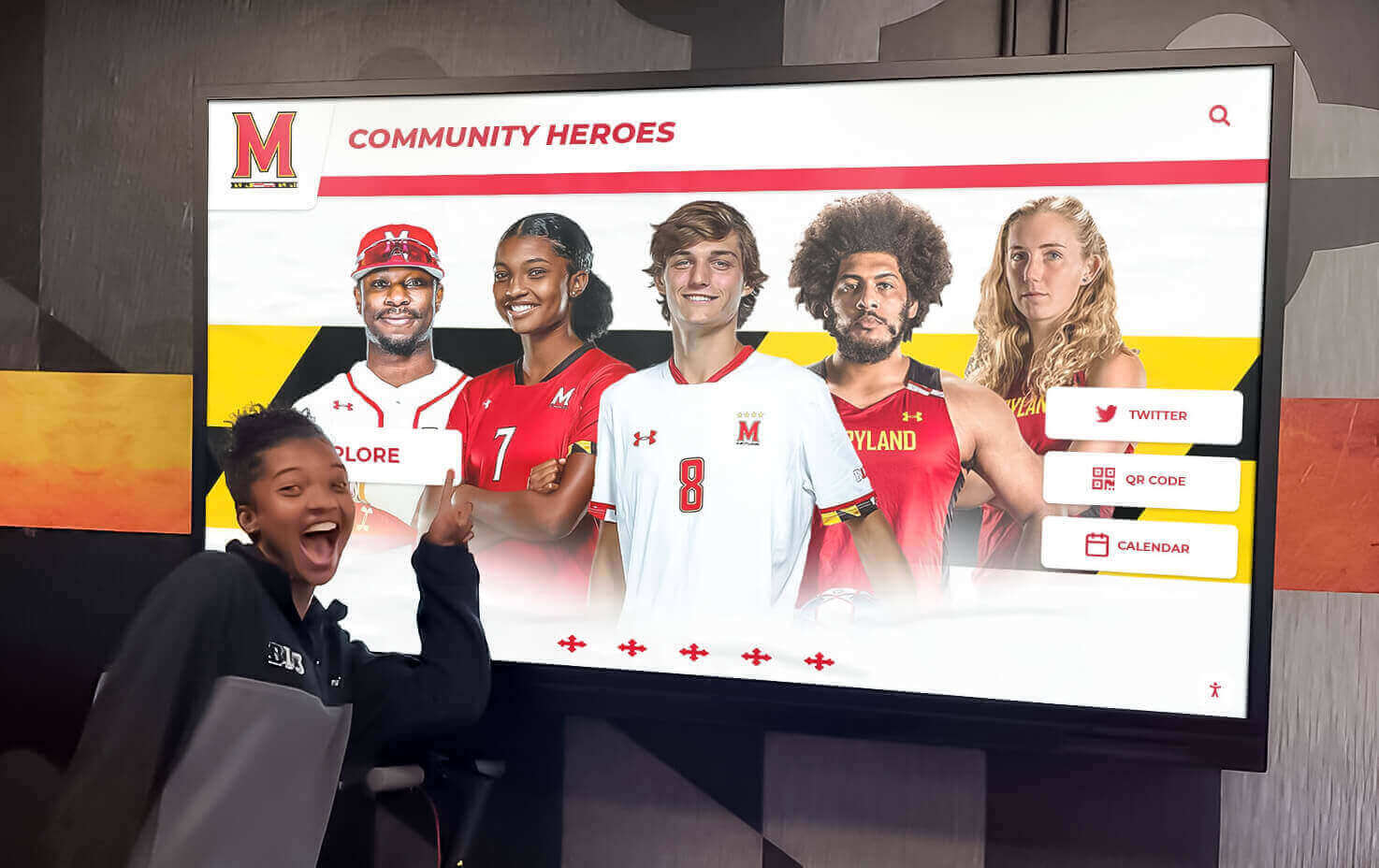
Modern recognition displays complement traditional slideshow presentations with year-round senior celebration
Why Graduation Slideshows Matter for School Ceremonies
Graduation slideshows serve multiple purposes beyond filling time during processional or recessional moments.
Creating Emotional Connection and Ceremony Impact
Well-executed slideshows transform formal ceremonies into personal celebrations. As senior photos appear on screen—baby pictures transitioning to cap-and-gown portraits, athletic moments alongside academic achievements, friend group memories beside solo accomplishments—audiences see students as complete individuals rather than names on a program.
According to research from the National Association of Secondary School Principals, ceremonies incorporating personalized visual recognition generate significantly higher family satisfaction ratings and create more memorable experiences than traditional format-only graduations. The slideshow becomes the ceremony element that personalizes mass events, connecting hundreds of individual journeys into cohesive class narratives.
These presentations also provide recognition opportunities for students who may not receive other ceremony honors. Not every senior gives a speech, earns valedictorian distinction, or receives special awards, but every student can appear in the class slideshow, ensuring universal recognition.
Preservation and Legacy Documentation
Graduation slideshows become historical documents preserving class memories beyond ceremony day. Schools archive these presentations for reunion events, anniversary celebrations, and alumni gatherings, creating touchpoints between current students and institutional history.
Many schools incorporate slideshow content into permanent digital recognition displays where archived senior tributes remain accessible year-round rather than existing only as single-ceremony presentations.
Practical Ceremony Functions
Beyond emotional and historical purposes, slideshows serve practical ceremony needs:
Functional Applications
- Fill processional time as graduates enter venues (10-20 minutes typical for large classes)
- Provide visual interest during credential reading or award presentations
- Occupy recessional moments as graduates exit and families prepare to leave
- Create transitional periods between ceremony segments
- Generate social media content families share, extending ceremony visibility
Schools often create multiple slideshow versions for different ceremony moments—processional slideshows focusing on school pride and class overview, mid-ceremony presentations highlighting specific achievements, and recessional videos emphasizing future aspirations.
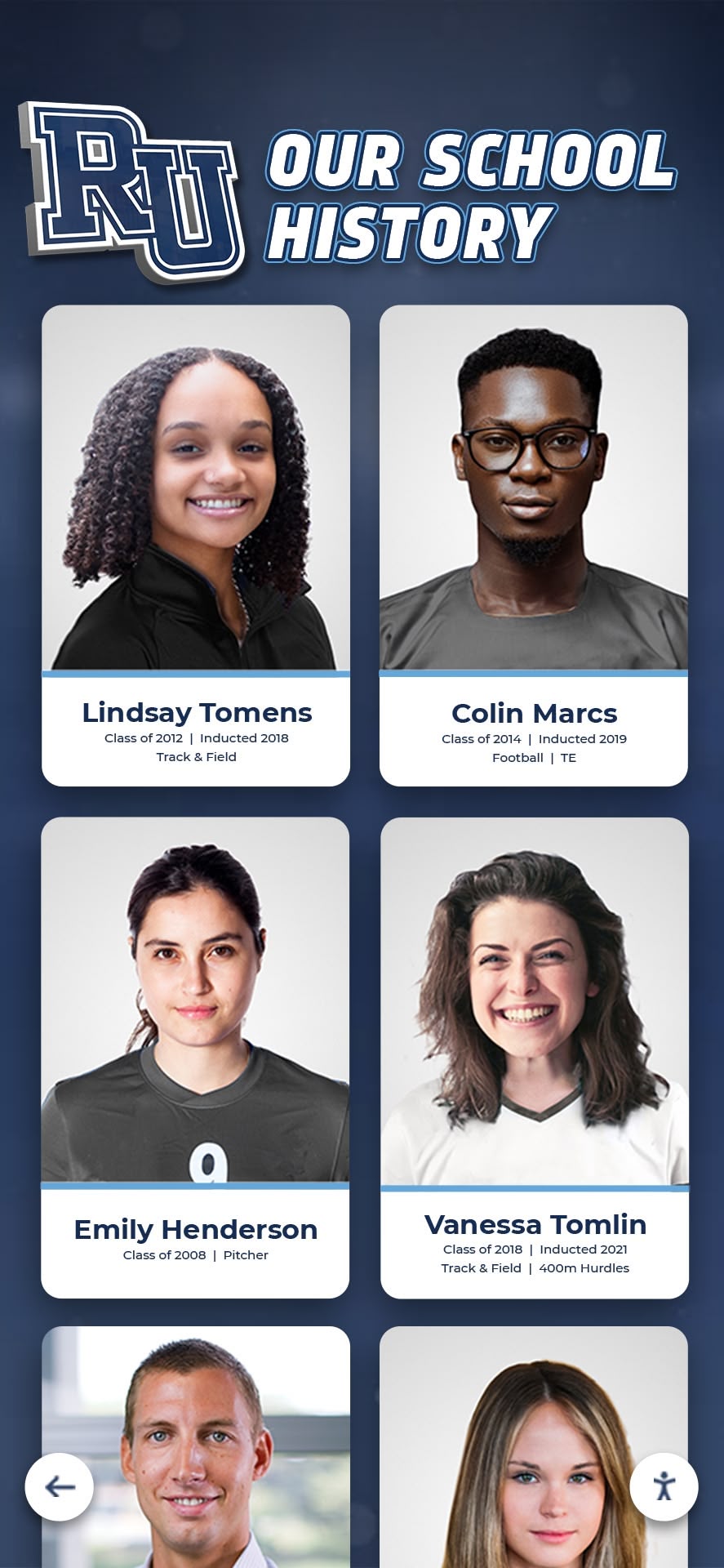
Slideshow content preserves senior memories for future alumni engagement and historical archives
10 Free Graduation Slideshow Templates Schools Can Download and Customize
These template designs provide starting points for various graduation ceremony styles and school preferences. All templates work in both PowerPoint and Google Slides, allowing schools to choose their preferred platform.
1. Classic Elegance Template
Design Features
- Clean white background with subtle gradient overlays
- Gold or school-color accent borders framing individual photos
- Serif typography for formal, traditional appearance
- Simple fade transitions between slides
- Space for student names and brief achievement highlights
Best For: Traditional ceremonies, formal school cultures, academic-focused institutions
Customization Options: Replace gold accents with school colors, adjust font sizes for visibility in large venues, modify transition timing to match ceremony pacing
This template suits schools preferring understated sophistication over flashy effects. The minimal design keeps focus on student photos rather than competing decorative elements, making it ideal for venues with large screens where ornate details would be lost from distance.
2. Photo Collage Celebration Template
Design Features
- Multi-photo layouts showing 4-6 images per student
- Dynamic diagonal and geometric arrangements
- Bright, energetic color schemes
- Quick cut transitions creating upbeat pacing
- Areas for student quotes or senior superlatives
Best For: Informal ceremonies, schools with strong visual traditions, social-media-oriented presentations
Customization Options: Adjust layout grids to accommodate varying photo quantities per student, modify color palettes to match school branding, integrate class motto or theme graphics
The collage approach works well when photo collections vary significantly between students—some seniors submit many images while others provide only required school portraits. The flexible layout accommodates this variation without creating obvious disparities.
3. Cinematic Timeline Template
Design Features
- Horizontal timeline design showing student journey from freshman to senior year
- Year markers and milestone indicators
- Dark backgrounds with spotlight effects on photos
- Slow zoom and pan transitions for dramatic effect
- Integration points for video clips if available
Best For: Schools emphasizing four-year journey narrative, presentations with video content, evening ceremonies in darkened venues
Customization Options: Add specific milestone markers relevant to your school (freshman orientation, homecoming traditions, senior trips), adjust timeline length based on available photos per year, modify spotlight intensity for venue lighting conditions
This template requires more comprehensive photo collections spanning multiple years. Schools should begin requesting photos early in senior year to compile adequate historical images.
4. Academic Achievement Focus Template
Design Features
- Split-screen layouts pairing senior portraits with achievement highlights
- Icon systems representing different honor categories (academic, athletic, artistic, service)
- Prominent display of college destinations or post-graduation plans
- Professional typography suitable for formal recognition
- Subtle animations drawing attention to accomplishment details
Best For: College preparatory schools, academically competitive environments, ceremonies emphasizing future pathways
Customization Options: Customize achievement icons to match specific school programs, adjust college logo sizing and placement, modify text hierarchy to emphasize different information elements
Schools using this template should collect comprehensive data about post-graduation plans, honors, and distinctions. The template structure highlights these details rather than relegating them to fine print.
5. School Spirit and Tradition Template
Design Features
- Heavy use of school colors, mascots, and branding elements
- Incorporation of school buildings, campus landmarks, and tradition symbols
- Team and club photos alongside individual portraits
- Bold, confident typography reflecting institutional pride
- Animated school logo reveals and mascot graphics
Best For: Schools with strong identity and tradition cultures, presentations emphasizing institutional belonging, ceremonies celebrating school heritage
Customization Options: Replace template mascot graphics with your specific symbols, integrate photos of your actual campus locations, adjust color intensity to match official school palette specifications
This template works particularly well when combined with school spirit initiatives and tradition preservation efforts throughout senior year.
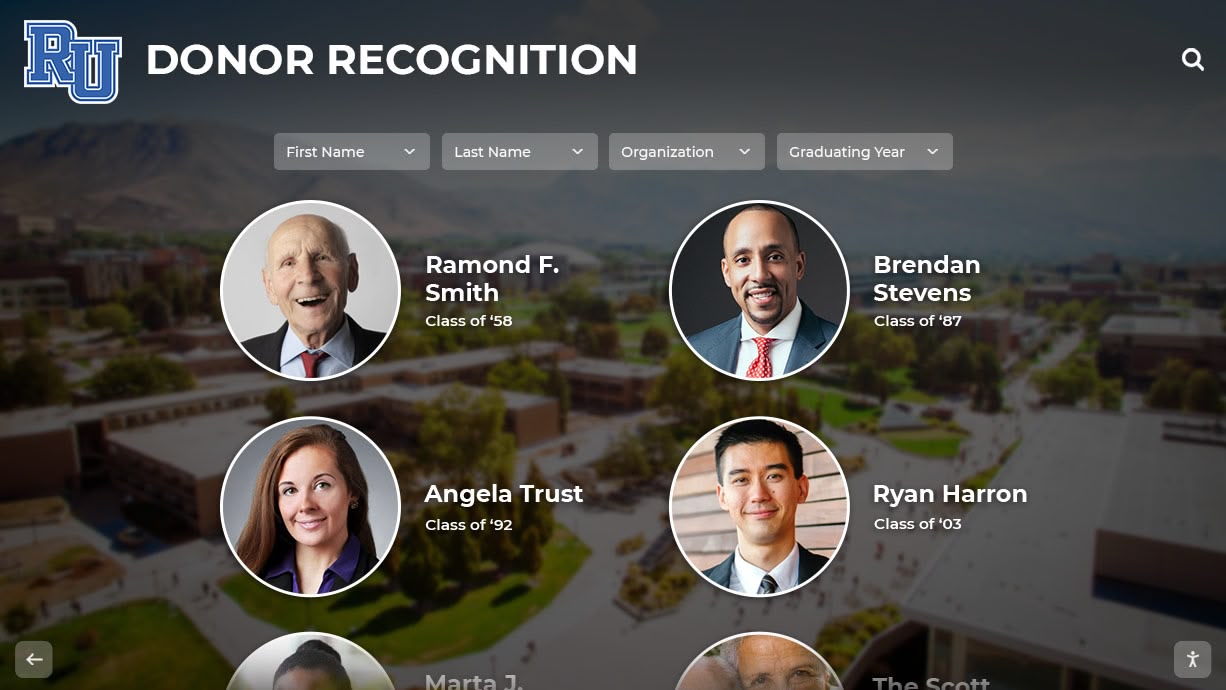
Professional portrait integration creates polished presentations suitable for formal ceremonies
6. Yearbook Style Memory Template
Design Features
- Layouts mimicking traditional yearbook page designs
- Handwritten fonts and casual typography
- Candid photo emphasis over formal portraits
- Scrapbook-style decorative elements (tape, stickers, doodles)
- Playful transitions and entrance animations
Best For: Casual ceremonies, schools with strong yearbook traditions, student-committee-created presentations
Customization Options: Match yearbook theme if class has established design identity, adjust decorative density based on venue screen size, modify fonts to balance readability with personality
This template pairs naturally with yearbook production efforts, allowing schools to repurpose yearbook design elements for ceremony presentations.
7. Modern Minimalist Template
Design Features
- Maximum white space with clean, uncluttered layouts
- Sans-serif typography in consistent weights
- Single large photo per slide for maximum impact
- Subtle slide transitions without distracting effects
- Monochromatic or limited color schemes
Best For: Contemporary schools, design-conscious communities, presentations in high-resolution display environments
Customization Options: Adjust white space ratios for different photo aspect ratios, modify typography weight to ensure distance readability, fine-tune color accent selections
Minimalist templates require high-quality source photos since design simplicity places all visual emphasis on image content. Schools should establish photo quality standards (resolution, composition, lighting) when requesting senior submissions.
8. Inspirational Quote Journey Template
Design Features
- Each slide pairs student photo with personally selected quote
- Typography treatments emphasizing quote text
- Backgrounds complementing quote themes
- Longer slide duration allowing quote reading time
- Thematic organization grouping similar quote categories
Best For: Reflective ceremonies, schools emphasizing character development, presentations including student voice and perspective
Customization Options: Establish quote length limits ensuring readability, create quote categories if organizing thematically, adjust timing to accommodate reading speeds
This template requires additional data collection beyond photos. Schools should request quote selections well in advance of ceremony, providing guidance about appropriate length and tone.
9. Sports and Activities Celebration Template
Design Features
- Action shot emphasis showing students in athletic and extracurricular contexts
- Dynamic diagonal layouts conveying movement and energy
- Bold color blocking and high-contrast designs
- Fast-paced transitions matching energetic content
- Group photos celebrating team achievements alongside individual portraits
Best For: Schools with strong athletic traditions, presentations before or after sports awards ceremonies, graduation events emphasizing well-rounded student development
Customization Options: Balance athletic and non-athletic activities to ensure inclusive representation, adjust layout grids to accommodate varying activity participation levels, modify pacing to match ceremony energy
Schools should intentionally include non-athletic activities (arts, clubs, community service) to avoid presentations that feel exclusively sports-focused.
10. Before and After Transformation Template
Design Features
- Side-by-side layouts pairing childhood or freshman photos with senior portraits
- “Then and Now” graphic treatments
- Humorous or heartwarming tone depending on photo selections
- Transition effects emphasizing transformation theme
- Optional text callouts highlighting growth and change
Best For: Informal ceremonies, schools with sentimental cultures, presentations emphasizing personal growth narratives
Customization Options: Adjust photo sizing to ensure both images receive equal visual weight, modify transition styles to match ceremony tone (humorous vs. sentimental), add optional text describing specific transformations
This template generates strong audience reactions but requires comprehensive photo collection including historical images. Schools should provide clear guidance about acceptable childhood photo selections to avoid inappropriate submissions.
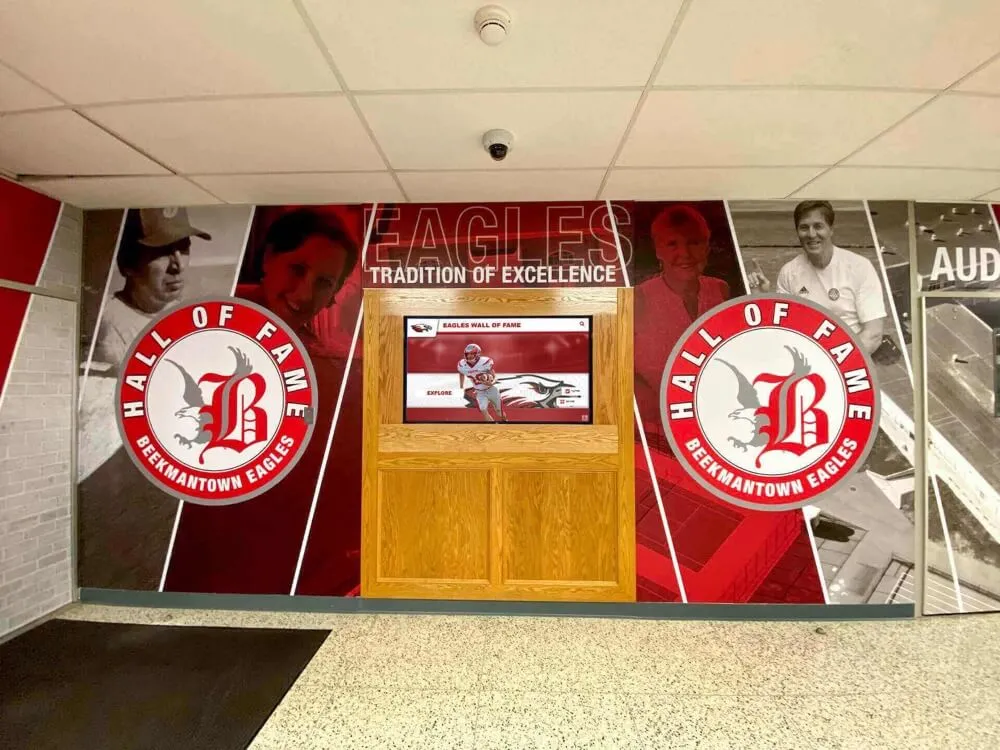
Physical and digital displays extend senior recognition beyond single ceremony presentations
How to Access and Download Free Graduation Slideshow Templates
Multiple platforms provide free graduation slideshow templates compatible with PowerPoint and Google Slides.
Microsoft Office Template Library
Microsoft maintains an extensive template collection accessible directly within PowerPoint:
Access Method
- Open PowerPoint
- Select File > New
- Search “graduation slideshow” or “senior tribute”
- Browse template options with preview thumbnails
- Select desired template and click Create
- Customize with your school information and student photos
Microsoft’s templates update regularly with current design trends and typically include usage instructions and customization suggestions within template notes.
Google Slides Template Gallery
Google provides templates accessible when creating new presentations:
Access Method
- Navigate to Google Slides (slides.google.com)
- Click Template Gallery at top of new presentation page
- Browse Education category
- Select graduation-themed templates
- Click template to open customizable copy
- Share with team members for collaborative editing
Google Slides templates offer significant collaboration advantages when multiple staff members or student committee members contribute to slideshow creation.
Canva Education Templates
Canva provides extensive template collections with free education accounts:
Access Features
- Drag-and-drop editing interface requiring no design experience
- Extensive photo effect and filter libraries
- Music integration capabilities
- Export to PowerPoint or PDF formats
- Collaboration tools for team editing
Canva templates often include more sophisticated design elements than default PowerPoint or Google Slides options, though the platform has a learning curve for users unfamiliar with the interface.
Template Customization Best Practices
Regardless of source platform, effective customization follows consistent principles:
Customization Guidelines
- Replace all placeholder text with your specific school information
- Adjust color schemes to match official school branding
- Verify font choices are readable at distance in your ceremony venue
- Test transitions and animations in venue environment before ceremony
- Maintain consistent photo sizing and cropping across all slides
- Proofread all text content multiple times before finalizing
- Create backup copies before making major structural changes
Schools should establish version control systems when multiple people edit templates. Designate one person as final approver to ensure consistency across all customized slides.
Creating Effective Graduation Slideshows: Best Practices and Common Pitfalls
Template selection is only the first step. Execution quality determines whether slideshows enhance ceremonies or become awkward distractions.
Photo Collection and Quality Standards
Photo quality directly impacts presentation effectiveness:
Photo Requirements
- Minimum resolution: 1920x1080 pixels (1080p) for modern displays
- Consistent aspect ratio: 16:9 for widescreen presentations
- Good lighting: Avoid severely underexposed or overexposed images
- Clear focus: Eliminate blurry or pixelated photos
- Appropriate content: Establish submission guidelines prohibiting inappropriate images
Schools should communicate photo standards when requesting student submissions. Providing specific technical requirements (file size, dimensions, format) prevents quality issues discovered only during production.
Collection Timeline
- Initial photo request: 8-10 weeks before graduation
- Submission deadline: 4-6 weeks before graduation
- Follow-up for missing submissions: 3-4 weeks before graduation
- Production and editing: 2-3 weeks before graduation
- Final review and approval: 1 week before graduation
This timeline allows adequate buffer for technical issues, revision requests, and quality problems requiring photo replacement.
Music Selection and Licensing Considerations
Music selection profoundly influences slideshow emotional impact:
Appropriate Music Characteristics
- Instrumental or clean lyrics avoiding inappropriate content
- Emotional tone matching ceremony atmosphere (inspirational, celebratory, reflective)
- Tempo coordinating with slide transitions (faster music for quick cuts, slower tempos for gradual fades)
- Length matching presentation duration (edit songs to fit rather than forcing slideshows to match song length)
Copyright and Licensing Schools must address music copyright for graduation presentations. Options include:
- Royalty-free music libraries (YouTube Audio Library, Free Music Archive, Incompetech)
- Licensed music through school ASCAP/BMI agreements (verify agreement terms cover ceremony use)
- Student or community original compositions
- Classical or public domain music
Avoid using popular copyrighted music without proper licensing, particularly if ceremonies are recorded and distributed or posted online. Copyright claims can result in video takedowns or legal complications.
Technical Execution and Venue Considerations
Technical failures during ceremonies create awkward moments and diminish presentations:
Pre-Ceremony Technical Checklist
- Test complete presentation on actual ceremony venue equipment
- Verify screen aspect ratio matches presentation format
- Confirm audio equipment can adequately fill venue with music
- Test backup equipment in case primary systems fail
- Bring presentation on multiple formats (laptop hard drive, USB drive, cloud backup)
- Assign technical operator who attended full rehearsal
- Create simplified timing script coordinating slideshow with ceremony segments
Many technical disasters occur because slideshows tested on small laptop screens appear different on large projection systems. Always test in actual venue conditions with ceremony lighting and audio configurations.
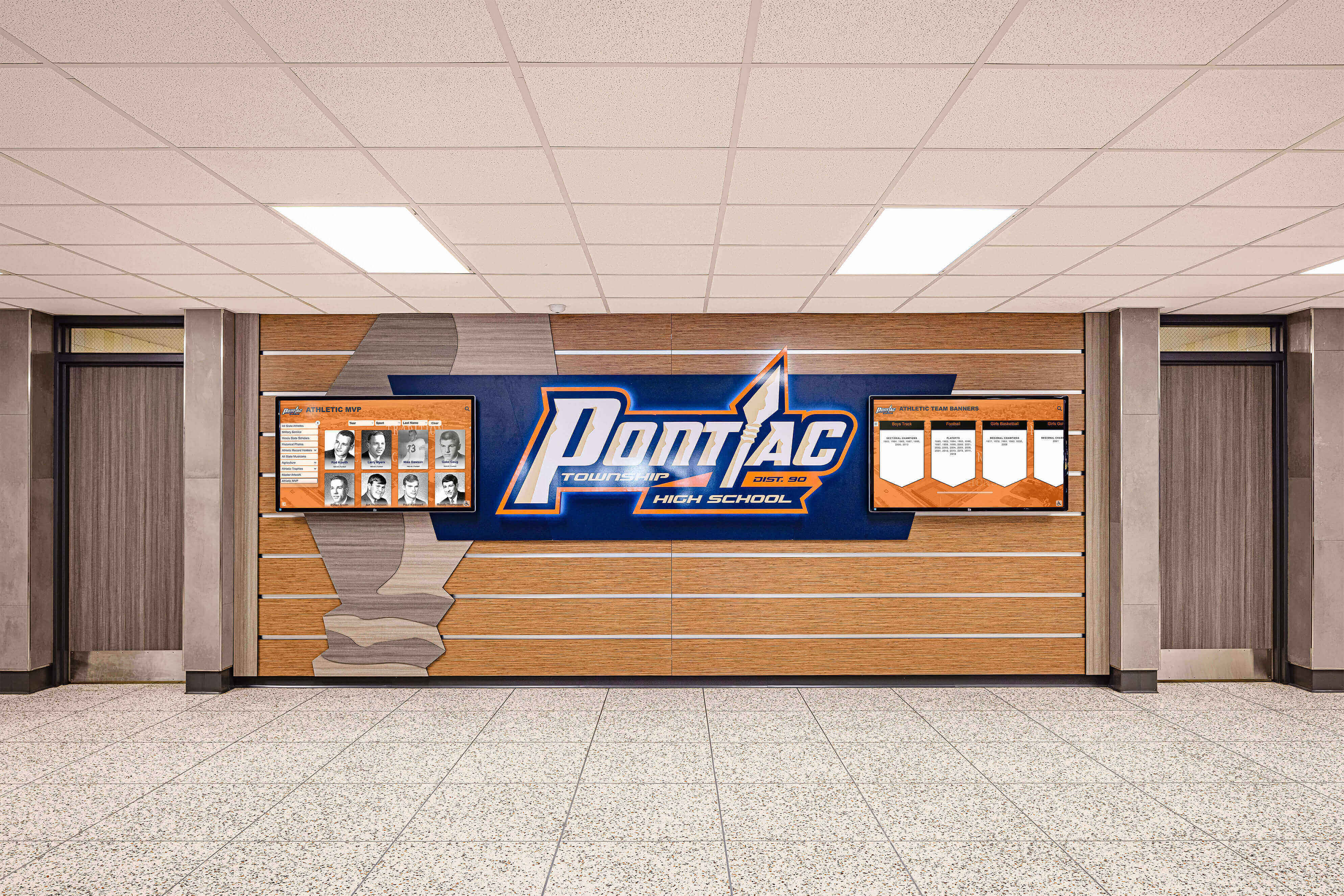
Permanent recognition displays complement temporary ceremony presentations with lasting senior celebration
Customizing Templates to Reflect Your School’s Unique Character
Generic templates become meaningful presentations through thoughtful customization reflecting specific school identity.
Incorporating School Branding and Visual Identity
Consistent branding creates professional, polished presentations:
Branding Elements to Include
- Official school colors in backgrounds, text, and accent elements
- School logo or mascot graphics at appropriate sizes and placements
- Established typography if school has official font selections
- Campus photography showing distinctive buildings or landmarks
- Tradition symbols unique to your institution
Schools with established brand guidelines should reference these documents during customization. Consistency between slideshow design and other ceremony materials (programs, tickets, signage) creates cohesive visual experiences.
Highlighting Class-Specific Themes and Memories
Each graduating class has distinct personality:
Class-Specific Customization
- Senior class motto or slogan integration if established
- Inside jokes or references meaningful to specific graduating cohort
- Photos from signature class events (senior trips, special assemblies, unique traditions)
- References to shared experiences (remote learning periods, championship seasons, school facility changes during their tenure)
Balance class-specific content with elements understandable to broader ceremony audiences. Parents and community members should grasp references without extensive insider knowledge.
Balancing Individual Recognition with Group Celebration
Effective slideshows honor both individual students and collective class identity:
Balance Strategies
- Ensure every student receives equal screen time and photo quantity
- Mix individual portraits with group and candid photos
- Include both standout achievers and less-recognized students equally
- Vary photo types (formal portraits, action shots, casual moments, group pictures)
- Avoid creating obvious hierarchies where some students receive premium treatment
Schools should establish clear equity guidelines during production. Every senior receives same number of slides regardless of photo submission quantity or achievement level.
Alternative and Complementary Recognition Approaches Beyond Ceremony Day
While ceremony slideshows provide important recognition, schools can extend senior celebration through additional platforms.
Year-Round Digital Recognition Displays
Many schools implement permanent digital recognition systems displaying senior achievements throughout the year rather than only during graduation:
Digital Display Advantages
- Content remains accessible to school community beyond single ceremony
- Students see recognition during their actual senior year rather than only at exit
- Alumni can access archived senior tributes during school visits
- Displays accommodate significantly more content than ceremony time permits
- Interactive features allow detailed exploration impossible in slideshow format
Schools repurpose slideshow content for these displays, ensuring ceremony production effort serves multiple recognition purposes.
Interactive Touchscreen Tribute Walls
Advanced recognition systems incorporate touchscreen technology allowing visitors to explore senior profiles, view comprehensive photo galleries, and access detailed achievement information:
Interactive Features
- Search capabilities finding specific students by name
- Filter options viewing seniors by college destination, activities, or honors
- Individual profile pages with unlimited photos and information
- Video tributes or senior speeches when available
- Integration with alumni databases linking graduating classes across decades
These systems transform ceremony content into permanent archives. Photos submitted for graduation slideshows populate touchscreen profiles, eliminating duplicate data collection.
Social Media and Digital Sharing Platforms
Modern senior recognition extends to digital platforms where students actually spend attention:
Digital Platform Options
- Instagram or TikTok accounts featuring senior spotlights throughout spring semester
- YouTube channels hosting extended video tributes beyond ceremony time constraints
- School website senior galleries with searchable profiles
- Email campaigns to families highlighting different seniors weekly
End-of-year recognition programs often coordinate ceremony slideshows with broader multi-platform celebration initiatives.
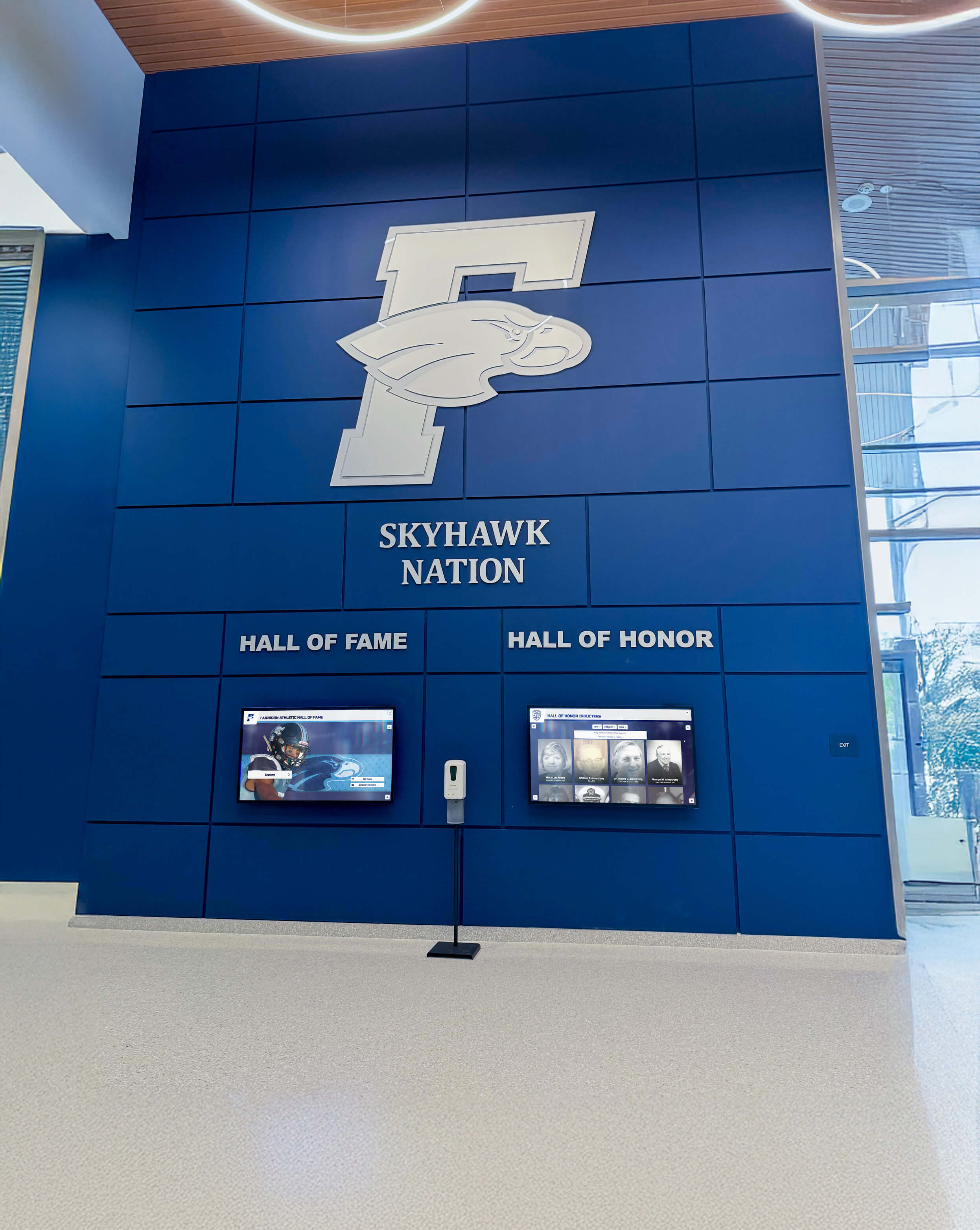
Lobby displays create permanent gathering spaces celebrating graduating classes and school heritage
Technical Specifications for Optimal Slideshow Presentation
Understanding technical requirements prevents common presentation problems.
Resolution and Aspect Ratio Specifications
Modern presentation environments require specific technical formats:
Recommended Specifications
- Presentation resolution: 1920x1080 (Full HD) minimum, 4K (3840x2160) for large venues
- Aspect ratio: 16:9 widescreen (matches modern projectors and screens)
- Photo resolution: Minimum 1920x1080 per image, higher for photos displayed full-screen
- Video clips: 1080p minimum, matching presentation resolution
- File formats: .PPTX (PowerPoint), Google Slides native format, .PDF export for backup
Avoid creating presentations in older 4:3 aspect ratios unless venue equipment specifically requires this format. Widescreen displays showing 4:3 content create awkward black bars reducing effective screen usage.
File Size Management and Performance Optimization
Large presentations cause technical problems:
Optimization Strategies
- Compress high-resolution photos to appropriate size for display (1920x1080 sufficient for most presentations)
- Limit video clip length and resolution to prevent file bloat
- Remove unused slides and design elements from modified templates
- Test presentation file on multiple computers confirming playback performance
- Export to video format (.MP4) for simplified playback if platform supports
PowerPoint presentations exceeding 500MB often experience lag, transition delays, and playback issues. Optimize file sizes during production rather than discovering problems during ceremony.
Backup Systems and Contingency Planning
Technical failures occur despite careful preparation:
Contingency Protocols
- Store presentation on multiple devices (laptop hard drive, USB drives, cloud backup)
- Bring backup projection equipment if possible
- Have printed senior name list in case slideshow completely fails
- Test all backup systems during ceremony rehearsal
- Assign specific person responsibility for implementing backup plans
The ceremony continues regardless of technical issues. Having clear contingency plans prevents panic and awkward delays when problems occur.
Coordinating Slideshow Presentation with Overall Ceremony Flow
Slideshows integrate into larger ceremony structures requiring coordination.
Processional Presentations
Processional slideshows play as graduates enter venues:
Processional Considerations
- Duration must match complete processional time (typically 15-25 minutes for large classes)
- Content should be general celebration and school pride rather than individual student focus
- Volume should allow conversation without overwhelming space
- Slides should cycle continuously without defined end (loop presentation)
- Content should remain appropriate as ambient background while guests seat and converse
Some schools create separate processional content focusing on school history, class highlights, and general celebration rather than individual senior tributes.
Mid-Ceremony Recognition Presentations
Dedicated tribute moments provide focused senior recognition:
Mid-Ceremony Guidelines
- Announce presentation clearly so audience knows to focus on screen
- Ensure adequate duration for all seniors to appear (minimum 3-5 seconds per student)
- Time presentation to fit ceremony schedule without extending overall duration excessively
- Coordinate with audio technician for appropriate music volume
- Consider dimming venue lights for better screen visibility
This dedicated moment typically generates most emotional response. Many families specifically anticipate this ceremony segment.
Recessional and Post-Ceremony Loops
Recessional presentations play as graduates exit and families depart:
Recessional Approaches
- Replay main tribute slideshow for audience members who missed details during initial showing
- Show extended content including photos not included in main presentation
- Feature post-graduation plans and college destinations
- Display thank-you messages to families, teachers, and staff
- Show highlights from senior year events and activities
Recessional periods are less focused than dedicated presentation moments. Content can be more casual and varied since audiences are transitioning rather than specifically watching.
Common Questions About Graduation Slideshow Creation
How long should graduation slideshows be?
Ideal duration depends on usage context. Processional background slideshows should match complete processional duration (15-25 minutes typical). Dedicated mid-ceremony tributes work best at 8-12 minutes for classes of 100-300 students, allowing 3-5 seconds per student. Longer presentations risk audience fatigue and ceremony schedule delays. If comprehensive content exceeds appropriate ceremony duration, consider digital displays showing extended content beyond ceremony time.
How many photos should each student have in the slideshow?
Equity requires equal treatment—every student receives same quantity regardless of submission variations. Schools typically allocate 1-3 photos per student for dedicated tribute sections. Students submitting fewer photos than requested may receive repeated images or extended display duration on submitted photos. Students submitting many photos should understand not all will be used. Establish clear expectations during photo request phase.
What if students don’t submit photos by the deadline?
Create backup plan for non-submitters. Options include using school directory or yearbook photos, creating text-only slides with student names, or contacting families directly for last-minute submissions. Avoid punishing students who miss deadlines by excluding them entirely—graduation recognition should be universal. Build extra production time into timeline specifically for chasing missing photos.
Can we use popular songs from Spotify or Apple Music?
Not without proper licensing. Popular copyrighted music requires licenses schools typically don’t possess for ceremony use. Using unlicensed music creates legal risk, particularly if ceremonies are recorded and distributed. Safer alternatives include royalty-free music libraries, classical or public domain compositions, or original music created by students or community members. If using licensed music is essential, consult your district’s legal counsel about ASCAP/BMI agreements and verify ceremony use is covered.
Should we include video clips in graduation slideshows?
Video clips can enhance presentations but add technical complexity. If including video, ensure all clips are high quality (1080p minimum), appropriate length (10-20 seconds maximum per clip), and properly edited with suitable audio. Test video playback thoroughly in venue environment—video clips frequently cause technical issues including lag, audio sync problems, and compatibility failures. Keep video percentage low (5-10% of total presentation) to minimize problems.
What’s the best way to collect photos from seniors?
Create dedicated submission system rather than accepting email attachments. Options include Google Forms with file upload fields, shared cloud folders with student-specific subfolders, or specialized platforms like Dropbox File Requests. Include clear submission instructions specifying file format, size requirements, appropriate content guidelines, and deadline. Send multiple reminders as deadline approaches. Assign specific person to track submissions and follow up with non-responders.
How do we handle inappropriate photo submissions?
Establish clear content guidelines during initial photo request, specifying prohibited content (alcohol, drugs, weapons, inappropriate language, offensive symbols). Designate staff member to review all submissions before including in final presentation. For borderline cases, err on side of exclusion—potential controversy outweighs benefit of any single photo. Contact students directly about rejected photos, requesting alternative submissions.
Creating Lasting Recognition Beyond Ceremony Day
Graduation slideshows create powerful ceremony moments, but their impact extends well beyond single presentations. The photos, achievements, and personal details collected during slideshow creation become valuable archives schools can leverage for comprehensive recognition programs.
Forward-thinking schools treat slideshow production as content collection for multi-platform recognition systems. Photos submitted for ceremony presentations populate digital display profiles, social media spotlights, yearbook spreads, and permanent tribute installations. This efficient approach maximizes content value while minimizing duplicate data collection burden.
The templates and best practices outlined in this guide provide foundation for effective ceremony presentations. Customization reflecting your school’s unique character, attention to technical execution quality, and thoughtful integration with overall ceremony flow transform generic templates into meaningful tributes families remember for years.
As you develop graduation slideshow presentations, consider how ceremony content can extend into year-round recognition keeping senior celebration visible throughout their final year and preserving class memories for future alumni engagement. The most effective recognition programs coordinate ceremony moments with comprehensive platforms ensuring student achievement receives the lasting celebration it deserves.
Transform Graduation Recognition with Permanent Digital Displays
While graduation slideshows create memorable ceremony moments, Rocket Alumni Solutions provides schools with year-round digital recognition platforms celebrating seniors throughout their final year and preserving class memories permanently. Our touchscreen systems repurpose ceremony content into interactive displays accessible to students, families, and alumni long after graduation day ends.
Get notified when Rocket Graphics opens