Digital signage for schools refers to networked screen systems that display live, updatable content — announcements, athletic recognition, wayfinding, event schedules, emergency alerts, and donor acknowledgment — across hallways, lobbies, gymnasiums, cafeterias, and classrooms. When deployed thoughtfully, a school’s digital signage network functions as the visual infrastructure for campus communication, recognition, and identity.
This guide covers what school digital signage actually does day-to-day, what the hardware and software market looks like, what to evaluate before purchasing, and why more K-12 programs are moving toward flat-rate solutions that include unlimited screens without per-display licensing fees.
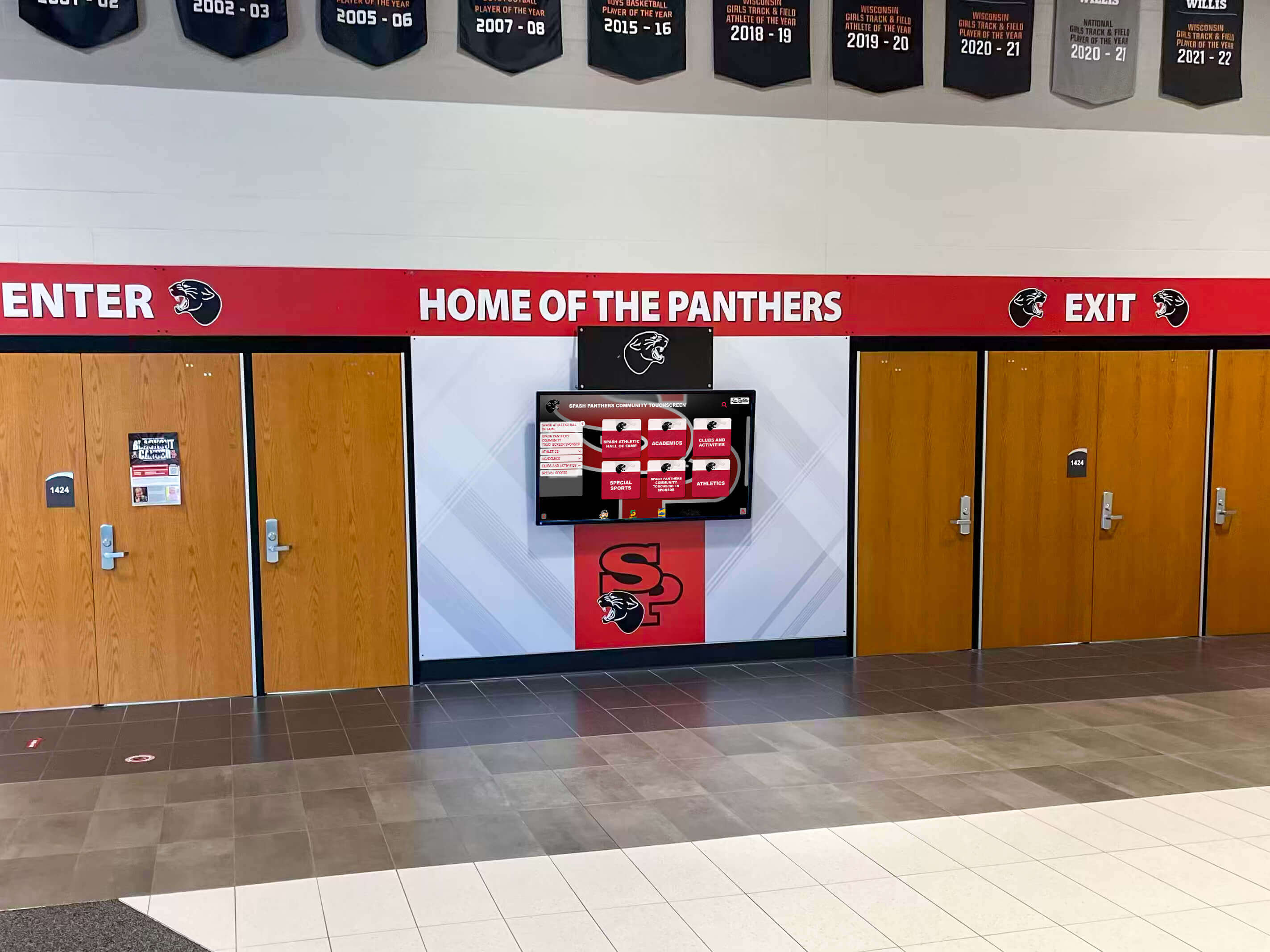
The school entrance is one of the highest-impact locations for digital signage — it sets the visual tone for students, parents, and visitors on every visit
What Digital Signage for Schools Actually Does
The term “digital signage” covers a wide range of screen-based communication systems. In a school context, these systems typically serve several distinct purposes at once, often running on the same software platform and device management infrastructure.
Campus-Wide Announcements and Schedules
The most straightforward use case is replacing paper notices with current, updatable screen content. Bell schedules, lunch menus, club meeting times, test dates, and weather-related updates can be pushed to every screen on campus from a central dashboard. Unlike paper, a digital notice can be corrected in real time and expired automatically when it’s no longer relevant.
Athletic Recognition and Hall of Fame Displays
Dedicated athletic recognition screens — installed in gymnasiums, lobby trophy cases, and team hallways — display inductee profiles, record boards, championship histories, and donor walls. These displays function differently from general announcement screens: the content changes less frequently but carries more institutional weight. Schools use them to honor alumni, motivate current athletes, and demonstrate program history to recruits. According to a study cited by the Center for Digital Education, visual recognition displays in school athletic facilities correlate with increased alumni engagement and donor giving.
Digital signage for school athletics works best when recognition content is treated as a distinct content type from general announcements — with its own approval workflow, content library, and display zone.
Wayfinding and Directory Systems
Multi-building campuses and large high schools use digital signage at intersections, stairwells, and entrance points to guide visitors, substitutes, and new students through the building. Interactive touchscreen kiosk systems add staff directories, campus maps, and event-specific routing to the wayfinding layer.
Emergency and Safety Alerts
Most enterprise-grade digital signage software platforms support emergency override — the ability to push a full-screen alert to every display on campus immediately, replacing scheduled content. This feature integrates with emergency notification systems and satisfies a growing number of state-level school safety requirements.
Cafeteria and Library Information Boards
Menu rotations, library hours, study room availability, and nutritional information boards are common deployment scenarios in cafeterias and media centers. These display zones run on the same network but publish different content from the recognition or announcement zones.
Types of Digital Signage Hardware Used in Schools
The hardware layer of a school signage system consists of displays, mounting hardware, and media players or dedicated display devices.
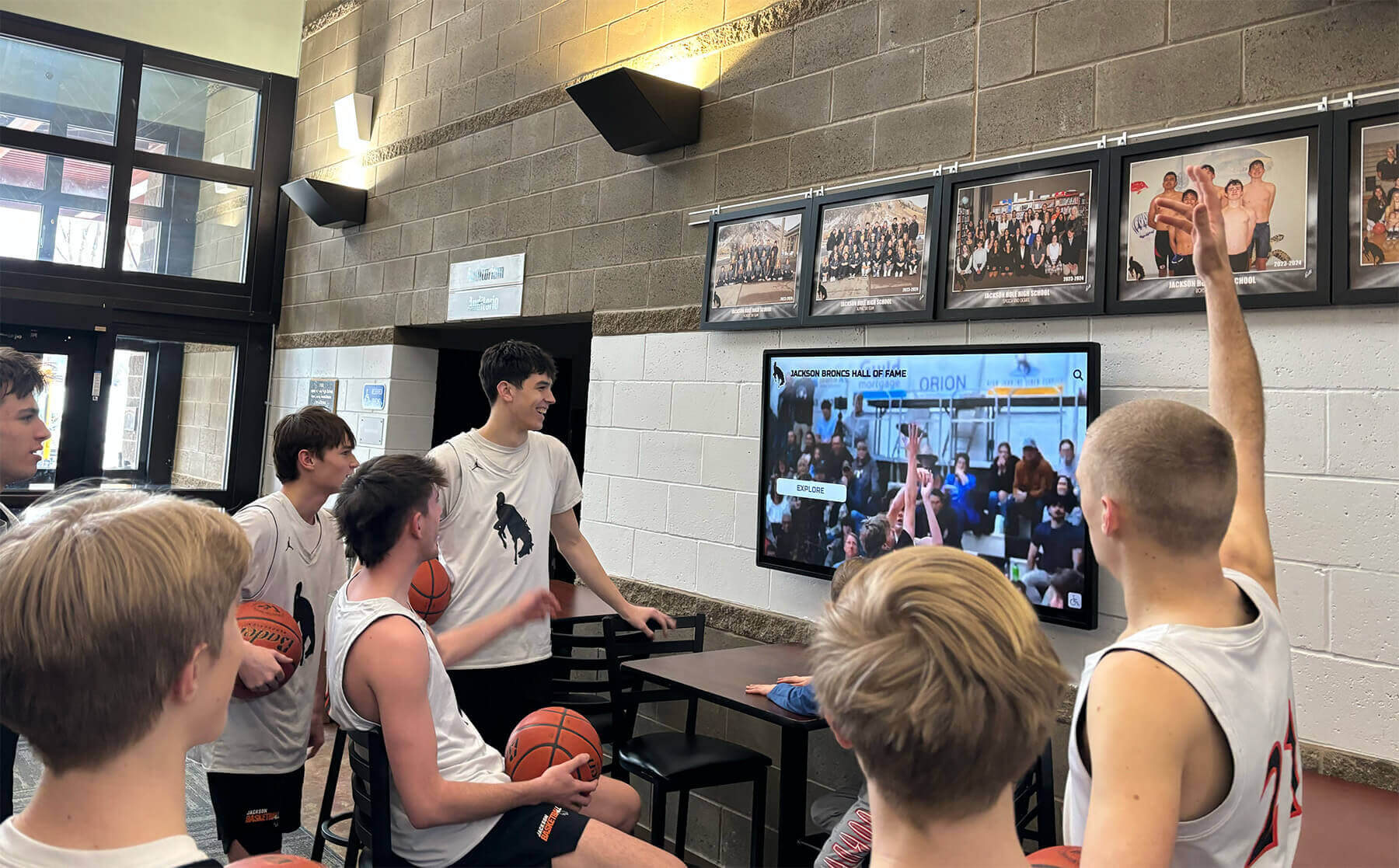
Students interact with lobby display content naturally — the medium is familiar enough that well-designed digital signage draws attention without demanding it
Commercial vs. Consumer Displays
Schools that use consumer-grade televisions for digital signage commonly face durability and warranty problems within two to three years. Commercial-grade displays — manufactured for 24/7 operation, higher brightness environments, and longer service cycles — carry longer warranties and better support for remote management tools.
Types of screens used in digital signage include LCD panels (the most common format in schools), OLED panels (higher image quality, higher cost), LED direct-view displays (suitable for very large formats like gymnasium scoreboards or outdoor-facing installations), and e-ink panels (low-power, slow-update applications like room signs).
For most K-12 installations, commercial-grade LCD panels in the 55–75 inch range represent the practical center of the market. They balance purchase cost, image quality, and service availability.
Media Players and SoC Displays
Display content can be driven by an external media player — a small compute device mounted behind the screen — or by a System-on-Chip (SoC) display, where the compute hardware is built into the panel itself. SoC displays reduce cable management and eliminate one physical device per installation, which matters when managing dozens of screens across a campus.
External media players offer more flexibility for software updates and replacement without touching the display hardware. The right choice depends on the school’s IT infrastructure and how often the software layer is expected to change.
Mounting and Installation
The display mounting decision affects sight lines, ADA compliance, and ongoing maintenance access. Wall-mounted displays in hallways typically use fixed or tilt mounts at heights that comply with the Americans with Disabilities Act guidelines for public information systems. Kiosk-style freestanding units allow for repositioning during facility renovations but require floor-space planning.
What to Look for in School Digital Signage Software
The software platform determines what content school staff can create, how that content gets scheduled and distributed, and how the device fleet is managed by IT staff. These are the practical criteria that separate workable systems from ones that generate ongoing frustration.
Content Creation and Templates
School staff are not graphic designers. The signage software should provide templates sized for standard display formats — 1920×1080 landscape for hallway screens, portrait orientations for kiosk-style displays — that staff can populate with text, images, and video without custom design work. Systems that require uploading pre-made graphics for every content update impose a design bottleneck that slows down real-time communication.
Scheduling and Zone Management
A useful signage platform allows content to be scheduled by time and day, organized into zones (lobby vs. gymnasium vs. cafeteria), and prioritized so that time-sensitive content can override scheduled rotations. The scheduling layer should be accessible to non-technical staff without requiring IT involvement for routine content updates.
MDM Device Management
Mobile Device Management (MDM) integration is the feature most often underestimated during the buying process and most consequential after installation. MDM allows IT staff to monitor display health, push software updates, restart devices remotely, and manage the full fleet of screens without physically visiting each installation.
Interactive digital signage kiosk solutions for school lobbies that include MDM tools reduce the time IT staff spend on routine display maintenance and give administrators visibility into which screens are offline, displaying outdated content, or needing attention — from a single dashboard.
Without MDM, a school with forty displays across three buildings requires physical inspection of each screen to confirm it is running correctly. With MDM, the same oversight takes minutes from any networked device.
Emergency Alert Integration
Emergency override should be non-negotiable for any school digital signage platform. The system must be able to push a full-screen emergency message to every display campus-wide within seconds, without requiring staff to navigate through content management menus during a crisis.
Role-Based Permissions
Different staff members need different levels of access. An athletic director may need to update the gym display content; the front office may manage lobby announcements; IT controls device settings. Platforms that support role-based permissions prevent unauthorized content changes and allow schools to delegate content responsibility to the appropriate departments.
Understanding Digital Signage Pricing for Schools
Digital signage software pricing typically follows one of three models: per-screen licensing, seat-based licensing, or flat-rate unlimited models.
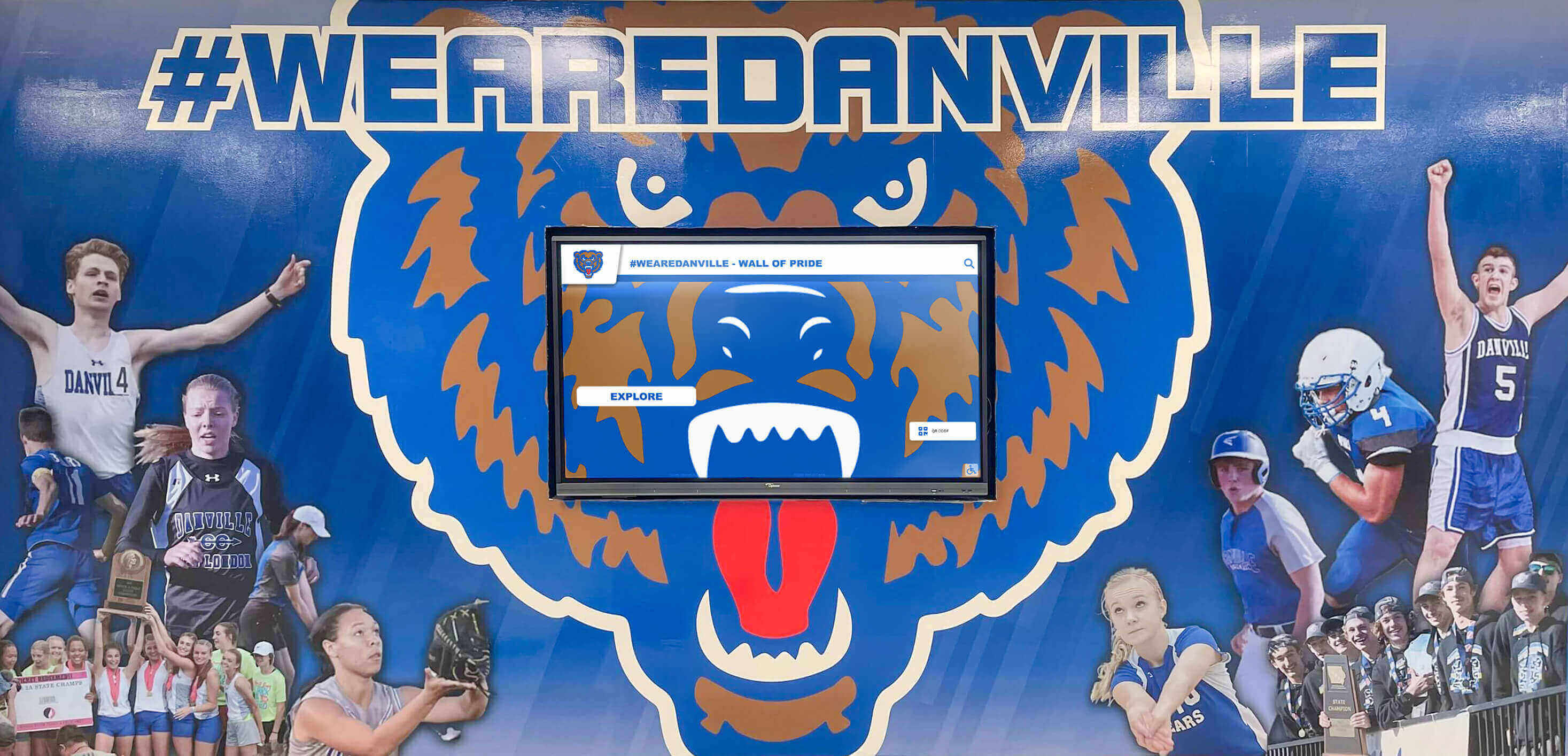
Many schools combine physical murals and branded wall treatments with networked digital screens — the two formats complement each other when the software makes content management simple
Per-Screen Licensing (the Most Common, Highest-Cost Model)
The traditional digital signage software model charges a monthly or annual fee per connected display. At $10–$50 per screen per month, a school with 30 displays spends $3,600–$18,000 annually on software alone, before hardware, installation, or support costs. As schools expand their screen footprints, per-screen costs scale linearly — creating financial pressure against adding displays in areas that would benefit from them.
Flat-Rate Unlimited Models
A growing number of platforms offer flat-rate pricing that covers unlimited screens for a single annual fee. This model removes the financial penalty for adding screens and allows schools to plan their signage network based on campus communication needs rather than software budget caps.
Rocket Alumni Solutions Digital Signage is available at $50 per year for unlimited digital signage screens. That pricing includes MDM device management and feature and functionality parity with major digital signage platforms — covering content scheduling, zone management, template libraries, emergency alert integration, and remote device monitoring. For a school managing 20, 40, or 100 displays, the annual cost stays the same.
What digital signage is and how it works is a useful foundation before evaluating platforms — understanding the underlying architecture helps schools ask better questions about how a specific vendor’s software handles zone management, hardware compatibility, and content delivery.
Digital Signage Use Cases by Campus Location
Different areas of a school building have different content needs, different audiences, and different display requirements.
Main Entrance and Lobby
The entrance display is the highest-visibility location on campus. It serves parents, prospective families, substitutes, district visitors, and community guests — audiences that may have no prior familiarity with the school. Lobby content typically includes a welcome message, today’s schedule or key events, and recognition highlights. Many schools place donor recognition content in the lobby as part of a broader donor acknowledgment strategy.
School signage best practices for welcoming environments note that entrance displays benefit from content that is immediately readable at a glance — large fonts, high contrast, and minimal text density per slide.
Gymnasium and Athletic Facilities
The gymnasium is the natural home for athletic recognition content. Schools use display screens in gymnasiums to show current-season schedules, record boards, championship banners, senior recognition features, and hall of fame highlights. During games, these displays can run sponsor acknowledgments or program-specific content for the assembled audience.
Gym digital signage ideas for K-12 school athletic programs include dedicated record board displays, team history timelines, and seasonal schedule rotations — all of which can be managed through the same software platform as campus-wide announcement content.
Hallways and Corridors
Hallway displays reach the broadest student audience. Content here competes with students moving between classes and needs to deliver its message quickly — ideally in under five seconds of glance time. Hallway signage commonly carries bell schedule reminders, club meeting announcements, upcoming event promotions, and rotating recognition content (student of the month, academic achievement highlights, athletic results).
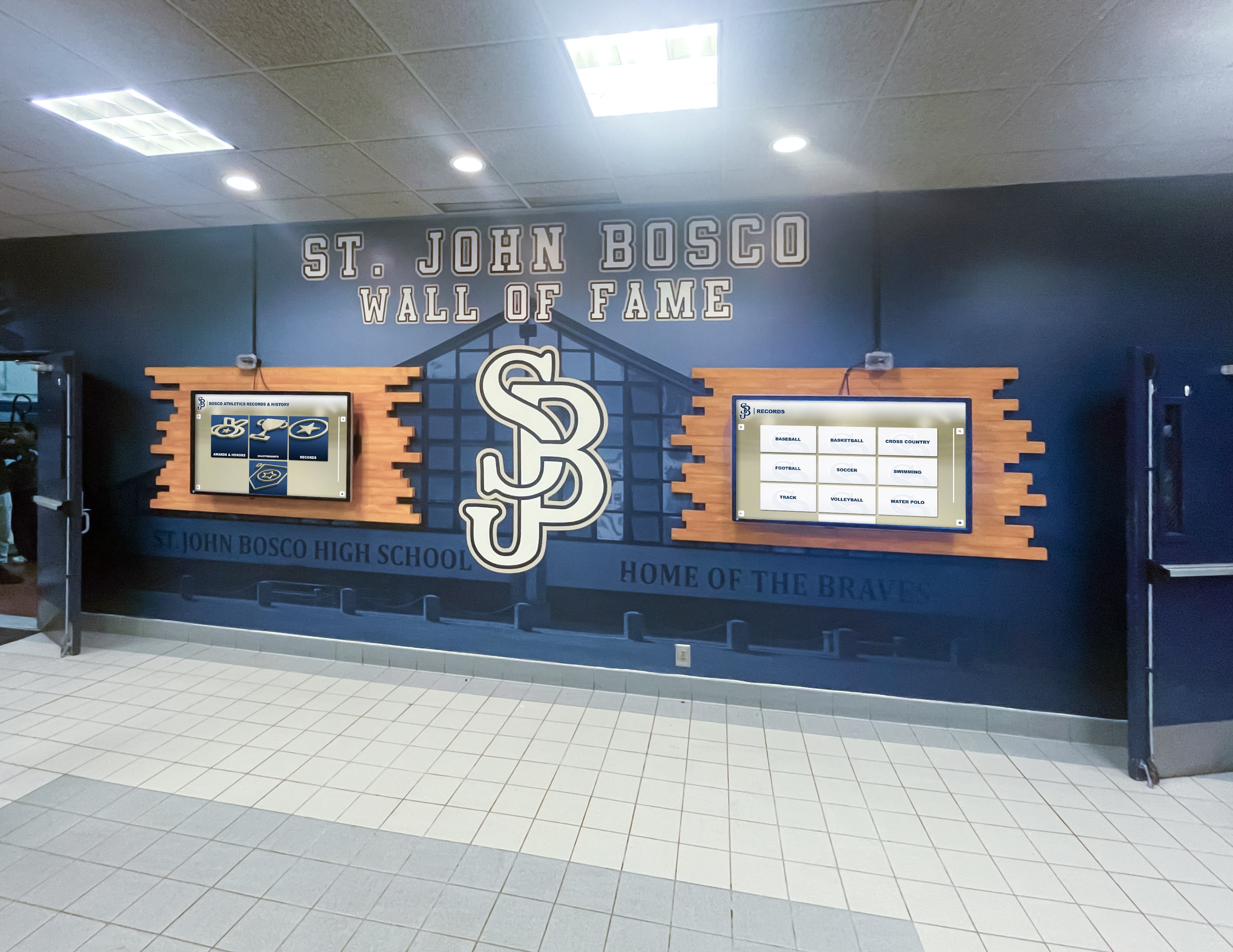
Dual-screen hallway installations allow schools to run separate content streams — one for general announcements, one for recognition — without requiring students to choose between competing messages
Cafeteria
Cafeteria displays serve a captive audience with dwell time measured in minutes rather than seconds. This context supports longer-form content: lunch menu rotations, student achievement highlights, club recruitment, and event previews. The cafeteria is also a practical location for student government announcements and staff appreciation content.
Administrative and Front Office
Front office displays that face the waiting area serve a different audience from hallway screens — primarily parents, guardians, and community members waiting for appointments. This audience is stationary and receptive to longer content, making it a good location for school history content, community partnership acknowledgments, and program highlights.
Planning a School Digital Signage Network
A well-planned deployment starts with a content strategy, not a hardware order.
Map the Locations Before Specifying Hardware
Walk every potential display location with a checklist: What audience passes this point and how quickly? Is there a power outlet and network connection available? What ceiling or wall height limits display size? Does this location have direct sunlight that would wash out a standard LCD panel? Answering these questions before purchasing prevents mis-specced hardware and avoids installation surprises.
Define Content Categories and Ownership
Every display zone needs an owner — a staff member responsible for keeping that zone’s content current. Without named ownership, screens default to outdated content, which undermines the entire investment. A simple content responsibility matrix — zone, content type, update frequency, staff owner — prevents content drift.
Plan for Content Volume
A 20-display campus running 8 content zones needs the capacity to create and update content regularly. Platforms that require professional design software for every content update will quickly fall behind. Choose a platform that allows non-designers to update templated content without IT involvement.
120 ideas for digital signage screens and kiosks is a useful reference when planning what content categories to build into the rotation from day one — the list covers announcement types, recognition categories, event content, and community-facing formats that work across school display zones.
Pilot Before Full Deployment
Starting with 3–5 displays in the highest-impact locations — main entrance, gymnasium, cafeteria — before expanding to every corridor allows staff to develop content workflows, identify software limitations, and build internal familiarity with the platform before the full fleet is online.
Digital Recognition Displays as a Subset of School Signage
Not all digital signage in schools serves the same communication function. General announcement displays and dedicated recognition displays have different content update rhythms, different software requirements, and different audience relationships.
Recognition displays — hall of fame screens, athletic record boards, donor walls, academic achievement displays — typically hold content for weeks, months, or years rather than hours. The audience relationship is emotional, not informational: a parent seeing their child’s name on a recognition display, or an alumnus seeing their induction year highlighted on a screen in the lobby, is having a different experience than reading a lunch menu.
Digital signage kiosk solutions for self-service information explores the interactive layer of campus display technology — where touchscreen interfaces let users browse recognition content, explore school history, or access directory information independently.
A complete guide to digital recognition displays for schools covers the specific buying considerations for recognition-focused systems, including profile management, media archiving, and the content workflows that keep inductee records accurate over time.
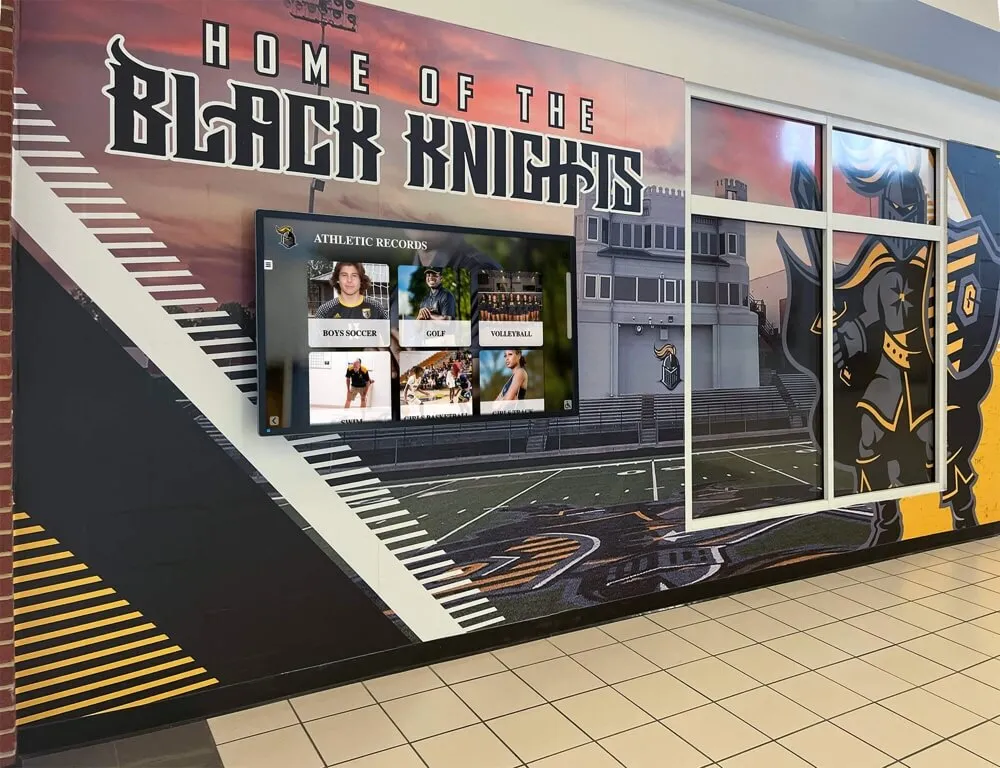
Athletic record displays in school hallways serve current athletes, alumni, and recruits simultaneously — the content is long-lived and emotionally significant in ways that general announcement content is not
Digital Signage for Schools: What the Buying Decision Looks Like
The decision to invest in school digital signage typically involves an athletic director, a principal or superintendent, and IT staff. Each stakeholder evaluates the investment differently.
Athletic directors focus on content capability: can the system display the recognition content their program needs — records, hall of fame, senior features, schedule information — without requiring a professional designer for every update?
Administrators focus on campus-wide communication: can emergency alerts reach every screen instantly? Can the front office update lobby content without IT? Does the system integrate with existing calendar and SIS platforms?
IT staff focus on device management: how are software updates deployed? What happens when a screen goes offline — is there automatic detection and alerting? Does the platform support the school’s existing network infrastructure and security policies?
A complete guide to digital signage for schools covering provider ranking and platform comparison addresses the multi-stakeholder evaluation process and what schools commonly find when they compare platform capabilities against their actual deployment needs.
The most common procurement mistake is optimizing for upfront hardware cost and underweighting annual software cost over a five-year horizon. A system that saves $2,000 on hardware but charges $15,000 per year in per-screen licensing fees is substantially more expensive over five years than a flat-rate platform at $50 per year with equivalent capabilities.
Getting Started with Rocket Alumni Solutions Digital Signage
Rocket Alumni Solutions Digital Signage was built specifically for K-12 schools and athletic programs. At $50 per year for unlimited screens, it removes the per-display fee model that makes most signage platforms prohibitively expensive for schools that want broad campus coverage.
The platform includes MDM device management — giving IT staff remote monitoring, remote restart capability, and fleet health visibility across all connected displays. Content features cover the full range of school signage needs: announcement scheduling, zone management, recognition display templates, emergency alert integration, and role-based staff permissions.
For schools that already use Rocket Alumni Solutions for touchscreen hall of fame displays, digital record boards, or alumni recognition programs, the digital signage platform shares the same content infrastructure — recognition content built for a touchscreen hall of fame can be published to corridor announcement screens or lobby displays without rebuilding anything.
Rocket Graphics, the free graphics studio from the same team, is opening to schools soon. Get notified when it opens.
Frequently Asked Questions About Digital Signage for Schools
What is digital signage for schools?
Digital signage for schools is a networked system of display screens that show live, scheduled content — announcements, recognition displays, schedules, wayfinding information, and emergency alerts — across campus locations including lobbies, hallways, gymnasiums, and cafeterias. The content is managed centrally through a software platform and updated without physically touching each screen.
How much does digital signage software cost for a school?
Digital signage software pricing varies widely. Per-screen licensing models charge $10–$50 per screen per month, which adds up to thousands of dollars annually for schools with 20 or more displays. Flat-rate models like Rocket Alumni Solutions offer unlimited screens for $50 per year, removing the scaling cost that makes per-screen models expensive for campuses with broad signage networks.
What is MDM device management for school digital signage?
MDM (Mobile Device Management) allows IT staff to remotely monitor, update, restart, and troubleshoot digital signage devices without physically visiting each screen. In a school with dozens of displays across multiple buildings, MDM reduces maintenance time significantly and gives administrators real-time visibility into which screens are online, offline, or displaying outdated content.
What content should schools display on digital signage?
Schools commonly display announcements and event schedules, athletic recognition and record boards, cafeteria menus, emergency alerts, wayfinding information, donor recognition, academic achievement highlights, club and activity promotions, and staff appreciation content. The content mix varies by display zone and audience — lobby screens serve different viewers than gymnasium athletic recognition displays.
Can digital signage replace a traditional hall of fame display?
Digital signage can serve as a living hall of fame display, updating recognition content without reprinting physical plaques or adding physical frames. Interactive touchscreen systems add the ability for visitors to browse inductee profiles, view historical records, and access archived information. Schools frequently use both physical and digital recognition elements together — mural walls with integrated screen systems are a common installation pattern.
Building a Campus Communication and Recognition Infrastructure
Digital signage for schools is not a single product — it is a communication and recognition infrastructure built from hardware, software, content strategy, and ongoing staff commitment. The schools that get the most value from digital signage are the ones that approach it as a long-term platform rather than a one-time installation.
The pricing model matters more than it initially appears. A per-screen licensing system creates ongoing budget pressure against expanding coverage. A flat-rate unlimited model allows schools to add screens as the need arises without renegotiating contracts or rebudgeting annually. At $50 per year, Rocket Alumni Solutions Digital Signage is structured to grow with the school — from a pilot installation in the main lobby to a campus-wide network covering every athletic hallway, cafeteria, and entrance point.
MDM device management, feature parity with enterprise platforms, and purpose-built recognition content tools make the platform a practical choice for K-12 athletic directors, administrators, and IT teams who want professional digital signage without enterprise software costs.
See Rocket Alumni Solutions Digital Signage in Action
Unlimited screens. MDM device management. $50/year flat rate for K-12 schools. Book a demo to see how the platform handles campus-wide signage and recognition displays from a single dashboard.
Get notified when Rocket Graphics opens