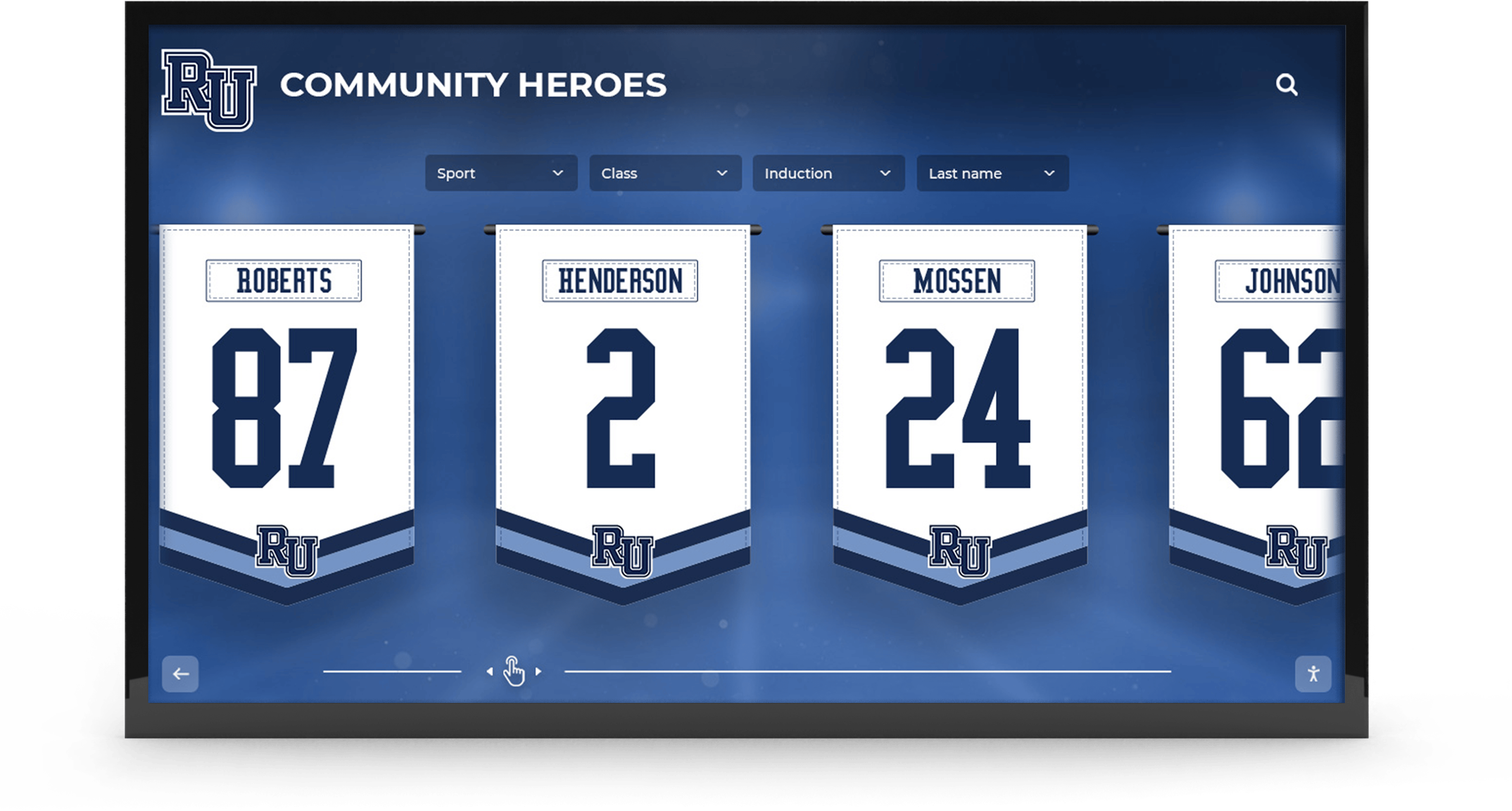
Championship banner variable data printing is the production method school athletic programs use to generate an entire series of recognition banners — each carrying a different team name, championship year, win-loss record, and coach’s name — from a single design template linked to a structured data source. Instead of manually retyping each banner’s text in the design application and risking transcription errors, the graphic file pulls field values directly from a spreadsheet row and composes the layout automatically before sending files to the print vendor.
This guide explains how to build and verify that data-driven workflow: which fields to include in a championship banner data source, how to structure the template, what to check before submitting to print, and how the same data set naturally extends to digital hall-of-fame systems and touchscreen recognition displays so a single round of data entry serves multiple recognition channels for years.
According to the National Federation of State High School Associations (NFHS), more than 7.8 million students participate in high school athletics annually — and the championship recognition programs serving those students depend on banner production workflows that are accurate, repeatable, and scalable across sports and seasons.
Why Championship Banner Variable Data Printing Reduces Production Errors
Manual text entry in banner artwork is the single most common source of print errors in athletic recognition programs. A dropped apostrophe in a school name, a season year incremented by one, a win total pulled from the wrong team’s record — each error requires a reprint that costs money and delays the recognition event the banner was made for.
Championship banner variable data printing eliminates that re-entry risk by treating each banner as an instance of a template rather than a unique document. The design file defines the visual structure — layout, colors, fonts, mascot position, safe zone dimensions — and marks the fields that will vary: {{TEAM_NAME}}, {{SEASON_YEAR}}, {{CHAMPIONSHIP_TITLE}}, {{FINAL_RECORD}}, and so on. The data source defines the values. The merge step combines them.
When an error exists, it exists in one place: the data source. Correcting the source and re-running the merge fixes every banner that uses that value — without reopening a design file, repositioning text, or re-exporting artwork.
Schools managing award programs that span multiple seasons benefit especially from this architecture. Identifying which data is missing before it affects a physical deliverable is the foundation of any well-maintained recognition program — the kind of systematic gap-checking described in a missing value report for athletic awards applies directly to championship banner production, where an empty field in the data source produces either a broken banner layout or a visible placeholder on the finished artwork.
The Variable Data Fields Every Championship Banner Series Needs
A championship banner carries more information than most recognition materials — and that information must be accurate enough to remain correct for decades. Banners installed today will be read by students and visitors in 2050, which means a wrong record or misspelled coach name stays wrong indefinitely.
Define every data field in your source file before designing the banner template. The template can only reference fields that are already named in the data source; adding a new field after the template is built requires redesigning the variable zones.
Recommended data fields for a championship banner series:
| Field Name | Data Type | Description | Notes |
|---|---|---|---|
school_name | Text | Official school name (no abbreviations) | Match exactly to letterhead or legal school name |
mascot | Text | Team mascot name | Used in banner copy (“Go Panthers”) |
sport | Text | Sport name with capitalization standard | “Boys Varsity Basketball” — no abbreviations |
team_level | Text | Varsity / JV / Freshman | Keep separate from sport field |
season_year | Text | Academic year of championship | Format: “2025–26” or “2026” — define once, use consistently |
championship_title | Text | Full official title of the award | “IHSA Class 4A State Champions” — match exact governing body language |
conference_name | Text | Conference or league name | May change across seasons; verify per season row |
division | Text | Division or class designation | “Class 4A,” “Conference A,” “Division II” |
final_record | Text | Season win-loss record | Format consistently: “28-4” not “28 wins, 4 losses” |
head_coach | Text | Head coach’s full name | Verify spelling against official school directory |
coach_title | Text | Head Coach / Co-Head Coach / Interim | Required for multi-coach edge cases |
retired_number | Text | Athlete jersey number, if applicable | Blank for team banners; required for individual honor banners |
inductee_name | Text | Athlete full name, if applicable | See naming conventions below |
graduation_year | Integer | Athlete graduation year | For individual banners tied to class records |
quote_text | Text | Optional short quote or motto | Keep under 12 words; test at full banner dimensions |
Decisions about who enters, approves, and maintains these fields are not trivial. The data stewardship roles for athletic recognition programs framework applies directly here: a designated data owner is responsible for source accuracy, a reviewer approves changes, and the athletic director or principal provides final sign-off before files go to the vendor.
Building the Championship Banner Data Source File
A championship banner data source is a spreadsheet with one row per banner and one column per data field. The file contains no design elements — only clean, verified text values that the template will read.
Step 1: Create the Spreadsheet Structure
Open a new spreadsheet in Google Sheets or Microsoft Excel. Create one column per data field from the table above. Use the exact field names you will reference in your design template — consistency between column headers in the spreadsheet and variable field names in the design file prevents merge errors where a field goes unfilled because the names do not match exactly.
Add a status column with values draft, approved, and printed. Add a proof_date column for the date each proof was approved. These operational columns are not printed on the banner but allow the production team to track where each row sits in the approval workflow without maintaining a separate project tracker.
Step 2: Enter One Row Per Banner
Each row represents one finished banner. A school ordering fifteen banners — for fifteen championship seasons across five sports — enters fifteen rows. Every required field in every row must be complete before that row enters the merge queue. Values of “TBD” or “confirm later” are not acceptable in a production data source; they produce finished banners with incomplete information.
For programs with a long athletic history, entering legacy championship records during an initial data migration means those historical banners are immediately available for digital recognition display use as well. The work of structured data entry, done once for print production, serves the digital archive simultaneously.
Step 3: Validate Each Row Before Merging
Before running the template merge, every row must pass field-by-field validation:
- Spell-check proper names. Run a spell-check aware of proper noun exceptions — school names, coach names, and conference names will appear as dictionary errors. Verify each against the school’s official directory or the governing athletic association’s published records.
- Verify championship titles against official records. The
championship_titlefield must match the governing body’s exact language for that year and division. Errors in championship titles are the most visible and the hardest to dispute on an installed banner. - Confirm win-loss records from official season summaries. Final records must match the official season summary from the athletic association, not a coach’s recollection or a newspaper recap.
- Check for missing required fields. Any row with an empty required field is returned to the data owner for completion before that row enters the merge queue.
Monitoring whether data is submitted on schedule — and following up when it is not — is a discipline in well-run recognition programs. The data timeliness monitoring approach for athletic award programs describes how to track outstanding submissions and set escalation points before a print deadline is missed.
For banners that recognize individuals rather than teams, name accuracy requires additional care. Honorees who passed away after a banner was initially designed, or who have legally changed their name since the award was issued, must be handled according to a consistent policy rather than decided case by case. A written posthumous recognition policy for athletic awards addresses these edge cases and ensures the school’s recognition program handles sensitive naming decisions with institutional consistency.
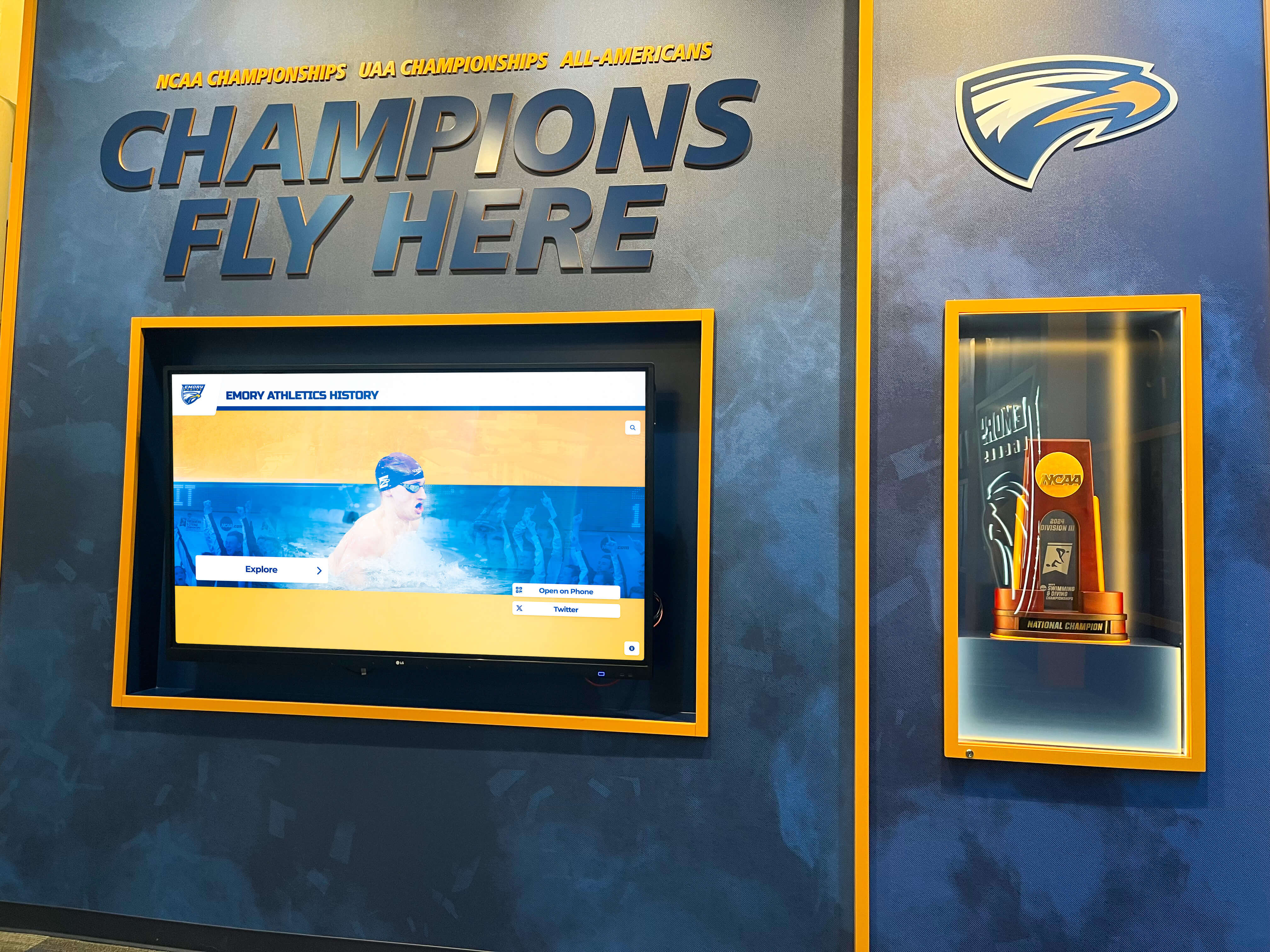
Championship banner collections grow over time — a structured data source file maintained from the first order ensures that the twentieth banner reproduces with the same field accuracy as the first
Designing a VDP-Compatible Banner Template
A variable data printing template is a design file with two types of content: fixed elements that appear identically on every banner, and variable text zones that are replaced with data source values during the merge step.
Fixed Elements
Fixed elements include background color or image, school logo or mascot graphic, border design and dimensional guides, decorative elements (stars, stripes, dividers), and static text that does not change across banners — phrases like “Home of the” or “Athletic Hall of Fame” that are identical on every banner in the series.
Variable Text Zones
Variable text zones are named placeholder areas in the design file. Each zone has a fixed position and bounding box, references one field from the data source, uses specified font and alignment settings, and has a defined overflow behavior for text that exceeds the zone’s width.
The overflow behavior is the most critical setting in a championship banner template. Field values vary in length: “Boys Varsity Baseball” is shorter than “Boys Varsity Cross Country.” “West Prep Academy” is shorter than “Archbishop Thomas Cardinal O’Brien High School.” If the template truncates text that exceeds the zone width, a long school name is silently cut off on the finished banner. The preferred approach is to define a minimum font size for variable text zones, set the maximum that fits at the default size, and flag any field value that triggers automatic downsizing below the minimum — those rows require human review before the merge is approved.
Text legibility at banner scale adds a second design constraint. A font size that reads clearly at desktop preview may not meet the threshold for a visitor reading a lobby banner from ten feet away. The WCAG text spacing and legibility standards applied to digital hall-of-fame displays establish a practical baseline for minimum character size and line spacing in recognition contexts — and those same principles apply to printed banners that will be viewed at a distance, not held at arm’s length.
The PDF/X-1a standard — defined in ISO 15929 and required by most commercial print vendors as the baseline for production-ready artwork — provides a production format that guarantees font embedding, color space declaration, and resolution compliance in a single file. Championship banner VDP workflows that export to PDF/X-1a at the merge step eliminate a class of production rejections that arise from missing fonts or unverified color profiles.
Preflight Checklist for Championship Banner Variable Data
Run this checklist on the data source file and the merged proofs before approving a print run. A “Fail” on any Required item stops the order.
| Check | Scope | Tool | Pass Criteria | Priority |
|---|---|---|---|---|
| Field names match template | Data source vs. design file | Text comparison | Every column header matches a template variable exactly | Required |
| No empty required fields | All rows | Spreadsheet filter | Zero blank cells in required columns | Required |
| Season year format consistent | season_year column | Spreadsheet formula | All values use the same format throughout | Required |
| Championship title matches official record | championship_title column | Lookup against governing body records | No discrepancies vs. published results | Required |
| Coach name verified | head_coach column | School directory cross-check | Spelling matches official directory | Required |
| Win-loss format consistent | final_record column | Spreadsheet formula | All values formatted as “W-L” with no spaces | Required |
| Font sizes above minimum at banner scale | Merged proofs | Visual review at reduced scale | No field renders below minimum legible size | Required |
| Overflow rows flagged | All rows | Template merge log | Any auto-downsized field reviewed by data owner | Required |
| Proof signed by data owner | Per row | proof_date column | Date populated and reviewer name logged | Required |
| Proof signed by athletic director | Per order | Approval log | Athletic director signature before vendor submission | Required |
| Record double-checked vs. governing body | final_record column | Official season summary | Matches published record | Recommended |
| Historical name policy applied | inductee_name column | Alumni or HR records | Names reflect current preferred or legal name per policy | Recommended |
Data-to-Proof Workflow for Championship Banner Production
This sequence runs from initial data collection to vendor submission. It assumes the data source file and design template are already set up.
Collect data from the source of record. The athletic director or designated staff member compiles championship records from the governing body’s official results database — not from memory, program notes, or secondary sources. Required fields are entered into the data source spreadsheet with
statusset todraft.Internal data review. The data owner reviews every row for completeness and accuracy. Names are verified against the school directory. Championship titles are verified against the governing body’s published records for that year and division. Any row with a discrepancy is flagged as
needs_correctionand returned to the submitter with a note identifying the specific field.Merge and proof generation. Once all rows are set to
approved, the template merge is run. The design application (Adobe InDesign with Data Merge, or the print vendor’s VDP platform) reads each approved row from the data source and produces one merged proof per banner.Proof review — typography. Each proof is reviewed for text overflow, automatic font-size downsizing, and legibility at banner dimensions. Any proof where a field was automatically resized is flagged for data owner review before proceeding. A resized field often indicates a field value longer than the zone was designed to accommodate — either the data must be shortened or the template zone must be widened.
Proof review — content accuracy. The data owner reviews each proof side-by-side with the corresponding data source row. Every visible field on the proof must exactly match the approved data source value. Discrepancies at this stage typically indicate a field name mismatch between the data source column header and the template variable reference — fix the template, re-merge, and re-proof.
Athletic director sign-off. The athletic director or principal reviews and approves each proof by signing the proof document and entering the date in the
proof_datecolumn. No file goes to the vendor without this step completed.Submit to vendor with data source attached. Final proof files and the approved data source are submitted together. If the vendor operates a VDP platform that accepts source files directly, submitting the spreadsheet allows the vendor to run the merge on their production system — reducing the risk of file-format issues during their preflight.
How banner proofs are reviewed for data accuracy mirrors how digital recognition systems are tested for content quality. The hall-of-fame search relevance testing approach — checking that every displayed field matches the underlying data record, that formatting is consistent, and that no field is missing — is structurally the same discipline as the banner proof review step, applied to a different output medium.
Connecting Banner Data to Digital Recognition Systems
The data source file you build for championship banner variable data printing does not have to stop at the print production step. Every field in that spreadsheet — school name, sport, season year, championship title, final record, coach name, athlete name — is exactly the information that digital hall-of-fame systems, touchscreen honor wall kiosks, and corridor athletic history displays need to function.
Schools that maintain the banner data source as an ongoing institutional record — updating it each season as new championships are added — create a structured archive that serves multiple recognition channels simultaneously:
- Digital hall-of-fame profiles pull athlete name, sport, graduation year, and record from the same rows used for banner production
- Touchscreen honor wall kiosks display championship history by sport, filterable by year, using the data already validated for print
- Athletic record boards reference the
final_recordandseason_yearfields to populate season-by-season history timelines automatically - AI-generated recognition graphics for social media and digital signage pull team name, championship title, and record from the same source — eliminating re-entry when creating announcement posts or lobby screen content
For sport-specific programs, the data source should reflect the performance metrics that matter most for each sport’s recognition context. Swimming programs, for example, track event-specific individual records alongside team titles — the kind of detailed performance history explored in backstroke technique and race analytics for competitive swimming illustrates why sport-aware field design matters when building a data source that will feed both banner production and long-term digital archives. Baseball programs managing multi-year coaching records and program-level continuity benefit from coach tenure fields that link individual coaching records to team championship history across seasons — data that a generic banner template would omit but a sport-specific one captures from the start.
A data source designed for print production that also serves digital recognition channels reduces total administrative overhead. Data is entered and verified once, then consumed by banner production, touchscreen display, website archive, and year-end award materials — without additional re-entry at each step.
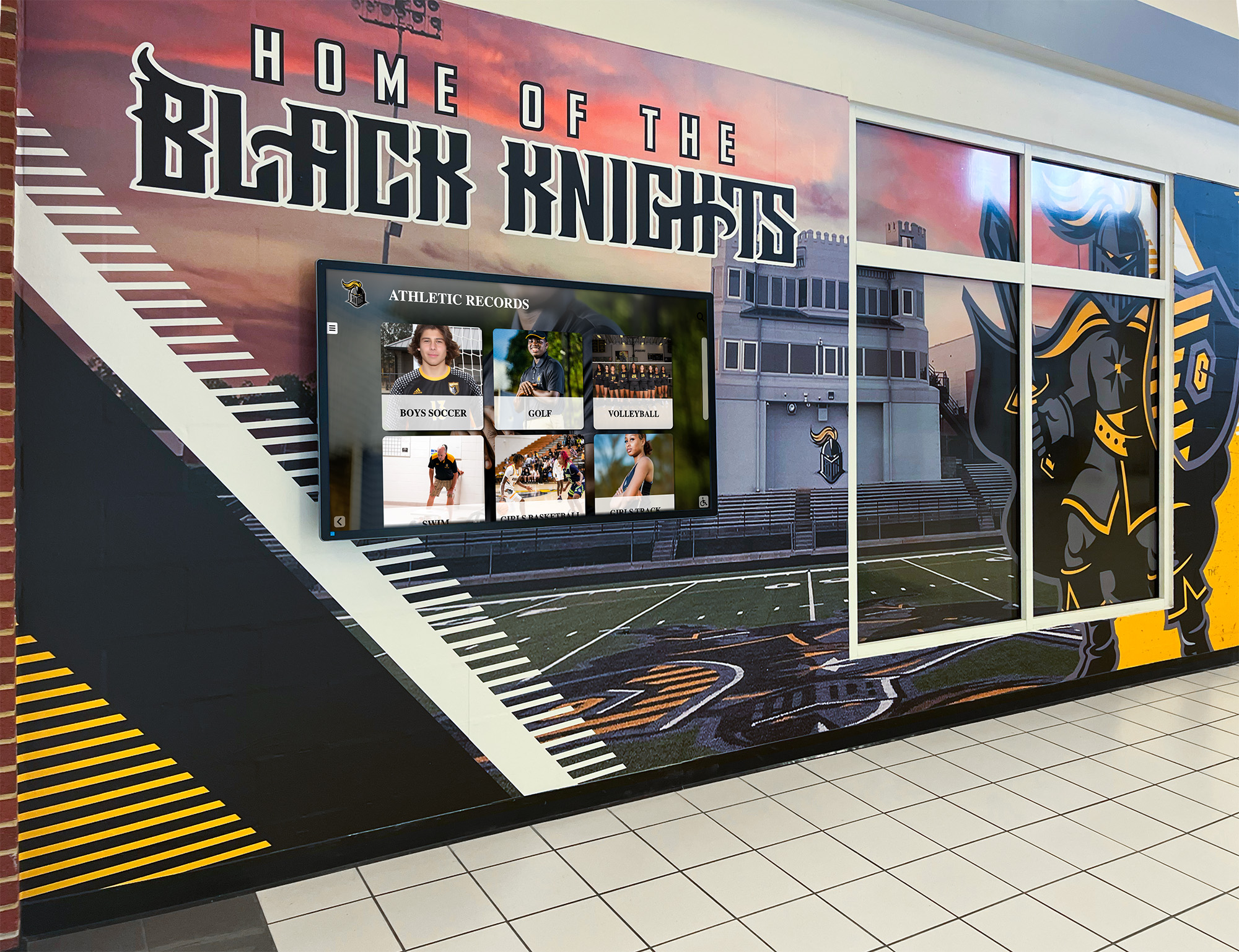
Championship banner data and digital records displays share the same underlying fields — a structured VDP data source built for print production doubles as the content layer for corridor recognition screens
Frequently Asked Questions About Championship Banner Variable Data Printing
What is championship banner variable data printing?
Championship banner variable data printing is a production method that links a single banner design template to a structured data source file — typically a spreadsheet — so each banner in a series receives its own unique team name, season year, championship title, and record by reading the corresponding row from the data source. Instead of retyping each banner’s text manually, the merge step populates variable text fields automatically, reducing transcription errors and ensuring format consistency across every banner in the series.
What fields should a championship banner data source file include?
A championship banner data source file should include at minimum: school name, sport and team level, season year, championship title matching the governing body’s exact language, conference or league name, division or class designation, final win-loss record, and head coach’s full name. For individual honor banners, add inductee name, graduation year, and jersey number. Every field should use a consistent format defined before data entry begins — win-loss records formatted as “28-4” throughout, not a mix of formats across rows.
How does variable data printing prevent championship banner errors?
Variable data printing prevents championship banner errors by centralizing all text content in a single, version-controlled data source file rather than distributing it across individual design documents. When an error exists — a misspelled coach name, an incorrect record — it exists in one row of the source. Correcting the source and re-running the merge fixes the error on every affected banner without reopening design files. The preflight process catches missing and malformed values before they reach the print vendor.
Can championship banner data be reused for digital recognition displays?
Yes — the data source file built for championship banner variable data printing contains exactly the fields that digital hall-of-fame systems, touchscreen honor wall kiosks, and athletic record boards need. Schools that maintain the data source as an ongoing institutional record and update it each season create a structured archive that feeds both print production and digital recognition channels without additional data re-entry. The initial investment in a clean, validated data source returns value across every recognition program simultaneously.
Build a Recognition Workflow That Starts with Banner Data and Scales to Your Entire Program
Rocket Alumni Solutions helps school athletic departments connect championship banner production, digital hall-of-fame systems, touchscreen recognition displays, and athletic record boards into a single, data-driven recognition program. See how the workflow fits together for your school.
Get notified when Rocket Graphics opens