Intent: demonstrate
Championship banner substrate white-point proofing is the production step that simulates the banner material’s actual base white — its inherent color, brightness, and optical-brightener response — inside a calibrated soft proof before the file is approved for a large-format print run. The direct answer: every banner substrate has a white point that differs measurably from the D50 or D65 reference white used during screen design; without proofing against that substrate white, a school’s brand navy, maroon, or gold fields will shift in lightness and chroma when the ink is laid on the material, and the color will not match the uniform or the existing recognition display hanging in the same gymnasium. Substrate white-point proofing confirms the color outcome before any material is cut or ink is spent.
This guide is written for school administrators, athletic directors, facilities managers, and recognition-program coordinators who review and approve championship banner artwork before it goes to a large-format print vendor. It does not assume daily familiarity with ICC color management software, but it does assume responsibility for the final appearance of the banners installed in the gymnasium, lobby, or athletic corridor.
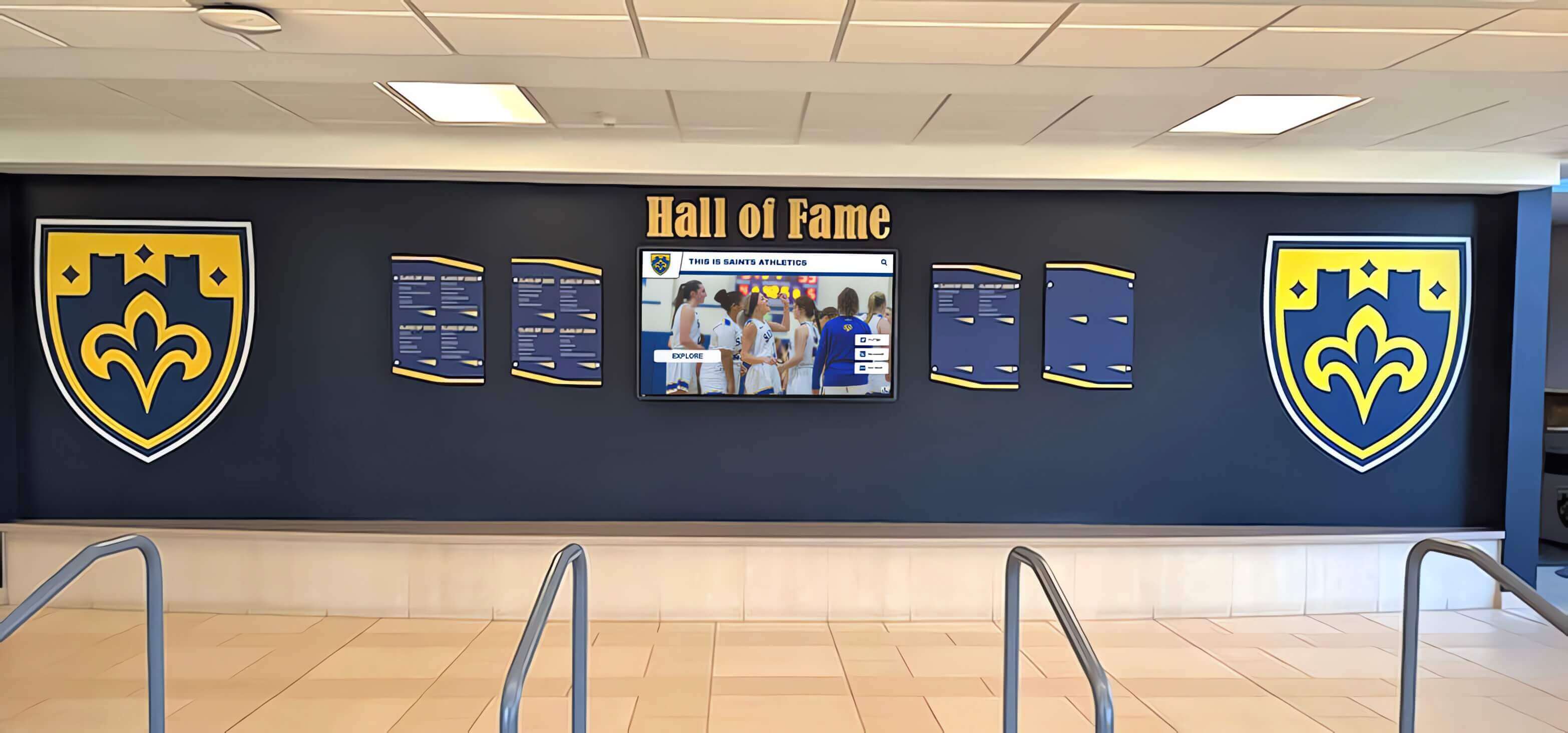
Championship banners hanging in a school lobby are evaluated in direct visual comparison with painted walls, digital displays, and other recognition materials — the banner substrate's base white determines whether the school's colors hold their identity across all of those reference points or shift away from them
What Substrate White-Point Means for Championship Banner Colors
Substrate white-point proofing addresses a specific source of color error that sits outside the variables most preflight checklists cover. Most color accuracy concerns in championship banner production involve the conversion from an RGB source to a CMYK destination — selecting the correct rendering intent, enabling black-point compensation, accounting for ink dot gain, and embedding the correct ICC output profile. Substrate white-point error is different: it is not a conversion error, it is a physical property of the material that the ink is applied to.
Every banner substrate — standard vinyl, blockout vinyl, polyester fabric, satin fabric, mesh, scrim, or canvas — has a base white that is not a neutral, pure white. The material reflects light with a slight color bias. A warm-white vinyl substrate reflects light with a slight yellow-orange bias. A bright-white polyester fabric treated with optical brighteners reflects light with a distinct blue-white shift, especially under fluorescent gymnasium lighting. A matte canvas substrate absorbs more light and appears darker and slightly warmer than a glossy vinyl substrate displaying identical CMYK values.
When a designer works on screen — even on a well-calibrated display — the software renders color values against the monitor’s simulated white reference, not against the substrate’s physical white. A school gold specified as C:0 M:20 Y:90 K:0 renders against a neutral monitor white. On a warm-white vinyl substrate, that same CMYK build produces a more saturated, richer gold. On a cooler optical-brightened polyester substrate, it can appear slightly greenish because the substrate’s blue-white base shifts the yellow ink’s perceived hue. Without a championship banner substrate white-point proofing step, neither the athletic director reviewing the design on a PDF nor the coordinator who approved the on-screen proof can anticipate that shift.
This white-point effect is especially consequential for recognition programs where championship banners, digital hall of fame displays, and physical award materials are viewed side by side. When a school’s recognition program spans multiple display types and substrates, substrate white-point consistency becomes part of the brand management workflow, not just a production detail.
Why Standard Monitor Proofing Misses the Substrate White
A calibrated, profiled monitor with a soft proof configured to the vendor’s CMYK output profile does most of the color management work correctly: it simulates how CMYK inks will reproduce on the substrate within the printable gamut. What the standard soft proof does not simulate is the substrate’s physical white point — its inherent warmth, coolness, or brightness — as a factor that shifts every color built on top of it.
To include the substrate white in the soft proof simulation, the ICC soft-proofing interface provides two distinct viewing options:
Relative colorimetric soft proof (standard): Simulates how the CMYK inks reproduce on the substrate’s white, with the media white adapted to match the display’s white reference. The substrate white appears neutral on screen. School colors are shown accurately relative to each other, but the absolute lightness and chroma shift that comes from the substrate’s actual white point is not visible.
Absolute colorimetric soft proof (substrate white simulation): Simulates the substrate’s physical white as a color on screen, including its warmth, coolness, or optical-brightener brightness. The lightest values in the artwork — unprinted areas, graduated highlights, and light-colored text — take on the substrate’s actual white appearance. School colors built on top of that white shift accordingly. This is the viewing mode required for championship banner substrate white-point proofing.
In Adobe Acrobat’s soft proof setup, the “Simulate Paper Color” checkbox activates the absolute colorimetric simulation. In Adobe Photoshop and Illustrator’s proof-color setup, selecting “Simulate Paper Color” in the Proof Setup dialog provides the same view. The underlying mechanism is the same: the ICC profile’s media white-point tag (wtpt) is used as the reference, and the display shifts all neutral values to show the substrate’s color rather than a neutral white.
For programs where recognition displays are installed with consistent visual standards across multiple formats, adding this substrate simulation step to the design review process ensures the banner will read accurately within its installed context before any production decision is made.
Championship Banner Substrate White-Point Proofing: Step-by-Step
This seven-step workflow applies before the production file is submitted to the large-format print vendor and before any physical proof is ordered.
Step 1: Request the substrate-specific ICC profile from the print vendor. Contact the vendor and ask specifically for the ICC output profile for the substrate and ink combination you have selected — for example, a GRACoL-based profile for coated wide-format vinyl, or a vendor-supplied profile for their specific dye-sublimation polyester fabric. Do not assume that a generic profile such as SWOP v2 or GRACoL 2013 Coated 1 accurately represents the substrate white of the material being used. Wide-format substrates vary significantly in base white, and a generic CMYK profile will not encode the substrate’s actual media white-point tag. If the vendor cannot supply a substrate-specific profile, ask whether they can share the measured white-point Lab values for the material.
Step 2: Install the vendor’s ICC profile and open the proof setup.
Install the vendor’s ICC profile in the operating system’s color profile directory (Windows: C:\Windows\System32\spool\drivers\color\; macOS: /Library/ColorSync/Profiles/). In Adobe Photoshop or Acrobat, open the soft proof or proof setup dialog and select the vendor’s profile as the proof profile.
Step 3: Enable substrate white simulation (Simulate Paper Color). Check the “Simulate Paper Color” option in the proof setup. On screen, the artwork’s lightest areas will shift to show the substrate’s base white as it appears under D50 illumination. The shift may be subtle on a bright-white substrate or more pronounced on a warm-white vinyl. This is the substrate white-point simulation that makes the proofing step meaningful for championship banner production.
Step 4: Evaluate school color fields against the simulated substrate white. With the substrate white simulation active, evaluate each solid school color field in the layout. Compare the color fields to the school’s reference materials — uniform fabric samples, existing banner panels in the space, Pantone swatchbooks, or previously approved print samples. The question at this step is whether the color read on screen with the substrate simulation active matches the expected appearance on the finished banner. If the simulated view shows a gold that reads more saturated or more greenish than the reference, or a navy that appears slightly warmer, those deviations will be present in the finished banner.
Step 5: Adjust CMYK builds if simulated colors deviate from reference. If the simulated colors differ from the required appearance, adjust the CMYK values in the layout. A gold school color that reads too warm on a warm-white substrate may require a small reduction in the yellow component and a slight increase in cyan to offset the substrate’s warmth. These are substrate-compensation adjustments made to the CMYK build values, not to the profile or the rendering intent. Document the adjusted values for use in all artwork on the same substrate from the same vendor.
Step 6: Re-evaluate the adjusted values under the substrate simulation. After adjusting the CMYK builds, return to the substrate white-point soft proof view with “Simulate Paper Color” enabled and confirm that the adjusted values produce the intended color appearance against the simulated substrate white. Repeat adjustment cycles until the simulated result is within acceptable tolerance of the reference.
Step 7: Order a physical proof on the production substrate before approving the print run. The substrate white simulation on screen is an approximation. The ICC profile’s media white-point tag is based on measured substrate data that may not perfectly represent the specific batch of material the vendor is using. Before a full championship banner print run, order a physical proof on the same substrate, with the same ink, on the same printer the vendor will use for production. Evaluate the physical proof under the installed lighting conditions — gymnasium fluorescent or LED arrays differ significantly from daylight proofing conditions, and some substrates with optical brighteners produce different apparent whites under different illuminant spectra. This step connects to the championship banner metamerism proofing checklist, which addresses illuminant-specific color shifts as a separate proofing concern.
Common Banner Substrate Types and Their White-Point Characteristics
| Substrate Type | Typical White-Point Character | White-Point Proofing Priority |
|---|---|---|
| Standard glossy vinyl (coated) | Neutral to slightly warm | Medium — warm bias affects light school gold and cream colors |
| Blockout vinyl (double-sided) | Slightly warm, lower brightness | High — darker base white reduces effective contrast range |
| Bright-white polyester fabric | Cool, blue-shifted with optical brighteners | High — OBA response shifts yellows and creams toward green under fluorescent light |
| Satin polyester fabric | Slightly warm, lower OBA response | Medium — warmer base shifts cool school colors (blue, green) subtly |
| Mesh banner substrate | Gray-shifted, low substrate white | High — gray base reduces saturation of all school colors; light-color artwork is most affected |
| Canvas (matte) | Warm, absorptive, low brightness | High — warm matte base significantly shifts all school colors; requires the most CMYK adjustment |
| Dye-sublimation polyester | Substrate-dependent; confirm with vendor | Very high — dye-sub white point varies by polyester type; vendor’s ICC profile is essential |
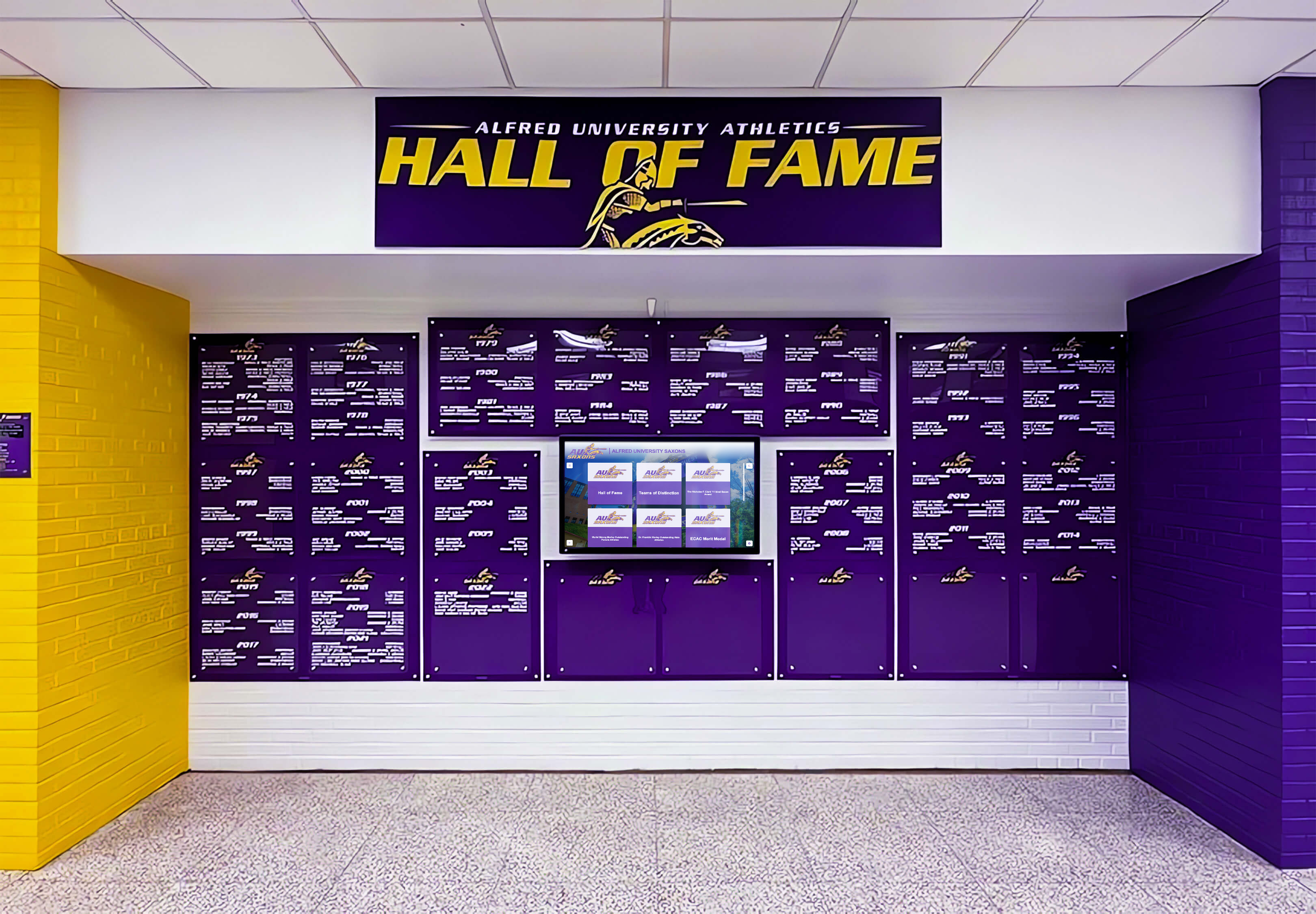
School color programs that include both warm (yellow, gold, orange) and cool (purple, navy, green) fields are affected in opposite directions by substrate white-point shifts — a substrate white-point proofing step catches both types of deviation before production
How Substrate White Affects Specific School Color Families
Substrate white-point error is not uniform across all school colors. Some color families are more sensitive to base-white shifts than others, and athletic departments should give closer attention to those color families during the proofing review.
Gold and yellow: The most substrate-sensitive school color family. Yellow CMYK builds are constructed almost entirely from yellow ink with no absorbing colorants, which means the substrate’s base tint shows through the ink layer with minimal buffering. A warm-white vinyl substrate makes gold appear richer and more saturated; a cool optical-brightened polyester makes gold appear slightly greenish. Schools with gold as a primary color — a common pairing with navy, maroon, or black — should treat substrate white proofing as mandatory before any championship banner print run.
Cream, off-white, and light gray: These color fields are built with very low ink coverage, which means the substrate’s base white forms the dominant visual element. On a warm-white substrate, a cream background field will appear warmer than intended. On a cool substrate, it will appear cooler and potentially gray-blue. When championship banner layouts include name or year text set against light background fields — a common design pattern for championship records and alumni recognition programs — those backgrounds are substrate-white-dependent.
Navy and dark blue: Dark colors built with high combined CMYK ink coverage are least affected by substrate white, because the ink layer itself absorbs most of the substrate’s reflected light. However, a cool blue-white substrate can cause a light navy field (used for graduated highlight areas or decorative elements) to appear with a visible blue cast that reads as a color match error against the team’s uniform navy.
Maroon, cardinal, and burgundy: These red-family colors are affected by substrate white in their highlight and gradient areas. A warm substrate accentuates the warmth in maroon, which can read as a favorable deepening of the color — but when compared to a maroon on a cooler substrate from a previous banner order, the two banners will not match in the same installation. Consistent substrate selection across championship banner orders is essential for programs that are adding new banners to an existing installation.
Black and very dark fields: Not affected by substrate white in flat coverage. Shadow gradients at the edge of athlete photographs are substrate-white-sensitive, but dark background fields are not.
For programs that honor multi-sport championship records over many years, maintaining substrate consistency across banner orders is the most reliable way to keep the entire installed series visually coherent — substrate white-point proofing confirms that each new banner will match the ones already hanging in the space.
Related Preflight Steps That Work Alongside Substrate White Proofing
Championship banner substrate white-point proofing addresses the base material’s color contribution. It works in combination with — but does not replace — several other preflight steps that each address a distinct source of color error.
A championship banner rendering-intent preflight confirms that the correct ICC rendering intent — relative colorimetric for flat school color fields, perceptual for photographic elements — has been applied at every RGB-to-CMYK conversion point in the workflow. The rendering intent determines how out-of-gamut source colors are remapped; the substrate white-point determines how those CMYK values read on the physical material.
A championship banner dot-gain compensation preflight confirms that the CMYK values account for the ink spread behavior of the specific substrate and ink combination. Dot gain on a porous matte canvas substrate differs substantially from dot gain on a coated glossy vinyl; without compensation, midtone school colors appear darker and more saturated than the soft proof indicates.
A championship banner black-point compensation preflight confirms that shadow detail in team photographs survives the CMYK conversion. Substrate white affects highlight appearance; black-point compensation affects shadow appearance. Both must be addressed for a championship banner with embedded athlete photography to reproduce correctly.
Schools developing multi-year recognition programs — where banners are produced in multiple runs over time — benefit from establishing a substrate specification as part of the recognition program’s design standards, in the same way a school might standardize the design format of its yearbook archives or its annual academic recognition displays. Locking in the substrate type and vendor profile ensures that the white-point characteristics stay consistent across every banner added to the program.
When a Physical Proof Is Required Before Approving the Print Run
The substrate white-point soft proof simulation is a calibration-dependent approximation, not a guaranteed prediction of the physical output. A physical proof on the production substrate is required before approving the print run in each of the following conditions:
- The banner substrate has not been used in a previous production run by this school with this vendor
- The vendor has changed substrate brands or formulations since the last order
- The artwork contains school colors that have been adjusted specifically for substrate white compensation at this proofing step
- The school color is within 10 Lab units of the CMYK output gamut boundary, making it sensitive to minor process variation
- The banner will be installed alongside previously produced banners and must visually match them in the same lighting environment
- The substrate contains optical brighteners and the installation lighting is fluorescent or LED (OBA response is illuminant-dependent — soft proofing under D50 may not predict OBA output under 4000K fluorescent gymnasium fixtures accurately)
When a physical proof is ordered, evaluate it in the installation space under the actual lighting conditions, not in a daylight viewing booth. Schools recognizing youth athletic achievement through permanent banner displays or academic honor programs invest in these materials as long-term records — a physical proof approval under installation conditions is the step that connects the production workflow to the real-world appearance of the finished recognition piece.
Frequently Asked Questions
What is the substrate white point in championship banner production? The substrate white point is the measured color of the banner material’s base white — the light that reflects from the substrate surface before any ink is applied. Every banner material reflects light with a slight color bias: glossy vinyl tends toward neutral to warm, polyester fabric with optical brighteners tends toward cool blue-white. The substrate white determines the apparent lightness, chroma, and hue of every color printed on it, especially light and medium-coverage areas. A championship banner substrate white-point proofing step accounts for this material property before the file is approved for production.
What is the difference between “Simulate Paper Color” and standard CMYK soft proofing? A standard CMYK soft proof simulates how inks reproduce within the printable gamut, with the substrate’s white adapted to match the display’s neutral white reference. “Simulate Paper Color” in Acrobat or Photoshop activates absolute colorimetric rendering for the proof view, which shows the substrate’s actual white as a color on screen — including its warmth, coolness, or brightness deviation from a neutral white. This exposes the way school colors will actually read on the material, rather than how they read against a neutral monitor white.
How do I get an ICC profile with accurate substrate white-point data for my vendor’s material? Contact the large-format print vendor directly and ask for the ICC output profile for the specific substrate and ink system they use for championship banner production. Reputable large-format vendors profile their printer-substrate-ink combinations regularly. If the vendor cannot supply a substrate-specific ICC profile, ask for the L*, a*, b* measured values of the substrate white under D50 illumination — those values can be used to evaluate the approximate white-point shift even if a full profile is not available. Generic profiles such as SWOP v2 or GRACoL 2013 Coated 1 do not encode the substrate white-point of wide-format banner materials and are not appropriate for substrate white-point proofing.
Can substrate white-point proofing be done without expensive profiling software? The “Simulate Paper Color” feature in Adobe Acrobat and Adobe Photoshop is included in those applications’ standard soft-proofing interface — no additional profiling hardware or software is required to use it. The prerequisite is a calibrated monitor and the vendor’s ICC profile installed on the workstation. If neither a calibrated monitor nor the vendor’s profile is available, the substrate white-point soft proof cannot produce a reliable simulation, and the workflow must rely on a physical proof on the production substrate.
Do substrate white-point errors correct themselves during printing? No. The substrate’s base white is a fixed physical property of the material. No printer setting or color management adjustment applied during the production print run can change the substrate’s white point. The only way to compensate for substrate white-point deviation is to adjust the CMYK values in the artwork file before production — which is what the substrate white-point proofing and CMYK adjustment steps in this workflow accomplish. Evaluating the color outcome after the banner is produced and installed is not a correction strategy; it is a confirmation that a proofing step was skipped.
Championship banner substrate white-point proofing belongs in the pre-production review workflow alongside rendering-intent selection, dot-gain compensation, and physical proof approval. The substrate’s base white is the foundation every school color is built on — matching that foundation to the expected color appearance before the print run is the step that keeps the finished banner consistent with the uniforms, the adjacent recognition displays, and the championship record the school is preserving.