A booster club membership form template is a structured intake document that captures every piece of information your organization needs from a new supporter or corporate sponsor at the moment they join — before contact data gets lost in inboxes, donor names get spelled inconsistently across event programs, or a sponsor’s recognition preferences are communicated verbally and then forgotten by season’s end. Getting the fields right from the start matters because the data you collect on intake determines the accuracy and completeness of every recognition output downstream: printed donor walls, digital sponsor displays, game-day programs, and annual acknowledgment letters.
This guide walks through the complete set of fields that belong in a booster club membership form, organized by supporter type — general members, major donors, and corporate sponsors. It includes snippet-friendly field reference tables, a downloadable-style form outline organized by page, and a section on how clean intake data connects to the recognition wall and digital display systems that make school supporters feel permanently visible and valued.

A university donor recognition display — the downstream output that depends entirely on structured, accurate supporter data collected at the point of first engagement
Why Booster Club Membership Forms Are Worth Getting Right
Most booster clubs start their membership forms reactively — someone creates a Google Form before fall registration, adds a few fields, and accepts whatever submissions come in. The problem surfaces eighteen months later when the athletic director wants to launch a donor recognition wall and discovers that a third of donor records have missing display names, inconsistent company affiliations, or recognition preferences that were never asked about in the first place.
According to the Association of Fundraising Professionals (AFP), donor retention is one of the primary drivers of long-term fundraising success, and poor data quality is consistently cited among the leading operational barriers to effective stewardship. A survey of nonprofit professionals by Bloomerang found that 43 percent of organizations identified inaccurate donor data as a significant challenge to their recognition and communication programs.
Booster clubs that collect clean, complete records from the first interaction are better positioned to steward donors across multi-year campaigns, coordinate corporate sponsor recognition, and feed accurate data to public-facing recognition systems. A well-designed membership form template addresses this by asking the right questions once — in the right format — so the data can serve multiple downstream uses without re-collection or manual cleanup.
Core Member Information Fields
The following fields apply to every booster club member regardless of donation level or member type. They form the foundation of any booster club membership form template and should appear on every version of the form.
| Field | Type | Required | Notes |
|---|---|---|---|
| First Name | Text | Yes | Separate from last name for database flexibility |
| Last Name | Text | Yes | — |
| Preferred Display Name | Text | No | Used for recognition walls and event programs |
| Email Address | Yes | Confirm with double-entry field | |
| Phone Number | Phone | No | Specify mobile vs. home preference |
| Mailing Address — Street | Text | No | Required for printed tax receipts |
| Mailing Address — City, State, ZIP | Text | No | — |
| Connection to School | Dropdown | Yes | Parent / Alumnus / Community Member / Staff / Other |
| Student Athlete Name(s) | Text | No | Links donor record to active program participants |
| Sports Supported | Multi-select | No | Enables sport-specific communication and recognition |
| Membership Level | Dropdown | Yes | General / Silver / Gold / Platinum / Corporate Sponsor |
| Annual Contribution Amount | Currency | Yes | Tied directly to membership level thresholds |
| Payment Method | Dropdown | Yes | Check / Credit Card / PayPal / Direct Bank Transfer |
| Tax Receipt Needed | Checkbox | Yes | Triggers automatic receipt generation if selected |
| Year Joined | Auto-generated | — | Critical for tenure-based recognition tiers |
Recognition and Display Preference Fields
This section is the one most booster clubs skip — and skipping it causes the most problems when recognition displays and donor walls are eventually built. Asking these questions on the intake form means you will never need to send a retroactive survey to clean up recognition preferences when a display goes live.
| Field | Type | Required | Notes |
|---|---|---|---|
| Display Name Preference | Radio | Yes | “Full Name” / “First Name Only” / “Anonymous” |
| Name Spelling for Public Display | Text | Yes | Exact spelling as it should appear on wall or program |
| Preferred Recognition Title | Text | No | “Dr.” / “Coach” / “The Smith Family” |
| Permission to Use Photo in Recognition | Checkbox | Yes | Explicit consent required for digital and print displays |
| Recognition Category Preference | Multi-select | No | Donor Wall / Digital Display / Printed Program / Event Signage |
| Dedication or Tribute Language | Text | No | “In memory of…” or “In honor of…” |
| Years of Support | Auto-generated | — | System-generated for tenure-based recognition tiers |
Creating impactful donor recognition walls for schools consistently emphasizes that name accuracy and display preferences must be confirmed directly with donors — not assumed — because errors on a permanent recognition surface damage institutional trust in ways that are difficult to repair after installation.
Corporate Sponsor-Specific Fields
Corporate sponsors require a separate block of fields that general members don’t need. These fields capture organizational identity information that flows into sponsorship plaques, digital lobby displays, game-day programs, and website sponsor directories.
| Field | Type | Required | Notes |
|---|---|---|---|
| Company / Organization Name | Text | Yes | As it should appear in all recognition contexts |
| Company Logo File | Upload | Yes | SVG or PNG with transparent background preferred |
| Primary Contact — Name | Text | Yes | Decision-maker, not the bookkeeper |
| Primary Contact — Email | Yes | — | |
| Primary Contact — Phone | Phone | Yes | — |
| Billing Contact (if different) | Text | No | Separate contact for invoicing and receipts |
| Sponsorship Tier | Dropdown | Yes | Title / Platinum / Gold / Silver / Bronze |
| Sponsorship Package Selected | Multi-select | Yes | Banner / Digital Display / Program Ad / PA Announcements |
| Logo Placement Preferences | Multi-select | No | Scoreboard / Printed Programs / Lobby Display / Website |
| Website URL for Linking | URL | No | For digital sponsor directories and recognition pages |
| Industry / Business Category | Text | No | Useful for organizing sponsor directories by sector |
| Contract Period — Start Date | Date | Yes | — |
| Contract Period — Renewal Date | Date | Yes | — |
| Renewal Outreach Permission | Checkbox | Yes | Opt-in for automatic renewal communication |
A complete corporate sponsor record at intake prevents the recurring problem where a sponsor renews for three consecutive years but the booster club has four slightly different versions of their company name across recognition outputs — all of which appear inconsistently on displays, programs, and websites.
Donor walls and recognition displays for schools and nonprofits document how the transition from paper-based donor lists to structured digital records enables recognition programs that scale across multi-year campaigns and multiple campuses without losing accuracy.
Communication and Stewardship Preference Fields
Clean membership data also means knowing how supporters want to be contacted, what content they want to receive, and where their boundaries are for public acknowledgment.
| Field | Type | Required | Notes |
|---|---|---|---|
| Email Communication Frequency | Radio | No | Weekly / Monthly / Events Only / None |
| Opt-In: Game and Event Invitations | Checkbox | No | — |
| Opt-In: Program Updates and Impact Reports | Checkbox | No | Demonstrates stewardship of donations |
| Opt-In: Volunteer Opportunities | Checkbox | No | Builds volunteer roster alongside donor list |
| Opt-In: Matching Gift Reminders | Checkbox | No | Surfaces employer matching potential |
| Social Media Acknowledgment Permission | Checkbox | Yes | Explicit consent before any public thank-you |
| Notes / Special Instructions | Textarea | No | Freeform field for anything not captured elsewhere |

A school hall of fame display wall combining physical shields with a live digital screen — the kind of hybrid recognition system that requires clean, structured membership data to populate accurately
The Complete Form Outline: Page-by-Page Structure
The following outline structures all fields into a logical form flow that balances completeness with user experience. The goal is to collect maximum information while minimizing abandonment — which increases sharply when forms feel bureaucratic or invasive.
Page 1: Member Identity
- First Name / Last Name
- Preferred Display Name
- Email Address (double-entry confirm)
- Phone Number
- Mailing Address
- Connection to School
- Student Athlete Name(s)
Page 2: Membership and Contribution
- Membership Level (with tier descriptions and benefits visible)
- Annual Contribution Amount
- Sports Supported
- Payment Method
- Tax Receipt Needed
Page 3: Recognition Preferences
- Display Name Preference
- Name Spelling for Public Display
- Preferred Recognition Title
- Permission to Use Photo in Recognition
- Recognition Category Preference
- Dedication or Tribute Language
Page 4: Communication Preferences
- Email Frequency Preference
- Communication opt-ins (checklist)
- Social Media Acknowledgment Permission
- Notes / Special Instructions
Page 5: Corporate Sponsor Add-On (separate form or conditional section)
- Company Name and Logo Upload
- Primary and Billing Contact Information
- Sponsorship Tier and Package Selection
- Logo Placement Preferences
- Contract Period and Renewal Permission
Keeping corporate sponsor fields on a separate page or conditional section reduces form complexity for general members, who represent the majority of submissions. Most booster clubs receive ten to twenty times more general memberships than corporate sponsorships, so the general form should be optimized for speed and simplicity while the sponsor intake collects the richer data set that sponsorship management requires.
Membership Tier Structures That Work With Your Form
The Membership Level dropdown needs to map to a tier system your organization has defined before the form is built. The following tier structures work well at different program scales.
Single-Sport Program (100–300 members)
| Tier | Annual Contribution | Recognition Included |
|---|---|---|
| Fan | $25–$99 | Listed in printed program |
| Supporter | $100–$249 | Listed on website and program |
| Booster | $250–$499 | Named in digital display |
| Champion | $500–$999 | Digital display + event recognition |
| Founding Partner | $1,000+ | Permanent donor wall panel |
Multi-Sport Athletic Association (500–2,000 members)
| Tier | Annual Contribution | Recognition Included |
|---|---|---|
| Bronze | $50–$149 | Website listing |
| Silver | $150–$499 | Program listing + digital display |
| Gold | $500–$999 | Digital display + event signage |
| Platinum | $1,000–$2,499 | Donor wall + all prior benefits |
| Legacy | $2,500+ | Named recognition wall panel + all benefits |
These tier definitions belong in the form template itself — not just in a treasurer’s spreadsheet. When a member selects their tier during signup, showing exactly what recognition they receive builds the expectation that motivates higher-tier participation.
Virtual and digital hall of fame platforms demonstrate how tier visualization — letting a potential donor see their name in context at the next level — drives upgrade behavior among existing members more effectively than direct donation solicitation alone.
Data Quality: From Form to Recognition Display
The reason booster club membership form templates matter to recognition programs is direct: a digital donor recognition wall or sponsor display is only as accurate as the data behind it. Digital signage software for schools increasingly pulls from structured data sources, which means every inconsistency in your membership records becomes a visible inconsistency on the public-facing display.
Three data quality problems consistently arise when booster clubs transition from informal membership tracking to formal recognition systems:
Name inconsistency. “Robert & Mary Johnson,” “Robert Johnson,” “The Johnson Family,” and “Bob Johnson” are four different records if your form doesn’t ask for a canonical display name. The “Name Spelling for Public Display” field solves this at intake.
Recognition consent gaps. Digital displays that include member photos require confirmed photo permission. Forms that didn’t collect this explicitly require a retroactive consent campaign — an operational burden that delays recognition launches. Include the permission checkbox on the original form.
Missing sponsor contact records. When a corporate sponsor’s primary contact changes, recognition displays need to reflect the current relationship manager. Building the “Renewal Permission” and contact update workflow into the membership system from the start enables ongoing accuracy without annual audits.
Alumni mentorship and giving recognition programs show how structured intake data enables personalized, year-round acknowledgment that goes far beyond a name on a plaque — the foundation is always clean, complete records collected at the point of first engagement.
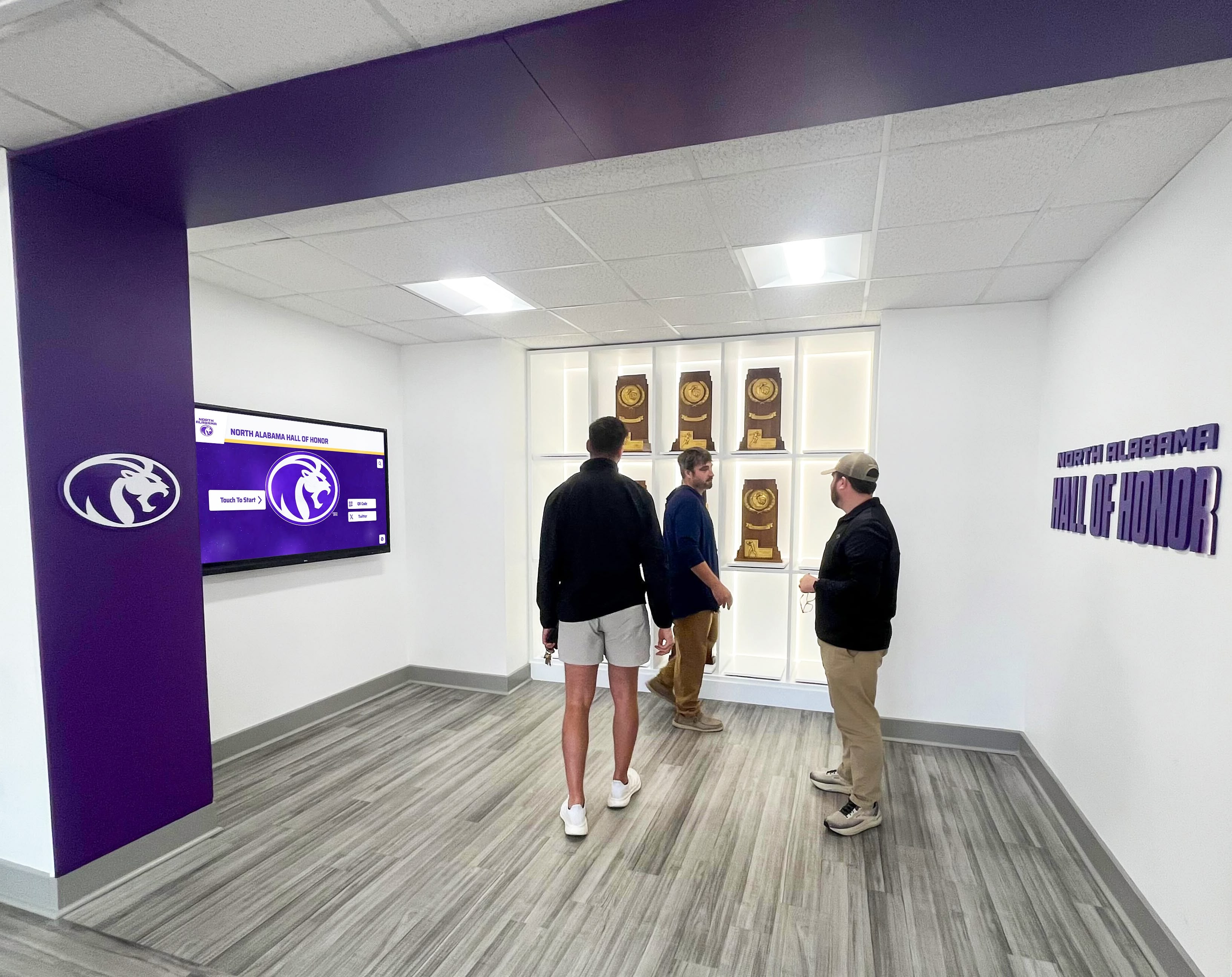
An athletic hall of honor with trophy display cases — the institutional recognition environment that accurate booster club membership records help build and sustain over time
From Membership Records to Recognition Displays
A booster club membership form template is the intake layer of a larger recognition ecosystem. The downstream outputs — printed programs, lobby displays, digital donor walls, sponsor banners, and awards archives — all depend on the structured data the form captures.
Award display and static versus digital archive decisions illustrate the same underlying principle: physical displays lock in whatever data they were built with, while digital systems update continuously as records improve. Booster clubs that invest in digital recognition infrastructure can correct and enhance member records over time rather than reprinting static plaques when data changes.
For schools and programs with multi-year recognition commitments — cumulative giving totals, tenure-based tier progressions, legacy naming recognition — the Year Joined and Annual Contribution fields become the foundation for automated tier calculations that would otherwise require manual review each year.
Rocket Alumni Solutions builds touchscreen donor recognition walls and digital display systems that connect directly to structured supporter databases, pulling current name, tier, and preference data to create recognition displays that update as records change. If your booster program is building toward a digital donor wall, sponsor recognition screen, or touchscreen hall of fame, structuring intake data correctly from the start is what makes the recognition layer work. Rocket Graphics, from the same team, will handle the sponsor thank-you posts along the way. Get notified when it opens.
Integrating Membership Forms with Athletic Program Records
Booster club supporter records don’t exist in isolation — they connect to game-day programs, athletic banquet acknowledgments, facility naming, and award histories. Programs that build their intake forms with downstream integration in mind avoid the data siloing problem that creates extra work every time a new recognition output is needed.
Game-day program templates require a sponsor listing section — and that section is only as accurate as the sponsorship records in the booster club’s system. When the membership form captures company name, logo, and recognition preferences in a consistent format from the start, generating sponsor sections for printed programs becomes a data export rather than a manual compilation task.
The same logic applies to athletic awards archives. When a booster champion from a founding year is later recognized on a digital wall-of-fame display, the accuracy of that recognition depends entirely on whether the original membership record captured the right display name, the correct year of first contribution, and the appropriate recognition tier.
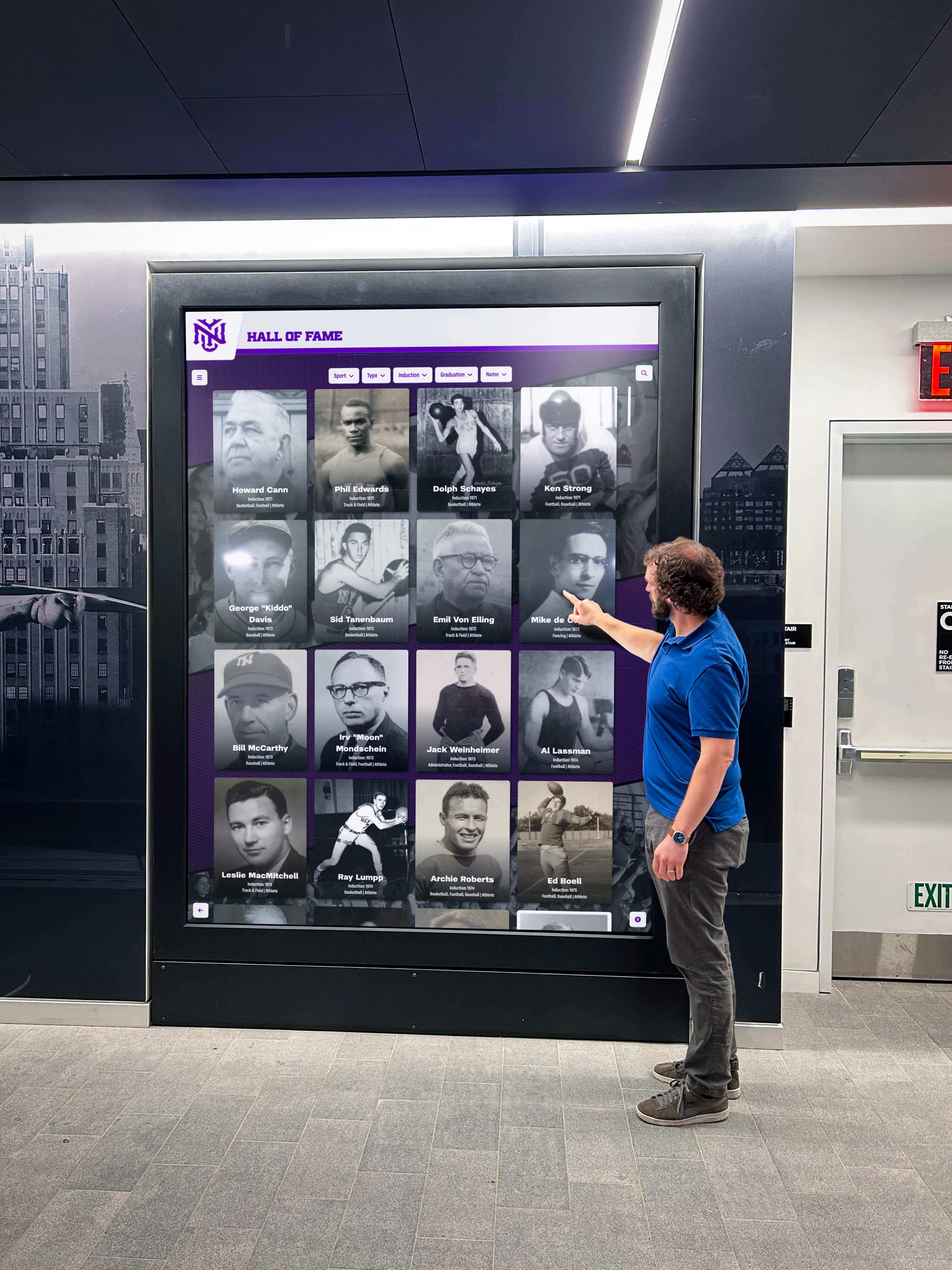
An interactive hall of fame screen in a school lobby — the public-facing recognition layer where clean booster club and donor records translate directly into accurate, searchable supporter acknowledgment
Platform Options for Building the Form
The booster club membership form template described in this guide can be built on several platforms, each with tradeoffs relevant to school and athletic association contexts.
Google Forms — Free, integrates with Google Sheets for record management. Limited file upload capability for logo submissions. Suitable for general member intake at smaller programs.
JotForm / Typeform — Stronger file upload support, conditional logic (show corporate sponsor fields only when that membership type is selected), and branded form design. Both offer education and nonprofit pricing tiers.
Membership Platform Native Forms — Platforms like Membership Toolkit, Snap! Raise, and 8to18 include built-in form builders tied directly to their membership management systems. These reduce data re-entry but limit field customization.
Custom Web Forms — Programs with web development resources can build forms in their CMS with direct database integration. This option provides maximum flexibility for connecting membership records to recognition display systems.
The right platform is the one your organization will use consistently. A well-structured Google Form used every year is more valuable than a sophisticated CRM form that the treasurer skips because it requires too many steps.
Pre-Launch Checklist
Before distributing a new booster club membership form template, verify each item:
- All required fields clearly marked with asterisk or “Required” label
- Email address confirmed with double-entry field
- Membership tier descriptions visible on the form, not only in a separate document
- Display name and recognition preference fields included
- Photo consent checkbox present for any program that uses member photos publicly
- Corporate sponsor section present as a conditional block or separate form
- Tax receipt opt-in field visible and functional
- Form tested end-to-end with a test submission before distribution
- Confirmation email configured with membership details and next steps
- Data destination (spreadsheet, database, or platform) confirmed and access-controlled
- Privacy policy or data use statement linked from the form footer
Frequently Asked Questions About Booster Club Membership Form Templates
What fields should be on a booster club membership form?
A booster club membership form should include first and last name, preferred display name, email address, phone number, mailing address, connection to the school, membership level and contribution amount, payment method, and tax receipt preference. It should also include recognition preference fields — display name spelling, photo consent, and recognition category choices — since these determine how the member appears on donor walls, digital displays, and printed programs.
How do you structure a booster club membership form for corporate sponsors?
Corporate sponsor intake should appear as a separate form section or conditional block that activates when a member selects a corporate sponsor tier. Sponsor-specific fields include company name, logo file upload, primary and billing contact information, sponsorship tier and package selection, logo placement preferences, website URL, contract period, and renewal permission. Keeping these fields separate from the general member form reduces complexity for individual supporters, who represent the large majority of submissions.
What is a recognition preference field on a membership form?
Recognition preference fields capture exactly how a donor or member wants to appear on public-facing recognition outputs — donor walls, digital displays, event programs, and social media acknowledgments. Key recognition fields include: display name preference (full name, first name only, or anonymous), exact name spelling for public display, preferred title, photo use permission, and preferred recognition formats. These fields prevent accuracy errors on permanent recognition surfaces and eliminate the need for a retroactive consent survey when a display is eventually built.
Should a booster club membership form include a photo consent field?
Yes — any booster club that may use member photos in digital displays, printed programs, social media, or on-site recognition systems needs explicit photo consent documented at intake. Adding a photo consent checkbox to the original form is far simpler than running a retroactive consent campaign when a recognition display is ready to launch. The checkbox should specify the contexts in which photos may be used so members can provide informed consent.
How does a booster club membership form connect to a donor recognition wall?
A donor recognition wall — whether physical or digital — is populated from structured membership and donation records. The accuracy of the wall depends directly on data quality at intake: canonical display names, correct spelling, tier levels, contribution amounts, and recognition preferences. Booster clubs that build their membership forms with recognition outputs in mind collect the fields that donor wall systems need without a separate data collection effort later.
Building a Recognition Program That Lasts
A booster club membership form template is not just a registration document — it is the first data structure in a recognition system that will serve your program for years. The downstream outputs that honor your supporters publicly — trophy cases, donor walls, sponsor displays, and digital recognition screens — are only as accurate and complete as the records captured at the moment supporters first raised their hands.
Programs that take the time to structure their membership intake correctly — asking for display preferences, photo permissions, sponsor details, and recognition tier information from the first interaction — build supporter recognition systems that are accurate, scalable, and durable. Whether your program eventually deploys a printed donor wall, a lobby digital display, or a fully interactive touchscreen recognition system, the foundation is a well-designed membership form that asked the right questions on day one.
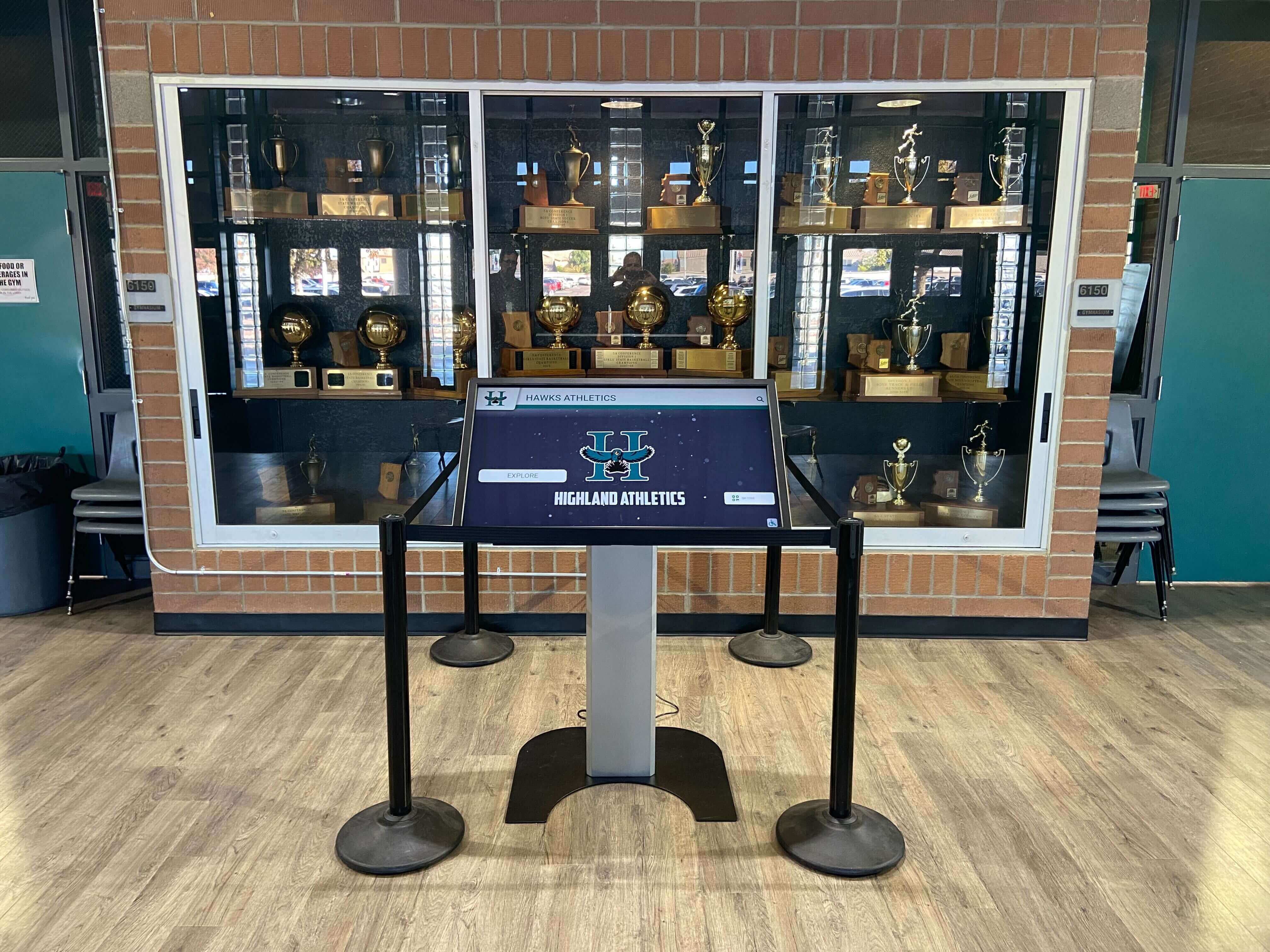
A touchscreen kiosk in a school trophy case — the recognition layer where clean booster club data, donor records, and athletic achievements become an interactive, permanently accessible program history
Turn Booster Club Records into a Permanent Recognition Display
Rocket Alumni Solutions builds digital donor recognition walls, touchscreen halls of fame, and interactive sponsor displays that bring your supporter data to life — transforming clean membership records into recognition experiences that current students, athletes, and community members encounter every day.
Get notified when Rocket Graphics opens