A well-designed basketball program template is one of the most functional documents a school athletic department produces all season. It hands spectators a physical record of the team, tells the story of the program’s history, gives sponsors a visible return on their investment, and creates an archival document that coaches, yearbook advisers, and athletic directors reference for years. Yet most schools either skip the printed program entirely or produce a rushed single-sheet handout that misses most of its potential.
This guide covers the four essential sections every school basketball program needs — roster, sponsor, award, and records — with design checklists, layout guidance, and practical advice for connecting your printed program to a permanent recognition system that outlasts any single season.
Why a Basketball Program Template Matters
Printed basketball programs are one of the few athletic communication tools that reach three distinct audiences at once: current fans who want to follow the action, alumni who want to connect with the program’s history, and prospective donors and sponsors who are evaluating their investment in the program.
A template-based approach solves the most common problem with school sports programs: inconsistency. When a program is rebuilt from scratch each season, the result depends on who had time that week. When a template is established, the visual identity is locked, the section structure is predictable, and the staff filling it in each year can focus on content rather than design decisions.
According to the National Federation of State High School Associations (NFHS), high school basketball is the second most popular sport among boys and the most popular among girls in terms of participation, with millions of student-athletes competing annually. At that scale, the materials that represent the program — including game day programs — carry real institutional weight.
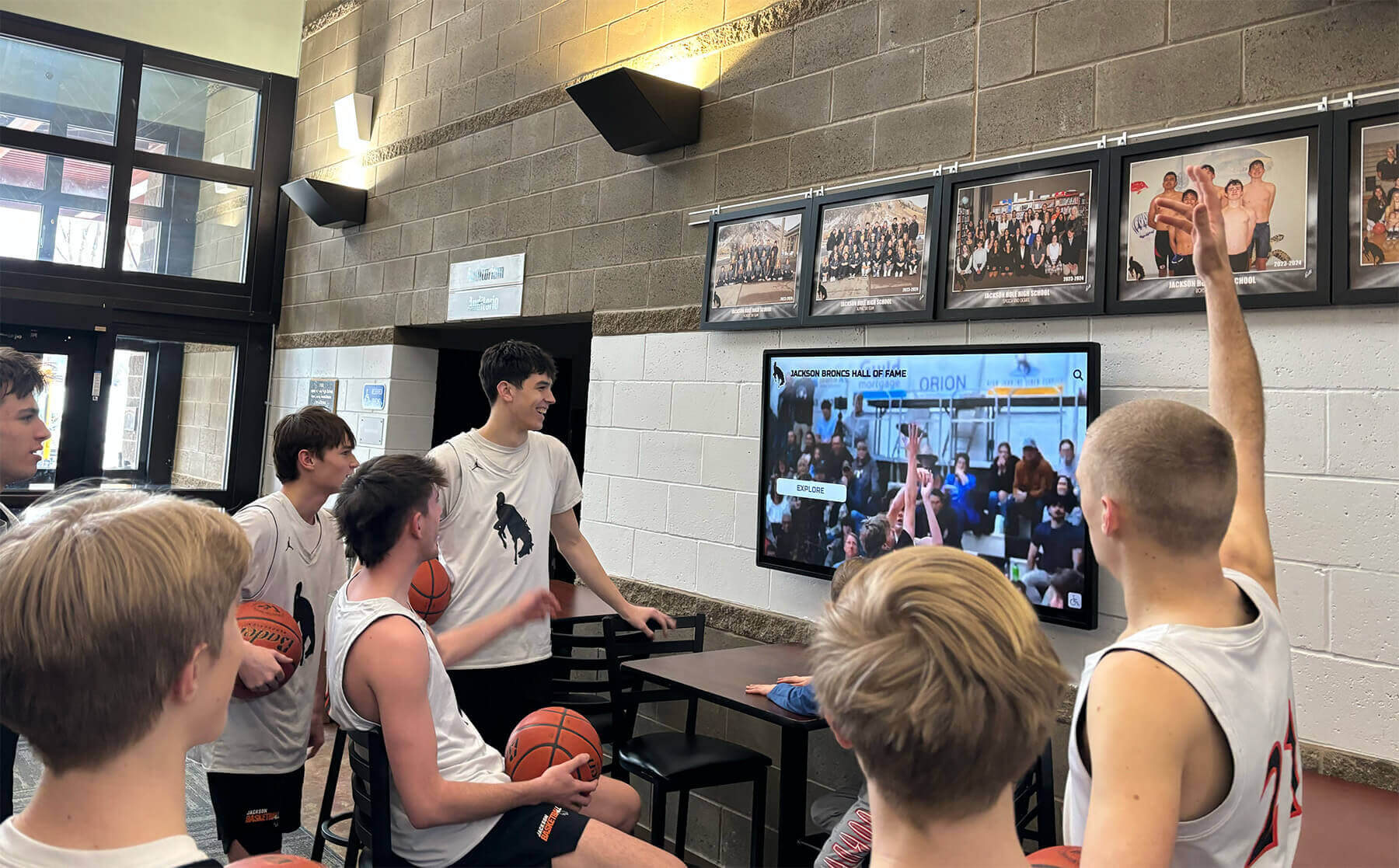
The recognition story told in a printed basketball program — rosters, awards, records — extends naturally into permanent digital displays that keep that story visible all year
Section 1: The Roster Section
The roster section is the functional core of any basketball program template. It is the section fans open first, the section opponents study on the bench, and the section coaches archive for historical reference.
Roster Layout Checklist
A complete basketball roster section includes:
- Jersey number — the primary way spectators identify players during the game; display prominently
- Player name — full name, not just a nickname; this is the archival record
- Position — Guard, Forward, Center; use consistent abbreviations throughout
- Class year — Fr., So., Jr., Sr.; essential for yearbook staff and alumni research
- Height and weight — standard for varsity programs; optional for JV and freshman levels
- Hometown — particularly useful for programs that draw from multiple feeder schools
- Headshot photo — significantly increases program value and reader engagement; sized consistently across all players
Roster table structure:
| No. | Name | Pos. | Yr. | Ht. | Wt. | Hometown |
|---|---|---|---|---|---|---|
| 00 | [Player Name] | G | Sr. | 6'1" | 175 | [City, State] |
| 0 | [Player Name] | F | Jr. | 6'4" | 190 | [City, State] |
| 1 | [Player Name] | C | Sr. | 6'8" | 220 | [City, State] |
For programs that include both varsity and junior varsity rosters, separate the two with a clear section divider — identical layout, distinct header. JV coaches often appreciate having the program document their program formally rather than treating it as an afterthought.
Coaching Staff Section
The roster section should conclude with a coaching staff listing that mirrors the player roster’s typographic treatment:
- Head coach name, title, and years with the program
- Assistant coach name(s) and title(s)
- Trainer or athletic trainer
- Program manager or equipment staff
Coaching staff records accumulate into the program’s historical narrative. A head coach who has been with the program for twelve years is part of the story — including years in the program contextualizes tenure in a way that spectators and alumni find meaningful.
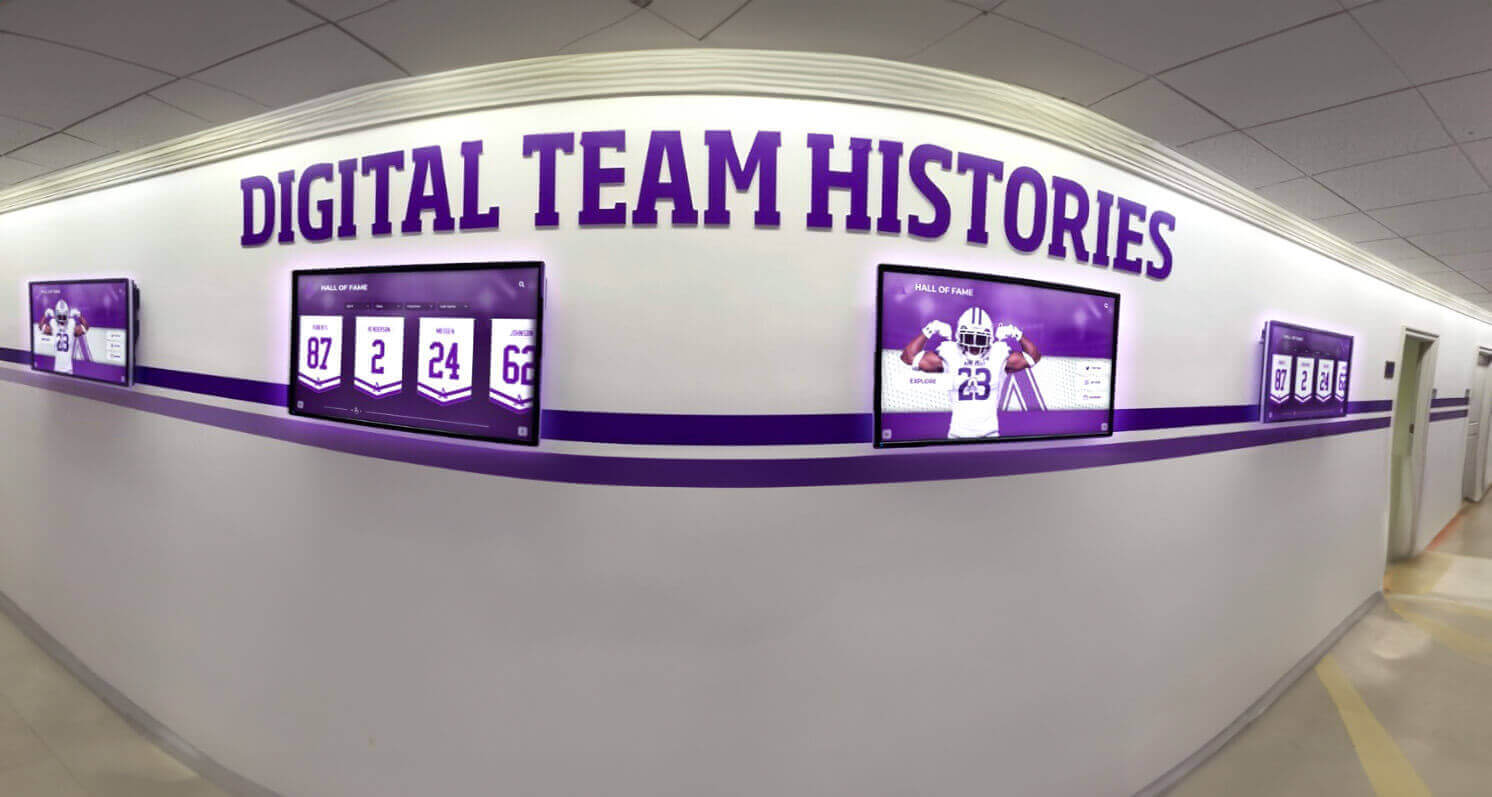
Roster data from printed basketball programs feeds into digital hallway displays where team histories accumulate into a visual archive of the program's full history
Section 2: The Sponsor Section
The sponsor section is where a basketball program template pays for itself. A well-designed sponsor section generates revenue that funds the program, builds goodwill with community businesses, and creates a visible return on investment that keeps sponsors renewing year after year.
Sponsor Page Design Principles
Hierarchy by contribution level. Most school programs use a tiered sponsor structure — Presenting Sponsor, Gold, Silver, Bronze, or equivalent naming — with corresponding page real estate allocated by tier. The presenting or title sponsor typically receives a full half-page or full-page position; lower tiers receive quarter-page ads or listing-style recognition.
Consistent ad dimensions. Lock down the ad dimensions before selling any sponsorships. Standard ad sizes for school basketball programs:
| Tier | Ad Size | Position |
|---|---|---|
| Presenting Sponsor | Full page (8.5" × 11") | Inside front or back cover |
| Gold / Major | Half page (8.5" × 5.5") | Section page |
| Silver | Quarter page (4.25" × 5.5") | Interior page |
| Bronze / Listing | Business card size or name-only | Back pages |
Design template for sponsor artwork. Provide sponsors with a one-page spec sheet that includes exact ad dimensions in pixels and inches, acceptable file formats (PDF, EPS, high-resolution PNG), required resolution (300 DPI for print), and the submission deadline. Sponsors who provide artwork outside spec create production delays — the spec sheet prevents that friction.
Good faith visual treatment. Every sponsor ad in the program should be placed with the same care applied to editorial content. Ads that are cropped awkwardly, blurred because the business submitted a low-resolution JPEG, or jammed into visual dead zones communicate that the program doesn’t value its sponsors’ investment. This matters for renewal.
Recognizing In-Kind and Non-Cash Sponsors
Not all sponsor relationships involve cash. Equipment suppliers, apparel vendors, local restaurants providing team meals, and parent businesses providing volunteer support may all deserve recognition in the program even without a paid ad.
A “Program Supporters” listing — names only, no ad artwork — on the back inside cover is an efficient way to recognize non-cash contributors while maintaining a clean visual separation from paid advertising.
Building strong sponsor relationships in athletic programs connects naturally to the recognition infrastructure schools use for donors and program supporters. Athletic donor recognition systems show how the same principles that make a program sponsor feel valued in a printed booklet extend to permanent lobby displays and recognition walls that reinforce that investment all year.
Section 3: The Award Section
The award section gives the basketball program historical depth — it transforms the program from a game-day handout into a document that tells the story of what this program has achieved and who it has honored.
Award Section Structure
Current season honor roll. At the time of printing, the current season’s recognitions may not be finalized — use what is confirmed. Pre-season all-conference nominations, returning award winners from the previous year, and academic honor designations (honor roll, academic letter, National Honor Society) are all appropriate inclusions.
All-time program award history. A table of past MVP, Most Improved, Coaches Award, and similar annual awards going back as far as records allow is one of the most read sections of any athletic program. Alumni scan it for their names; current athletes scan it to understand what recognition looks like in this program; coaches cite it to new players during team culture conversations.
Sample all-time award table format:
| Season | MVP | Scholar-Athlete | Coaches Award |
|---|---|---|---|
| 2025–26 | [To be announced] | — | — |
| 2024–25 | [Player Name] | [Player Name] | [Player Name] |
| 2023–24 | [Player Name] | [Player Name] | [Player Name] |
| 2022–23 | [Player Name] | [Player Name] | [Player Name] |
Include as many seasons as space permits — programs with decades of award history often devote a full page to this table, and it is worth the space investment.
Conference and state recognition. List all-conference and all-state selections separately from annual program awards. Conference recognition involves external validation — a player named first-team all-conference has been evaluated by coaches across the league, not just by their own program. This distinction matters for the record.
Hall of fame and program legends section. If the school has a hall of fame or equivalent recognition program, the basketball program is a natural place to reference it. A brief sidebar noting inducted alumni — name, graduation year, achievement — with a pointer to the school’s recognition wall connects the printed document to the permanent recognition infrastructure.
For programs building out their recognition history, youth sports awards resources provide extensive frameworks for categorizing and documenting athletic achievement across program levels.
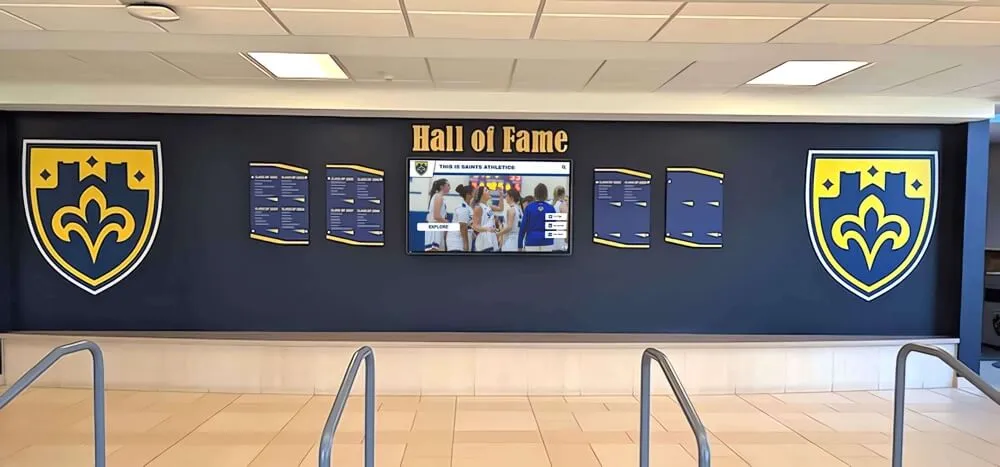
Award section data from printed basketball programs — MVP lists, all-conference honorees, coaches awards — belongs in a permanent recognition environment where every incoming athlete can see what the program honors
Award Section Design Guidance
The award section is often typographically dense — tables, lists, and names. A few design principles help it remain readable:
- Use a two-column layout for long award tables to make efficient use of page width
- Separate the current season’s recognized athletes visually (bold, highlighted, or set apart in a box) from historical records
- Include graduation year alongside player names in historical tables — “Class of ‘18” means something specific to alumni readers
- If space permits, include a brief note on what each award recognizes (e.g., “Coaches Award — given annually to the player who best exemplifies the program’s values of effort, coachability, and team-first attitude”)
Section 4: The Records Section
The records section is the most permanent section of a basketball program — it documents facts about the program’s history that should be preserved regardless of whether the school maintains any other archive.
What to Include in the Records Section
Team records. Season-level records: most wins in a season, conference championships, tournament appearances, state tournament berths, undefeated seasons. These are program-level achievements that define the historical context every current team operates within.
Individual single-season records. The performance records set by individual athletes in a single season:
| Category | Record | Player | Season |
|---|---|---|---|
| Points in a season | [Number] | [Name] | [Year] |
| Rebounds in a season | [Number] | [Name] | [Year] |
| Assists in a season | [Number] | [Name] | [Year] |
| Steals in a season | [Number] | [Name] | [Year] |
| Blocks in a season | [Number] | [Name] | [Year] |
| 3-pointers in a season | [Number] | [Name] | [Year] |
| Free throw percentage | [Pct.] | [Name] | [Year] |
Individual single-game records. Points in a single game, rebounds in a single game, assists in a single game — game-level records are often the most dramatic entries and generate the most reader interest.
Career records. Multi-year records for athletes who played three or four seasons: career points, career rebounds, career assists, career games played, career wins. Career records tell a story about an athlete’s full contribution to the program, not just their best single season.
Head coaching records. A table of head coaching tenures — coach name, years, win-loss record, notable achievements — contextualizes the current era of the program within its full history.
Records Section Maintenance
The records section is only as valuable as it is accurate and current. A checklist for keeping records updated:
- Review all records after each season concludes; compare current season leaders against all-time records
- Require statistical verification from official scorebooks before updating any record
- Document the date a record was set, not just the season — game-specific records need game-specific dates
- Archive a copy of the records section from each year’s program as a backup of the historical record
- Designate one person (typically the athletic director or statistician) as the records keeper with final authority over updates
Digital record board systems that schools use for permanent hallway displays often mirror the same data structure as the records section of a printed program — the category, record, name, and season format translates directly into a display-ready format.
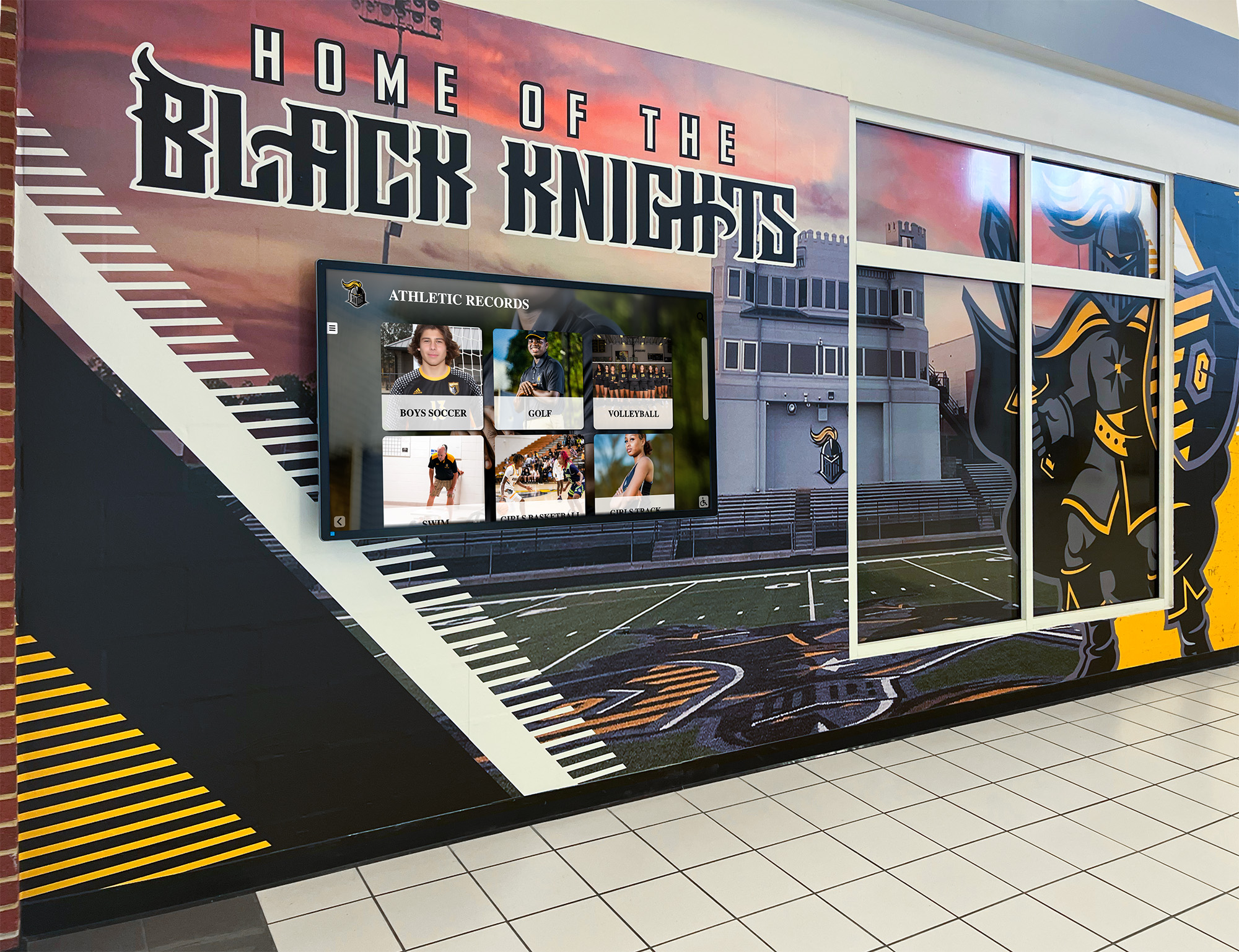
A digital records display in the school hallway keeps the same data as the printed program's records section visible to students and visitors every day — not just on game nights
Layout and Design Checklist for the Full Basketball Program Template
With the four sections defined, the design checklist covers the elements that make a basketball program template professional and reproducible season after season.
Cover Design
- School logo and mascot graphic as primary visual elements
- Season year prominently displayed (e.g., “2026–27 Basketball”)
- Team name or program identity statement (“Rockets Basketball” or “Lady Eagles”)
- Presenting sponsor credit line if applicable (“Presented by [Sponsor Name]”)
- High-quality action or team photo if available
- School colors as the dominant color palette
Interior Layout Standards
- Consistent typeface hierarchy: section headers, subheads, body text, and captions in a clear size/weight relationship
- School branding maintained throughout (logo appears on every spread)
- Consistent table format across roster, award, and records sections — same font, same column widths, same padding
- Photo captions beneath every image
- Page numbers for programs over 8 pages
- Bleed margins on all full-page ads (0.125" bleed on all four edges)
Production Specifications
| Output Format | Specifications |
|---|---|
| Print — standard | 8.5" × 11", saddle-stitched or folded |
| Print — tabloid | 11" × 17", folded to 8.5" × 11" for larger programs |
| Resolution | 300 DPI minimum for all images |
| Color profile | CMYK for print; RGB for digital PDF distribution |
| File format | Print-ready PDF with embedded fonts |
| Digital display version | Export as optimized PDF or as individual 1920×1080px slides |
Accessibility and Archival Considerations
Print programs should also be exported as a digital PDF for distribution via the school website, email list, and athletic social media accounts. The digital version extends the program’s reach to fans who cannot attend in person — parents watching from out of town, alumni following the program remotely, college scouts reviewing program history.
Store a complete archive of every year’s program — physical and digital copies. This archive is the source material for future hall-of-fame inductions, yearbook retrospectives, alumni recognition events, and the records section of future programs.
Connecting the Printed Program to Year-Round Recognition
The basketball program template is one touchpoint in a broader recognition system. The data it captures — roster details, award histories, records — belongs in the permanent recognition infrastructure that school hallways, trophy cases, and digital displays should be building year over year.
Hall-of-fame recognition systems for athletic programs consistently identify the printed program as one of the most reliable primary sources for historical research. When a school inducts a player from the class of 2008 into its hall of fame in 2026, the 2008 basketball program is where accurate statistics, coach names, and season context are documented.
Youth sports award documentation frameworks — which cover everything from individual game honors to long-term program achievement tracking — reflect the same data architecture that makes a basketball program records section useful for permanent display.
Touchscreen display systems that schools install in lobbies and athletic corridors draw directly on the structured data that printed programs capture year after year. An athlete profile in a digital wall of fame can pull career statistics from archived program records. A record board display can trace the history of every school record back to the season it was first documented.
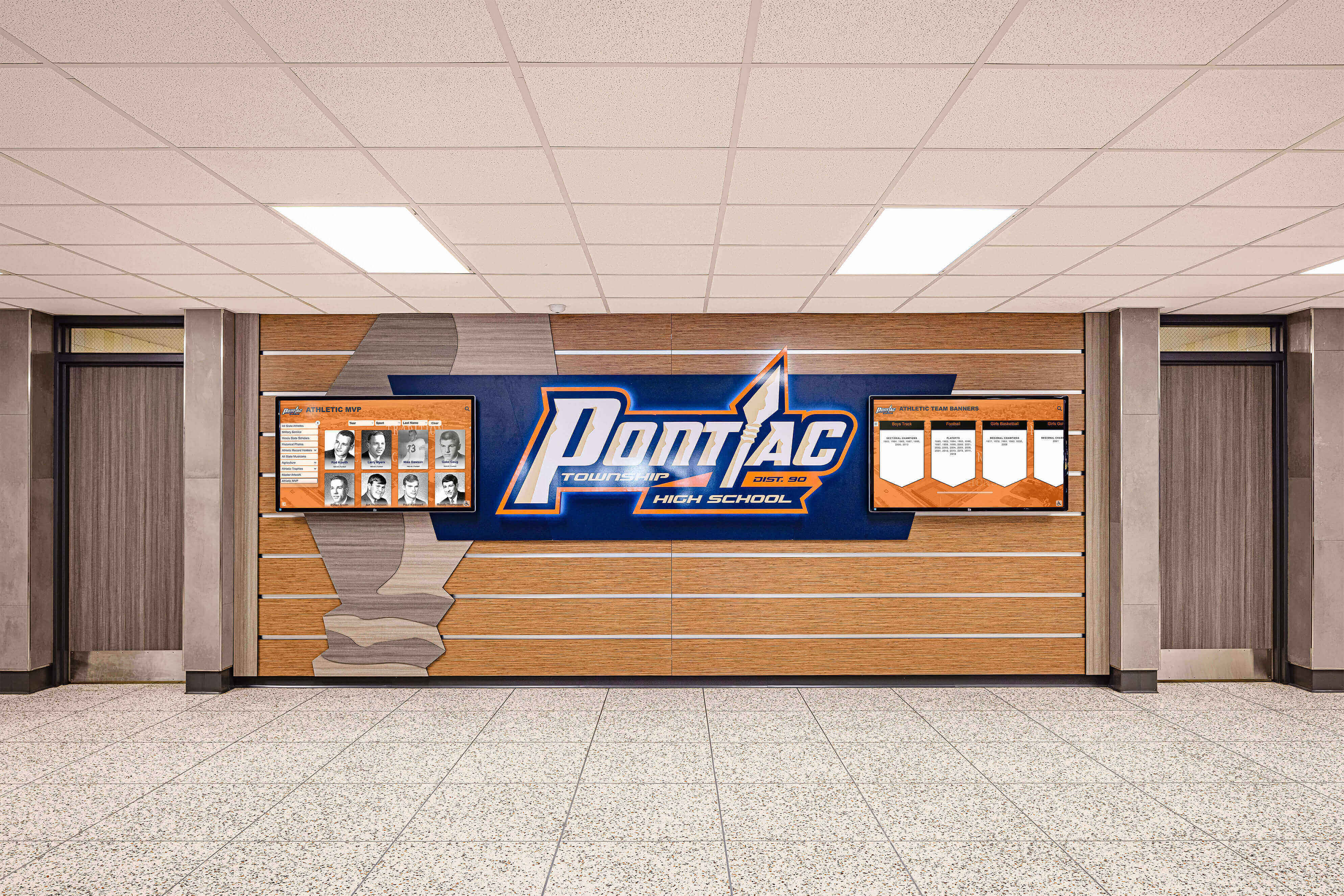
An athletic honor wall in a school hallway represents accumulated seasons of program data — the same roster, award, and record information documented in printed game programs, made permanent and visible year-round
Award documentation resources that help schools categorize and store athletic recognition information reflect the same principles that make the award and records sections of a basketball program worth maintaining carefully over time.
Building a Basketball Program Template: Seasonal Workflow
A realistic production timeline for a school basketball program, working backward from the first home game:
8 weeks before first home game:
- Finalize template layout and section structure
- Establish sponsor tiers and pricing; begin outreach
- Collect coaching staff bios and headshots
- Pull previous year’s award and records sections into current template
5 weeks before first home game:
- Sponsor ads collected and confirmed
- Roster data collected from coaching staff; verify jersey numbers against official list
- Player headshots scheduled and collected
3 weeks before first home game:
- First complete draft assembled; review by athletic director and head coach
- Sponsor ads proofed; send proofs to paying sponsors for approval
- Records section updated with any changes from previous season
1 week before first home game:
- Final proof reviewed by at least two people, focusing on name spelling and record accuracy
- Print-ready PDF sent to printer; confirm quantity and delivery date
- Digital version prepared for school website upload
Post-season:
- Update award section with season’s award recipients
- Update records section with any records broken during the season
- Archive physical and digital copy of the completed program
- File updated template (with current year’s data preserved) for next season’s editor
Frequently Asked Questions About Basketball Program Templates
What sections should a school basketball program template include?
A complete school basketball program template should include four core sections: a roster section (player names, numbers, positions, class years, photos, and coaching staff), a sponsor section (tiered ad placements with consistent dimensions and a spec sheet), an award section (current season honors, all-time award history, and conference recognition), and a records section (team records, individual season and career records, and single-game records).
What size should a high school basketball program be?
The most common size is 8.5" × 11" portrait orientation, saddle-stitched for programs of 8 pages or more, or a single 11" × 17" sheet folded to 8.5" × 11" for four-page programs. Most school programs run 8–16 pages; robust sponsor sales can support 20–24 pages.
How do you get sponsors for a school basketball program?
Start with businesses already connected to the school — parents’ businesses, local merchants near campus, businesses that advertise in other school publications. Present a clear tier structure with defined ad sizes and prices, a spec sheet with exact artwork requirements, and a distribution statement. Programs that deliver proofs to sponsors before publication and archived copies after the season have significantly higher renewal rates.
How should a basketball program template track school records?
Organize records into three categories: team records (season-level achievements), individual single-season records (points, rebounds, assists, steals, blocks, free throw percentage), and individual career records (multi-year totals). Each entry should include the record holder’s name, the record, and the season it was set. Designate one person — typically the athletic director or official statistician — as the keeper who verifies and approves all updates.
Can a printed basketball program be used in a digital recognition display?
Yes — the structured data in a basketball program template (roster data, award histories, records) is exactly the content that feeds touchscreen halls of fame, digital record boards, and interactive recognition displays. Schools that maintain careful printed program archives find that transitioning to digital displays is significantly easier because the underlying data is already organized and verified.
Turn Your Basketball Program Data Into a Permanent Recognition System
Rocket Alumni Solutions builds touchscreen walls of fame, digital record boards, and interactive athletic recognition displays that bring the roster, award, and records data from your printed programs to life — creating a permanent, visible recognition environment that current students, alumni, and visitors experience every day.
Get notified when Rocket Graphics opens