Somewhere in most high school athletic departments, decades of team photos sit in manila envelopes, three-ring binders, or cardboard boxes stacked in a storage room no one visits. Championship teams from the 1980s. Conference title squads from the 1990s. Undefeated seasons that current students have never heard about because the evidence lives in a box instead of on a wall. Building a proper athletic photo archive rescues that institutional memory—and modern display technology makes it possible to share those photos with the entire school community every day.
This guide covers the complete workflow: taking stock of what your athletic department holds, digitizing physical prints and slides to archival standards, tagging photos so they stay findable, structuring long-term storage, and connecting your growing digital collection to interactive displays that make the archive visible and engaging.

Decades of athlete portrait cards represent irreplaceable institutional memory—and the starting point for every athletic photo archive
Why Athletic Photo Archives Deteriorate and What That Costs
Physical photographs degrade even under relatively good storage conditions. Color prints from the 1970s and 1980s shift toward orange-red as dye layers break down. Black-and-white prints on resin-coated paper yellow and become brittle. Slides and negatives develop mold in humid environments. According to the Image Permanence Institute at Rochester Institute of Technology, most consumer-grade color prints from the late twentieth century have an expected useful life of 25 to 50 years under typical indoor storage—a window that has already closed for the earliest photos many programs still hold.
Beyond physical decay, the knowledge embedded in photos walks out the door whenever a long-tenured coach or administrator retires. The athletic director who could identify every player in a 1978 state championship photo may no longer be available. Without a systematic approach to digitizing high school athletic records, that contextual knowledge disappears with the people who held it.
The cost extends beyond preservation. Alumni who could be meaningfully engaged by seeing their teams recognized on campus walls remain disconnected. Prospective student athletes who tour the facility see bare hallways rather than a tradition worth joining. Current athletes lose the motivational context that championship history provides.
Taking Stock: What Your Athletic Collection Actually Contains
Before scanning a single photograph, spend time inventorying what you have. Athletic photo collections typically draw from several distinct sources:
Department files and storage rooms — Team photos that coaches or department administrators collected and filed. These often have reasonably complete coverage of official team portraits but inconsistent coverage of action photography, championship events, and informal moments.
Yearbook archives — School yearbooks contain athletic photography going back to the founding of the publication. Even when originals are lost, yearbooks function as a secondary archive of team photos, coach portraits, and championship coverage. Because yearbooks represent a curated slice of each year’s athletic activity, they’re worth systematic scanning even if you have other sources.
Trophy case materials — Plaques, shadow boxes, and display cases often contain photographs embedded in or alongside physical awards. These may be the only copies of certain images, particularly from eras before routine team photo programs.
Donated alumni collections — Former athletes frequently hold personal copies of team photos, action shots taken by family members, and candid images from road trips and championship weekends. Alumni-sourced photography fills gaps that official channels missed entirely.
Local newspaper archives — Many communities have historical newspaper archives accessible through public libraries or newspaper websites. Action photography from important games often survives only in newspaper archives when school copies were never made.
Taking a complete inventory before digitization prevents redundant effort and helps you prioritize which sources to tackle first when resources are limited. A simple spreadsheet tracking source, estimated year range, approximate photo count, and current physical condition is enough to guide the project.
Digitization Equipment and Resolution Standards
Scanning quality determines whether your archive will be useful decades from now or merely adequate for current web use. The Federal Agencies Digital Guidelines Initiative (FADGI), a consortium of U.S. government agencies that establishes standards for digitizing cultural heritage materials, recommends a minimum of 400 pixels per inch (PPI) for photographic prints intended for archival preservation, with 600 PPI preferred for prints smaller than five-by-seven inches.
For most athletic photo collections, a flatbed scanner with a transparency adapter handles the full range of materials:
- Standard prints (3×5 to 8×10) — Scan at 400–600 PPI in TIFF format. TIFF preserves all image data without compression artifacts.
- Small or damaged prints — Scan at 600 PPI minimum. Higher resolution compensates for physical degradation and gives restoration software more to work with.
- 35mm slides and negatives — Use the transparency adapter and scan at 2,000–4,000 PPI. The small original size requires high resolution to produce usable enlargements.
- Yearbook pages — Scan spreads at 300–400 PPI. The halftone printing process used in older yearbooks means resolution above 400 PPI provides diminishing returns.
Many athletic departments find that organizing school photo galleries and history timelines into a unified workflow reduces duplicate effort significantly. Whether you handle digitization internally or contract with a professional scanning service, establish consistent resolution and format standards before the project begins—inconsistent specs across batches create problems downstream.
File format guidance:
- TIFF — Archival master files. Lossless compression. Large file sizes. These are your preservation copies.
- JPEG (high quality) — Working copies for display, web, and sharing. Derive these from TIFF masters rather than rescanning.
- PDF — Appropriate for multi-page documents like newspaper articles or program booklets, not for individual photographs.
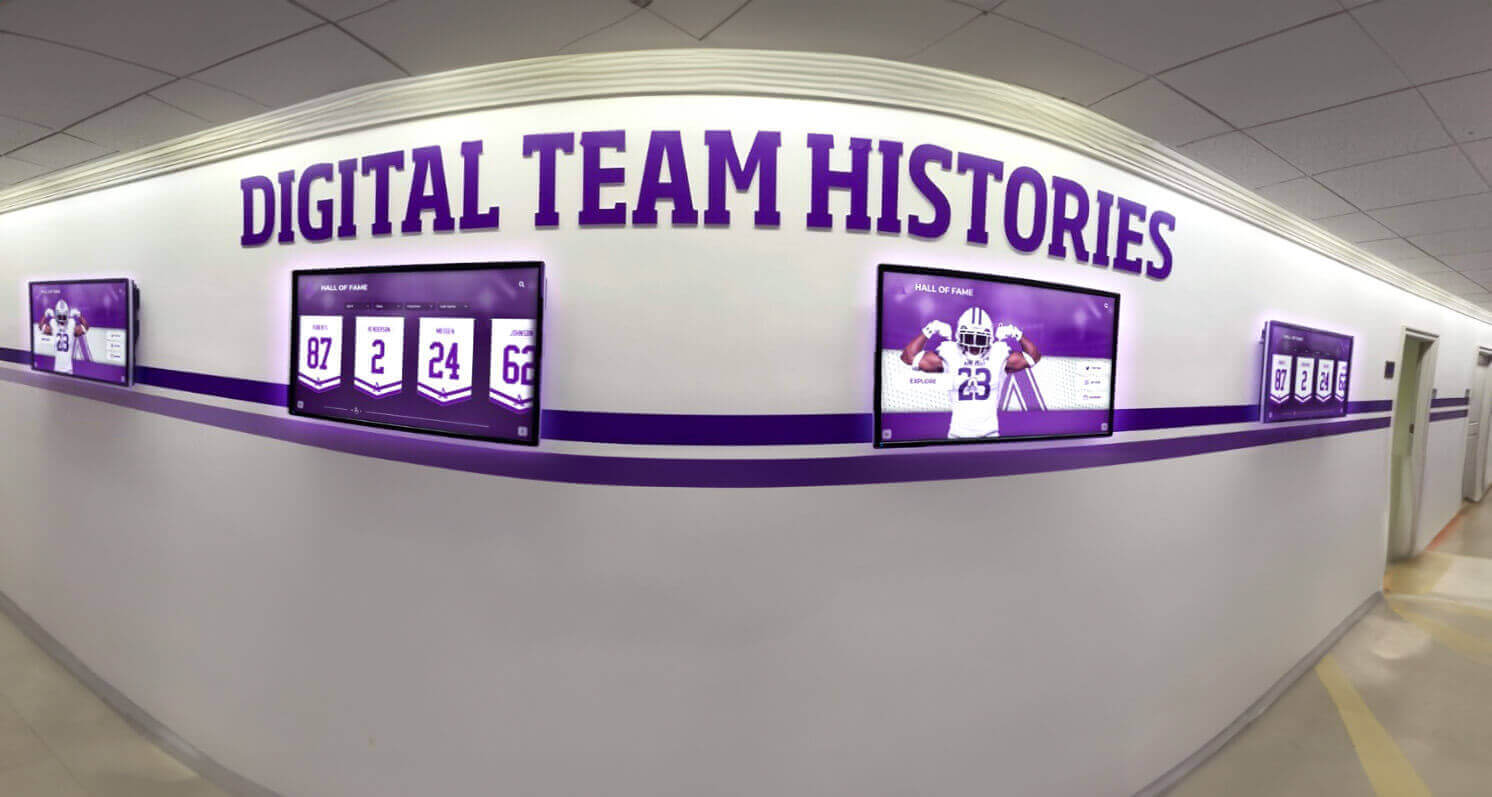
A well-organized athletic photo archive makes it possible to populate hallway displays with rich team history content automatically
Metadata Tagging: Making Photos Findable Decades from Now
Scanned image files without metadata are nearly as inaccessible as boxes of prints. The difference is that digital files can be organized and searched—but only if someone does the work of tagging them consistently.
For an athletic photo archive, the most critical metadata fields are:
| Field | Description | Example |
|---|---|---|
| Year | Academic year of the photo | 2003-04 |
| Sport | Primary sport depicted | Boys Basketball |
| Team | School name and team designation | Lincoln High School Varsity |
| Event | Specific event or occasion | IHSA Regional Championship |
| Subject | Athlete names visible in photo | Johnson, M.; Williams, K. |
| Photographer | Source attribution | Coach Martinez personal collection |
| Condition | Physical condition of original | Good / Fair / Damaged |
| Location | Where the photo was taken | Johnson Gymnasium |
Embed this information directly in EXIF/IPTC metadata fields within each TIFF file using a tool like Adobe Bridge, ExifTool, or DigiKam (free, open-source). Embedded metadata travels with the file regardless of where it’s stored or moved, unlike database records that can become separated from the files they describe.
Develop a consistent naming convention before you begin. A format like YYYY_sport_team-descriptor_sequence.tif (e.g., 1997_football_varsity-state-champs_001.tif) keeps files organized chronologically by sport even in a flat folder structure, and makes the contents identifiable at a glance without opening each file.
Involve retired coaches, long-tenured staff, and alumni during the identification phase. Schedule review sessions where knowledgeable community members look through scan batches and provide player names, event context, and date verification. This knowledge capture is often the most time-intensive part of the archive project but produces the metadata that makes the archive genuinely useful.
Storage, Backup, and Long-Term Preservation
A digitized collection on a single hard drive is still vulnerable. The standard professional approach to digital preservation follows the 3-2-1 rule: three copies of every file, on two different media types, with one copy stored off-site.
Practical implementation for high schools:
- Primary working storage — Network-attached storage (NAS) device accessible to athletic department staff. This is where current work happens.
- On-site backup — External hard drive or second NAS updated automatically, stored in a different building from primary storage if possible (the athletic office backup shouldn’t be ten feet from the primary in the same room that floods).
- Cloud storage — Services like Backblaze B2, Amazon S3, or institutional cloud storage through your district IT department provide the off-site copy. Costs for educational institutions are typically modest for photo archives in the 500GB–5TB range.
Plan for file format migration from the beginning. TIFF is a stable, well-documented format with strong long-term prospects, but no format is permanent. The Society of American Archivists recommends creating institutional policies for reviewing format longevity every five to ten years and migrating files as needed. Build this review into your athletic department’s calendar now, rather than discovering obsolete formats when you need the files.
Interactive touchscreen recognition displays for schools require a well-organized, accessible archive as their foundation. Schools that invest in proper storage architecture upfront avoid the costly and disruptive experience of rebuilding their collections after storage failures.
From Archive to Display: Connecting Photos to Interactive Systems
A complete athletic photo archive generates value in proportion to how accessible and visible it is. Files stored on a network drive and accessed only by administrators serve a narrow audience. Photos displayed on hallway screens, searchable by any student or visitor, serve the entire school community daily.
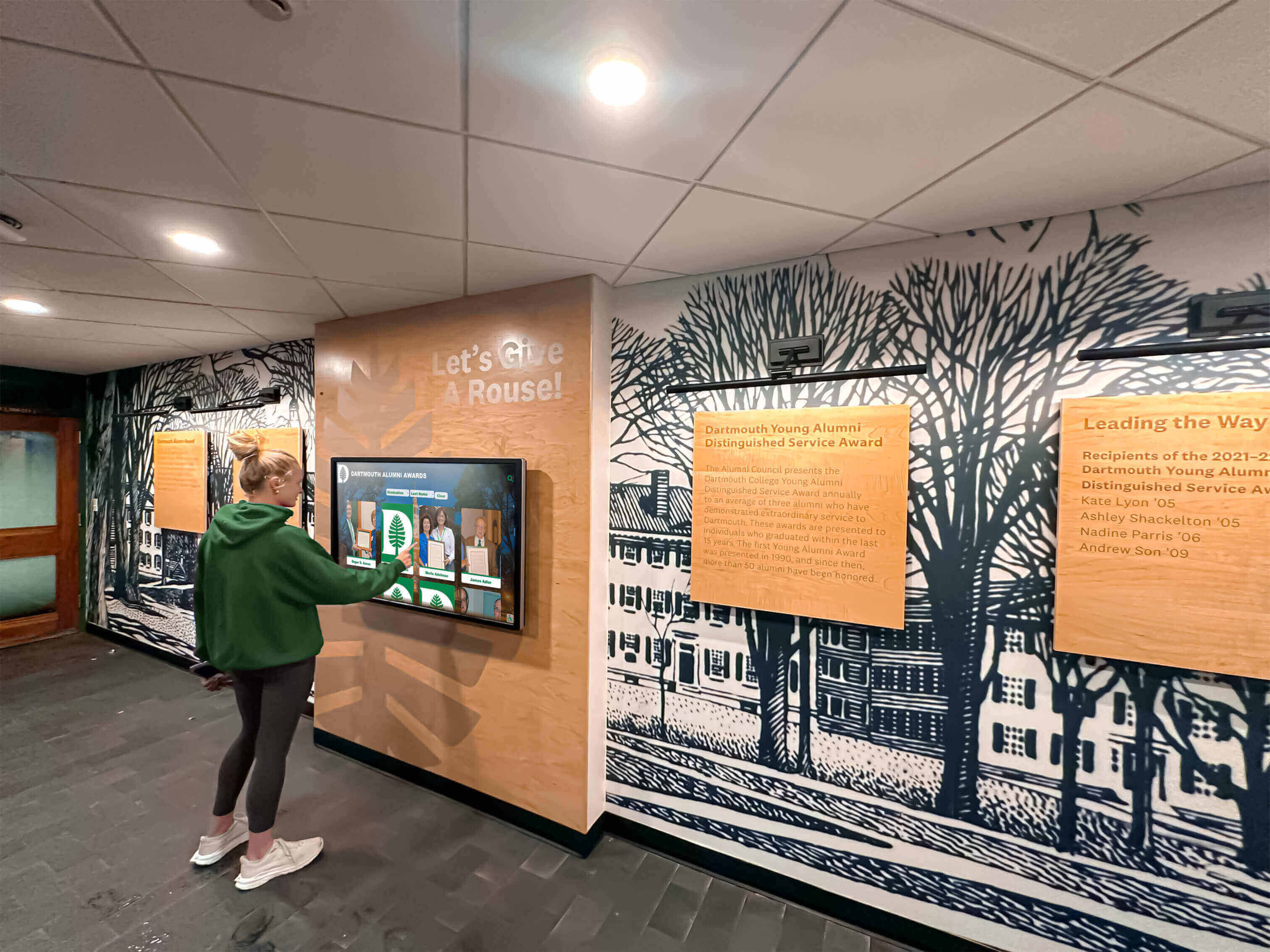
Interactive touchscreen systems allow students and visitors to explore decades of athletic history on demand
Modern trophy display cases and LED solutions for school gyms can directly integrate with organized digital photo collections. When your archive is structured consistently—with metadata-tagged files organized by sport and year—content management becomes straightforward: photos flow into display systems with minimal manual curation effort each time new content is added.
The connection between archive and display typically works through one of three workflows:
1. CMS-integrated displays — Content management systems designed for educational digital signage allow direct media library integration. Photos tagged by year and sport automatically populate sport-specific or era-specific display zones without requiring individual file uploads for each screen.
2. Touchscreen kiosk software — Interactive systems designed specifically for athletic hall of fame applications allow visitors to browse by sport, year, team, or individual athlete. Well-tagged archive photos map directly into these navigation structures.
3. Slideshow and ambient display — Standard digital signage software can pull rotating content from shared network folders. A folder organized by sport produces sport-specific slideshows that cycle through team photos chronologically, creating ambient archive displays in lobbies and hallways.
Launching a mid-year digital hall of fame through physical and digital installations transforms an archive from administrative infrastructure into community storytelling infrastructure. The two functions reinforce each other: better archives make better displays, and visible displays generate community interest that surfaces more photos from alumni and community sources.
Modernizing Physical Recognition Alongside Digital Displays
Many schools carry a legacy of physical recognition infrastructure—trophy cases, painted championship walls, framed team photos—that predates digital display systems. As you build your athletic photo archive, the question of how physical and digital recognition coexist deserves deliberate attention.
Using touchscreen banner displays for schools is one approach schools increasingly take as display technology becomes more capable and cost-effective. Digital displays can cycle through hundreds of championship records where a physical banner wall can only show dozens. They update instantly when new championships are won—no printing lead time, no installation crew, no blank space waiting to be filled.
The stronger approach integrates physical and digital recognition rather than treating them as alternatives. Touchscreen hall of fame recognition for high school sports programs typically means preserving the physical permanence and gravitas of recognition plaques and engraved elements while adding interactive screens that surface the deeper archive—the action photos, the championship newspaper coverage, the player statistics—that physical installations can’t contain.
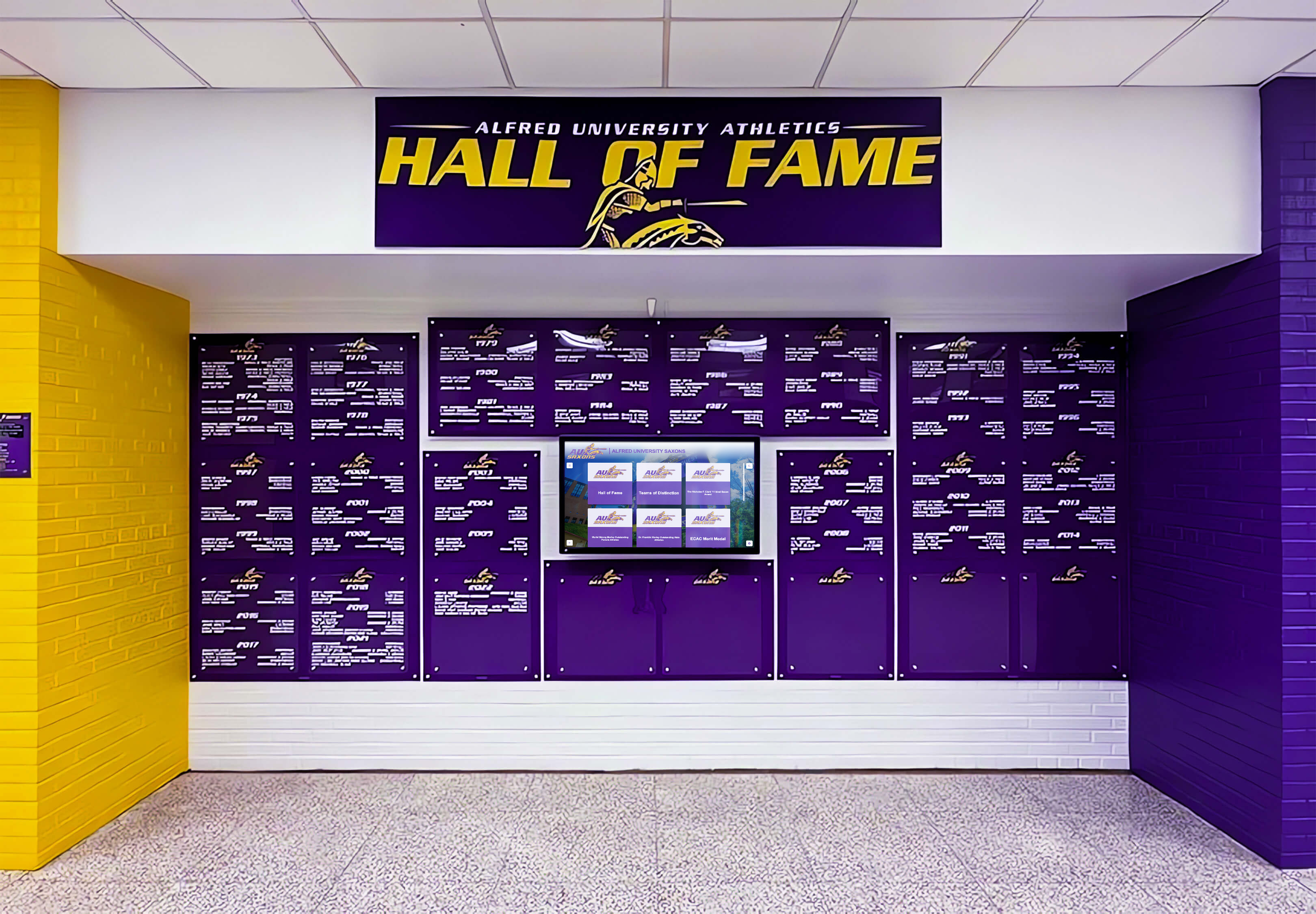
Well-designed hall of fame installations combine permanent branding elements with digital screens that surface the full depth of an athletic photo archive
Involving Alumni and the Community in Archive Building
No athletic department has complete records. Gaps are inevitable, particularly for eras before systematic photo programs existed or when department turnover led to lost files. Alumni outreach is often the most effective way to fill those gaps.
Structured photo donation programs give alumni a clear, simple pathway to contribute. The elements that make these programs work:
- Clear submission guidelines — Tell donors exactly what you need: original prints preferred, digital scans accepted at minimum 300 DPI, JPEG or TIFF format.
- Acknowledgment and attribution — Donors want to know their contribution is valued and credited. Even basic donor acknowledgment in the archive metadata (“Donated by K. Williams, Class of 1991”) encourages participation.
- Visible return — When donated photos appear in hallway displays or on interactive screens, donors see their contribution making an impact. This visibility drives continued engagement and word-of-mouth outreach to other alumni.
- Organized intake process — A simple online form or designated staff contact reduces friction in the donation process. Photos left at the front office without context are harder to catalog than photos submitted with accompanying information about date, sport, and player names.
Building a robust athletic photo archive creates exactly the kind of school pride infrastructure that drives alumni engagement long after graduation. Former athletes who see their teams recognized on campus displays, and who contributed photos to make that recognition possible, develop stronger connections to the institution.
Trophy case display designs for schools can serve double duty as physical collection points for photo donations alongside trophies and artifacts—a visible, accessible location where community members understand they can contribute to the school’s ongoing historical record.
Prioritizing Display Content from Your Archive
A complete archive gives you more content than any display system can show at once. Prioritization decisions shape which athletes and teams receive immediate visibility and which remain in the archive waiting for future display opportunities.
Effective prioritization frameworks for athletic photo archive content:
Hall of fame inductees first — Athletes formally inducted into a school or athletic association hall of fame have already been vetted for historical significance. Their photos represent the highest-priority display content regardless of era.
Championship teams — State, regional, and conference championship teams from any era have natural claim to display priority. Work chronologically from most recent backward, ensuring current students can see recent tradition before diving into historical records.
Record holders — Individual record holders across sports (scoring records, statistical marks, performance records) provide specific, verifiable recognition opportunities that work well in both physical and digital display contexts.
Milestone programs — Sports that were dominant in certain eras, founding teams for programs that no longer exist, and seasons that represented significant achievements for their time deserve representation even when they don’t fit neatly into championship or record-holder categories.
Connecting archive display decisions to high school end-of-year awards ceremonies creates natural opportunities to surface historical archive content alongside current achievement recognition—tying new honorees to the tradition they’re joining.

Touchscreen hall of fame systems allow athletes from any era to be displayed with equal prominence—putting the full depth of your archive to work
Building the Archive as an Ongoing Program, Not a One-Time Project
The most common mistake in athletic photo archive projects is treating digitization as a one-time effort rather than an ongoing program. Schools that digitize historical collections but fail to establish intake workflows for new photography find themselves repeating the project in twenty years—facing the same backlog problem with different technology.
Sustainable archive programs have three components:
Current-year photography capture — Establish consistent practices for photographing all athletic teams each season. Team photos, action photography from significant games, and championship documentation should all route into the archive system at the end of each season rather than sitting in coaches’ email inboxes or phone camera rolls.
Annual metadata review — Designate responsibility for reviewing current-year photos, completing metadata fields, and integrating new content into the established archive structure. This takes hours per year when done consistently versus weeks of backlog work if neglected.
Community input channels — Maintain the alumni donation pathway year-round, not just during archive project phases. Reunion seasons, milestone anniversaries, and hall of fame induction cycles all generate natural opportunities for alumni to surface historical photos worth adding.
Rocket Alumni Solutions helps schools build recognition systems that grow alongside the athletic photo archives supporting them. From touchscreen walls of fame that make decades of team photos interactive and searchable, to digital display installations that cycle historical content through lobbies and hallways year-round, these systems are designed to make archive investment visible to the entire school community.
Frequently Asked Questions About Athletic Photo Archives
What resolution should I scan athletic team photos for archival preservation?
The Federal Agencies Digital Guidelines Initiative recommends scanning photographic prints at a minimum of 400 pixels per inch (PPI) for archival purposes, with 600 PPI preferred for smaller prints. Save master files as uncompressed TIFF. For slides and negatives, scan at 2,000–4,000 PPI to compensate for the small original size. JPEG copies for web use and display systems should be derived from these TIFF masters rather than created through additional scanning.
How should I organize an athletic photo archive so photos stay findable?
Use a consistent file naming convention that encodes the most important information in the filename itself (year, sport, event, sequence number). Embed metadata—year, sport, athlete names, event, photographer credit—directly in EXIF/IPTC fields using tools like ExifTool or Adobe Bridge. Organize folders by sport and academic year. A well-tagged file with embedded metadata stays findable even if it’s moved between storage systems, while database records can become separated from the files they describe.
How do I get athlete names for historical photos when the people who took them are long gone?
Work through multiple channels simultaneously: post photos publicly on school social media with requests for identification from alumni, share batches through alumni associations and reunion committees, contact retired coaches or athletic directors who may still be reachable, and check newspaper archives that may have published photos with caption identifications. Accept partial information—“Boys Basketball 1978, names unknown” is more useful than no metadata at all, and community responses often surface identification over time as more people see the photos.
What’s the best way to connect a digitized photo archive to hallway display systems?
Organize your archive with consistent, predictable folder structures and metadata—photos tagged by sport and year can automatically populate sport-specific or era-specific display zones in content management systems. Work with your display hardware vendor to understand what file formats and organization structures their system expects. Touchscreen hall of fame systems designed specifically for athletic recognition often import directly from organized photo libraries, mapping sport and year tags into their navigation structures without manual file-by-file uploading.
How do I get alumni to donate historical athletic photos they have at home?
Create a clear, simple submission process: an online form that accepts image uploads, or a designated staff contact. Tell donors exactly what information you need—year, sport, occasion, player names they can identify. Acknowledge contributions visibly: donor credits in the archive system and, when photos appear in hallway displays or touchscreen systems, credit panels that attribute the source. Make donated photos visible quickly so donors see the impact of their contribution and share the outcome with others in their alumni networks.
Turning Stored Photos into Active School Memory
Decades of team photos sitting in storage represent a institutional asset with no current value—invisible to students, inaccessible to alumni, and gradually degrading toward permanent loss. A systematic athletic photo archive project changes that equation: physical photos become permanent digital records, contextual metadata makes them searchable and attributable, and structured storage ensures they remain accessible regardless of staff turnover or technology changes.
The display step is what converts archive investment into community value. When digitized photos appear on touchscreen hall of fame systems in gym lobbies, on rotating displays in hallways, and in searchable digital archives accessible to alumni, they stop being administrative records and start being living institutional memory.
Rocket Alumni Solutions designs and installs custom touchscreen walls of fame, digital display systems, and interactive athletic recognition installations that connect directly to organized photo archives—turning decades of digitized team photos into daily campus storytelling. Reach out to explore what’s possible for your school’s athletic history.