Athletic photo alt text guidelines give school web teams, coaches, and athletic directors a consistent framework for writing image descriptions that serve two goals at once: making photos legible to screen reader users who cannot see them, and giving search engines enough context to index athletic images meaningfully. Team pages, award archives, hall of fame profiles, and digital trophy cases all rely on photography to communicate tradition and achievement—but without descriptive alt text, those photos are invisible to visitors using assistive technology and to the web crawlers that determine whether your pages appear in search results.
This guide covers alt text best practices for every category of athletic photo you are likely to publish: team composites, action shots, award ceremonies, hall of fame headshots, championship trophies, and donor recognition images. Each section includes good and poor examples, a quick-reference table, and numbered steps for implementation. Accessibility requirements and policies vary by institution and jurisdiction; nothing in this guide constitutes legal advice, and athletic departments should consult their district technology teams and applicable guidelines for compliance questions specific to their situation.

Athletic departments build photo archives spanning decades—each image requires descriptive alt text to be accessible and searchable
What Is Alt Text and Why Do Athletic Departments Need It?
Alt text (alternative text) is a short written description embedded in an image’s HTML alt attribute. When a screen reader encounters an image, it reads the alt text aloud to the user. When a browser fails to load an image, the alt text appears in its place. And when a search engine crawls a page, it uses alt text to understand what an image depicts—because web crawlers cannot see photos the way human visitors do.
For athletic departments, alt text matters across three distinct contexts:
- Accessibility: Visitors with visual impairments or learning disabilities rely on screen readers to navigate websites. A team photo without alt text is a blank gap in their experience of your athletic history.
- SEO: Search engines index alt text when determining which images to surface for sport-related queries. Descriptive alt text on hall of fame profiles and team composites can drive traffic from image searches to your athletic pages.
- Display fallback: Digital signage systems, PDF exports, and print-to-web conversions sometimes strip images. Descriptive alt text preserves meaning when the image itself cannot display.
According to the Web Accessibility Initiative’s Web Content Accessibility Guidelines (WCAG), meaningful images require text alternatives that convey the same information the image provides. WCAG is published by the World Wide Web Consortium (W3C) and is widely referenced in educational accessibility frameworks across the United States, though how requirements apply to specific institutions depends on applicable laws and policies.
Quick-Reference Table: Athletic Photo Alt Text Guidelines by Image Type
| Image Type | Alt Text Should Include | Alt Text Should Omit |
|---|---|---|
| Team composite photo | Sport, school name, team level, season year | “Photo of,” “image of,” player names if too many |
| Individual athlete headshot (HOF) | Athlete name, sport, school, approximate era or year inducted | “Headshot,” “portrait” (implied) |
| Award ceremony photo | Award name, recipient description, occasion | Vague labels like “award photo” |
| Action/game photo | Sport, action being depicted, team name or jersey color | Unnecessary editorializing (“amazing play”) |
| Trophy or championship banner | Award name, sport, year won, school name | Generic “trophy” without context |
| Hall of fame display wall | Display location, school name, what the wall contains | “Wall,” “display” alone |
| Donor or sponsor recognition image | Donor or sponsor name (if shown), program being recognized, display type | “Donor photo,” “plaque image” |
| Record board or statistical display | Records listed (sport, category, value), school name | “Records board,” “numbers” alone |
How to Write Alt Text for Athletic Team Photos
Team composite photos are among the most common images on athletic department websites, but they are often uploaded without any alt text or with unhelpfully generic descriptions like “team photo.”
Descriptive alt text for a team composite answers:
- Which school or program is featured?
- What sport and team level (varsity, JV, freshmen)?
- What season or year does the photo represent?
- Is there anything distinctive about the composition worth noting?
Example alt text (poor): alt="Team photo"
Example alt text (better): alt="Lincoln High School varsity boys basketball team composite photo, 2023-24 season, featuring eighteen players and coaching staff against a gold background"
Step-by-step process for team photo alt text:
- Open your image in a CMS or file manager.
- Identify the sport, team level, school name, and season year from the photo or your file-naming convention.
- Write a sentence that states all four elements: school name + sport + team level + season year.
- If the photo has a distinctive visual element—championship trophy, particular setting, recognizable number of players—add that in a second clause.
- Keep the total description under 125 characters when possible; 100–150 characters is the practical range for most alt attributes before they become unwieldy.
- Avoid starting with “Photo of” or “Image of”—screen readers already announce that images are images.
For athletic history display systems that pull images from a CMS or media library, alt text fields in the library itself often populate automatically in display software—making it doubly important that alt text is entered correctly at the source, not patched after the fact.
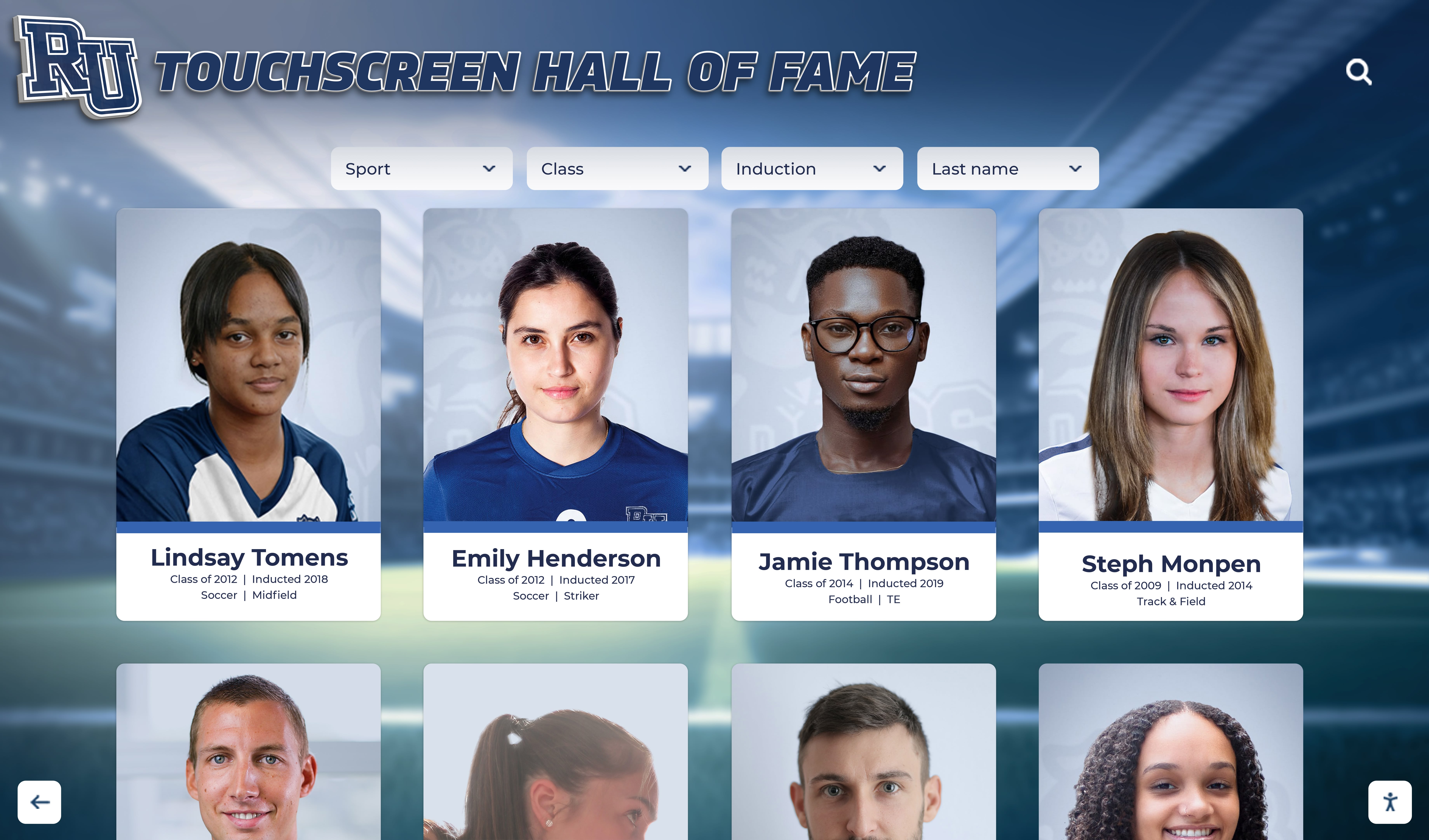
Touchscreen hall of fame systems display athlete portrait cards that require descriptive alt text in the underlying web-based platform
Alt Text for Hall of Fame Profile Images
Hall of fame profile images present a different challenge from team composites. These images are typically individual headshots or action photos representing a specific athlete who has been formally inducted into the school’s hall of fame or wall of honor. The athlete’s name, sport, and context are essential information—and they belong in the alt text.
Descriptive alt text for a hall of fame profile image answers:
- Who is the person depicted (name, if known and publicly displayed)?
- What sport did they compete in?
- What is the context—headshot, action photo, induction ceremony photo?
- If the image is an action photo, what action is depicted?
Example alt text (poor): alt="Hall of fame athlete"
Example alt text (better): alt="Jordan Williams, Lincoln High School football hall of fame inductee, shown in uniform during a game circa 1998"
When athlete names are not publicly confirmed: Some historical hall of fame photos do not have confirmed identification—a common challenge for photos from the 1970s and 1980s. In those cases, describe what you can see:
alt="Unidentified Lincoln High School track athlete receiving award medal, approximate era 1980s, shown on outdoor track"
Providing partial information is far better than leaving alt text empty or writing only “athlete photo.” The athletics wall of honor complete guide covers how recognition wall content should be organized and documented—the same discipline that makes a wall of honor legible also makes its image alt text writable.
Alt Text for Award Ceremony and Recognition Photos
Award ceremony photos capture specific moments: an athlete receiving a plaque, a team holding a championship trophy, a coach being honored at a banquet. The alt text should capture who is being recognized, for what, and in what context.
Descriptive alt text for award photos answers:
- What award or recognition is being given?
- Who is receiving it (name if public, or descriptive context if not)?
- What setting does the image depict?
Example alt text (poor): alt="Award ceremony"
Example alt text (better): alt="Lincoln High School athletic director presenting the Coach of the Year award to head football coach at annual sports banquet, gymnasium setting"
Awards recognition is increasingly documented across digital platforms—from web-based hall of fame archives to AP Scholar digital recognition platforms—and alt text on award ceremony photos ensures those visual records are accessible on every platform where they appear.
Award photos that include multiple people can be challenging. When listing names is impractical (large group ceremony), describe the scene at the category level: “Lincoln High School all-conference athletes receiving plaques at annual winter sports banquet, approximately twenty students depicted.”

Hall of fame display walls combine inductee photos, biographical text, and award context—all of which should be reflected in alt text for web versions
Alt Text for Trophy, Banner, and Championship Images
Championship trophies and banners are physical symbols of athletic achievement. When photographed and posted online, they need alt text that makes the achievement concrete rather than generic.
Descriptive alt text for trophy and banner photos answers:
- What is the trophy or banner for (sport, championship level, year)?
- What school or program is it from?
- Is the image contextual (trophy alone) or situational (trophy being held by a team, hanging in a gym)?
Example alt text (poor): alt="Trophy"
Example alt text (better): alt="Lincoln High School girls soccer regional championship trophy, 2022, displayed in athletic office trophy case"
Example alt text (better): alt="Championship banner reading 'State Champions 2019' in school colors hanging in the main gymnasium at Lincoln High School"
For cheerleading awards and creative recognition content on web platforms, the same principle applies: make the award category and school explicit, because a photo labeled only “trophy” tells a screen reader user nothing about what achievement it represents.
Alt Text for Digital Recognition Displays and Touchscreen Kiosks
Digital hall of fame displays and touchscreen kiosk systems increasingly appear on athletic department websites as embedded screenshots, product demos, or promotional images. When you publish a photo of a touchscreen recognition wall on your school website, that photo requires alt text describing both the display technology and the athletic content it shows.
Descriptive alt text for display/kiosk photos answers:
- What kind of display or kiosk is shown?
- What athletic content is visible on the screen?
- Where is the display located (gym lobby, hallway, athletic office)?
- Is someone interacting with the display? If so, describe the action briefly.
Example alt text: alt="Touchscreen hall of fame kiosk in Lincoln High School gym lobby showing football inductee profile photos and career statistics"
Example alt text: alt="Student interacting with digital wall of fame display in school hallway, browsing basketball team history by season"

Photos of touchscreen recognition systems published on school websites need alt text that describes both the display type and the athletic content visible on screen
Embedded display screenshots published as product or installation images also need alt text—not just the photos of people using them. A screenshot showing your school’s digital records board is an informative image that deserves a description like: alt="Screenshot of Lincoln High School digital records board showing all-time scoring leaders in boys basketball, football, and track".
Alt Text for Donor and Sponsor Recognition Photos
Athletic departments frequently photograph donor walls, naming rights installations, and sponsor recognition panels. These images have specific alt text requirements because the names and recognition information visible in the image are often the point of the photo.
Example alt text (poor): alt="Donor plaque"
Example alt text (better): alt="Lincoln High School Athletic Booster Club donor recognition wall in gymnasium lobby featuring bronze plaques with donor names organized by giving level"
When individual donor names are clearly visible and the photo is intended to recognize those donors, include the names:
alt="Naming rights plaque reading 'Williams Family Field House, Established 2021' installed at main entrance to Lincoln High School athletic facility"
Digital donor walls that appear on school websites as web pages rather than physical installations are a separate case—each donor entry that includes a photo or avatar image needs its own individual alt text describing who or what is depicted.
Donor recognition screens for athletics require the same descriptive discipline as any other recognition image. Complete guides to donor recognition screen design cover the visual hierarchy of these installations, and the information that appears most prominently in the physical installation—donor name, program recognized, giving level—should anchor the alt text when those installations are photographed for web publication.
Common Alt Text Mistakes Athletic Departments Make
1. Leaving alt text empty on meaningful images.
An empty alt="" attribute signals to screen readers and search engines that an image is decorative and can be skipped. If your team photo has alt="", screen readers will ignore it entirely. Use empty alt text only for genuinely decorative images—background textures, divider lines, purely ornamental graphics—not for photos that convey athletic history.
2. Writing generic labels. “Photo,” “image,” “athlete,” “trophy,” “team” are not alt text—they are category labels. Alt text should describe this specific image, not just what type of image it is.
3. Keyword stuffing.
Alt text is not the place to insert every variation of a keyword phrase. Descriptions like alt="athletic photo alt text guidelines school sports football basketball wrestling" harm accessibility and are penalized by search engines. Write for the person who cannot see the image, not for the crawler.
4. Repeating the surrounding caption or heading.
If your CMS displays a caption beneath the image that reads “Lincoln High School 2023 Football State Champions,” the alt text does not need to repeat that sentence verbatim. You can summarize or complement: alt="2023 Lincoln High School football team celebrating state championship on field".
5. Using file names as alt text.
Auto-generated alt text pulled from file names like DSC_2847.jpg or IMG_team_photo_final_v3.jpg provides no useful information. Your CMS may prefill alt text fields from file names—always override with descriptive text.
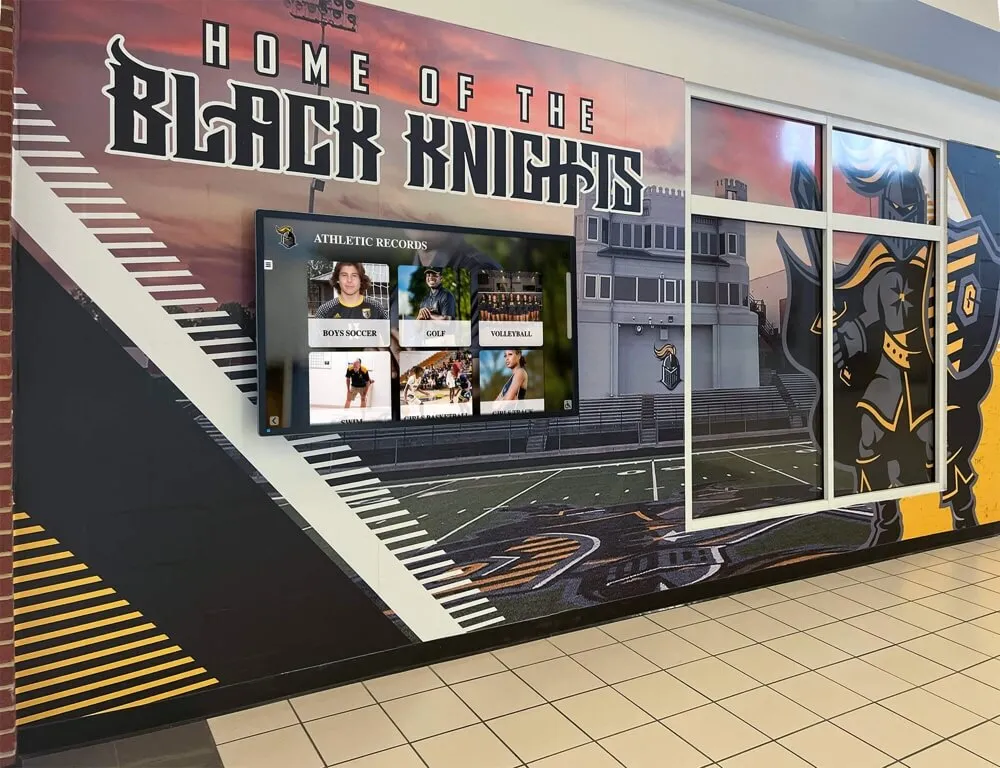
Photos of hallway murals and records displays published online require alt text that describes both the visual design and the recognition content shown
Implementing Athletic Photo Alt Text: A Step-by-Step Workflow
Step 1: Audit existing images. Export a list of all images currently published on your athletic department website, hall of fame microsite, or digital displays platform. Most CMS platforms have a media library view that shows image file names, upload dates, and alt text fields. Identify every image with empty or generic alt text.
Step 2: Prioritize by visibility and importance. Hall of fame inductee headshots, team composite galleries, and championship photos have the highest search and accessibility value. Address these before updating decorative background images.
Step 3: Write alt text using the category framework. Match each image to its type (team photo, headshot, award ceremony, trophy, display, donor wall). Apply the corresponding guidelines from the table above. Use your photo archive metadata—year, sport, season, event name—to populate accurate descriptions efficiently.
Step 4: Enter alt text directly in the image’s alt attribute.
In most CMS platforms (WordPress, Webflow, Squarespace, and others), each uploaded image has an “Alt text” field separate from the file name and caption. This field writes directly to the HTML alt attribute. Do not rely on captions or file names—enter alt text in the correct field.
Step 5: Establish a standard for new uploads. Create a written policy—even a one-page reference document—that tells staff and coaches what information to include when uploading team photos at the end of each season. Sport, team level, school, season year, and event context are the minimum. Share the quick-reference table in this post as a starting point.
Step 6: Coordinate with display vendors. If your school uses a third-party digital hall of fame or records board platform, confirm whether alt text entered in your CMS propagates to the display software, or whether alt text must be entered separately in the vendor’s system. Interactive recognition systems for schools typically maintain their own content management workflows.
Contextual CTA
If your athletic department is building or upgrading a digital hall of fame or recognition display, a well-structured content workflow—including consistent alt text standards—makes the migration process significantly cleaner. Rocket Alumni Solutions structures recognition content the same way across physical displays and web-based platforms, and Rocket Graphics will carry that over to social graphics. Get notified when it opens.
Frequently Asked Questions About Athletic Photo Alt Text Guidelines
What should alt text include for a high school team composite photo?
Alt text for a team composite should include the school name, sport, team level (varsity, JV, or freshmen), and season year. A functional example: “Lincoln High School varsity girls volleyball team composite photo, 2024-25 season.” Keep the description under 125 characters when possible. Do not start with “photo of” or “image of”—screen readers announce images as images without that prefix.
Should historical athletic photos with unknown athlete names still have alt text?
Yes. Even if you cannot identify individual athletes in a historical photo, describe what you can: the sport, approximate era, school affiliation, and scene context. “Unidentified Lincoln High School wrestling team members competing at gymnasium match, approximately 1985” is far more useful to screen reader users than empty alt text or a file name. Partial information is always better than none.
Does alt text affect how my athletic photos rank in Google Images?
Alt text is one of the primary signals search engines use to understand image content. Descriptive alt text that includes sport, school name, and season context improves the likelihood that your team photos appear in relevant image search results and supports overall page SEO for athlete-related queries. This compounds over time as more images in your archive receive proper descriptions.
Are decorative athletic images on a page also required to have alt text?
Decorative images—background textures, divider graphics, purely ornamental design elements—should have an empty alt attribute (alt="") rather than descriptive text. An empty alt attribute tells screen readers to skip the image without announcing it, which reduces noise for users relying on assistive technology. The distinction matters: images that convey information (team photos, award photos, trophy images) need descriptive alt text; images that are purely decorative do not.
How long should alt text be for a complex athletic hall of fame display image?
Aim for 100–150 characters for most images. For complex images—a hall of fame wall showing multiple inductee portraits, a digital display cycling through several records—prioritize the most important information in the first clause and add secondary detail in a second clause if needed. If the image is extremely complex (a full-wall mural with dozens of names and dates), consider supplementing alt text with a longer text description elsewhere on the page rather than making the alt attribute unwieldy.
Writing Alt Text Is Part of Building a Complete Athletic Recognition System
Applying consistent athletic photo alt text guidelines across your team pages, hall of fame profiles, and award archives ensures that every visitor—regardless of whether they can view images—can access the recognition your athletic department has worked to build. Screen reader users, search engine crawlers, and visitors on low-bandwidth connections all benefit from descriptive, accurate alt text on athletic photography.
The workflow is straightforward: match each image to its type, include the key identifiers (sport, school, year, context), avoid generic labels and keyword stuffing, and establish a standard that carries forward with every new team photo upload. Applied consistently, these guidelines make your athletic digital presence both more accessible and more discoverable.
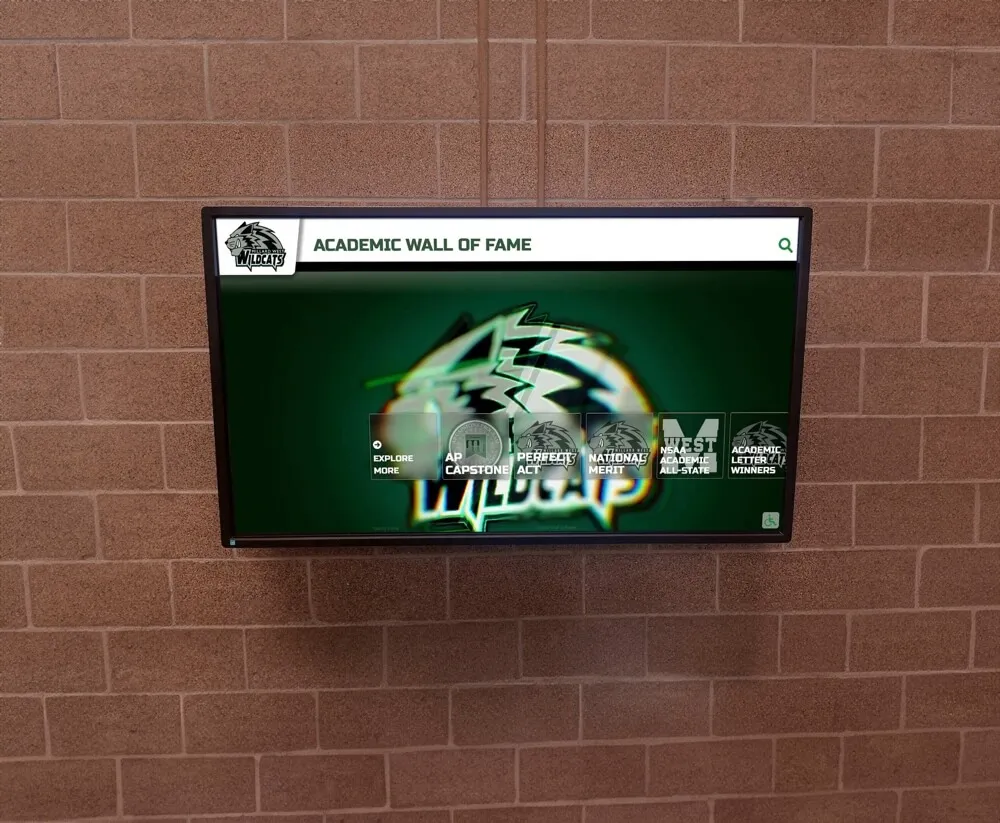
Digital recognition walls on school websites require alt text for every inductee image and display screenshot to be fully accessible
Rocket Alumni Solutions builds digital hall of fame systems, athletic records displays, and interactive recognition installations that are designed with structured content in mind—including the metadata and image management workflows that support accessible web publication.
Build an Accessible Athletic Recognition System
From hall of fame profiles to digital trophy cases and interactive wall displays, Rocket Alumni Solutions designs recognition systems with content structure that supports accessibility across web, display, and print formats.
Get notified when Rocket Graphics opens